
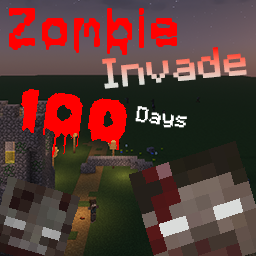
Zombie Invade 100 Days Server Hosting
by FlameFire
One-click install from the Modpacks tab once your server is ready
- Recommended RAM
- 6 GB
- Latest build
- v2.3-FixDec 2025
- Mod loader
- Forge1.20.1
- Downloads
- 15.5MModrinth
Zombie Invade 100 Days exists because of a video series. FlameFire built it to recreate the 100 Days zombie apocalypse format that Forge Labs made popular, on a current version of Minecraft rather than the older one the original ran on, and to get as close to that experience as the modern mod ecosystem allows.
The shape is familiar if you have watched one of those runs. You start with nothing in a world that has already fallen, fortify somewhere defensible, and try to survive an escalating threat while a wilderness handbook nudges you toward the next thing you need. Lost Cities generates ruined urban sprawl across the overworld to scavenge, and the pack's core zombie behavior comes from a dedicated apocalypse mod rather than from tweaked vanilla mobs.
What makes it a good server pack specifically is that the format works better with people. A hundred days alone is a grind; a hundred days with four friends arguing about where to put the walls is the thing the videos are actually selling. It runs on Forge 1.20.1 and suits a group who want a defined challenge with an end point.
Hosting Zombie Invade 100 Days
Decide the world type at creation
This pack gives you a real choice before anyone plays, and it matters more than usual. Recent versions offer a flat overworld selected through the datapack screen at world creation, a superflat world, or an ordinary Minecraft world. Flat and superflat make the village-fortress style of play the series is known for; a normal world gives you terrain to hide in.
Make this decision with your group first, because it is fixed once the world generates.
Lost Cities is on by default
The ruined cities you scavenge generate in the overworld without you enabling anything, so do not follow older guides telling you to switch them on. If you want them off, the setting is in the Lost Cities configuration under its profiles, where removing the overworld entry stops them generating.
The reason to know this is performance as much as preference. City chunks are dense, detailed and full of loot containers, so they cost considerably more to generate and to keep loaded than open terrain, and they are where your players will spend their time.
Optional datapacks are added at creation too
The pack ships extra datapacks for a harder run, including one that extends the apocalypse into the Nether and the End and one that adds horde nights. They go in at world creation rather than later, so decide up front whether your group wants them.
6 GB, Java and updating
We set 6 GB for a group of around six, which fits a mid-weight pack of around 129 entries. Forge 1.20.1 means Java 17, selected at install. Server files are published per version, so stay on a build that has them, and back up before moving between versions since world and datapack choices are baked in at creation.
World type
Flat, superflat or normal
The choice is made at world creation and fixed afterwards, so agree it with your group first.
Cities
Lost Cities is already on
Ruined cities generate by default. Older guides telling you to enable them are out of date.
Datapacks
Added at creation only
The optional harder datapacks, including horde nights, go in when the world is made, not later.
How to install Zombie Invade 100 Days on your server
- 1
Order the server
The button on this page preselects the RAM this pack needs. It is online about a minute after checkout.
- 2
Open the Modpacks tab and search Zombie Invade 100 Days
In the panel's Modpacks tab, search for Zombie Invade and pick Zombie Invade 100 Days by FlameFire on Modrinth, then choose the newest build.
- 3
Press install and wait
The panel downloads the server pack, installs the loader and the right Java version, then restarts.
- 4
Join with the same build
Everyone installs the same pack build in their launcher, then connects to the address on the Overview tab.
Available builds
| Build | Released | Installable | ||
|---|---|---|---|---|
| v2.3-Fix | 1.20.1 | Forge | Dec 13, 2025 | Installable |
| v2.3 | 1.20.1 | Forge | Dec 10, 2025 | Installable |
| v2.2 | 1.20.1 | Forge | Jul 27, 2025 | Installable |
| v2.1 | 1.20.1 | Forge | Jan 31, 2025 | Installable |
| v2.0 | 1.20.1 | Forge | Dec 30, 2024 | Installable |
Your players need the same build in their launcher.
Frequently asked questions Zombie Invade 100 Days server questions
More Minecraft modpacks
See all 85
RLCraft
All the Mods 9
Better MC Forge
DawnCraft
Tools for your server
Free, no accountReady to run Zombie Invade 100 Days with your group?
One-click install from the Modpacks tab once your server is ready