
StoneBlock Server Hosting
by Sunekaer
One-click install from the Modpacks tab once your server is ready
- Recommended RAM
- 8 GB
- Latest build
- v1.0.38Oct 2026
- Mod loader
- Forge1.12.2
- Downloads
- 5MCurseForge
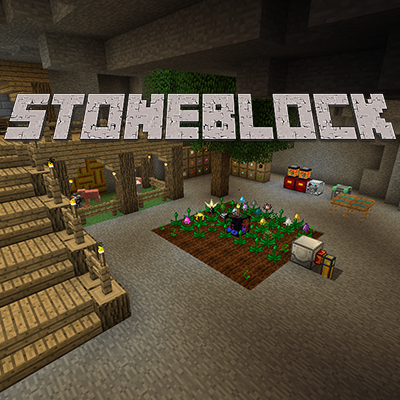
StoneBlock is where the whole underground-skyblock idea began. Sunekaer's description of it is still the clearest: it is a bit like skyblock, except you do not start with a tree and you are surrounded by stone.
That inversion does something skyblock never quite manages. Instead of an empty void where everything must be manufactured from nothing, you are enclosed in material, so the early game is about carving space and working out how to get the resources that stone cannot give you. A quest book carries you through the opening hours and then keeps handing you goals, which is what stops a kitchen sink of this size becoming directionless.
Beyond that it is a proper 1.12.2 kitchen sink with the tech and magic mods of that era, played in a very different physical space from a normal world. It is also a pack with a lineage: FTB later took the concept and built their own StoneBlock series on newer Minecraft versions. This is the original, finished and stable, and it suits a group who want the pure version of the idea.
Hosting StoneBlock
Set the world type to voidworld
This is the pack's own server instruction and it has to be right before the world generates. In server.properties:
level-type=voidworld
Get this wrong and you get an ordinary Minecraft world rather than the enclosed stone the pack is built around, which makes every quest in the book nonsensical. Because world type is fixed at generation, fixing it later means deleting the world, so check it before anybody builds anything.
8 GB, above the author's minimum
Sunekaer asks for at least 5 to 6 GB and states plainly that this is not a lightweight pack. We set 8 GB, which gives a group of around six real room as the base develops.
Since this is Minecraft 1.12.2 on Java 8, selected for you at install, remember that very large heaps are not the lever people assume. If the server struggles, the cause is usually machines or mobs rather than a memory ceiling.
Solid stone changes the spawning maths
The practical quirk of a stone world is that every cavity your group digs and does not light becomes valid spawn space. On a normal world mobs spawn in caves you never visit; here they spawn in the corridors between your machines. A mature StoneBlock base can accumulate a surprising mob population purely because nobody lit the mining tunnels.
Lighting your excavations is a performance measure on this pack, not just a safety one, and it is the first thing to check when things get choppy.
Pregeneration and updating
There is little to pregenerate. There is no sprawling surface terrain to walk into, so the usual advice does not apply, and the pack ships no tool for it. Your load is machine density in a compact space instead.
The pack has been finished since 2020, so a world you start now will not shift under your group. Back up before any change regardless, because a StoneBlock base represents a lot of careful excavation.
World type
level-type=voidworld
The pack's own server instruction. Set it before the world generates, because it cannot be changed after.
Spawning
Unlit tunnels hold mobs
Every cavity you dig and leave dark is spawn space, so lighting the base is a performance job here.
RAM
8 GB, above the 5 to 6 asked
The author calls it not lightweight and asks for 5 to 6 GB, so 8 GB leaves room as the base grows.
How to install StoneBlock on your server
- 1
Order the server
The button on this page preselects the RAM this pack needs. It is online about a minute after checkout.
- 2
Open the Modpacks tab and search StoneBlock
In the panel's Modpacks tab, search for StoneBlock and pick StoneBlock by Sunekaer, then choose build 1.0.37, and set level-type=voidworld before the first start.
- 3
Press install and wait
The panel downloads the server pack, installs the loader and the right Java version, then restarts.
- 4
Join with the same build
Everyone installs the same pack build in their launcher, then connects to the address on the Overview tab.
Available builds
| Build | Released | Installable | ||
|---|---|---|---|---|
| v1.0.38 | 1.12.2 | Forge | Oct 11, 2026 | Installable |
| v1.0.37 | 1.12.2 | Forge | Jul 25, 2020 | Installable |
| v1.0.36Beta | 1.12.2 | Forge | Jul 3, 2020 | Installable |
| v1.0.35 | 1.12.2 | Forge | Apr 15, 2019 | Installable |
| v1.0.34 | 1.12.2 | Forge | Feb 18, 2019 | Installable |
Your players need the same build in their launcher.
Frequently asked questions StoneBlock server questions
More Minecraft modpacks
See all 85
RLCraft

All the Mods 9
Better MC Forge

DawnCraft
Tools for your server
Free, no accountReady to run StoneBlock with your group?
One-click install from the Modpacks tab once your server is ready