
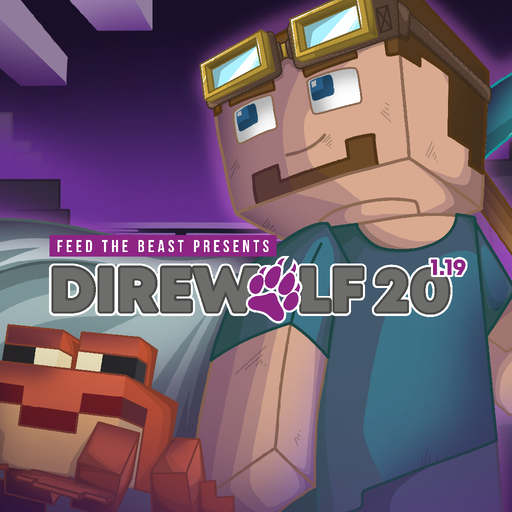
FTB Direwolf20 1.19 Server Hosting
by FTB Team
One-click install from the Modpacks tab once your server is ready
- Recommended RAM
- 6 GB
- Latest build
- v1.13.1Jun 2024
- Mod loader
- Forge1.19.2
- Downloads
- 257KFeed the Beast
FTB Presents Direwolf20 1.19 is the Forge entry in a collaboration that has been running since 2011. Every edition is assembled around the mods Direwolf20 is playing in his YouTube series for that Minecraft version, which is why the packs feel curated rather than assembled: somebody is actually playing all of it on camera.
This edition leans noticeably on Dire's own tools. His building, mining and charging gadget mods are front and center, and they change the texture of everyday play more than any single tech mod does. Placing a wall becomes one action rather than forty, and mining out a room stops being the reason you put the game down.
Around them sits a comfortable kitchen sink of tech and magic with no quest book at all. Nothing directs your progression and nothing is gated behind a task, which is the series' long-standing design. That makes it a good pack for a group who want to potter at their own pace, and an unusually good one for players learning modded Minecraft, since they can follow the series episode by episode with the same mods in front of them. It runs on Forge 1.19.2.
Hosting FTB Direwolf20 1.19
6 GB, which is FTB's own recommendation
FTB publish 6 GB as the recommended figure for this pack against a 4 GB minimum, and that is what we set. It is a fair number for a kitchen sink of around 297 entries with six players, helped by the absence of a quest system running scripted checks in the background.
This is the Forge edition
Worth being precise about, because the series spans loaders. The 1.19 pack is Forge. The later 1.20 edition is NeoForge, and their mod jars are not interchangeable even where the Minecraft version looks close. When somebody in your group wants to add a mod, the loader is the first thing to check, and telling people the Minecraft version alone is not enough.
Gadgets change where the load goes
The building and mining gadgets are convenient and they are also the one thing on this pack that can make a server hiccup. Placing or breaking a large volume in a single action is a real burst of block updates, and several players doing that at once concentrates it. Nothing needs configuring, but if you see brief stutters on an otherwise healthy server, somebody terraforming with a mining gadget is the usual explanation rather than a problem you need to fix.
Claims, pregen and updating
FTB Chunks, Teams and Ranks ship with the pack, carrying the usual FTB default: force-loaded chunks tick only while a team member is online, so machines stop overnight until you set force_load_mode to ALWAYS in the FTB Chunks server config under world/serverconfig.
There is no Chunky here, so pregeneration uses Forge's own /forge generate command, where the number is a total chunk count rather than a radius. Minecraft 1.19.2 means Java 17, selected at install. The pack settled in mid-2024, so updates are infrequent; back up before one anyway.
Loader
Forge, unlike the 1.20 pack
The 1.19 edition is Forge and the 1.20 one is NeoForge, so their mod jars do not interchange.
Gadgets
Dire's own building tools
Large single-action builds and digs are convenient, and are the usual cause of brief stutters.
RAM
6 GB, FTB's recommended spec
FTB's published figure for this pack, with 4 GB listed as their minimum.
How to install FTB Direwolf20 1.19 on your server
- 1
Order the server
The button on this page preselects the RAM this pack needs. It is online about a minute after checkout.
- 2
Open the Modpacks tab and search FTB Direwolf20 1.19
In the panel's Modpacks tab, search for Direwolf20 and pick FTB Presents Direwolf20 1.19 from Feed the Beast, then choose build 1.13.1.
- 3
Press install and wait
The panel downloads the server pack, installs the loader and the right Java version, then restarts.
- 4
Join with the same build
Everyone installs the same pack build in their launcher, then connects to the address on the Overview tab.
Available builds
| Build | Released | Installable | ||
|---|---|---|---|---|
| v1.13.1 | 1.19.2 | Forge | Jun 9, 2024 | Installable |
| v1.13.0 | 1.19.2 | Forge | Jan 19, 2024 | Installable |
| v1.12.0 | 1.19.2 | Forge | Jun 15, 2023 | Installable |
| v1.11.1 | 1.19.2 | Forge | Jun 5, 2023 | Installable |
| v1.11.0 | 1.19.2 | Forge | May 12, 2023 | Installable |
Your players need the same build in their launcher.
Frequently asked questions FTB Direwolf20 1.19 server questions
More Minecraft modpacks
See all 85
RLCraft
All the Mods 9
Better MC Forge
DawnCraft
Tools for your server
Free, no accountReady to run FTB Direwolf20 1.19 with your group?
One-click install from the Modpacks tab once your server is ready