
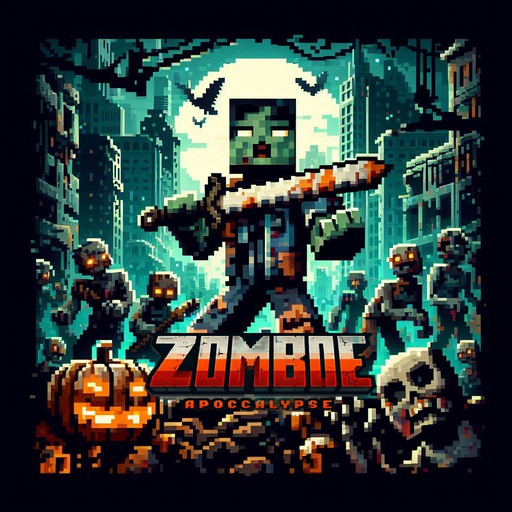
Zombie Apocalypse Server Hosting
by IDK_Modding
One-click install from the Modpacks tab once your server is ready
- Recommended RAM
- 6 GB
- Latest build
- v1.1Nov 2024
- Mod loader
- Fabric1.20.1
- Downloads
- 249KModrinth
Zombie Apocalypse is a Fabric modpack for Minecraft 1.20.1 by IDK_Modding that turns an ordinary survival world into an outbreak. Its 106 mods reshape what a night means: the undead are the main threat, and guns sit at the centre of how you fight back, so every trip outside the walls is a supply run with a cost.
The hook is pressure. There is no calm building phase followed by optional danger here. The pack is tagged adventure and challenging, and it plays that way from the first sunset. Scavenging, fortifying a base and judging when it is worth leaving cover become the core loop. Performance mods ship alongside the content, which keeps a list this size playable on a modest machine.
It suits groups who want a shared siege story: one player guarding the gate, another hunting for gear, everyone rationing what they carry home. A dedicated server keeps the base and its defences available whenever anyone wants to log in, not only when the host's PC happens to be switched on.
Hosting Zombie Apocalypse
RAM and what drives load
Our calculator puts Zombie Apocalypse at 6 GB for a group of about six, based on 106 mods at medium weight. The strain comes from hostile mobs more than machines: dense zombie spawns mean many entities running AI and pathfinding at once, and every gunfight adds projectiles to the tick. If the server stutters during a night attack, profile it while the attack is happening and check which entities dominate.
/spark profiler start
/spark profiler stop
World pregeneration and chunk loading
Looting is the whole point, so players scatter fast and every fresh chunk is generated while zombies are already spawning into it. Pregenerating a radius around spawn with Chunky moves that cost to before launch day. Chunky runs server-side only on Fabric, so adding it never forces players to change their client.
/chunky radius 3000
/chunky start
Keep view distance moderate: each loaded chunk around a player is one more place for the undead to appear.
Java version and updating
Minecraft 1.20.1 runs on Java 17, so keep the server on that version rather than forcing a newer one. The latest build is 1.1, and both upstream builds are stored, which makes an update a version switch in the Modpacks tab instead of a manual file swap. Take a backup first: a build change can drop a weapon or mob mod, and a world saved without it loses those items. Update every client to the same build before anyone joins.
Loader
Fabric on Minecraft 1.20.1
The pack runs on Fabric for 1.20.1, so every client needs the same loader and version to join.
Combat
Guns against the undead
Firearms are the main answer to the zombie threat, which pushes survival toward scavenging and defence.
Memory
6 GB recommended
With 106 mods at medium weight, the recommended allocation for a small group is 6 GB.
How to install Zombie Apocalypse on your server
- 1
Order the server
The button on this page preselects the RAM this pack needs. It is online about a minute after checkout.
- 2
Open the Modpacks tab and search Zombie Apocalypse
Open the Modpacks tab in the panel, search for Zombie Apocalypse, pick the listing by IDK_Modding and choose build 1.1 to install it in one click.
- 3
Press install and wait
The panel downloads the server pack, installs the loader and the right Java version, then restarts.
- 4
Join with the same build
Everyone installs the same pack build in their launcher, then connects to the address on the Overview tab.
Available builds
| Build | Released | Installable | ||
|---|---|---|---|---|
| v1.1 | 1.20.1 | Fabric | Nov 27, 2024 | Installable |
| v1.0 | 1.20.1 | Fabric | Nov 14, 2024 | Installable |
Your players need the same build in their launcher.
Frequently asked questions Zombie Apocalypse server questions
More Minecraft modpacks
See all 92
Cobblemon

Cobbleverse

Prominence II
DarkRPG
Tools for your server
Free, no accountReady to run Zombie Apocalypse with your group?
One-click install from the Modpacks tab once your server is ready