

"Failed to connect" in Valheim almost always means the client never found a usable route to the server, not that the server is down. Two causes cover most of it: a stale PlayFab account saved on the player's own PC, which keeps forcing the crossplay route, and a server running with crossplay off while Public server is off as well, which makes Join IP fail silently.
Run the quick checks below, then do the PlayFab reset. That reset is the fix in the large majority of cases, and every player does it once on their own machine.
Quick checks first
- The server and the game are on different versions. This is the usual one right after a Valheim update, when Steam has already updated the player but the server still runs the old build. Compare the version the server prints in the panel console on boot with the one on Valheim's main menu.
- The server restarted less than two minutes ago. It accepts connections only once the world has finished loading, so give it two minutes after a restart before you conclude anything.
- The address does not match the method. Join IP wants the game port exactly as the panel shows it, for example
1.2.3.4:25685. Steam's favorites list wants the query port instead, which is the game port plus one, so1.2.3.4:25686. Both routes are walked through in how to join a Valheim server. - The password. It has to be at least 5 characters. A wrong password gives its own message, so "Failed to connect" is usually not a password problem.
- The join code is from an earlier boot. The server prints a new code every time it starts, so yesterday's code is dead. With crossplay off, no code exists at all.
- The server never got its join code live. If the Overview page shows no code, or the Console prints a
NullReferenceExceptionright afterregistered with join code, see Valheim crossplay join code not working. - A console player is trying to join a server with crossplay off. Xbox, Game Pass, PS5 and Switch 2 players reach the server only through the relay, so with crossplay off there is no route for them. Send them how to join a Valheim server on Xbox, PS5 and Switch 2 once crossplay is back on.
- A firewall or antivirus on the player's own PC. Let Valheim through, or test for a minute with the security software paused.
- Mods. A BepInEx server needs every player to run the same mods. A mismatch normally reports an incompatible version rather than "Failed to connect", so this is worth ruling out but it is rarely the cause.
Reset the PlayFab account in Valheim
Valheim saves a PlayFab account on a PC the first time that player joins any server with a join code. From then on the client keeps trying the crossplay route, even for a server that no longer uses it. So when a server turns crossplay off, those players get "Failed to connect" while the server is running fine and other people are on it. With crossplay on, the same reset is the first thing to try when PlayFab itself is having trouble. That is the game's behaviour, not your host's, and it clears in ten seconds:
Open Valheim and click Settings on the main menu.
On the Gameplay tab, click Delete PlayFab account.
Click Yes when Valheim asks. The dialog says it itself: worlds, characters and buildings are not removed.
Do not quit or restart Valheim now. Go back to the main menu, open Join Game, choose Join IP and connect with the server address from your panel.
It is safe to press. The button only removes the crossplay login Valheim saved on that PC. Nothing on the server changes, and Valheim creates a new PlayFab account by itself the next time that player joins with a join code.
Full walkthrough with screenshots: How to delete your PlayFab account in Valheim.
Crossplay on and only some players fail
If the server has crossplay on and most of the group is in while one or two people cannot connect, the odd one out is often a Windows PC missing the Microsoft Visual C++ 2015-2022 redistributable. Valheim's PlayFab crossplay layer needs it and Steam does not always install it, which is why this is a known fix in the community. Install the x64 package from Microsoft's redistributable download page, reboot, and try again.
Do the PlayFab reset above first if that player has ever joined anything with a join code. The two fixes stack, and the reset is the more common one.
Server side: the setting that breaks Join IP
With crossplay off, Join IP does not open a socket straight to your server. Valheim first asks the Steam query port, the game port plus one, for the server's Steam ID, and connects through Steam from there.
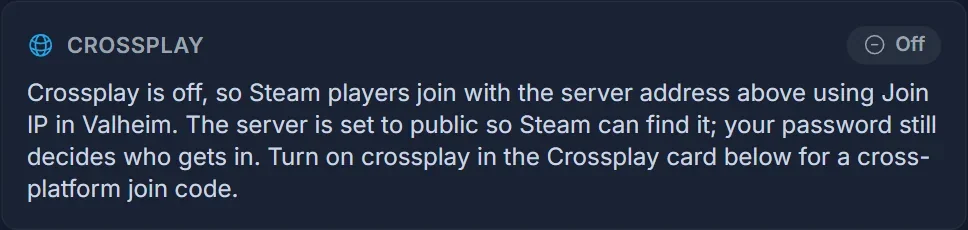
If Public server is off, which is -public 0 on the command line, Steamworks does not answer that query. Join IP then fails with no error at all, on a server that is running perfectly, and everyone in the group sees "Failed to connect".
The DoomHosting panel sets Public server on for you when you turn crossplay off, so this only bites on a server where it was switched back off by hand. Public server = 1 means the server answers those queries and is listed in the community browser. Your server password still decides who gets in. The full procedure is in how to turn off crossplay on a Valheim server.
Frequently asked questions
Does deleting the PlayFab account delete my world or my character? No. The dialog says so itself. It removes the crossplay login stored on that PC and nothing else.
Everyone gets "Failed to connect" at the same time. Is it the server? Check it from outside your panel with the Valheim server status checker. If the server answers, the problem sits on the clients. If it does not, restart it from the control panel and give it two minutes.
I can join but my friend cannot. Then the server is fine. Have that one player do the PlayFab reset, then check their firewall and the Visual C++ redistributable.
Should I reinstall Valheim? No. A reinstall does not touch the PlayFab account, which is stored separately, so it changes nothing here. Verifying the game files in Steam is worth a try only if the client crashes instead of failing at the connect step.
Running your own server? Our Valheim server hosting puts the address, the join code and the crossplay switch on one page, so you can tell in seconds whether it is the server or the client.
