

Valheim's Delete PlayFab account button clears the crossplay login the game has saved on your PC, and pressing it is the standard fix when the game says "Failed to connect" on a server that runs Steam only. It takes about a minute, and it leaves your characters, worlds and buildings alone.
When you need this
You need this when Valheim answers "Failed to connect" the moment you try to join a dedicated server, while other players on the same server may be getting in without any trouble. It typically shows up right after the server has turned crossplay off. With crossplay on, it is also the first thing to try when PlayFab itself is having trouble.
The cause sits in the game, not with the host. Once a player has joined any server with a join code, even once, Valheim stores a PlayFab account on that PC and keeps trying the crossplay route with it. On a server that now runs Steam only, that route has nowhere to land, so the client reports "Failed to connect" while the server is up and accepting other players. Deleting the stored account puts the client back to a clean state, and Valheim then takes the Steam route the server is actually offering.
Delete the PlayFab account, step by step
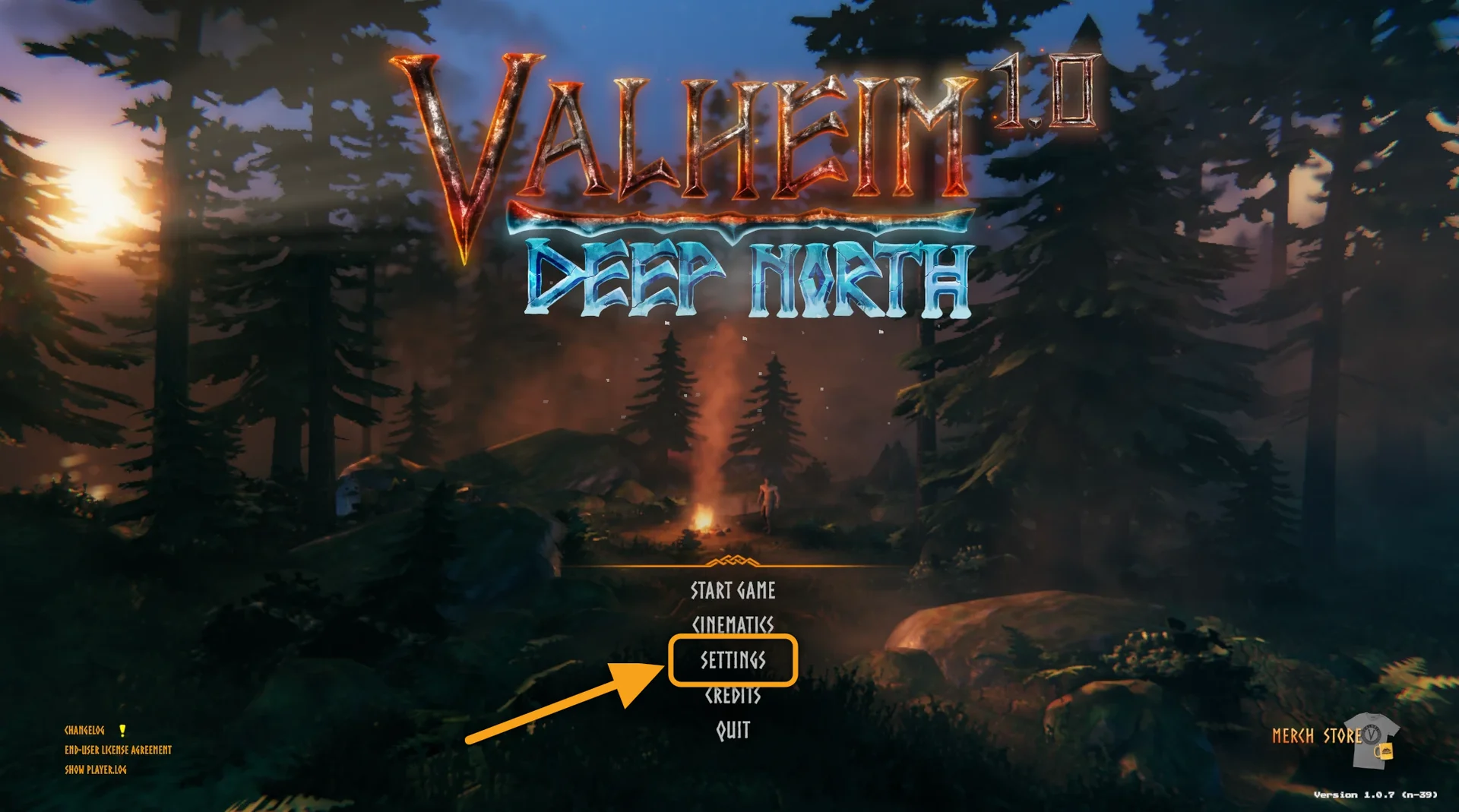
- Open Valheim and click Settings on the main menu.
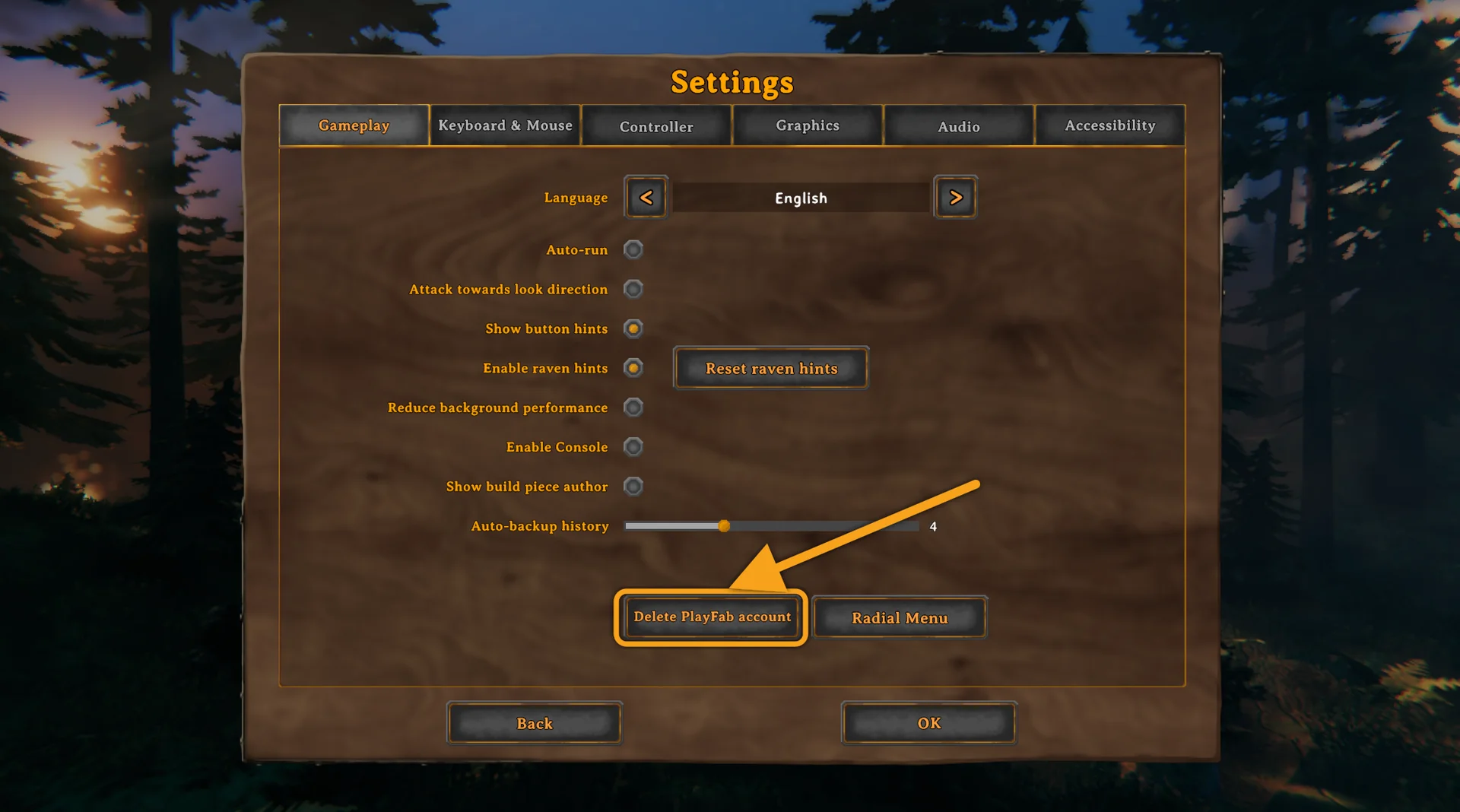
- On the Gameplay tab, click Delete PlayFab account.
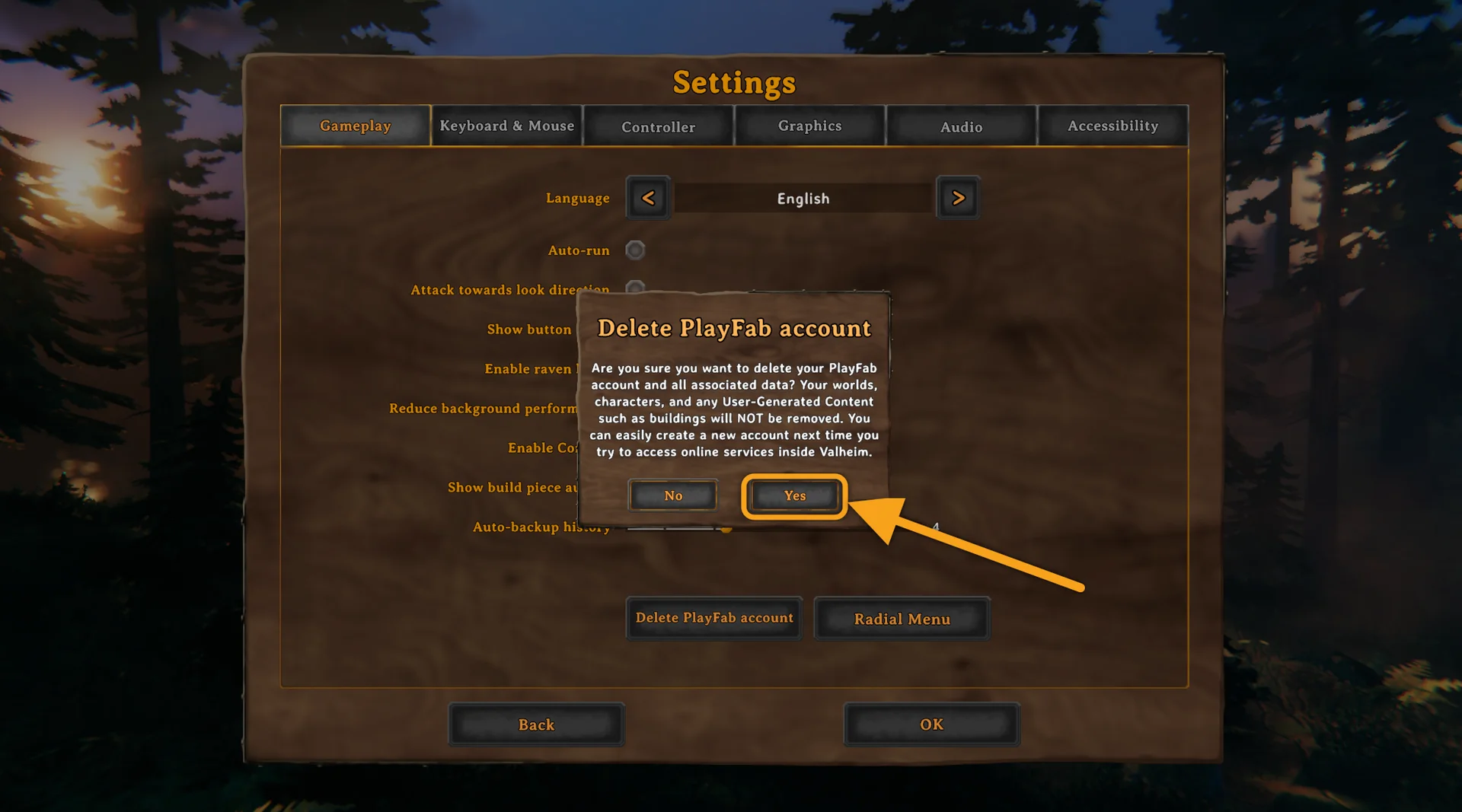
- Click Yes when Valheim asks. The dialog says it itself: worlds, characters and buildings are not removed.
- Do not quit or restart Valheim now. Go back to the main menu, open Join Game, choose Join IP and connect with the server address from your panel.
That fourth step is the one people skip. Restarting the game before you reconnect lets Valheim create a fresh PlayFab account straight away, and you are back where you started.
Is it safe?
Yes. The button only removes the crossplay login that Valheim saved on that PC. Nothing on the server changes, and your characters, your worlds and everything you have built stay exactly as they are. Valheim creates a new PlayFab account by itself the next time that player joins a server with a join code, so crossplay is not gone for good either.
Console players have nothing to do here. The button exists in the PC version of the game, and a console client is unaffected by what another player deletes on their own machine.
Still Failed to connect afterwards?
- The server has to be public when crossplay is off. Valheim asks the Steam query port for the server's Steam ID before it connects, and a server that is not public never answers. The DoomHosting panel sets Public server to 1 for you when you turn crossplay off, which is described in how to turn off crossplay on a Valheim server.
- Use Join IP with the exact address and port from the panel. Copy it from the Overview tab, port included, rather than reusing an old join code entry in your server list. Both join routes are covered in how to join a Valheim server.
- Work through the full checklist. If the error survives all of that, Valheim Failed to connect: how to fix it goes through every other cause, from passwords and versions to a server that has not restarted yet.
Frequently asked questions
Does deleting the PlayFab account delete my character or my world? No. Characters live in your own save folder and worlds live on the server, and neither is touched. Valheim's own confirmation dialog states this before you press Yes.
Do I have to do this every time I play? No. It is once per PC, and again only if the same problem comes back later.
Does it affect the other players on the server? No. The stored account is per PC, so deleting yours changes nothing for anyone else, and it changes nothing on the server.
Not got a server yet? Our Valheim server hosting puts the address you need for Join IP on the Overview tab of the control panel from the first boot.
