

If your Valheim server has crossplay on but the join code never works, open the Console tab and look at what the server printed while it was starting. A boot that ends in a NullReferenceException from ZPlayFabMatchmaking.OnCheckJoinCodeSuccess is the case this guide fixes, and the answer is to leave the server switched off for about 15 minutes.
Check these first
Most reports turn out to be one of these, and each one has its own page:
- The server is still booting. The code only counts once the boot finishes. An early line reading
that has join code ,with nothing after the comma is part of a normal start, not an error. - Somebody is typing an old code. Read the current one off the Overview page every time you hand it out: how to join a Valheim server.
- The server and the players are on different builds. Restart it to pull the current build: how to update your Valheim server.
- That one player has crossplay switched off in their own game settings. Nothing on your side will help until they turn it back on.
- PlayFab is having a bad day. Lines saying
PlayFab create lobby failedmean the matchmaking service is refusing everyone, not just you. There is nothing to change, so wait it out.
Different symptom? Common Valheim server problems covers the rest, and Valheim failed to connect covers the client-side message, and when the code works for everyone but one person, deleting that player's PlayFab account is usually the answer.
What a working boot prints
A server that has registered properly walks through three stages in the console, the last of which is the one that matters:
Session "YourServer" registered with join code 514826
Created new join code 893194 for session "YourServer"
Retry join-code check 99
Session "YourServer" with join code 893194 and IP 203.0.113.10:25690 is active with 0 player(s)
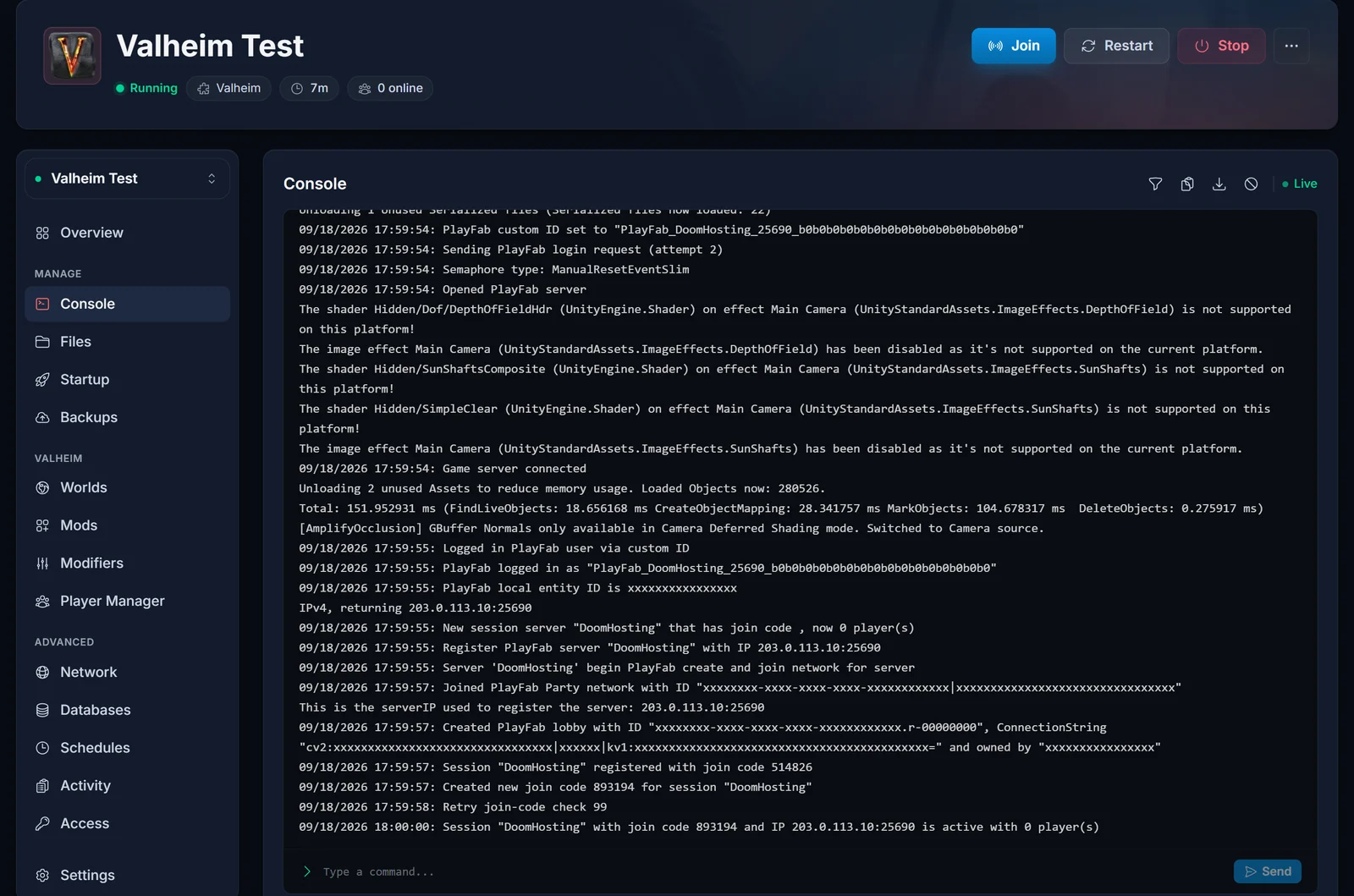
The middle stage is the server looking its own code up to confirm it resolves, and the counter beside Retry join-code check ticks down. One or two of those lines is ordinary. In this example the server also swapped its code along the way (the Created new join code line). That only happens on some boots, and often the first code carries straight through, which is why you take the code off the Overview page rather than out of the log.
Until is active appears, no code is usable, and the Overview card has nothing to show.
The boot that stops at the exception
In the broken case the first line arrives and the rest never does. Instead the console goes straight into this:
Session "YourServer" registered with join code 778035
NullReferenceException: Object reference not set to an instance of an object
  at ZPlayFabMatchmaking.OnCheckJoinCodeSuccess (PlayFab.MultiplayerModels.FindLobbiesResult result)
The server itself keeps running. The world loads and the panel reports it Online, which is what makes this so confusing. The join code is the part that never comes alive.
In the cases we have seen, an older session belonging to your server is still sitting on PlayFab's side, left behind when the server was killed or crashed rather than shut down cleanly, and the confirmation lookup trips over it.
Why restarting makes it worse
Read this part before you press Restart again.
The exception fires before the server has stored which lobby is its own, so it has nothing to hand back when it shuts down. The shutdown line proves it:
leave lobby. LobbyId:
The id is blank. The session it just created is never released, so it stays behind with the others, and the next boot has one more thing to trip over. Every restart in this state adds to the pile instead of clearing it.
The fix: stop, wait, start once
- Stop the server from the panel and let it go fully offline. A normal stop saves the world, so nothing in your game is at risk here.
- Leave it off for about 15 minutes. Abandoned sessions expire on PlayFab's side on their own, and this wait is the entire fix. Do not press Start to check on it.
- Start it once, then open the Console tab and read down to the
is activeline. - Take the code from the Overview page and share it.
If is active is there, you are done. If the exception is back, stop again and give it longer before the next attempt, because a start during the wait resets the clock.
There is nothing on the server to delete
Worth saying plainly, because this is where people wipe things they did not need to. None of this lives in a file on your server, so deleting a config, reinstalling or resetting the world changes nothing and a world reset costs you real progress for no gain.
If it comes back anyway
If every player is on PC through Steam, you do not need the code at all. Turn crossplay off and hand out the server address instead: how to turn off crossplay on a Valheim server. Players on PlayStation, Xbox and Switch have no other route in, so this suits an all-PC group only.
Otherwise contact support with your server name and the console lines around the exception. We can move your server to a fresh address, which gives it a new identity with PlayFab too.
Frequently asked questions
Will I lose my world? No. Stopping the server saves it, and the wait is just the server sitting switched off.
Can I delete a file to fix it? No. Nothing on the server holds this, so a reinstall or a wipe accomplishes nothing.
Why does restarting not help? Each failed boot leaves its session behind instead of releasing it, so restarting adds to the problem rather than clearing it.
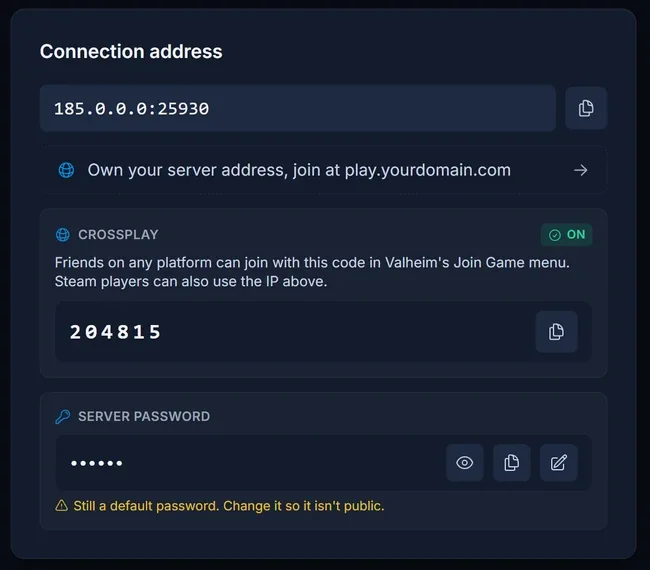
The join code is missing from the panel entirely. The Overview page reads it from the status line the server prints once registration completes, so a boot that never gets there has no code to display.
Can you clear it from your side? No. Those sessions belong to the game's own matchmaking service, so only time removes them.
Thinking about moving your server? Our Valheim server hosting puts the console, the crossplay switch and the join code on one screen, and the control panel shows you what the server actually printed instead of leaving you guessing.
