
Your DayZ server installs Steam Workshop mods for you: search the Steam Workshop straight from the Mods tab in your control panel, or upload a modlist exported from the DayZ Launcher, then restart. The server downloads every mod through SteamCMD, copies the signature keys, and keeps the mods updated on every restart. No manual file juggling required.
How mod installation works on your server
Every time your DayZ server starts, it checks the mod list you configured and downloads or updates each mod directly from the Steam Workshop. It also moves each mod's .bikey signature files into the server's keys/ folder automatically, so signed mods work out of the box. That means two things in practice: you almost never upload mod files by hand, and your mods stay current without you touching anything. When a mod author pushes an update, a simple server restart picks it up.
There are three ways to tell the server which mods to run. Use whichever fits how you play.
Method 1: install mods from the Mods tab (recommended)
The Mods tab in your control panel is a Steam Workshop browser wired straight into your server. Nothing is uploaded by hand.
- Open your server in the control panel and click Mods under the DayZ section.
- Search for a mod, or paste its Steam Workshop link or ID, then click Add. Mods it depends on come along automatically: adding something that needs Community Framework adds CF as well.
- Switch to Installed to see everything on your server, and Remove to take a mod off the list.
- Click Restart now on the banner at the top. On the next boot the server downloads every mod through SteamCMD and copies its signature keys into place.
Whole modpacks work the same way. Open the Collections tab, paste a Steam Workshop collection link, and add every mod in it in one step, in the collection's own order.
The tab writes the same Additional Mods list described in Method 3, so the two mix freely: mod folders you uploaded yourself stay in the list and are never removed by the tab.
One setting to check: Automatic Updates on the Startup tab has to stay on, because that is what makes the server fetch workshop mods at boot. The Mods tab warns you if it has been turned off.
Method 2: upload a DayZ Launcher modlist
This is the easiest way to mirror the exact mod setup you already use in-game.
- Open the DayZ Launcher (choose "Launcher" when starting DayZ on Steam) and go to the MODS tab.
- Subscribe to the mods you want and arrange them in the order you want them to load.
- Use the launcher's export option to save your mod list as an HTML file. The file is usually named
modlist.html. - In your control panel, open the Files tab and upload
modlist.htmlto the root directory of the server (next toserverDZ.cfg). SFTP works too. - Open the Startup tab and check that the Modlist File field matches the filename. It is set to
modlist.htmlby default, so if you kept the name you are already done. - Restart the server and watch the console: you will see each mod download, followed by its keys being moved into place.
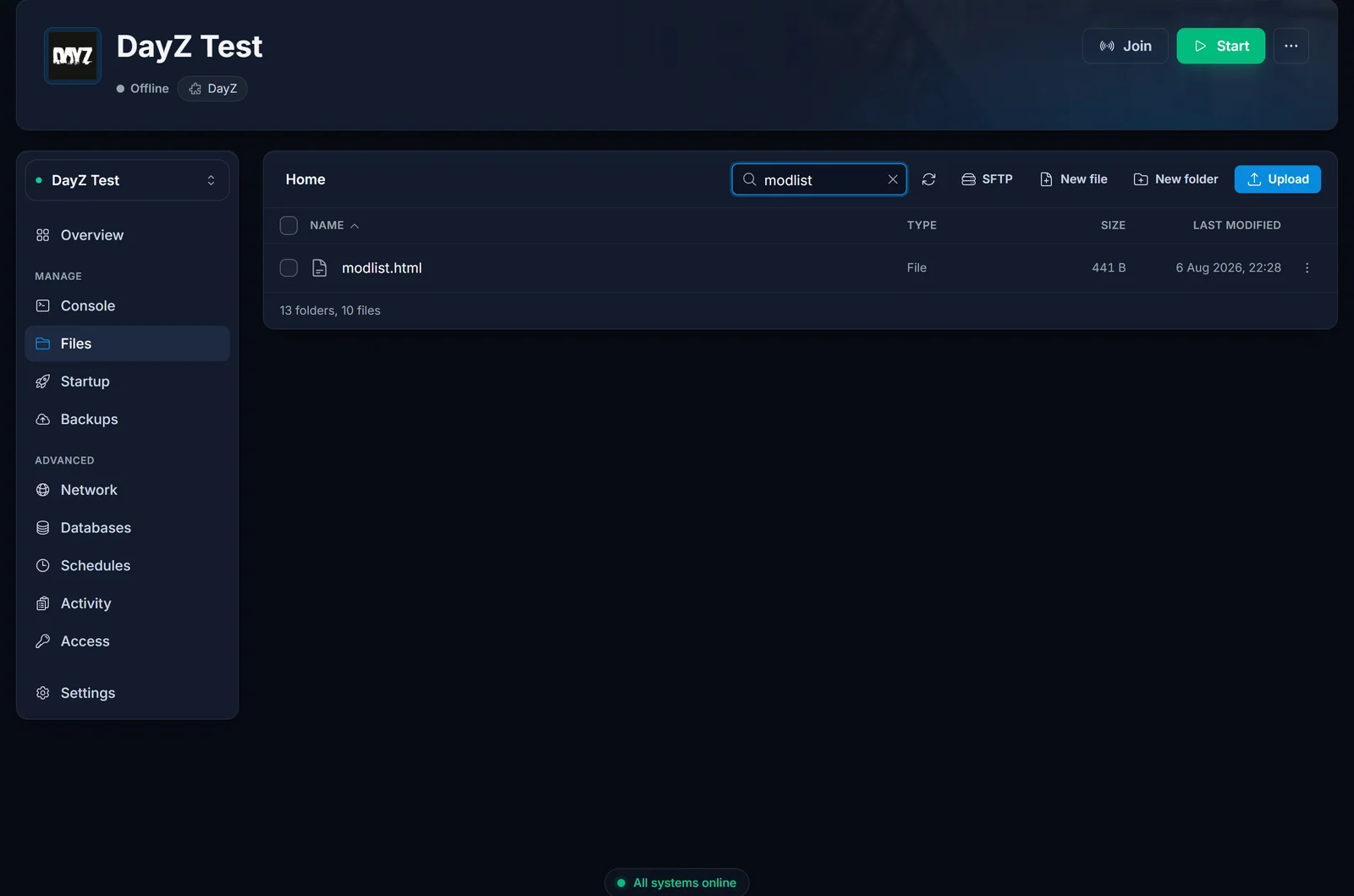
One important detail: the file must be a real DayZ Launcher export. The server verifies the file was created by the launcher and ignores anything else, so do not hand-write the HTML or use a list from another tool.
Method 3: add mods by workshop ID
Prefer to manage mods one by one? Every workshop mod has a numeric ID at the end of its Steam Workshop URL. For example, Community Framework lives at steamcommunity.com/sharedfiles/filedetails/?id=1559212036, so its ID is 1559212036.
On the Startup tab, put the IDs in the Additional Mods field, each prefixed with @ and followed by a semicolon:
@1559212036;@2545327648;
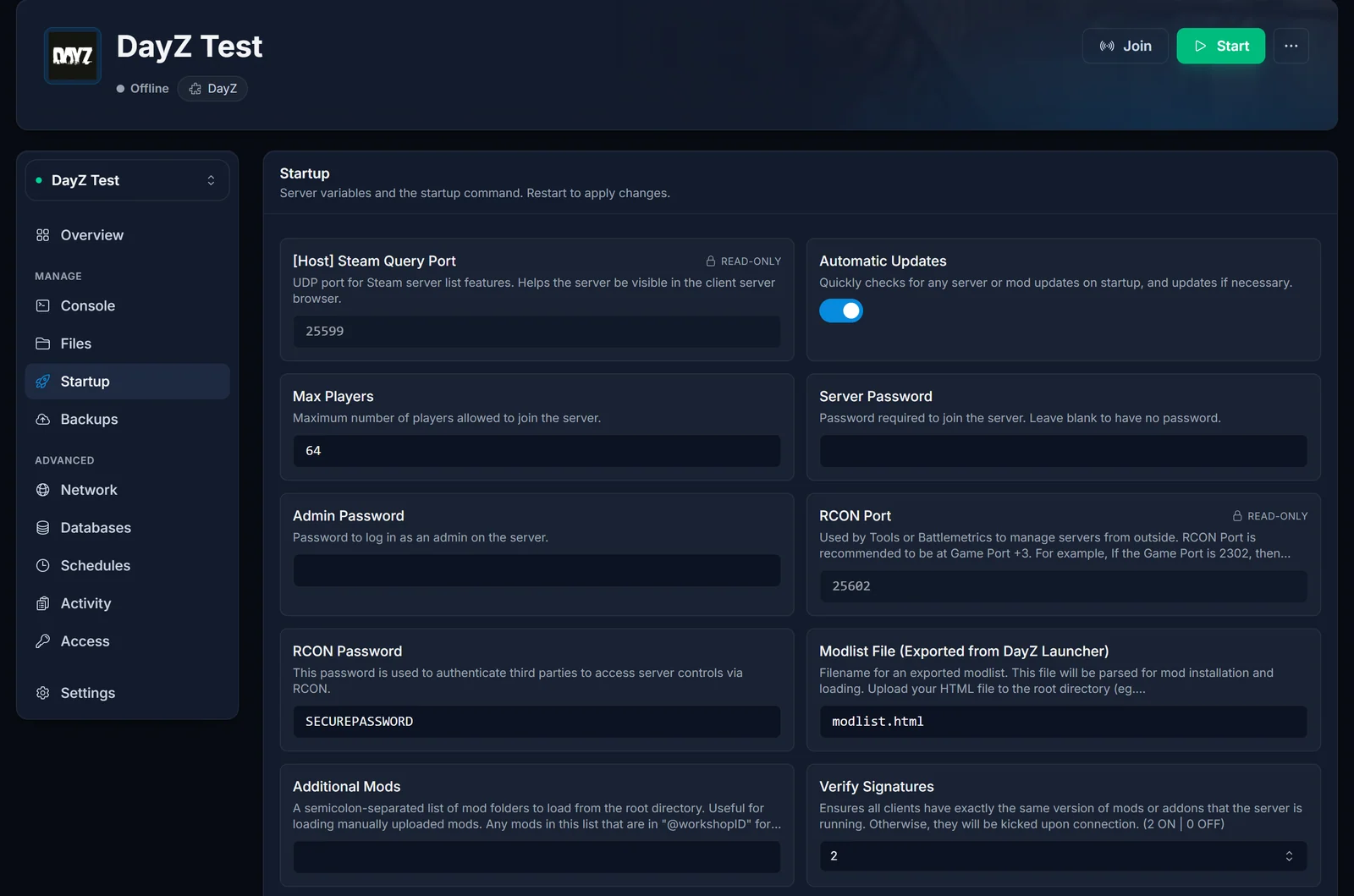
Mods listed this way are downloaded and auto-updated exactly like modlist mods. Admin tools and other mods that players do not need to install themselves belong in the Server-Side Only Mods field instead; they run on the server but are never required on the client.
You can also upload a mod folder manually over SFTP and list its folder name in Additional Mods. If you do, keep the folder name all lowercase, with no spaces, and not starting with a number, or the server will fail to load it.
Mod load order
Your server sorts the mod list into a fixed order of its own before launching, so the order you enter is not the order it loads, whichever method you used. That is fine in practice: every mod declares what it requires and DayZ resolves those dependencies itself, which is why frameworks like Community Framework (CF) load correctly without you arranging anything. If a mod's workshop page insists on a specific position on the command line, open a support ticket and we will sort it out with you.
Signature keys (.bikey)
DayZ servers verify that every player runs exactly the same mod versions as the server. The verification uses each mod's .bikey files, and your server copies these into the keys/ folder automatically for every workshop mod it downloads. You only need to think about keys in one case: if you upload a mod manually over SFTP, also copy the .bikey files from the mod's own keys (or Keys) folder into the server's keys/ folder, or players will be kicked when they connect.
Mods that need extra configuration
Downloading a mod gets it running, but some mods expect additional setup in your mission files. Trader mods, custom items, and expansion-style overhauls typically require edits to files like init.c or types.xml, and the exact steps are always in the mod's workshop description. If a mod adds items that should spawn as loot, you will be editing the same economy files covered in our guide on how to increase loot on your DayZ server.
How players join a modded server
Players need the same client-side mods as the server. The easy path is the DayZ Launcher: when someone picks your server in the SERVERS tab, the launcher shows which mods are required, offers to subscribe to the missing ones, and enables them before joining. Send new players our guide on how to join a DayZ server and they will be in quickly.
Common issues
A mod refuses to load. This is usually a file-casing problem from mods built on Windows. On the Startup tab, enable the Make Mod Files Lowercase repair option, restart once, then turn it off again.
Players are kicked immediately after connecting. The server and client mod versions do not match. Restart your server so it pulls the latest mod updates, and have players update their mods in the DayZ Launcher.
The console shows "Timeout downloading item". This is normal for large mods. The server retries the download automatically, up to three attempts, and usually succeeds on the next pass.
The server takes a long time to start after adding mods. The first download of a multi-gigabyte mod takes a few minutes, and big modpacks eat disk space. Check the console to see progress rather than restarting repeatedly, and keep an eye on your storage usage in the Files tab.
FAQ
Can I install mods without the DayZ Launcher? Yes, and you do not even need a workshop ID. The Mods tab in your control panel searches the Steam Workshop for you, adds the mod with one click, and the server downloads it on the next restart.
Will adding or removing mods wipe my save? No. Mods live in their own folders and do not touch your save data. Map-changing or economy-overhaul mods can still alter what you find in the world, so read the mod's own notes before adding it to a long-running server.
Where are the mods stored on my server?
Each mod sits in its own @-prefixed folder in the root directory, for example @1559212036, next to serverDZ.cfg. You can browse them in the Files tab.
Why does the server say a mod is outdated? The mod author released an update after your last restart. Restart the server: it re-checks every workshop mod at boot and downloads the new version automatically.
Do my players need to download anything? Yes, players need the same client-side mods, but the DayZ Launcher automates it: it detects your server's mod list and offers to download whatever is missing.
Still setting things up? Our DayZ getting started guide covers the first boot, passwords, and basic configuration. This guide applies to every DayZ server hosted with DoomHosting, and everything above happens in our game control panel.
