

DayZ can broadcast messages to everyone on your server on a timer, and it needs no RCON tool, no BEC, and no mod. The whole feature is one file in your mission folder called messages.xml, and the same file also runs the restart countdown that warns players before the server goes down. This guide covers every tag, the units they use, and a config you can paste in and edit.
Where messages.xml lives
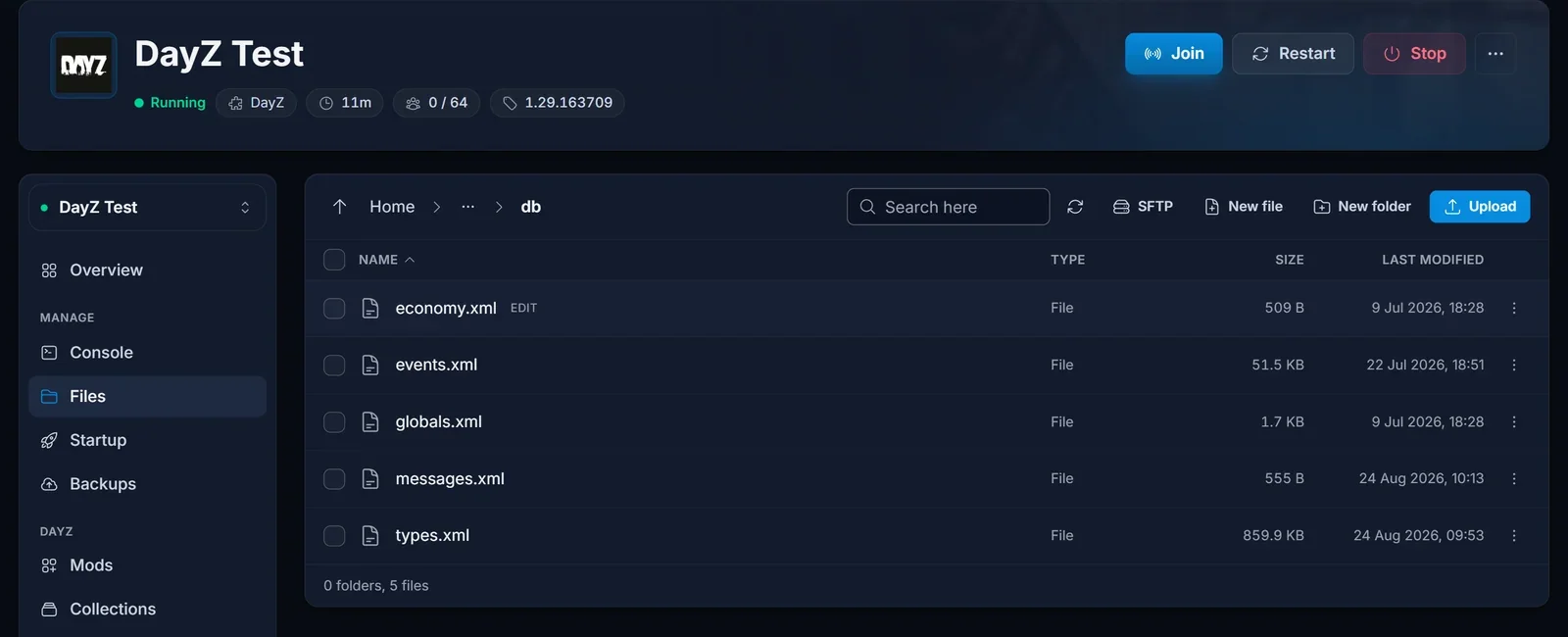
Open your server in the game panel, go to the Files tab, and navigate to:
mpmissions/dayzOffline.chernarusplus/db/messages.xml
On Livonia the mission folder is mpmissions/dayzOffline.enoch/, and on Sakhal it is mpmissions/dayzOffline.sakhal/. It is the same db folder that holds types.xml and globals.xml.
The file ships with your server, but everything inside it sits in an XML comment block, so a fresh server sends no messages at all. That is expected, and it means Bohemia's own examples are sitting there in the editor for reference.
The tags you can use
| Tag | What it does | Unit |
|---|---|---|
deadline |
Starts a countdown that ends this long after the server is ready | minutes |
shutdown |
1 shuts the server down when the countdown reaches zero |
0 or 1 |
repeat |
Sends the message again on this interval | minutes |
delay |
With onconnect, how long after a player joins the message is shown to them |
minutes |
onconnect |
1 shows the message to a player after they connect |
0 or 1 |
text |
The message itself | text |
Inside text you get two placeholders. #name is replaced with your server name, and #tmin with the number of minutes left on the countdown.
Every time value here is in minutes. This catches people out, because several guides online claim seconds. Bohemia's own template, sitting commented out in your file right now, labels <deadline>600</deadline> as "shuts down server in 10 hours" and <repeat>15</repeat> as "displayed every 15 minutes".
A working config
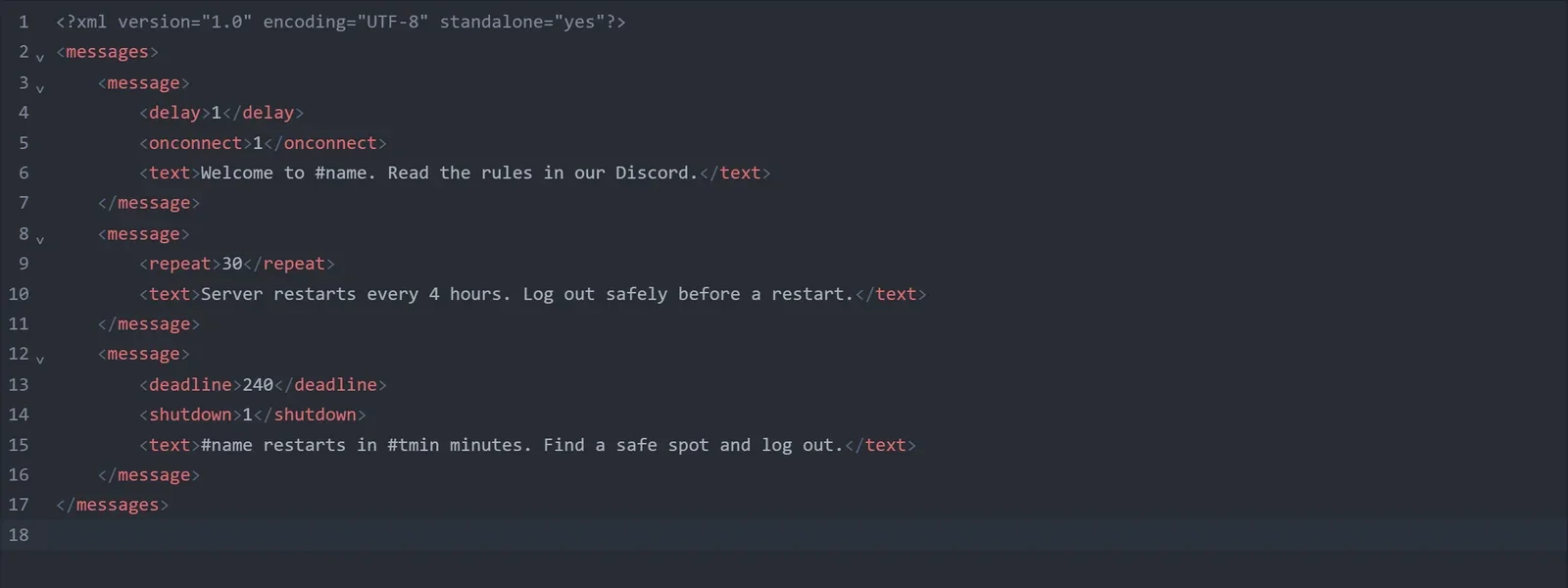
Replace the contents of messages.xml with this and edit the text to suit your server. It gives you a welcome message, a recurring notice every 30 minutes, and a restart countdown four hours after the server comes up.
<?xml version="1.0" encoding="UTF-8" standalone="yes"?>
<messages>
    <message>
        <delay>1</delay>
        <onconnect>1</onconnect>
        <text>Welcome to #name. Read the rules in our Discord.</text>
    </message>
    <message>
        <repeat>30</repeat>
        <text>Server restarts every 4 hours. Log out safely before a restart.</text>
    </message>
    <message>
        <deadline>240</deadline>
        <shutdown>1</shutdown>
        <text>#name restarts in #tmin minutes. Find a safe spot and log out.</text>
    </message>
</messages>
Save the file and restart the server once. messages.xml is read when the mission starts, so edits never apply to a session that is already running.
What the countdown actually does
deadline does not send one message at the end. The server repeats the warning as the deadline approaches, with #tmin counting down, so you write the message once and every player gets several chances to react.
The warnings get closer together as the deadline nears. On a live test with a 12 minute deadline, the server warned at 10, 5, 4, 3, 2 and 1 minutes remaining, so the last five minutes give a warning every minute. Longer deadlines add earlier checkpoints on top of that, which means a 4 hour cycle gives players plenty of notice from a single <message> entry.
Two details worth knowing, both of which we confirmed on a live server:
- The clock starts when the mission has finished loading, not the moment you press Start. A modded DayZ server can spend two or three minutes booting, and that time does not count against the deadline. So a
deadlineof 240 gives you four hours of playable uptime, not four hours between restarts. - At one minute remaining the server saves players, locks itself and kicks everyone, then terminates. That last part matters more than it sounds: it means the deadline shutdown runs the save path for everyone still connected, instead of pulling the rug out from under them. Details in how to restart your DayZ server without losing player gear.
Only the highest deadline in the file runs the countdown. Do not add several deadlines expecting them to queue up.
Does the server come back on its own?
Yes. On DoomHosting, when shutdown ends the DayZ process, the panel brings the server straight back up and the countdown starts again from the top. A single deadline entry therefore gives you a complete, self-repeating restart cycle with warnings, and there is nothing else to configure.
If you would rather drive restarts from the panel so they land at fixed clock times, set shutdown to 0 and add a Restart action on the Schedule tab instead. In that case set deadline a few minutes shorter than the schedule interval, so the warnings finish before the panel stops the server.
Common issues
No messages appear at all. The most common cause is that the new messages were pasted inside the comment block that ships with the file. Everything between <!-- and --> is ignored. Your <message> entries must sit after the --> and before </messages>.
The file will not load. messages.xml must be valid XML. A missing closing tag or a stray & in your text makes the server skip the file silently, with no error in the console. Ampersands have to be written as &.
The countdown is at the wrong time of day. deadline is measured from server boot, not from midnight, and it resets every time the server comes back up. If you need restarts at fixed clock times, drive them from the Schedule tab as described above.
You edited the wrong map. Chernarus, Livonia and Sakhal each have their own mission folder, and only the one your server is running is read. Check the mpmissions value on the Startup tab if you are not sure which is active.
A player never sees the welcome message. onconnect messages fire after the delay you set, so someone who joins and leaves within a minute of a <delay>1</delay> message will miss it.
