

Minecraft Bedrock has no /seed command. That command is exclusive to Java Edition, which is why typing it on a Bedrock server does nothing. On a Bedrock dedicated server the seed lives in one of two places: the level-seed line in server.properties, or inside the world file itself when that line was left empty. This guide covers both, starting with the quick one.
Why /seed does not work on Bedrock
/seed was added to Java Edition and never came to Bedrock. There is also no pause-menu seed display on a server world the way there is in a single-player world, because your client is connected to a remote world rather than hosting it. So the answer has to come from the server side, not from in game.
Check level-seed in server.properties
If you chose a seed when you set the server up, it is still written down and this takes about ten seconds.
- Open your server in the panel and go to the Config tab.
- Look at the
level-seedfield.
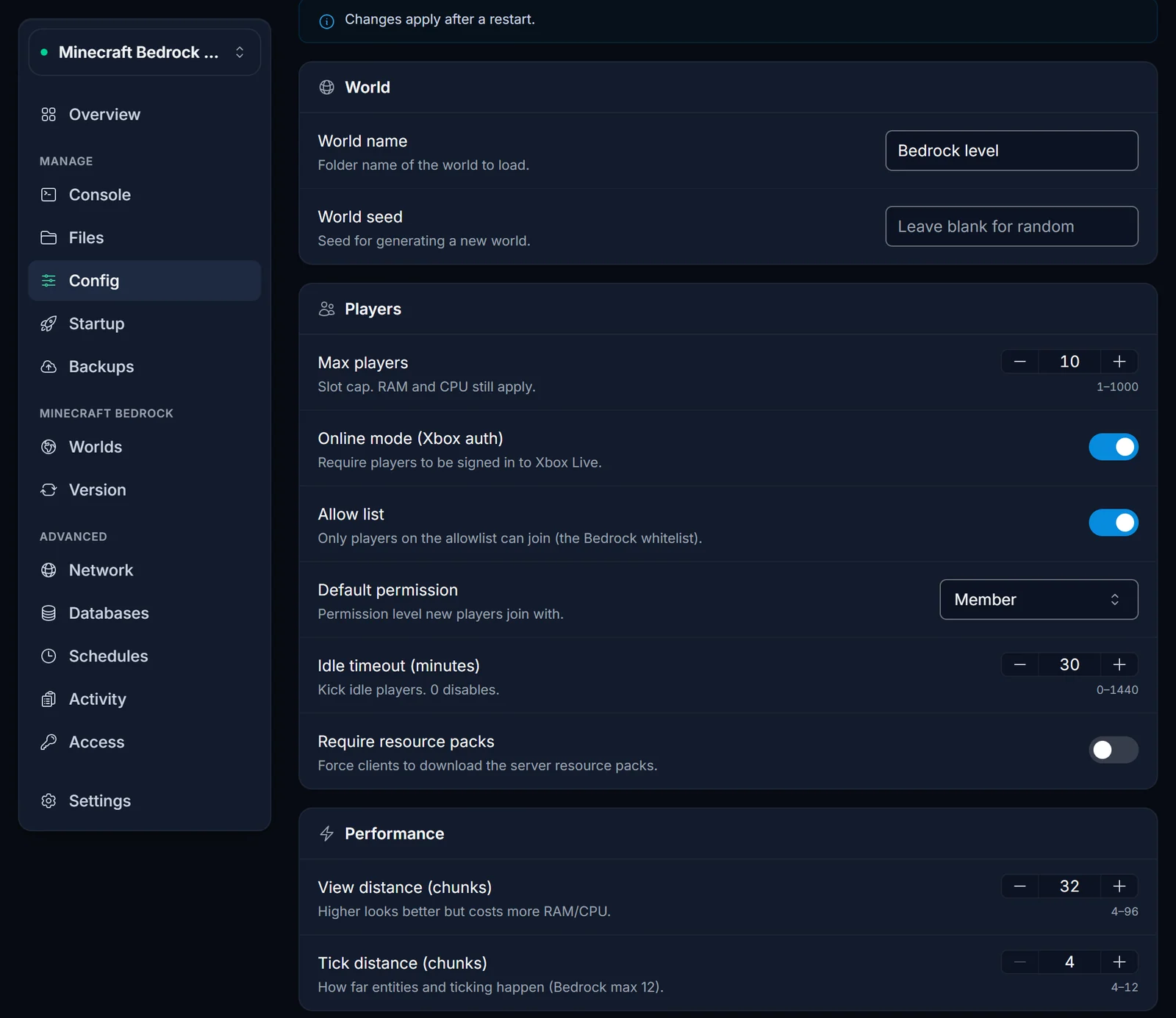
If it has a value, that is your world seed and you are done. You can also read the same line under the Files tab by opening server.properties at the top level of your server.
An empty level-seed does not mean something is broken. It just means the server generated a random world on first boot and never wrote the seed back to the file. That is the normal default, so most people land in the next section.
Get the seed out of the world file
When level-seed is empty, the only remaining copy of the seed is stored inside the world. Bedrock keeps it in level.dat as binary data, so opening that file in a text editor shows you garbled characters rather than a number. You need something that understands the format.
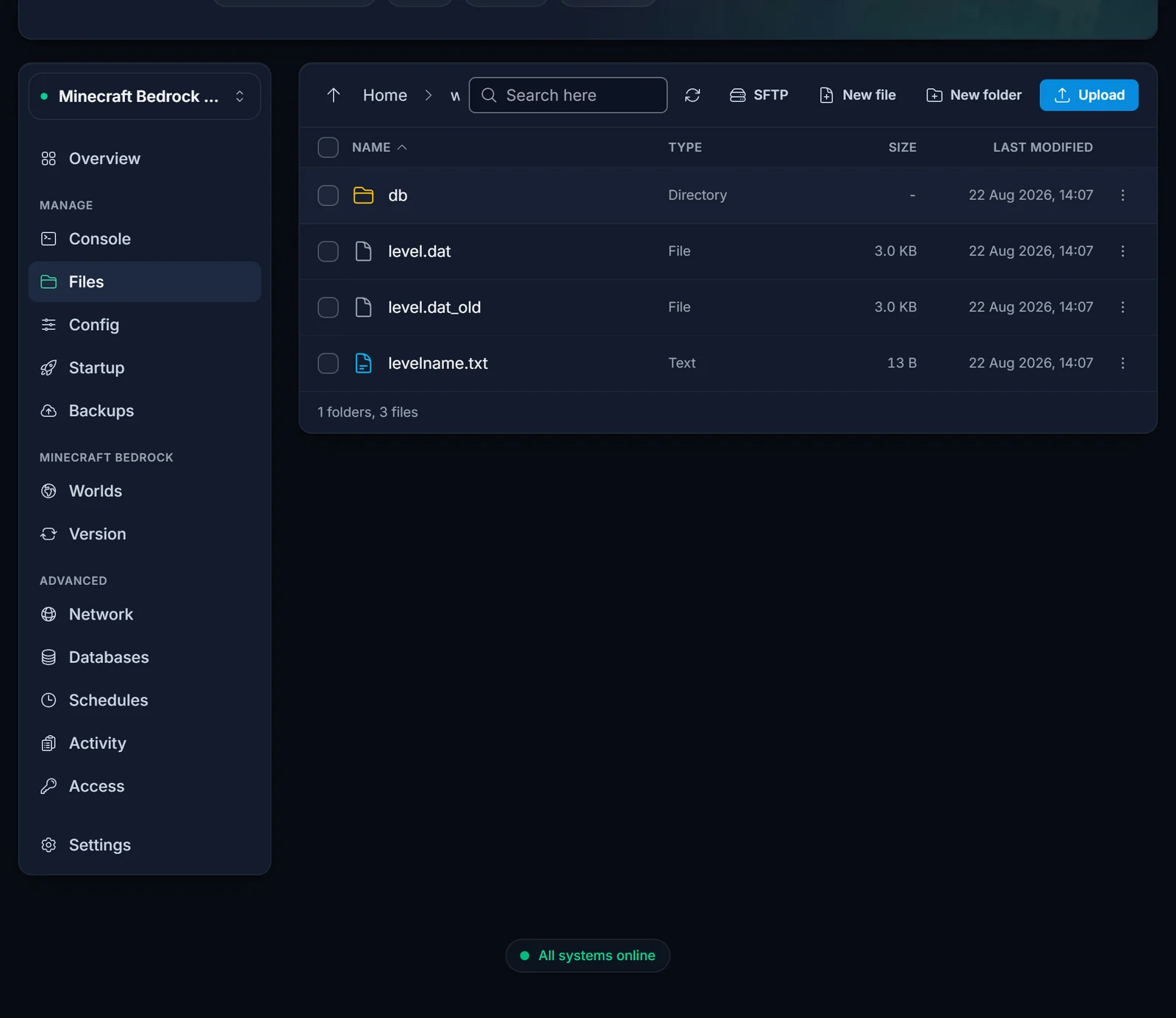
Your world lives at /worlds/<level-name>/ on the server, where the folder name matches the level-name value in server.properties. On a fresh server that is Bedrock level.
- Stop the server first. Copying a world while it is running can capture a half-written file.
- Go to the Files tab and open the
worldsfolder, then your world folder. - Find
level.dat, open the row's action menu, and choose Download. It is a small file, only a few kilobytes. - Drop it into our Bedrock Seed Finder. The seed appears straight away, along with the world name, the version it was last opened with, the game mode and the difficulty.
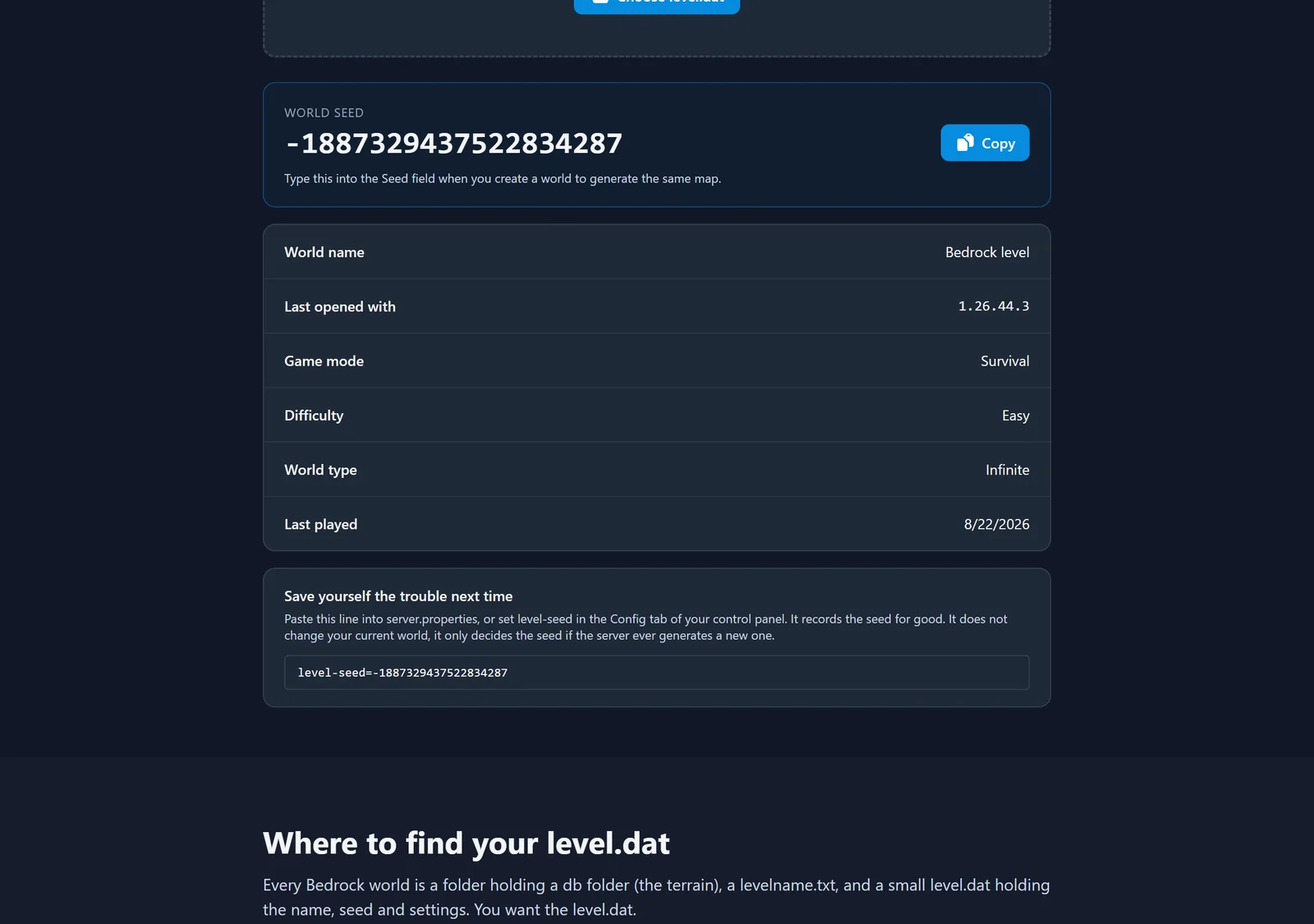
The file is read in your browser, so nothing is uploaded anywhere. The tool also gives you the exact level-seed= line to paste back into your config, which is the next section.
If you would rather open the world in game
Reading level.dat is the fast route. If you want the world itself on your own device, you can load a copy in Minecraft and read the seed from its world settings instead. It takes longer, and there is one step people consistently get wrong.
- Stop the server, then go to the Worlds tab and choose Download on the world. The panel packs the folder and gives you a
.tar.gzarchive. - Extract that archive on your computer. Windows 11 and macOS both open
.tar.gzon a double click, with no extra software. Inside you get a folder named after your world. - Open that folder, select everything inside it, and make a ZIP from the selection. On Windows that is Send to, then Compressed (zipped) folder. On macOS it is Compress.
- Rename the new ZIP from
.zipto.mcworld, then open it on any device with Minecraft Bedrock installed. - From the main menu go to Play, click the pencil icon next to the imported world, and read the Seed field under Game settings.
Step 3 is the one that catches people. A .mcworld needs level.dat sitting at the very top of the ZIP. If you zip the world folder itself, everything ends up one level down inside a folder and Minecraft refuses to import it. Zip the contents, not the folder.
The copy you imported is exactly that, a copy. Playing it, deleting it, or changing its settings has no effect on the world running on your server.
Write the seed back so you only do this once
Now that you have the number, put it where you will find it next time. Open the Config tab, paste the value into level-seed, and save.
Be clear about what this does and does not do. It records the seed for future reference and it decides the seed for the next world the server generates from scratch. It does not regenerate or alter your current world. If you want to actually play a different seed, you need to generate a new world, which the Worlds tab handles.
Common issues
I set level-seed but my world looks the same. Expected. level-seed is only read when a world is generated. An existing world ignores it completely.
The .mcworld file will not open. The ZIP has a wrapper folder in it. Go back into the world folder, select the contents rather than the folder, and zip again.
Can I just rename the .tar.gz to .mcworld? No. Minecraft reads a .mcworld as a ZIP, and the panel hands you a gzipped tar, which is a different format underneath. Extract it and make a real ZIP.
There is no folder matching level-name. Either the world folder was renamed at some point or level-name was edited afterwards. Compare the two and make them match, otherwise the server generates a fresh empty world on the next start.
The seed is a long negative number. That is normal. Seeds are signed 64-bit values, so roughly half of all randomly generated ones come out negative. Paste it in exactly as shown, minus sign included.
Text seeds. If you originally typed a word rather than a number, the game converts it to a number when it generates the world. The world settings screen shows you that number, and it produces the same world.
Related guides
Running Java rather than Bedrock? The command exists there, and finding your Minecraft server seed covers it.
If you went the .mcworld route, that export doubles as a working backup. Uploading a world to your Minecraft Bedrock server explains how to put it back if you ever need to.
New to the panel? The control panel overview shows what the Config, Files, and Worlds tabs can do.
