

Project Zomboid asks for the address and the port in two separate boxes. Pasting the whole "IP:Port" into the IP box is the single most common reason a connection fails: the game answers "Unknown Host" and then sits there. Copy the two values separately and you are in within a minute.
Copy your IP and port from the panel
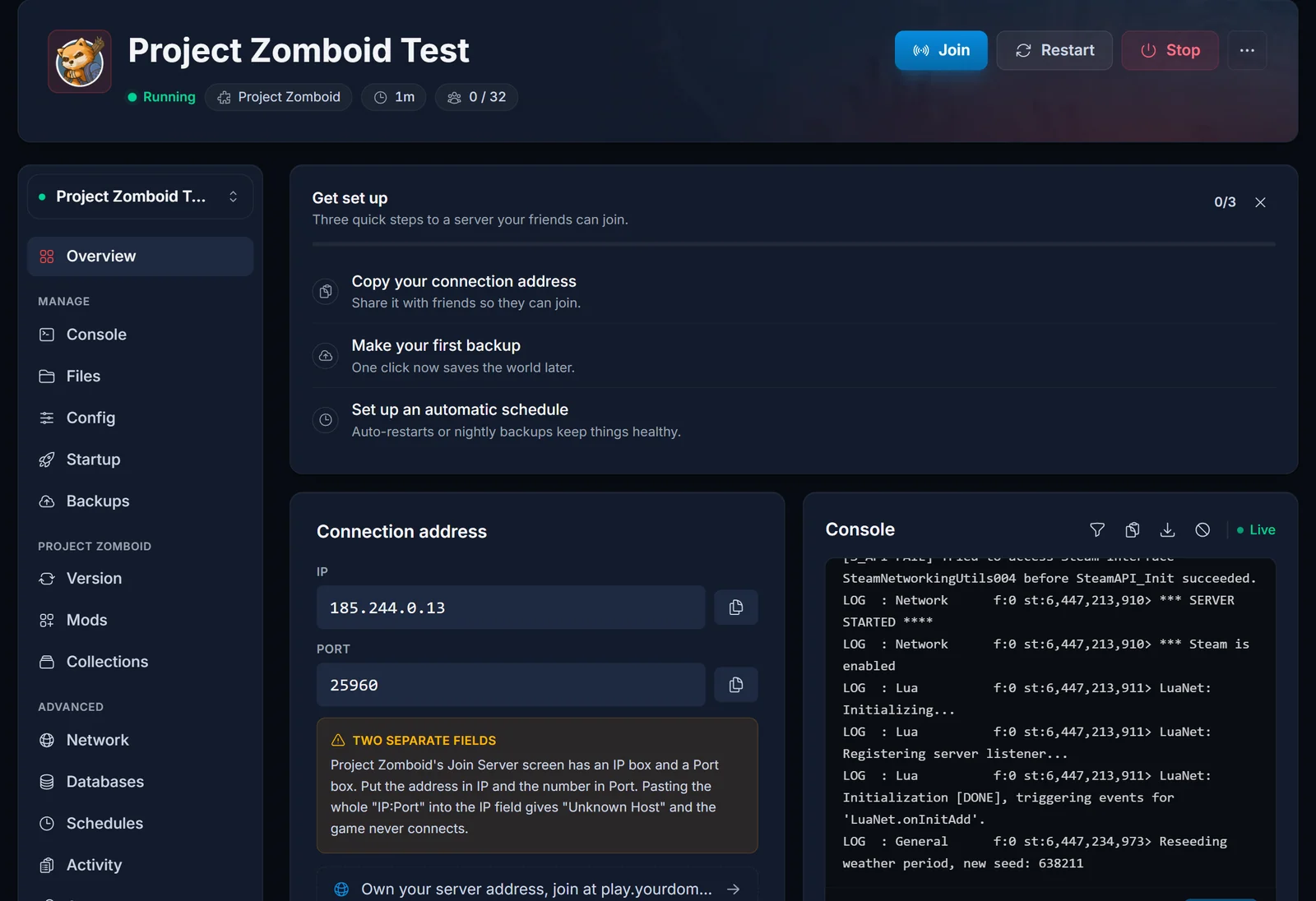
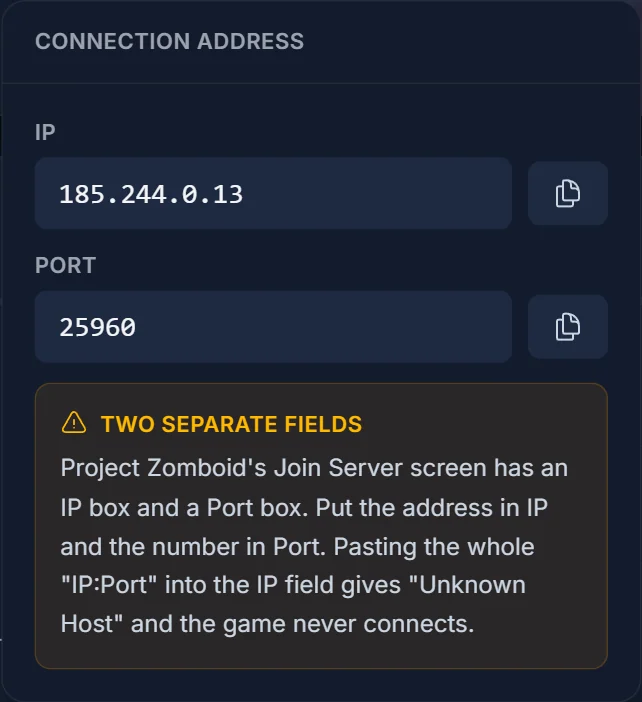
Open your server in the DoomHosting panel and stay on the Overview tab. The connection card shows the IP and the Port as two separate fields, each with its own copy button, because that is exactly how the game asks for them.
Two things worth noting before you switch to the game:
- Your port is probably not 16261. That is the default for a server you run at home. A rented server gets its own port, so use the number in the panel's Port field, not the one most guides quote.
- The IP field takes an IP and nothing else. No colon, no port, no
http://.
The Join button in the server header shows the same two values, so you can copy them without leaving whatever tab you are on.
Add the server in Project Zomboid
- Launch Project Zomboid and click Join on the main menu.
- Open the Favorites tab.
- Give the entry any name you like. It is only a label in your own list.
- Paste the IP into IP. The IP only.
- Type the port into Port, replacing the 16261 that is prefilled there.
- Leave Server Password empty unless your server has one.
- Fill in Account Username and Account Password. You are choosing these, not entering something we issued: the pair becomes your character login on that server, so write them down.
- Click Add, select the server in the list, then click Join Server.
The first connection takes longer than later ones while the game pulls down map chunks and any mods.
Why you get "Unknown Host"
"Unknown Host" means the game could not make sense of what is in the IP box. In practice it is one of these:
- The whole
IP:Portstring went into the IP box. Split it: everything after the colon belongs in Port. - A space or a line break came along with the paste. Clear the box and paste again.
- An address was typed that is not a plain IPv4. Use the value the panel shows.
If both fields are right and the game hangs or times out instead, the server is usually not up yet. Check that it says Running in the panel, and give it a minute after a start, because Project Zomboid loads the map before it accepts connections.
Joining a server that has a password
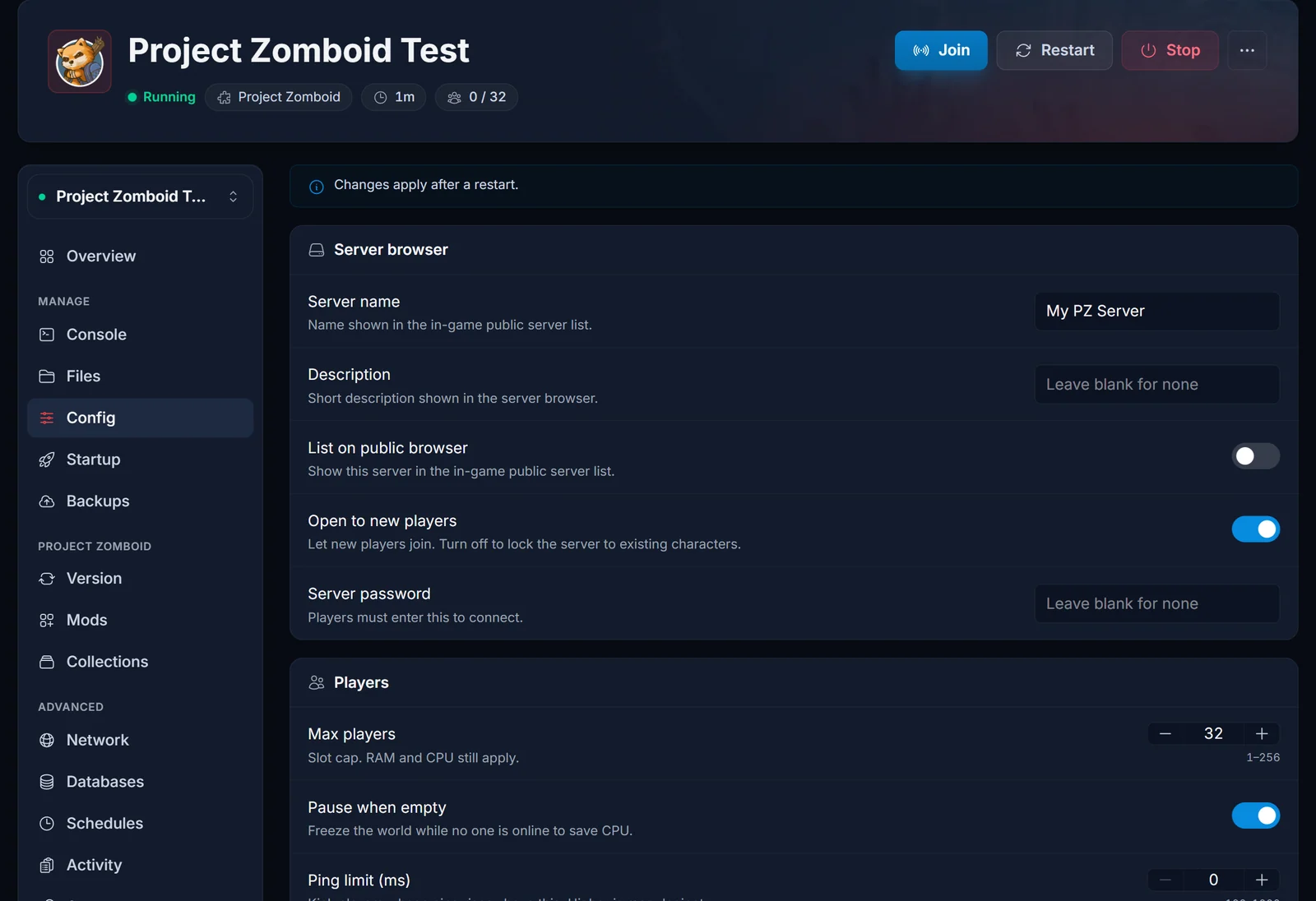
A server password is one shared value that every player types into Server Password. You set it in the panel under Config, in the Server browser section.
Project Zomboid has three different passwords and mixing them up wastes a lot of time:
- Server password: set by you, shared with everyone, typed into Server Password on the join screen.
- Account password: picked by each player on their first join, tied to that player's character.
- Admin password: the separate login that gives you admin powers in game. See How to Become Admin on a Project Zomboid Server.
A changed server password applies after a restart, like the rest of the settings: How to Change Your Project Zomboid Server Settings.
Letting players find the server by name instead
If you would rather people search than type an address, turn on List on public browser in Config and set a Server name. The server then appears under the Internet tab in game. Sharing the address is still faster and it keeps working when the public list is slow to refresh, so treat the listing as a bonus rather than the main route in.
Joining a modded server
Mod lists have to match. A player missing a mod the server runs, or running a different version of it, is dropped during the handshake rather than at the address stage, so this looks nothing like "Unknown Host". Subscribe to the same Steam Workshop items the server uses and the game loads them when you join. The server side is covered here: How to Install Mods on a Project Zomboid Server (Build 42).
Common issues
- "Unknown Host": the IP box holds something that is not a bare IP. Nine times out of ten the port came with it.
- Times out with no error: the server is off, or still loading the map after a start.
- "You are not allowed to join this server": the whitelist is on and your account is not on it. See How to Set Up a Whitelist on a Project Zomboid Server.
- Kicked straight away on a modded server: your mods do not match the server's.
- Wrong username or password: Account Username and Account Password are per server. If you have forgotten them, an admin can remove your account so you can create it again.
- Server is full: the slot cap is Max players, in Config.
Every Project Zomboid plan at DoomHosting comes with the panel shown above, so the address is always two clicks away: Project Zomboid server hosting.
