
VEIN does not have a single difficulty slider. The challenge of a server comes from two groups of settings: the zombie console variables (health, damage, speed, senses, and infection) and a loot scarcity level. Both live in Engine.ini under the [ConsoleVariables] section. You can edit them over FTP or change most of them live from the in-game admin Config menu. This guide covers both methods, the exact values, and copy-paste presets.
Where the difficulty and scarcity settings live
VEIN reads gameplay settings from console variables named vein.* in this file:
Vein/Saved/Config/LinuxServer/Engine.ini
They all sit under a single [ConsoleVariables] section. A few rules to know before you touch anything:
- The values are numeric. Use
1to enable a toggle and0to disable it. Multipliers like zombie health or XP take decimals (for example1.3). Engine.iniis read at server startup, so file edits need a restart to apply.- Server name, password, and max players are not console variables. Set those on your DoomHosting control panel Startup tab, not here.
You can change these settings in two ways:
- Edit
Engine.inidirectly over FTP or the File Manager (covered below). - Open the in-game admin Config menu by pressing the backslash key (
\). It writes the same values back toEngine.iniand is the source of truth for your installed version.
How to set loot scarcity
Loot scarcity is controlled by one variable, vein.Scarcity.Difficulty. It decides how sparse loot is across the whole world. Higher numbers make for a harder survival economy.
| Value | Meaning |
|---|---|
0 |
Abundant |
1 |
Plentiful |
2 |
Default |
3 |
Scarce |
4 |
Very scarce |
For example, a scarce loot economy looks like this:
[ConsoleVariables]
vein.Scarcity.Difficulty=3
Two related variables shape the loot loop further:
vein.ContainersRespawn.Enabled(1or0): whether looted containers refill over time.vein.ContainersRespawn.Interval: seconds between refills. The default is10800(3 hours). Lower it for a more forgiving server, raise it to keep loot rare.
How to make zombies harder or easier
Most of VEIN's perceived difficulty is the zombie behaviour. These are the variables to tune, with their default values:
| Variable | Default | Effect |
|---|---|---|
vein.Zombies.Health |
40 |
Hit points. Higher means tankier zombies. |
vein.Zombies.DamageMultiplier |
1 |
Damage zombies deal to players. |
vein.Zombies.SpeedMultiplier |
1 |
Movement speed. |
vein.Zombies.SightMultiplier |
1 |
How far zombies see you. |
vein.Zombies.HearingMultiplier |
1 |
How well they hear noise like gunshots. |
vein.ZombieInfectionChance |
0.01 |
Chance per hit to infect the player. 0 disables infection. |
vein.Zombies.HeadshotOnly |
0 |
Zombies can only be killed by headshots. |
vein.AISpawner.SpawnCapMultiplierZombie |
1 |
Scales the zombie population. |
Raising health, damage, speed, and the spawn cap together is what turns a casual server into a punishing one. Skill progression is a separate lever: vein.Stats.XPMultiplier (default 1) speeds up or slows down how fast players level their skills.
Edit Engine.ini in your DoomHosting panel
The safe way to edit Engine.ini is with the server stopped, so your changes are not overwritten when the server shuts down.
- Stop the server from the panel.
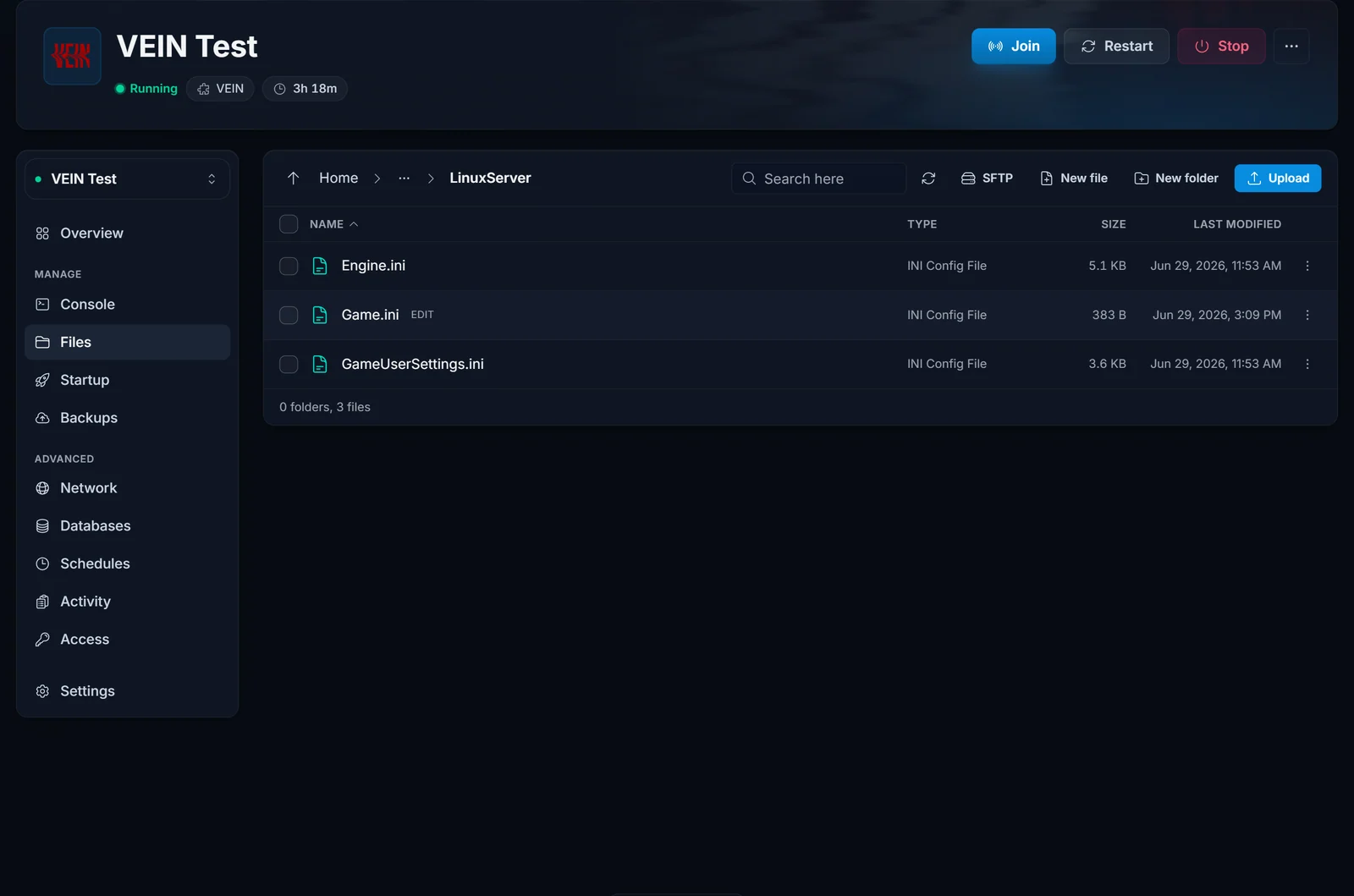
- Open the File Manager (or connect over FTP with the credentials on your panel) and go to
Vein/Saved/Config/LinuxServer/. - Open
Engine.ini. Find the[ConsoleVariables]section, or add it if it is not there yet. - Add or update your lines under that heading, then save.
- Start the server again.
Every game server we run ships with the same File Manager and FTP access. If you are new to the panel, the control panel overview walks through where the File Manager and Startup tab are.
Change settings live with the admin Config menu
If you are joined to your own server as an admin, press the backslash key (\) to open the Config menu in game. You can adjust the same difficulty and scarcity values from there and apply them without an FTP trip. The menu writes your changes back to Engine.ini, so they persist across restarts. Because VEIN is in Early Access, this menu always reflects the settings your installed build actually supports.
Build your config with the free generator
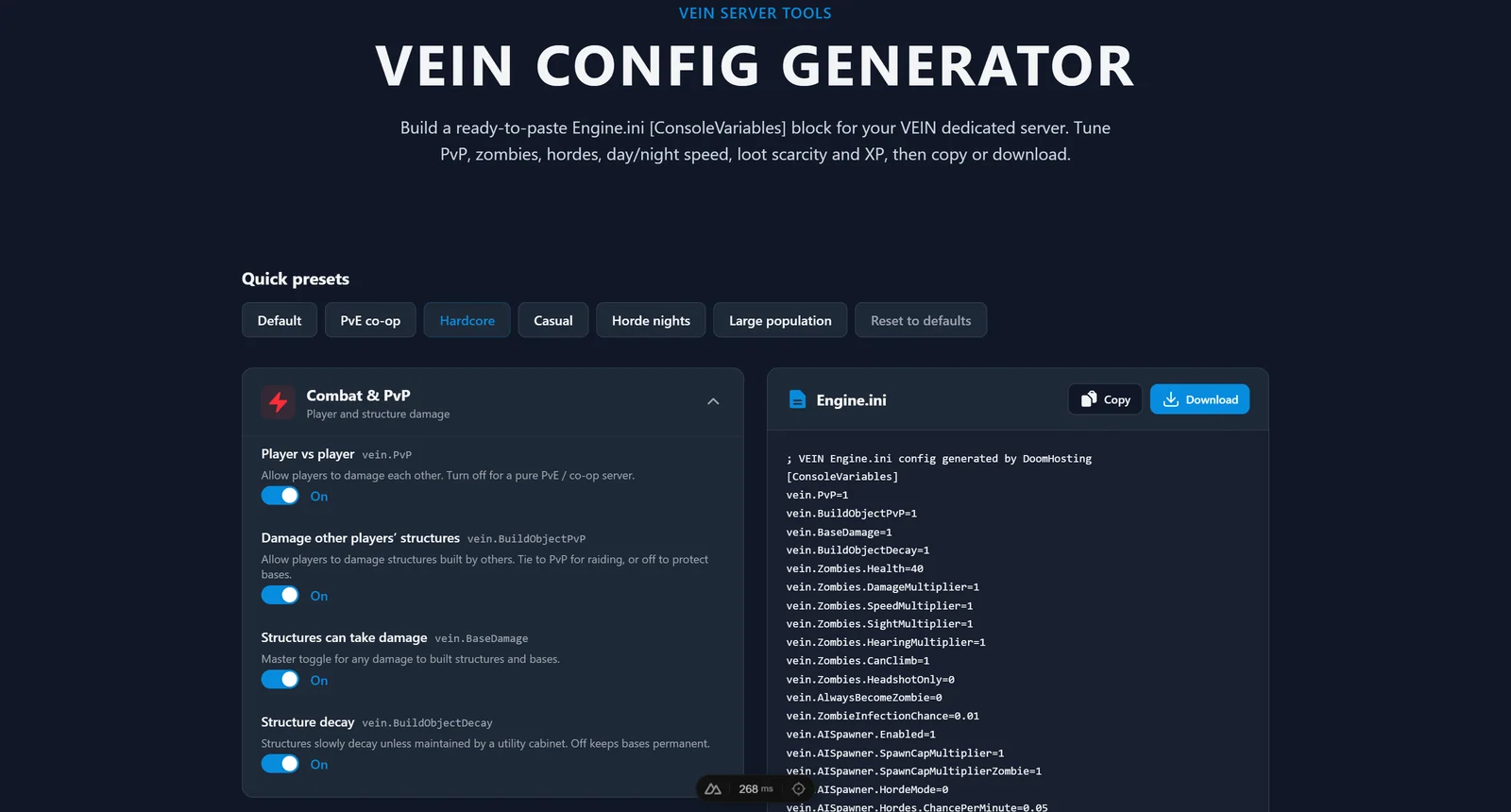
Hand-editing an INI file is easy to get wrong, especially the decimal multipliers. Our free VEIN config generator builds the whole [ConsoleVariables] block for you. Pick a preset (Casual, Default, Hardcore, or Horde nights), fine-tune zombies and loot scarcity with sliders, then copy the block or download a ready-made Engine.ini. Paste it into the file above, restart, and you are done with no syntax mistakes.
Copy-paste difficulty presets
Drop either of these under [ConsoleVariables] in your Engine.ini as a starting point, then adjust to taste.
Casual, for a relaxed co-op session with plentiful loot:
[ConsoleVariables]
vein.Zombies.Health=25
vein.Zombies.DamageMultiplier=0.6
vein.ZombieInfectionChance=0
vein.Scarcity.Difficulty=0
vein.Stats.XPMultiplier=2
vein.ContainersRespawn.Interval=3600
Hardcore, for fast, deadly zombies and a starved economy:
[ConsoleVariables]
vein.Zombies.Health=60
vein.Zombies.DamageMultiplier=2
vein.Zombies.SpeedMultiplier=1.3
vein.Zombies.SightMultiplier=1.3
vein.Zombies.HearingMultiplier=1.3
vein.ZombieInfectionChance=0.05
vein.Scarcity.Difficulty=4
vein.Stats.XPMultiplier=0.8
vein.AISpawner.SpawnCapMultiplierZombie=1.5
Common issues
- Changes do not apply. The usual cause is editing
Engine.iniwhile the server is running. The server rewrites the file on shutdown and overwrites your edit. Always stop the server first, then edit, then start. - Settings are ignored. Check the file path and section. The lines must be under
[ConsoleVariables]inVein/Saved/Config/LinuxServer/Engine.ini, not in another config file. trueorfalsedoes nothing. VEIN console variables are numeric. Use1and0, nottrueandfalse.- A setting is missing or behaves differently. VEIN is in Early Access and its console variables shift between patches. The in-game admin Config menu is always the source of truth for your installed version. Use this guide and the generator as a fast starting point, then confirm in game.
Once your difficulty is dialled in, the VEIN RAM calculator helps you size the server for your player count, or rent a fresh one on dedicated hardware from our VEIN server hosting page.
