
VEIN runs a full day and night cycle, and you control how fast it moves with four console variables in Engine.ini. Speed the clock up so a session does not drag, or slow it down for long, tense nights. This guide covers every time setting, what each one does, how to work out the real day length, and copy-paste presets you can drop straight onto your server.
Where the day and night settings live
VEIN reads its time settings from console variables named vein.Time.* in this file:
Vein/Saved/Config/LinuxServer/Engine.ini
They all sit under a single [ConsoleVariables] section. A few things to know first:
- The values are numeric. Multipliers take decimals (for example
12or1.5), and toggles use1for on and0for off. Engine.iniis read at server startup, so a file edit needs a restart to take effect.- If the
[ConsoleVariables]section is not in the file yet, add it once and put everyvein.line under it.
The four time console variables
These are the settings that shape the day and night cycle, with their default values:
| Variable | Default | What it does |
|---|---|---|
vein.Time.TimeMultiplier |
16 |
How fast the world clock runs. Higher is faster (shorter days), 1 is real-time. |
vein.Time.NightTimeMultiplier |
3 |
How much faster night runs than day. 3 means night passes three times quicker. |
vein.Time.NightTimeMultiplierStart |
20 |
The hour (24-hour clock) the night speed-up begins. 20 is 8 PM. |
vein.Time.NightTimeMultiplierEnd |
6 |
The hour the night speed-up ends. 6 is 6 AM. |
TimeMultiplier is the master dial. NightTimeMultiplier and its start and end hours let you keep pleasant daylight while rushing through the dangerous dark.
How long is a full in-game day?
TimeMultiplier is the ratio of game time to real time, so a rough full-day length is 24 hours divided by the multiplier:
vein.Time.TimeMultiplier |
Full day, if night ran at day speed |
|---|---|
1 |
24 real hours (true real-time) |
4 |
about 6 hours |
8 |
about 3 hours |
12 |
about 2 hours |
16 (default) |
about 1.5 hours |
Those figures assume night runs at the same speed as day. In practice the default NightTimeMultiplier of 3 makes the roughly ten night hours pass about three times faster, so at stock settings a full day lands closer to 65 minutes, with only about 12 of those minutes spent in darkness. Lower TimeMultiplier for longer days all round, or raise NightTimeMultiplier to trim the nights without touching the daylight.
Speed up dangerous nights only
Night is when VEIN is most dangerous, so many servers keep a slow, relaxed day and blast through the dark. That is exactly what the night variables are for. With the defaults, the clock triples its pace between 20:00 (NightTimeMultiplierStart) and 06:00 (NightTimeMultiplierEnd). To make nights even shorter, raise NightTimeMultiplier:
[ConsoleVariables]
vein.Time.TimeMultiplier=8
vein.Time.NightTimeMultiplier=5
That gives long, comfortable days at 8x with nights that fly by at 40x. Widen the window by moving the start earlier or the end later if you want the fast phase to cover dusk and dawn too.
Edit Engine.ini in your DoomHosting panel
Always edit with the server stopped, or VEIN will overwrite your change when it shuts down.
- Stop the server from the panel.
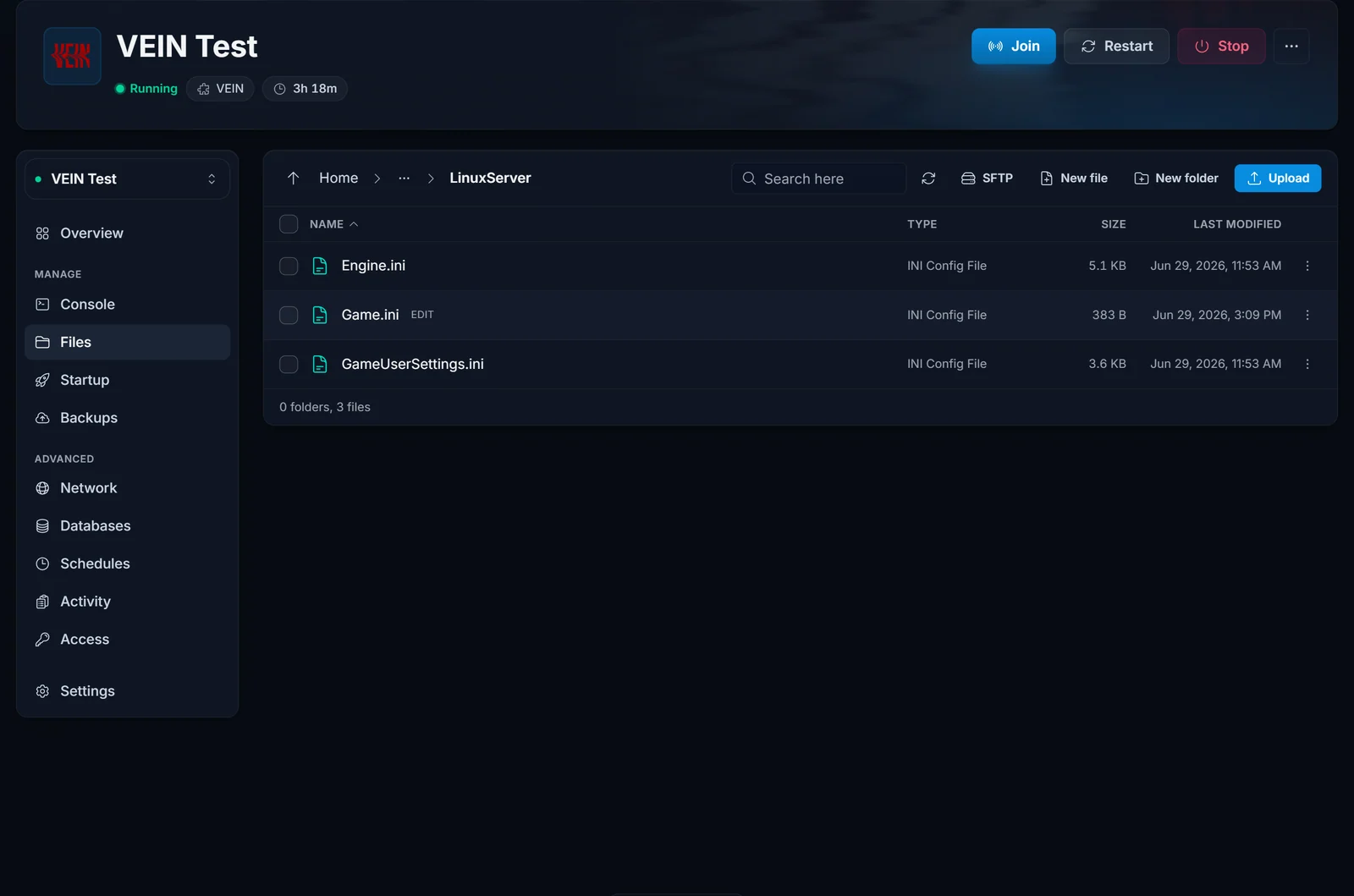
- Open the File Manager (or connect over FTP with the details on your panel) and go to
Vein/Saved/Config/LinuxServer/. - Open
Engine.iniand find the[ConsoleVariables]section, or add it if it is missing. - Add or edit your
vein.Time.*lines under that heading, then save. - Start the server again.
New to the panel? The control panel overview shows where the File Manager and Startup tab live.
Change it live with the admin Config menu
If you are joined to your own server as an admin, press the backslash key (\) to open the in-game Config menu and adjust the time settings there. It writes the same values back to Engine.ini, so they stick across restarts, and because VEIN is in Early Access this menu always matches the settings your installed build supports.
Build it with the free config generator
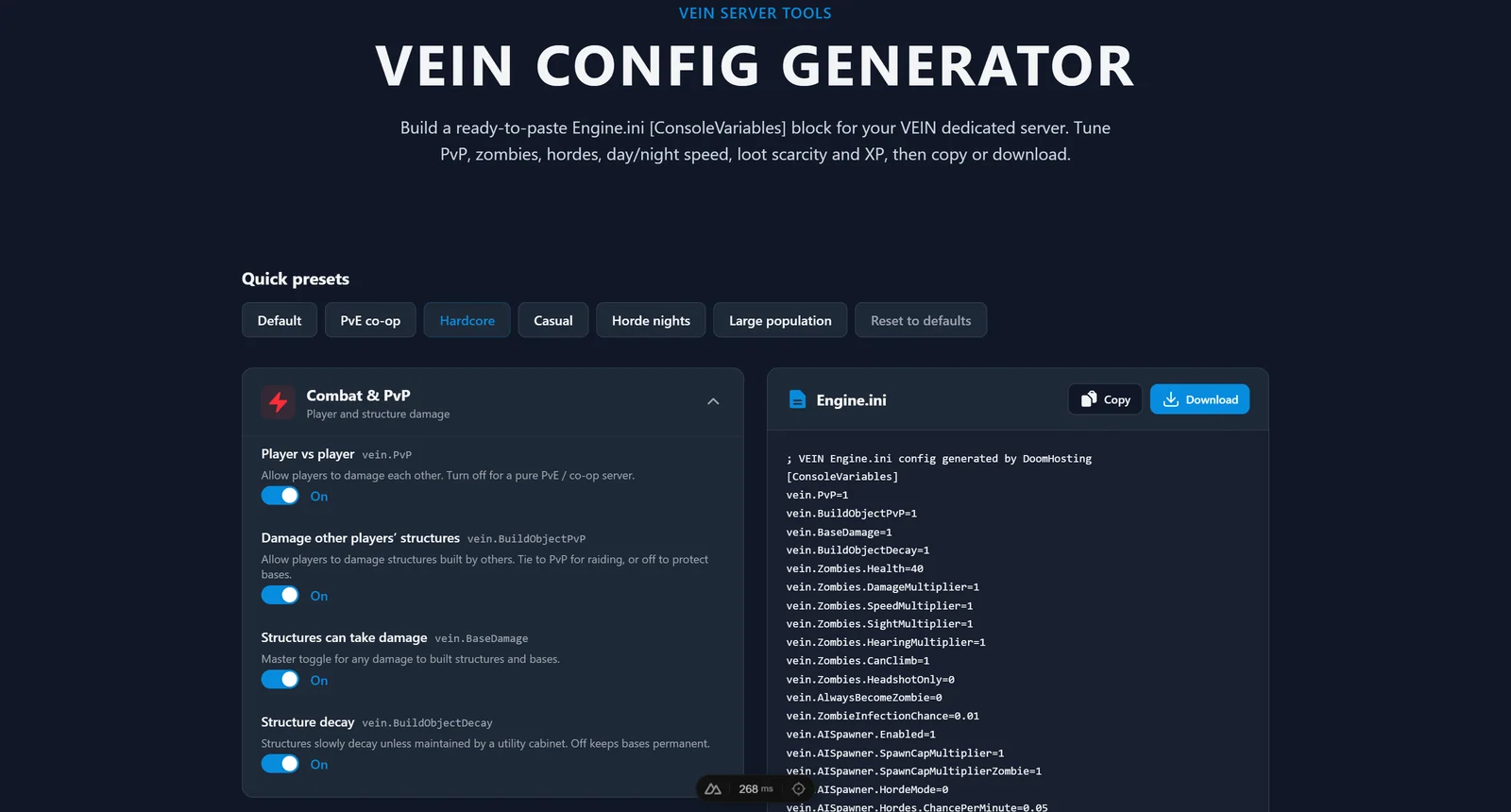
If you would rather not hand-edit an INI file, our free VEIN config generator builds the whole [ConsoleVariables] block for you, day and night speed included. Set the day/night speed and extra night speed sliders, add any zombie or loot tweaks, then copy the block or download a ready-made Engine.ini. Paste it into the file above, restart, and there are no syntax mistakes to chase.
Copy-paste presets
Drop one of these under [ConsoleVariables] in your Engine.ini, then adjust to taste.
Long days, for a slower survival pace with plenty of daylight to explore and build:
[ConsoleVariables]
vein.Time.TimeMultiplier=6
vein.Time.NightTimeMultiplier=2
Balanced, close to stock but with slightly quicker nights:
[ConsoleVariables]
vein.Time.TimeMultiplier=12
vein.Time.NightTimeMultiplier=3
Fast nights, for daylight play with the dark rushed through:
[ConsoleVariables]
vein.Time.TimeMultiplier=8
vein.Time.NightTimeMultiplier=6
Bonus: keep time moving on an empty server
By default VEIN pauses the world clock when nobody is online. If you want day and night to keep cycling around the clock, turn on vein.Time.ContinueWithNoPlayers:
[ConsoleVariables]
vein.Time.ContinueWithNoPlayers=1
Leave it at 0 if you would rather the world wait for players, so nobody logs in to a night they did not play through.
Common issues
- Changes do not apply. The usual cause is editing
Engine.iniwhile the server is running, so VEIN rewrites the file on shutdown and undoes your edit. Stop the server first, then edit, then start. - Settings are ignored. Check the path and section. The lines must sit under
[ConsoleVariables]inVein/Saved/Config/LinuxServer/Engine.ini, not in another file. trueandfalsedo nothing. VEIN console variables are numeric. Use1and0, nottrueandfalse.- A setting is missing or acts differently. VEIN is in Early Access and its console variables can change between patches. The in-game admin Config menu is always the source of truth for your installed version.
Once your day length feels right, the VEIN RAM calculator helps you size the server for your player count, or rent a fresh one on dedicated hardware from our VEIN server hosting page.
