

FiveM server artifacts are the FXServer build your server runs on. You can switch between the Recommended and Latest builds from the Version tab in your DoomHosting panel, and you can pin an older build by hand from the Startup tab when a script or framework has not caught up yet. Neither route touches your server.cfg, your resources or your database.
This guide covers both, plus how to find a specific build number and what to do when a change does not take.
What a FiveM artifact actually is
Cfx.re does not ship FiveM servers as numbered releases. It publishes a rolling stream of builds, each one identified by a number like 34833, and marks one of them as recommended. Three names matter:
- Recommended: the build Cfx.re considers stable. This is what a new DoomHosting server installs.
- Latest: the newest build that exists. It gets new natives and fixes first, and occasionally new bugs with them.
- A pinned build: any specific build number you choose yourself, usually an older one you know your scripts work on.
Artifacts are the server side only. Players connect with whatever FiveM client they already have, so changing your artifact does not force anyone to update or reinstall anything.
Switch between Recommended and Latest
Open your server in the panel and click Version in the left menu, under the FiveM heading. You get two cards with the current build number under each one, so you can see at a glance whether you are behind.
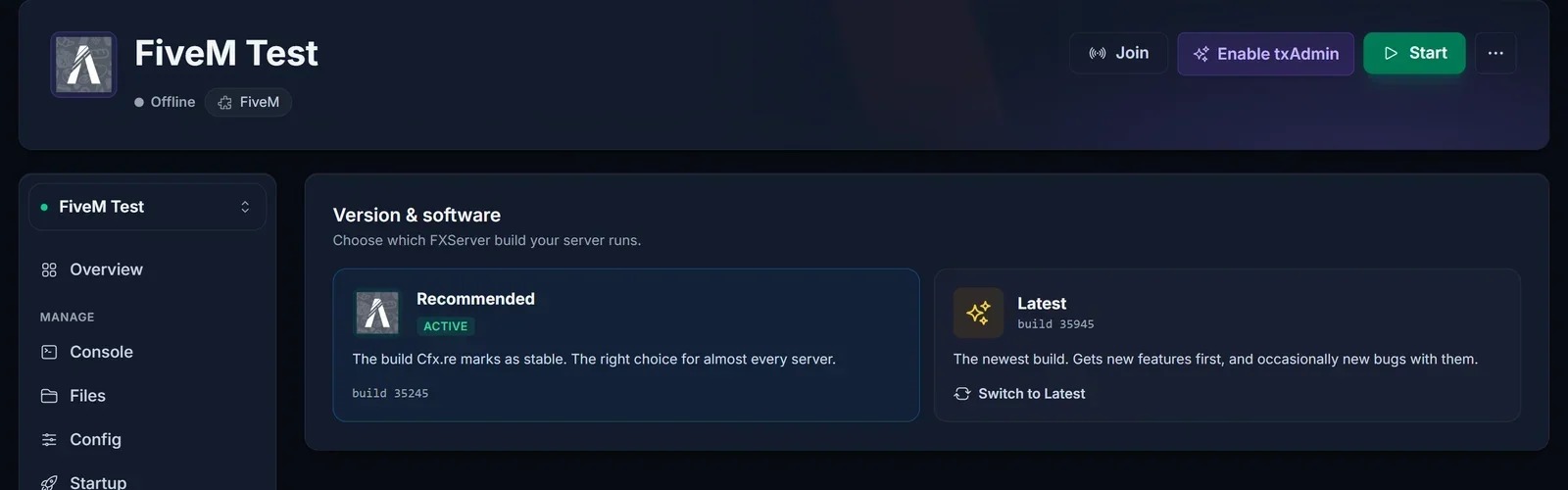
Click the card you want and confirm. The panel re-downloads the FXServer files and restarts the server.
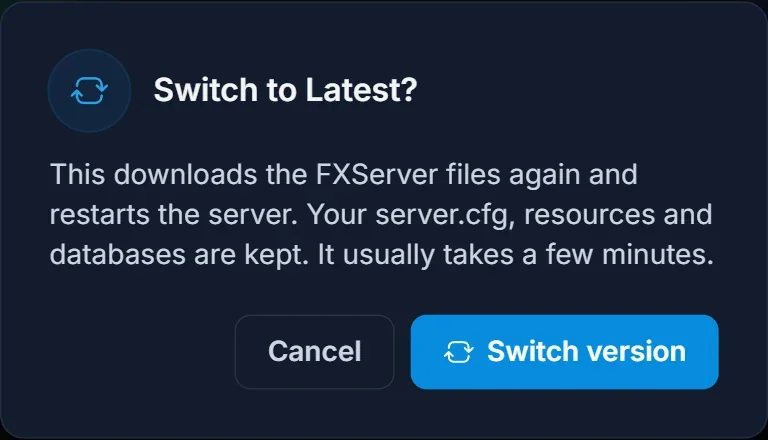
It usually takes a couple of minutes. Your files are kept, so the server comes back with the same resources, the same server.cfg and the same database connection as before.
Pin an older artifact build
The two cards always track whatever Cfx.re is publishing right now, so they cannot take you backwards to a specific build. For that, set the build number yourself:
- Open Startup in the panel.
- Find the fivem version field. It says
recommendedby default. - Replace it with the exact build number you want, for example
34833. - Let the field save.
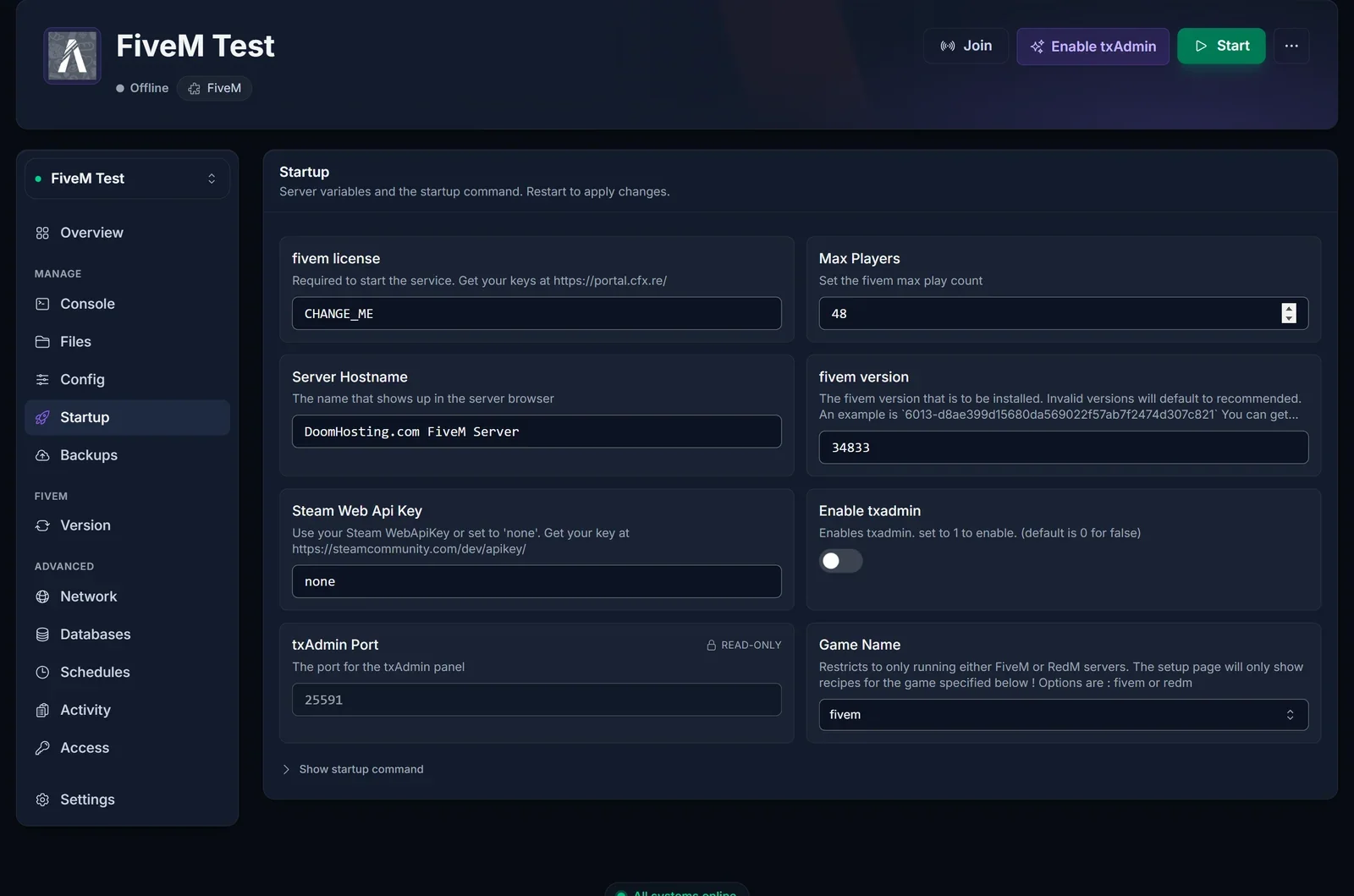
Changing the field on its own does nothing yet. The build is chosen during the install step, so the server has to reinstall before it picks up your number. Go to Settings, scroll to the Danger zone, and click Reinstall server.
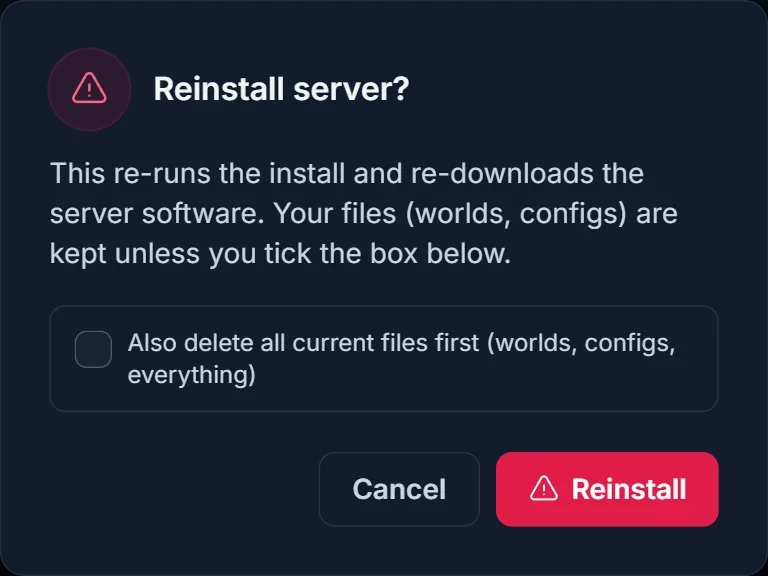
Leave the "also delete all current files" box unticked. Unticked, the reinstall only replaces the FXServer binaries: your resources folder, server.cfg and databases all survive. Ticked, it wipes the server first, and that is not what you want here.
Once a build number is set, the Version tab tells you so instead of pretending one of the channels is active:
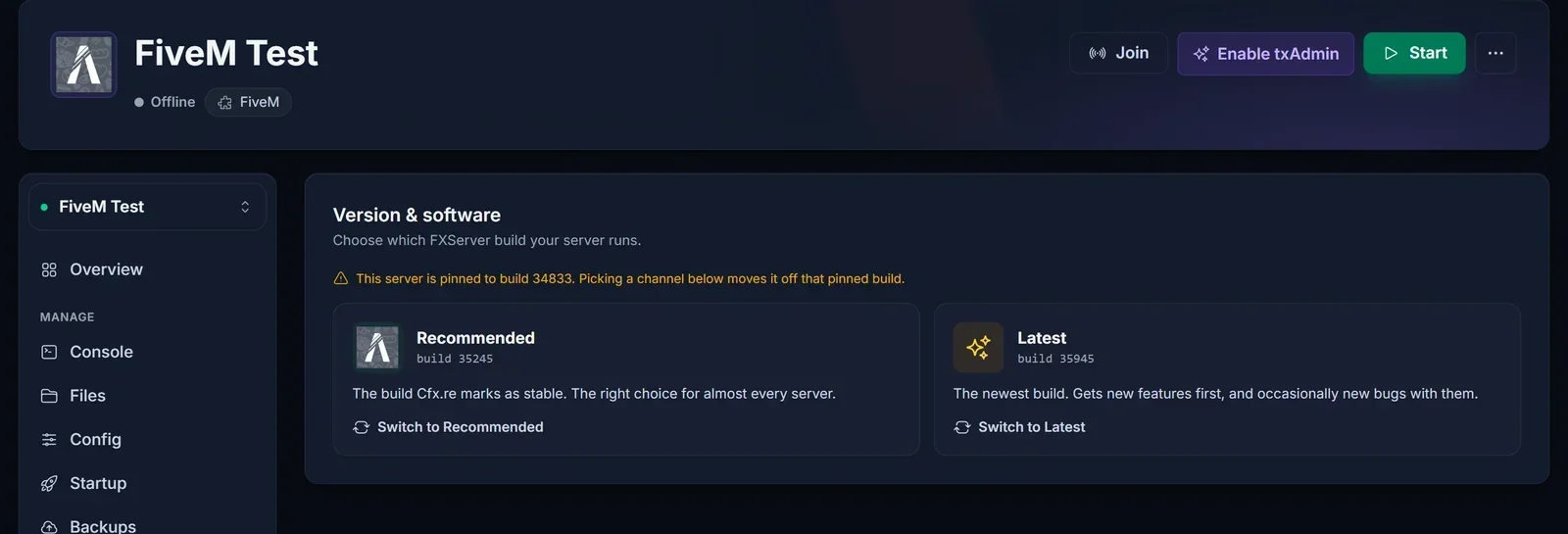
To come off a pin later, click Recommended on that tab. It clears the number and reinstalls in one step.
How to find the build number you want
Two places, and you want both open:
- The artifact list:
https://runtime.fivem.net/artifacts/fivem/build_proot_linux/master/. Every build still available for Linux is here, newest at the top, each one a folder named<build>-<hash>. You can paste either half into the panel: the number on its own (34833) or the whole folder name (34833-68c152444ad75b65017d6e6a56b59b9ef233dc59). The full name is the safer one, because a short or partial number can match more than one folder and the install then cannot resolve it. The archive is deep, currently several hundred builds, so builds from well over a year back are still installable. - The changelog:
https://changelogs-live.fivem.net/tells you what changed between builds and which one is currently recommended.
If you are downgrading because something broke, the build you want is usually the last one that worked. Your server console prints the build number at every start, and txAdmin shows it on its dashboard, so scroll back through your console history to find the number you were on before the breakage.
Which version should you run?
Recommended for almost every server. It is the default for a reason: it is the build the Cfx.re team and the script ecosystem have both had time to test.
Latest when you specifically need something new. A new native your script calls, a fix for a bug that is hurting you now, or a framework release that requires a recent server build. Expect the occasional rough edge.
A pinned older build when an update broke you and you need the server up tonight. Treat it as temporary. Old builds do eventually fall off the artifact list, and running far behind means missing stability and security fixes, so use the pin to buy time while the resource author catches up, then move back to Recommended.
Will changing the artifact delete anything?
No. The install step replaces the FXServer files themselves and nothing else. Specifically:
server.cfgis kept. The installer only writes a fresh one when the file is missing entirely.- Your
resources/folder is kept, including every script, car and map you uploaded. - Databases are untouched. They live outside the server files, so a reinstall does not reach them.
Backups are included on every DoomHosting server, so if you are about to test a risky build, take one first from the Backups tab. It costs nothing and turns a bad build into a two minute rollback.
Common issues
It reinstalled on Recommended instead of my build. The installer looks your number up in the artifact list, and when it cannot find it, it falls back to Recommended and says so in the install log. Two causes: you typed a partial number, or the build has been pruned from the list. Open the artifact list, copy the full build number exactly as it appears before the dash, and reinstall again.
Nothing changed after editing the Startup field. You did not reinstall. Editing the field alone never swaps the binaries. Settings, Danger zone, Reinstall server, box unticked.
The server will not start after a version change. Read the console output. On a newer build the usual cause is a resource calling something that was removed, and the resource name is in the error. On an older build it is the reverse, a resource that needs a native your build does not have yet. Either way the fix is to move to the build that resource expects, which is exactly what the pin is for.
Resources load but players cannot connect. A version change is rarely the cause here. Check your license key and your server listing first, see FiveM Server Not Showing in the Server List: How to Fix It.
txAdmin reports a different version than you set. txAdmin reads the build it is actually running, so trust it. If it disagrees with your Startup field, the install fell back to Recommended, see the first item above.
Frequently asked questions
Does downgrading the artifact affect my players? No. Artifacts are server side. Players keep using the FiveM client they already have.
How far back can I go? As far as the artifact list goes, which is currently several hundred builds. Anything still listed is installable. Anything pruned is gone for good.
Do I lose my ESX or QBCore setup?
No. Frameworks live in resources/ and your database, and a reinstall keeps both. If you are still setting one up, see How to Install ESX or QBCore on Your FiveM Server.
How often should I update? When Cfx.re moves the Recommended build and you have no reason not to. Checking the Version tab once a month is plenty for most servers.
Can I switch between FiveM and RedM builds here? No, that is a separate setting. The fivem version field only picks which FXServer build you run.
Every FiveM server from DoomHosting ships with this switcher, backups and full file access, all in the same game control panel. If a build change leaves you stuck, open a ticket and we will get you back on a working artifact.
