

Every FiveM server is really just a stack of resources: scripts, cars, maps, and jobs that each live in their own folder and get switched on in server.cfg. This guide covers how resources are structured, how to install a script the right way, and how to add streamed vehicle addons to a DoomHosting FiveM server without breaking your boot order.
Where do resources go on a FiveM server?
Everything lives in one place: the resources folder. Open the Files tab in the panel and go into resources. Each script, car, or map is its own subfolder with an fxmanifest.lua inside it.
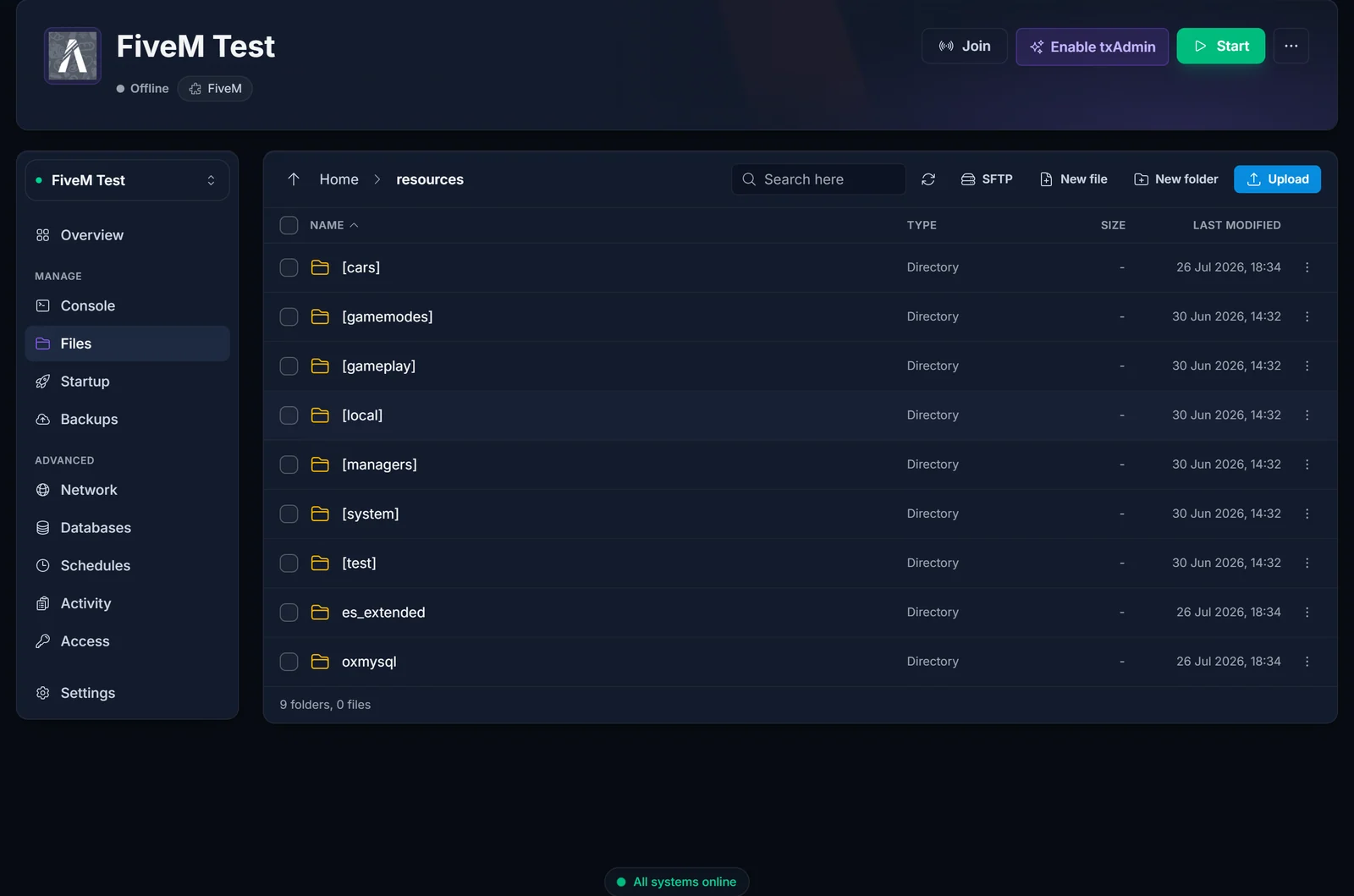
Folders wrapped in square brackets like [cars] or [esx] are just grouping folders. FiveM loads every resource inside a bracket folder automatically, which is a tidy way to keep all your vehicles or all your framework resources together. A bracket folder cannot contain another bracket folder, and it should not hold loose files, only resource subfolders.
How do I install a script on my FiveM server?
Download the script. Quality resources come from the official Cfx.re forum releases and reputable GitHub repos.
In the Files tab, open
resourcesand upload the script's folder there. For large uploads, connect over SFTP (the details are on the SFTP button in the Files tab) rather than the browser uploader.Read the script's own README for dependencies. Most scripts need a framework (
es_extendedorqb-core) and oftenoxmysqlalready running.Add an
ensureline toserver.cfgafter its dependencies:ensure oxmysql ensure es_extended ensure your-new-script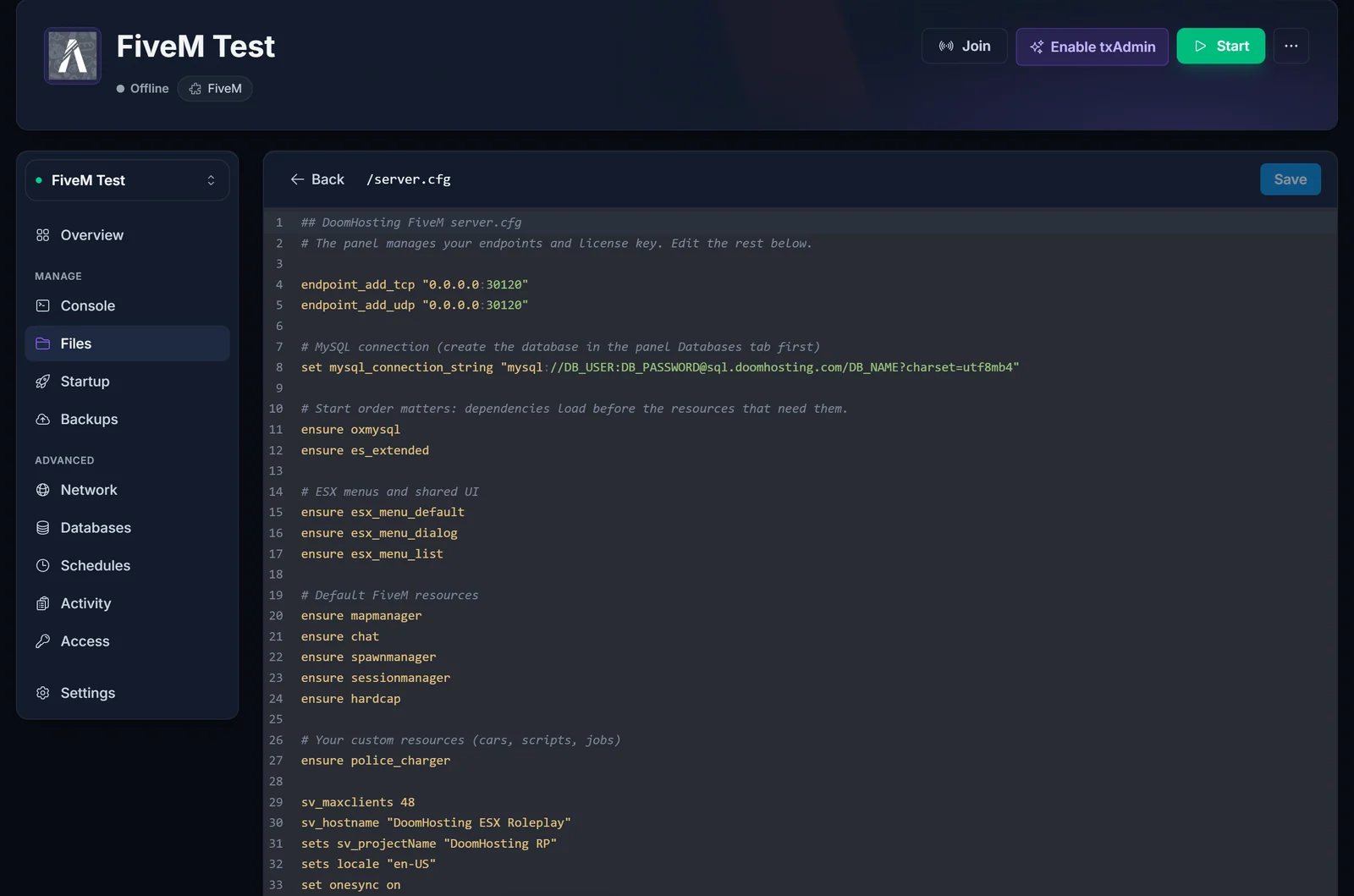
Restart the server and watch the Console tab for a clean start with no red errors.
Should I use start or ensure in server.cfg?
Use ensure. It starts the resource if it is stopped and restarts it if it is already running, which is exactly what you want on boot. start only starts a resource and is the older syntax. There is no reason to mix them, so make every line in your config an ensure.
How do I add a custom car to my FiveM server?
Add-on vehicles are "streamed" resources: the model files are streamed to players when they join. The folder structure is what matters.
Create a resource folder for the car (or drop it into your
[cars]group folder), for exampleresources/[cars]/police_charger.Inside it, put the vehicle's model files (
.yft,.ytd) into astreamsubfolder, and the metadata files (vehicles.meta,carvariations.meta,handling.meta, and so on) alongside anfxmanifest.lua:police_charger/ fxmanifest.lua stream/ police_charger.yft police_charger.ytd vehicles.meta carvariations.meta handling.metaThe
fxmanifest.luatells FiveM to stream the model and load the meta files:fx_version 'cerulean' game 'gta5' files { 'vehicles.meta', 'carvariations.meta', 'handling.meta' } data_file 'VEHICLE_METADATA_FILE' 'vehicles.meta' data_file 'CARCOLS_FILE' 'carvariations.meta' data_file 'HANDLING_FILE' 'handling.meta'ensure police_chargerinserver.cfg, restart, and the spawn name fromvehicles.metais now usable in game.
Most cars you download already include a working fxmanifest.lua and the correct folders, so in practice you upload the folder and add one ensure line. Only build the structure by hand if the car shipped as loose files.
Do I need to match the FiveM artifact or gamebuild?
Sometimes. Two version settings affect whether a resource loads:
- Artifact (server version): set by the
fivem versionvariable on the panel's Startup tab. Leave it onrecommendedunless a specific script requires a newer build. - Gamebuild: some newer vehicles and MLOs need a specific game build. Set it in
server.cfgwith, for example,sv_enforceGameBuild 2802. If a car or map is invisible or crashes players on spawn, a mismatched gamebuild is a common cause.
Only raise these when a resource explicitly asks for it. Forcing a higher gamebuild than your resources support can cause more problems than it solves.
Common errors
- Resource not starting: the folder name must match the
ensureline exactly, andfxmanifest.luamust sit directly inside the resource folder, not one level deeper. A folder-inside-a-folder is the number one cause. Failed to loada streamed model: the model files are not in astreamfolder, or the.yft/.ytdnames do not match what the meta files reference.- Missing dependency: the console names the missing export or resource. Add its
ensureline above the failing resource. - Car spawns but drives wrong or is invisible: a missing or mismatched
handling.meta/vehicles.meta, or a gamebuild mismatch.
A word on where you download resources
Stick to the official Cfx.re releases forum and the original developers' GitHub pages. Leaked or "free" copies of paid resources are the most common way FiveM servers get backdoored, which can steal your database or hijack your server. If a resource is obfuscated or comes from a random Discord, do not run it.
Next steps
To wire cars and scripts into a full roleplay base, first install ESX or QBCore on your FiveM server. For a web dashboard to manage resources and restarts, set up txAdmin on your FiveM server.
New here? See FiveM server hosting or the full game control panel.
