


FiveM Enhanced is Cfx.re's early-access build of FiveM for GTA V Enhanced, the newer PC edition of the game, and this guide takes a fresh FiveM Enhanced server on DoomHosting from its first boot to a working setup. Choose Enhanced when your community already plays GTA V Enhanced and your scripts are open source. Stay on FiveM Legacy when you depend on escrowed resources or on players who own the older edition, because the two builds never share players.
Enhanced or Legacy: which build fits you?
Enhanced and Legacy are separate products with separate clients and separate server software. An Enhanced server only accepts people running the FiveM for GTAV Enhanced client, and a Legacy server only accepts the classic one. Before you commit, weigh these early-access limits:
- No Asset Escrow yet. Encrypted resources bought through Tebex will not load on Enhanced. Open-source resources run normally.
- OneSync is always on, in big mode, and client-server sync replaces the old peer-to-peer model.
- Pure mode is always on, so graphic mods cannot be used during early access.
- Only the latest gamebuild is supported.
If that suits your project, order a FiveM Enhanced server. It costs the same as Legacy, and everything below happens inside our game panel.
First boot: add your license key
Enhanced needs the same free Cfx.re license key as Legacy. If you do not have one yet, our license key guide covers creating it on portal.cfx.re.
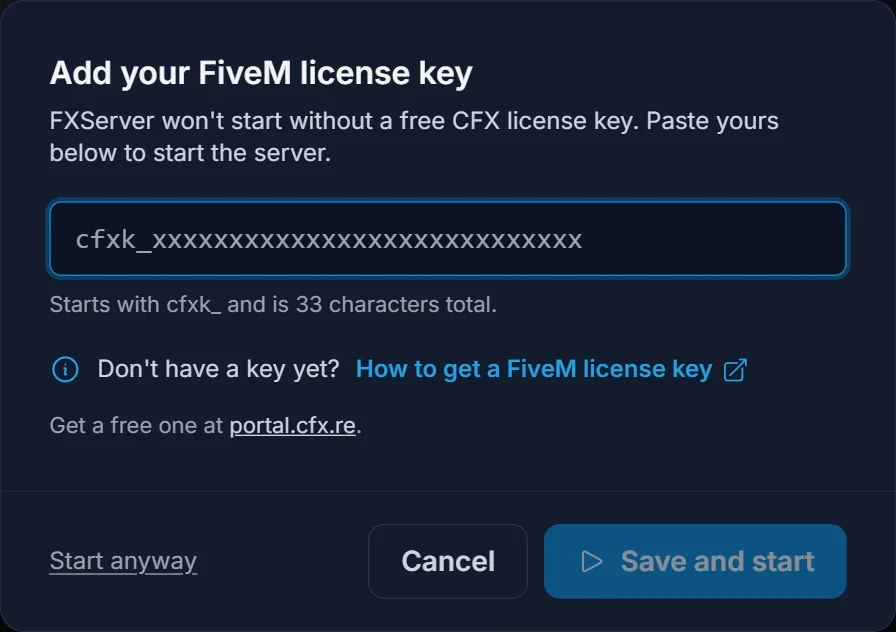
Click Start on your new server. Because no key is saved yet, a dialog called Add your FiveM license key pops up. Paste the key (it begins with cfxk_ and is 33 characters long), then click Save and start. The panel stores it and boots the server in one go.
Startup tab settings
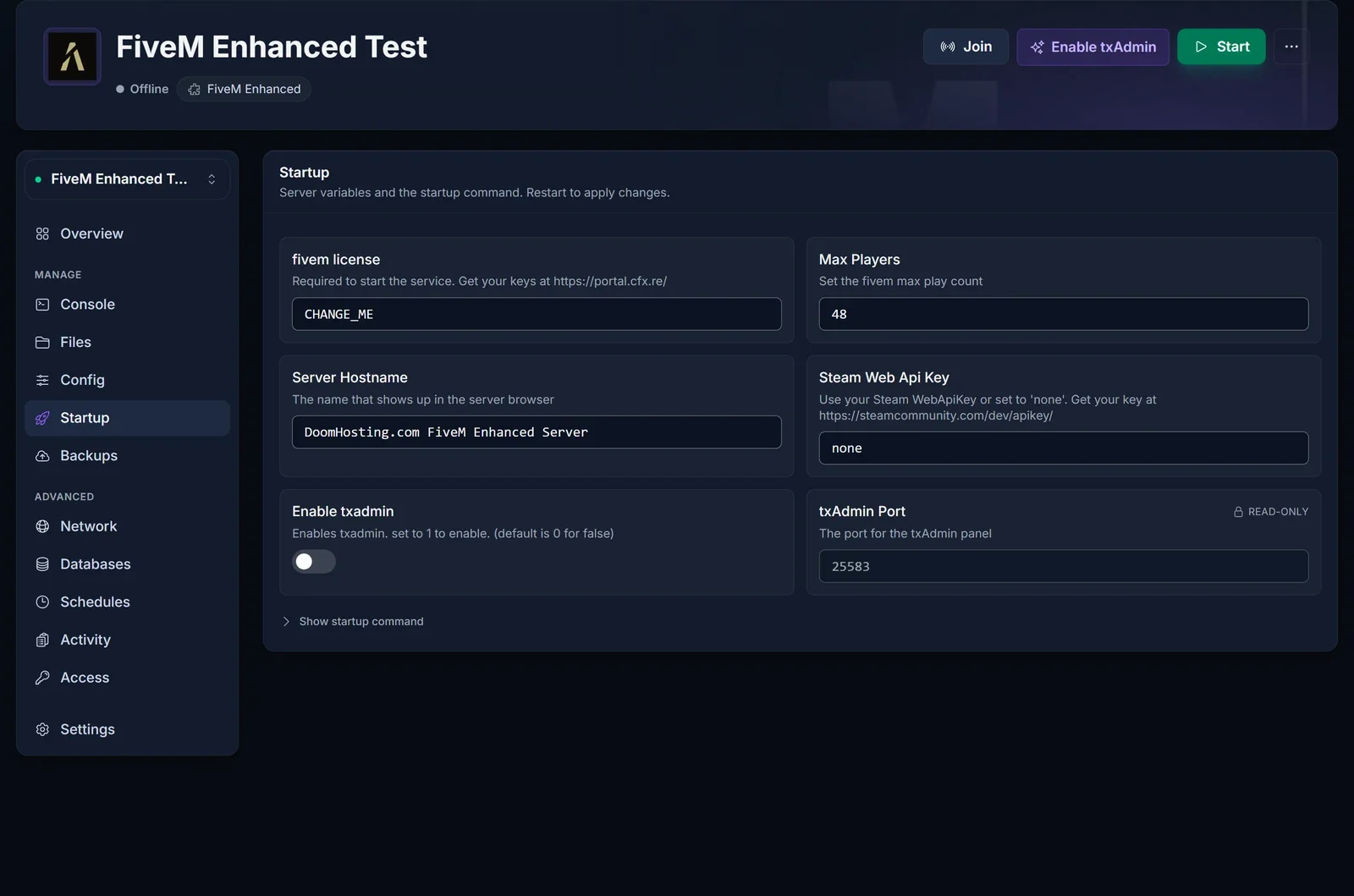
The Startup tab holds the values the server reads when it boots:
- fivem license: the key you just saved. Replace it here if you ever regenerate it.
- Max Players: how many player slots the server offers.
- Server Hostname: the name shown in the FiveM server list.
- Steam Web Api Key: leave it at
noneunless one of your resources looks players up on Steam. - Enable txadmin: turns txAdmin on or off.
- txAdmin Port: read-only. The panel assigns this second port automatically for the txAdmin web interface.
Edits on this tab take effect after the next restart.
txAdmin on or off
By default the server starts straight from server.cfg. Press Enable txAdmin in the header (or use the toggle on Startup), restart, and txAdmin takes charge instead: server.cfg stops being executed and settings are managed in the txAdmin web interface. The first-run PIN, recipes and scheduled restarts work the same as on Legacy, so follow our txAdmin guide for those.
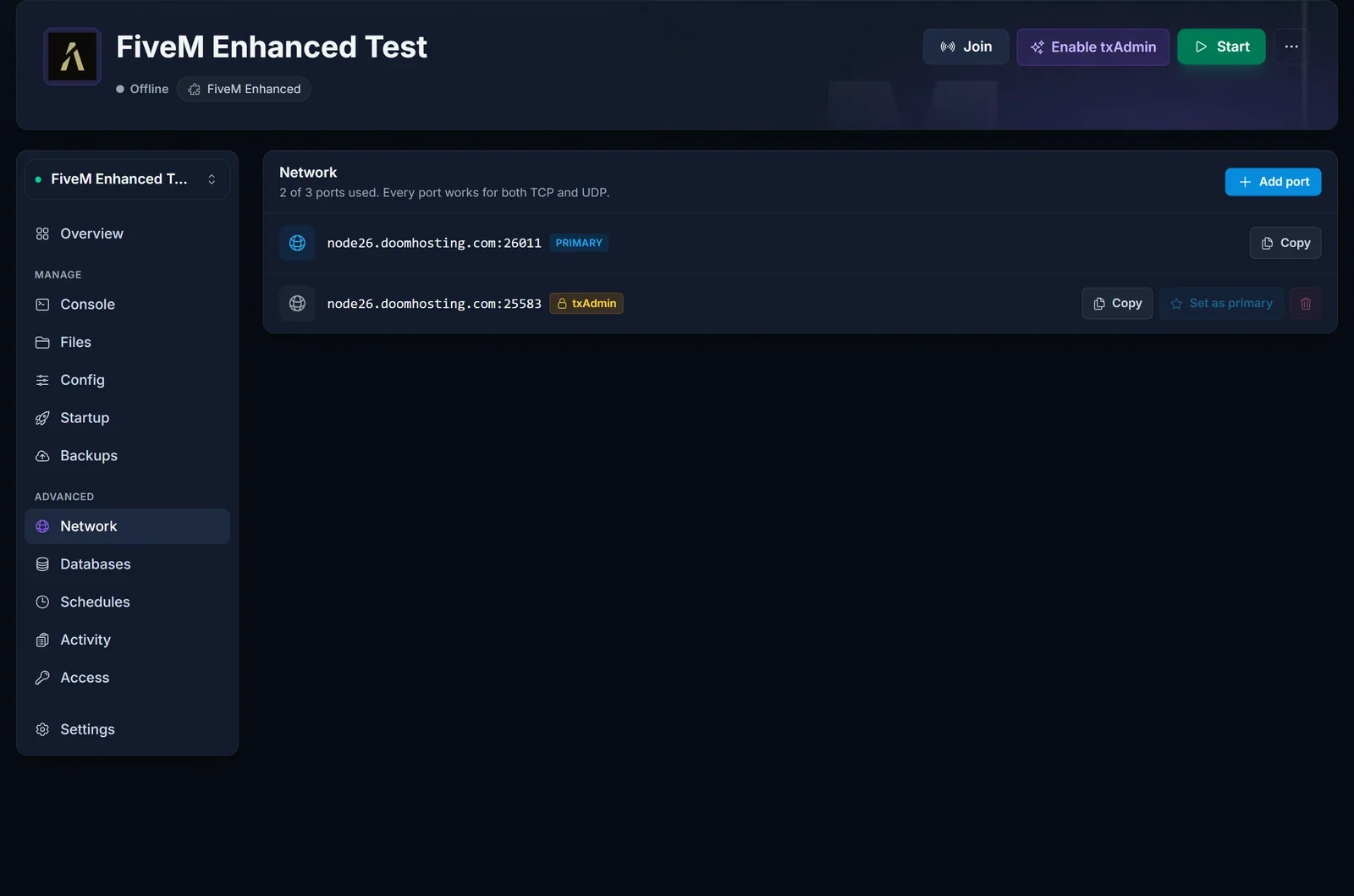
The Network tab shows both ports. The primary one is the game port players connect to; the one carrying the txAdmin badge is for the web interface.
Config tab and server.cfg
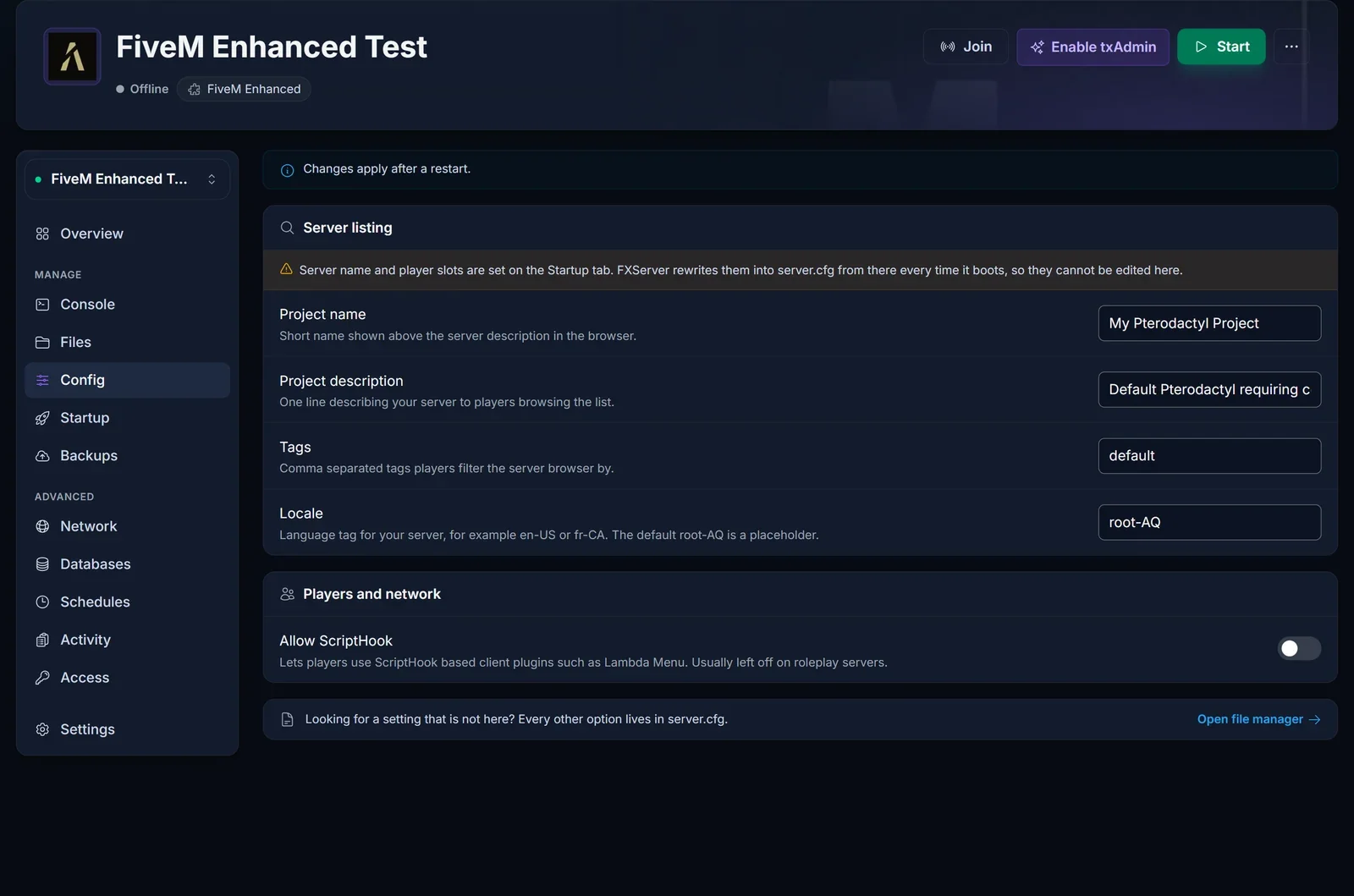
While txAdmin is off, the Config tab lets you edit the listing without opening a file: Project name, Project description, Tags, Locale and Allow ScriptHook. Server name and player slots are missing from this tab on purpose. Both come from Startup and get written into server.cfg at every boot, so a manual edit to them would be overwritten.
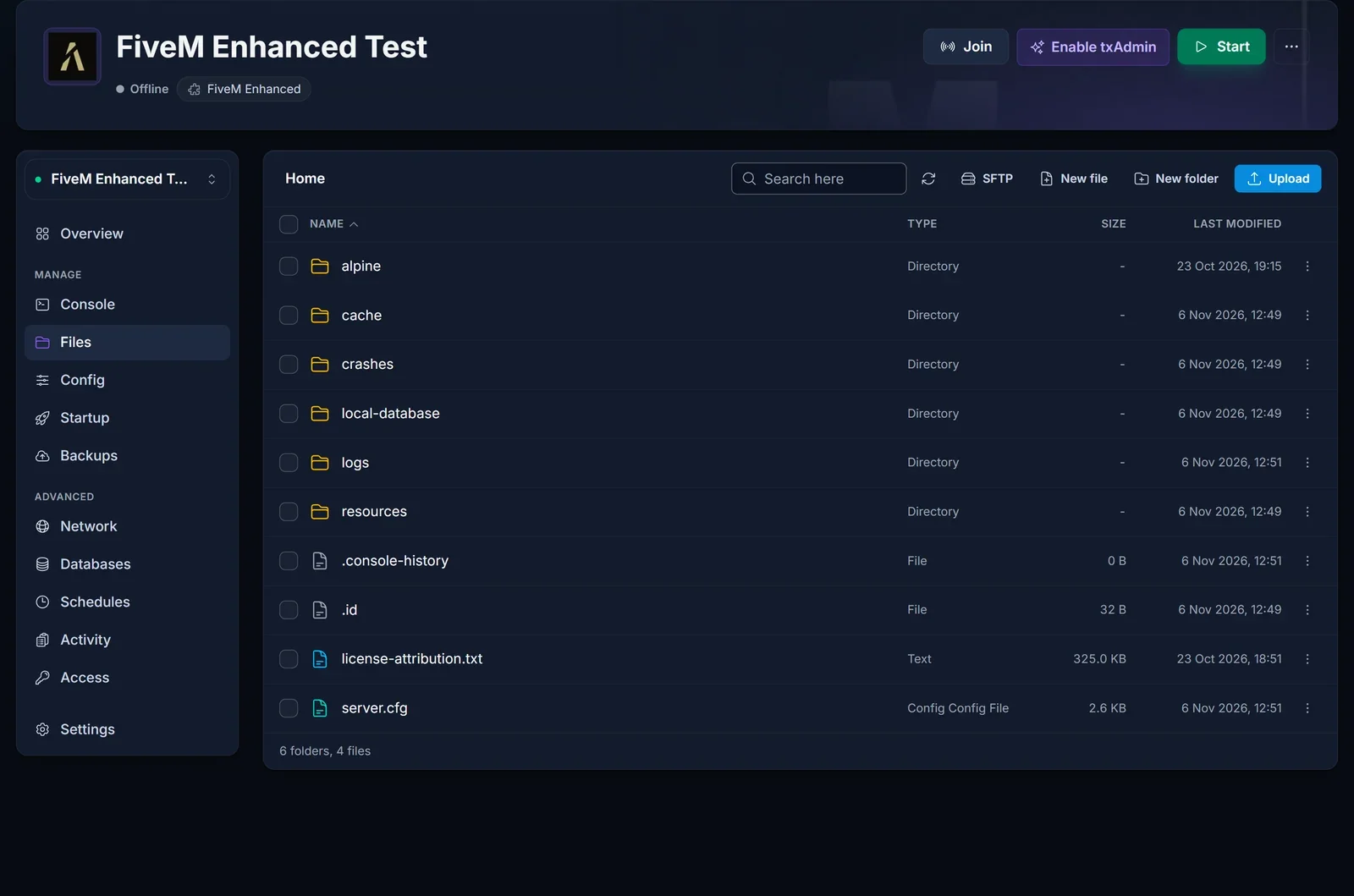
Every other setting lives in server.cfg at the server root, which you open from the Files tab. The file manager also shows the alpine folder, home of the cfx-server binary (the Legacy equivalent is FXServer), and resources, where your scripts and maps belong.
Scripts that store data need a MySQL database. Create one on the Databases tab and hook it up as described in our database guide; nothing about that differs on Enhanced.
Moving resources over from Legacy
Most open-source scripts work unchanged, but several Enhanced changes catch older setups out. Go through this list before copying a Legacy server across:
- Escrowed resources stay blocked until Cfx.re ships Asset Escrow for Enhanced. Ask the author for an unencrypted release, or keep that project on Legacy.
- Streamed assets (vehicles, maps, clothing) must be converted with Cfx.re's Alchemist tool. Place the converted files in a
stream_enhancedfolder beside the existingstreamfolder. Enhanced loadsstream_enhancedin place ofstream, so one resource can serve both builds. - KVP data has to be migrated with kvdb-migrator, otherwise stored key-value data appears empty.
- Player server IDs are reused once a player disconnects. Any script that remembers IDs to tell players apart needs checking.
- NUI callbacks run in strict mode by default. A resource that breaks because of it can opt out in its
fxmanifest.lua:
nui_callback_strict_mode 'false'
- C# resources now run on .NET 10 instead of Mono, so test them before you go live.
- Endpoints:
endpoint_add_tcpandendpoint_add_udpeach take a single endpoint. - Dev mode needs
sv_devMode trueinserver.cfg. - Base game without DLCs: set
sv_enforceGameBuild 1.
Updating the server
Cfx.re publishes one current Enhanced build, so there is no build picker like the one Legacy servers have. To get the newest build, open the Settings tab and click Reinstall server: the reinstall downloads the server software again and keeps your files (resources, server.cfg, txData), as long as you leave the wipe box unticked. A backup on the Backups tab beforehand is still a smart move.
Common issues
Command not found (sv_endpointprivacy): this command does not exist on Enhanced. Remove the line from server.cfg and restart.
An escrowed resource fails to load: Asset Escrow is not available on Enhanced yet. Swap it for an open-source alternative or run it on a Legacy server.
Legacy players cannot connect: someone on classic FiveM can never join an Enhanced server. They need GTA V Enhanced plus the FiveM for GTAV Enhanced client, as explained in how to join a FiveM Enhanced server.
"A valid license check is required to run this server": the stored key is empty, mistyped or not valid. Open Startup, paste the key into fivem license with no spaces around it, and start the server again.
Edits to server.cfg change nothing: txAdmin is on, and it does not execute server.cfg. Make the change in txAdmin, or turn txAdmin off and restart.
