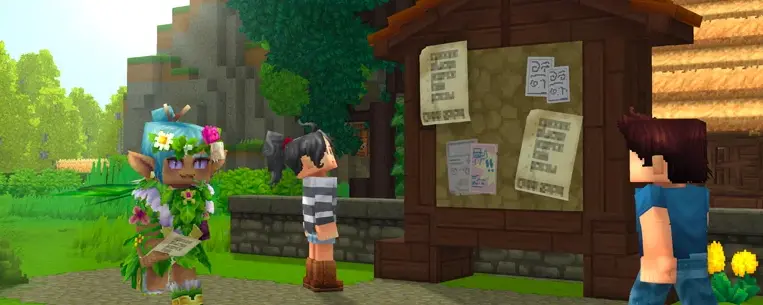
Hypixel Studios just turned community servers into a first-class part of Hytale. On April 28, 2026, the studio published the pre-release notes for an in-game server browser that ships with Update 5: the first time players will be able to discover community-run worlds without leaving the game.
If you host a Hytale server, this is the most consequential change since early access launched. Here's what's coming, what changes for operators, and what you should set up before discovery goes live.
Release Date
The official server list ships with Update 5, but operators don't have to wait. The discovery API and listing tools are already accessible during the Update 5 pre-release so you can claim your listing, get through review, and be visible the moment the in-game browser appears for players.
What Players Will See
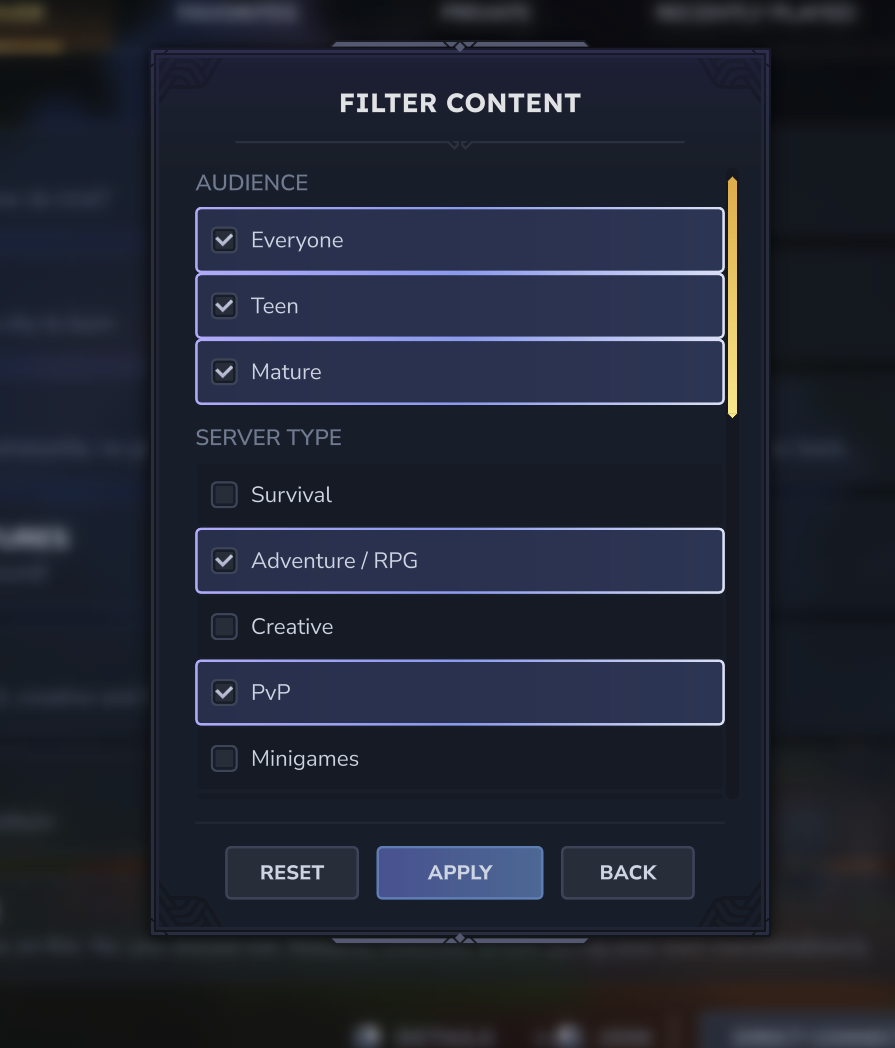
The first version of the browser is intentionally simple. From the main menu, players will be able to:
- Search by server name or description
- Filter by type: Survival, Adventure/RPG, Creative, PvP, Minigames, Roleplay, Social, Sandbox, or Other
- Filter by audience: Everyone, Teen, or Mature
- Filter by region: North America, South America, Europe, Middle East, Asia, or Oceania
Sorting will let players see featured (curated by the Hytale team), most-liked across the community, and personal favorites. Hypixel Studios was direct about V1 limits: no custom icons, banners, rich media, live player counts, or ratings in the initial release. The goal is a stable foundation first; the polish comes after.
How Server Operators Get Listed
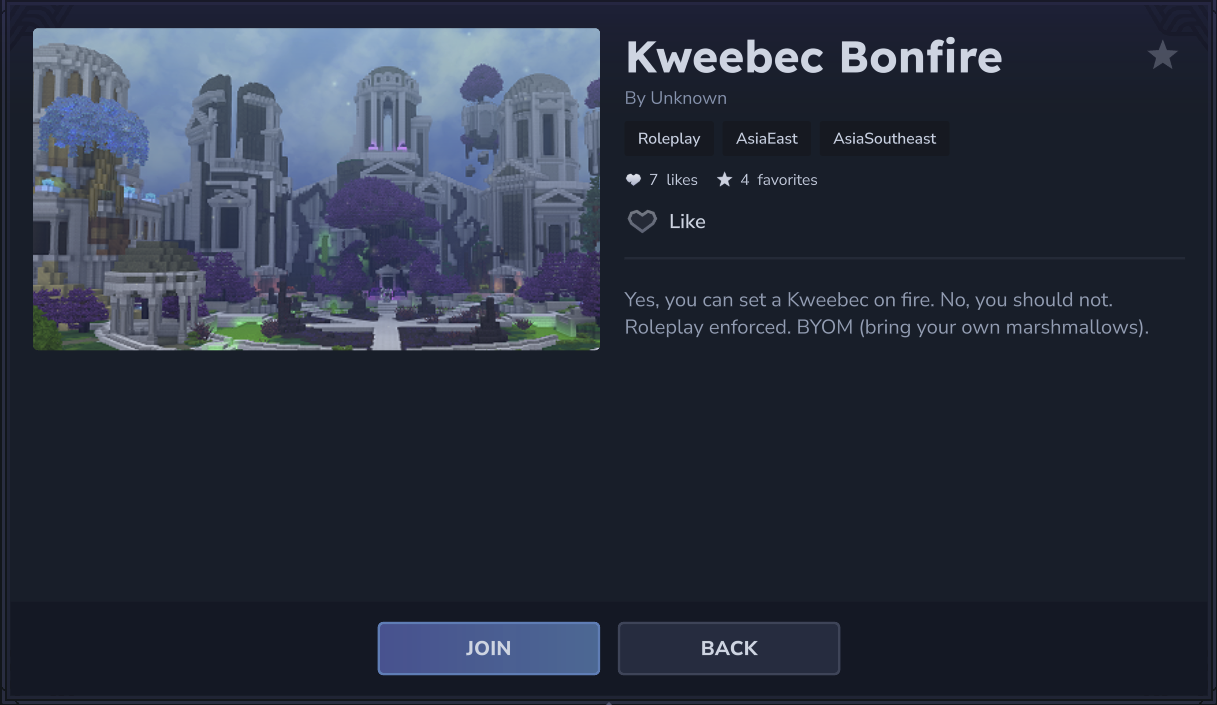
The new flow lives in the Hytale Account Manager under Server Profiles. Each game profile gets one listing. If you run multiple servers, you'll need a profile per server. The setup runs through four gates:
- Create a listing: name, description, type, audience, region.
- Verify your domain by adding a TXT record. This proves you own the host the listing points at.
- Submit for moderation. Status moves through Pending verification → Under review → Accepted (or Denied). Listings stuck unverified for 30 days get pruned.
- Configure heartbeats. Your server uses a discovery token to ping the service every two minutes. If heartbeats stop for more than two minutes, the listing automatically hides until the server reconnects. No manual unlist required.
Most fields can be edited in place after approval. Significant changes (like swapping the host) may re-trigger review.
Why This Matters for the Community
Up to this point, finding a community Hytale server meant scraping third-party lists, joining Discord servers, or following a friend. That fragmentation favored servers with marketing budgets. An in-game discovery layer changes the economics: a small, well-described server with a stable connection now sits next to the biggest networks in the same browser.
It also means uptime becomes a discoverability feature, not just a player-experience one. A server that drops offline disappears from listings within minutes. A server that runs steady stays on the front page. Hosting choice is no longer just about lag: it's about whether players can find you in the first place.
What This Means for Your Server
If you're already running a Hytale server, prepare now:
- Pick your listing strategy. One profile = one listing. Decide which server gets the slot.
- Get DNS access. You'll need to add a TXT record for verification. If your provider doesn't expose DNS controls, fix that first.
- Pin your region. The browser filters by geography, so make sure your server's region matches where your target players actually live.
- Audit your uptime. Heartbeats every 2 minutes mean any monitoring blind spot becomes a delisting risk. Backups, restart automation, and DDoS protection all matter more now.
- Write a sharp description. Search hits server name and description. A vague tagline buries you.
The smart move is to submit your listing during the Update 5 pre-release window. Review queues will only get longer once the in-game browser goes live and every operator scrambles at once.
A Real Hosting Layer, Finally
Hytale started early access with the rough edges you'd expect: scattered communities, no central discovery, modding tools still settling. Update 5 is the first patch that treats running a server as a real workflow with real tooling, from domain verification and heartbeats to structured metadata and an account-level dashboard. Combined with the social sidebar that landed earlier in the same Update 5 cycle, the multiplayer layer is starting to feel less like a side feature and more like the spine of the game.
For server operators, the message is simple: the foundation is being poured now. What you set up in the next few weeks decides where you sit when the in-game browser opens to the full player base.
Host Your Hytale Server with DoomHosting
If you want to be on the official list when it goes live, you need a host that gives you DNS-record access, a stable IP, and uptime that won't get you de-heartbeated. DoomHosting runs Hytale on dedicated hardware with DDoS protection, full FTP access, and 99.9% uptime, the boring fundamentals discovery rewards.
Spin up a Hytale server and be on the list the moment Update 5 ships.
The era of hidden Hytale servers ends April 28. Make sure yours isn't one of them.