

You set up your Minecraft server's subdomain yourself, in the panel, with the Add subdomain button on the server's Overview tab. Pick a name like mycraft, choose .doomhosting.com or .doomhosting.se, and players can join on mycraft.doomhosting.com without typing a port. It takes under a minute.
If you ordered the Subdomain add-on with your server, this is where you claim it. We don't pick a name for you, so nothing shows up until you create one here.
What you need
- A Minecraft Java server. The subdomain button only appears on Java servers, not on Minecraft Bedrock.
- A name in mind: 3 to 63 characters, only lowercase letters, numbers and hyphens. It can't start or end with a hyphen or contain two hyphens in a row.
Not sure whether a subdomain or a dedicated IP is right for you? What is a Subdomain and Dedicated IP for Minecraft Servers explains the difference.
Step 1: open the Connection address card
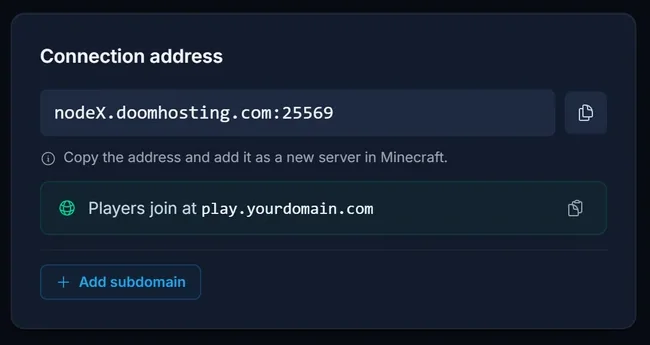
Log in to the panel, open your Minecraft server and stay on the Overview tab. The Connection address card at the top shows your server's normal address (host and port). Below it is the Add subdomain button.
Step 2: pick a name and an ending
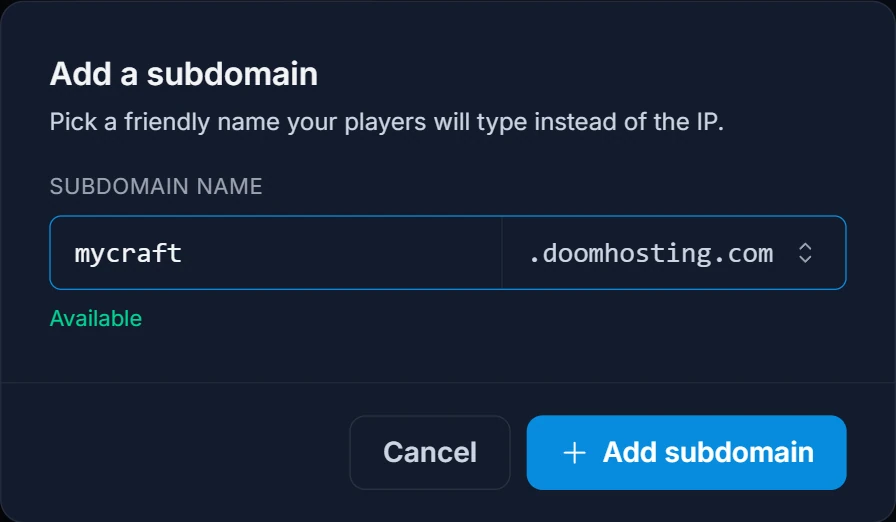
Click Add subdomain. In the dialog:
- Type the name you want under Subdomain name, for example
mycraft. Capital letters are turned into lowercase as you type. - Pick the ending on the right:
.doomhosting.comor.doomhosting.se. Both work the same way, so choose the one your players will remember. - Wait a moment. The panel checks the name while you type and shows Available in green when it's free. If it says That name is taken or not allowed, try another name.
- Click Add subdomain.
Step 3: copy the new address
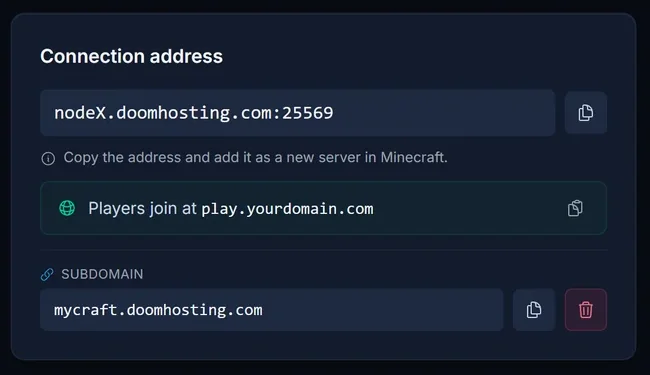
The dialog closes and the card now shows your address under Subdomain, with a copy button next to it.
The subdomain points at your server's port for you (it's set up as an SRV record), so players add it in Minecraft without a port:
- Open Minecraft Java and click Multiplayer.
- Click Add Server.
- Paste
mycraft.doomhosting.com(your own name) into Server Address. Don't add:and a port number. - Click Done and join.
The address usually works within a minute or two. If a player gets "unknown host" right after you created it, wait a few minutes and refresh the server list.
Changing or removing your subdomain
Each server has one subdomain. To use a different name, remove the current one first:
- Click the red trash icon next to the subdomain.
- Confirm with Delete.
- Click Add subdomain again and create the new name.
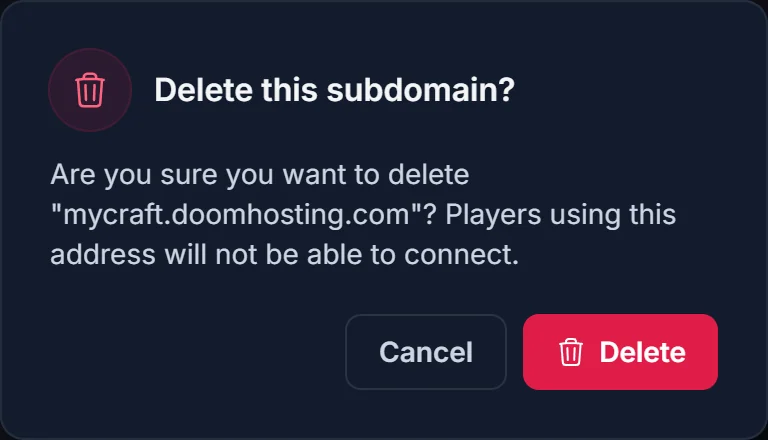
Once it's deleted, players using the old address can't connect, so tell them about the new one before you swap.
Common issues
I don't see the Add subdomain button
Check that you're on the Overview tab of a Minecraft Java server. Bedrock servers don't have it. If the card already shows a Subdomain row, you've created one before: the button is replaced by your address until you delete it.
Players get "Can't connect to server" or "Unknown host"
Make sure they typed the subdomain without a port. With a port added, Minecraft skips the lookup that finds your server. Also check the server is running: the subdomain only forwards players, it can't start the server.
It stopped working after my server moved
The subdomain points at the host and port your server had when you created it. If your server is moved to another node, delete the subdomain and add it again with the same name. That points it at the new address.
Can Bedrock players use the subdomain?
No. Bedrock doesn't read the SRV record a subdomain uses. Bedrock players joining through GeyserMC enter the host and port from the Connection address card instead.
Want your own domain instead?
If you'd rather have players join on a domain you own, like play.yourserver.net, see How to Connect a Domain to a Minecraft Server (SRV Record). Looking for a server first? Start at Minecraft server hosting.
