

Enshrouded has no official mod support: there is no Steam Workshop and no mod tab in the panel. You can still run mods on your server with EML (Enshrouded Mod Loader), a free community loader. It takes four steps: upload one DLL, upload your mods, add two lines to one settings file, and restart. We tested every step below on our own Enshrouded server.
Before you start: EML and its mods are unofficial. A game update can break them until their authors catch up, and we can't fix a mod for you. Take a backup first (Backups tab, or download the savegame folder).
What EML is
EML is an open source loader made by the community. It runs every mod in a mods folder when the server starts and changes the game's data before the world loads: things like stack sizes, loot amounts, crafting costs or stamina. It does not add new commands or scripts that run while you play.
You need two downloads:
- EML itself: the file
dbghelp.dllfrom the latest release on GitHub: https://github.com/Brabb3l/kfc-parser/releases - Mods: most EML mods are on Nexus Mods: https://www.nexusmods.com/enshrouded. Pick mods whose page says they work with EML and the current game version. Each mod is a folder with a
mod.jsonfile inside it.
Step 1: Stop the server and upload EML
- Stop your server from the panel.
- Open Files. You are in the server's main folder, the one that holds
enshrouded_server.exe. - Click Upload and upload
dbghelp.dllhere, next toenshrouded_server.exe.
Step 2: Upload your mods
- In the same main folder, click New folder and name it
mods. - Open
mods, click Upload, then Upload folder, and pick the mod's folder on your PC. Repeat for each mod. The layout should look like this:
mods/
  more-stamina/
    mod.json
    src/
      mod.lua
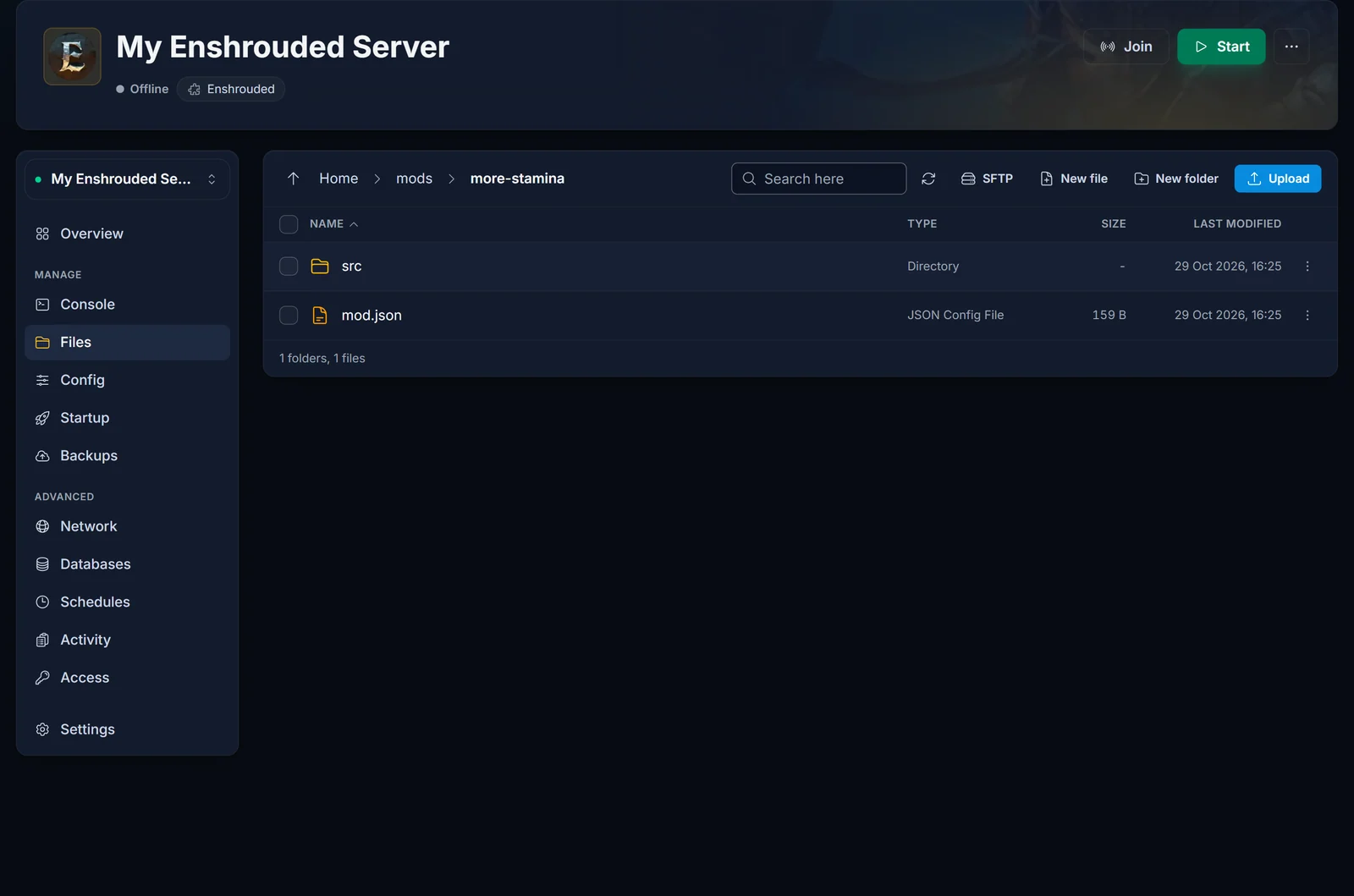
mod.json must sit directly inside the mod's folder, not one level deeper. If a download unpacks into an extra folder, upload the inner one. For many mods at once, SFTP works too (Files tab, SFTP button).
Step 3: Let the server load the DLL
Your Enshrouded server runs the Windows server program on Linux through Proton. Proton uses its own built-in dbghelp.dll and ignores the one you uploaded, unless you tell it otherwise. You do that once, in a settings file called user.reg.
- Keep the server stopped. If you change this file while the server runs, your change is overwritten when it stops.
- In Files, open
Steam, thensteamapps,compatdata,2278520andpfx.
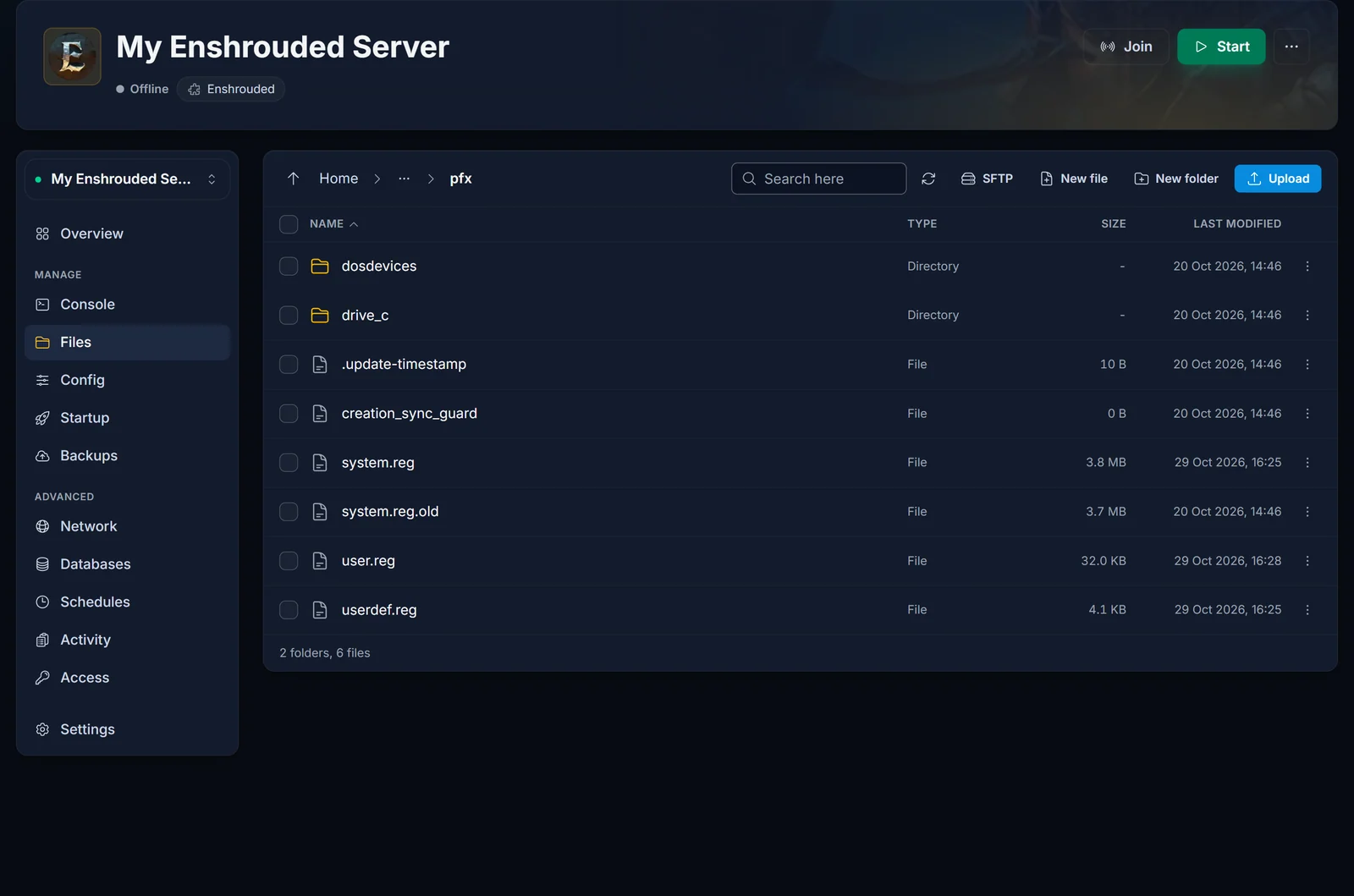
- Click the three dots next to
user.regand choose Download. The panel editor does not open.regfiles, so you edit it on your PC. - Do not double-click the file: on Windows that adds it to your own PC's registry. Right-click it and choose Open with, then your text editor. Open the downloaded file in a plain text editor (Notepad, Notepad++ or VS Code). Go to the very end, add an empty line, then add these two lines exactly as written (the double backslashes are correct):
[Software\\Wine\\AppDefaults\\enshrouded_server.exe\\DllOverrides]
"dbghelp"="native,builtin"
- Save the file, keeping the name
user.reg. - Back in the
pfxfolder, click Upload and upload your editeduser.regso it replaces the old one.
If the pfx folder does not exist yet, start the server once, let it come online, stop it and try again. The folder is created on the first start.
Step 4: Start the server and check that EML loaded
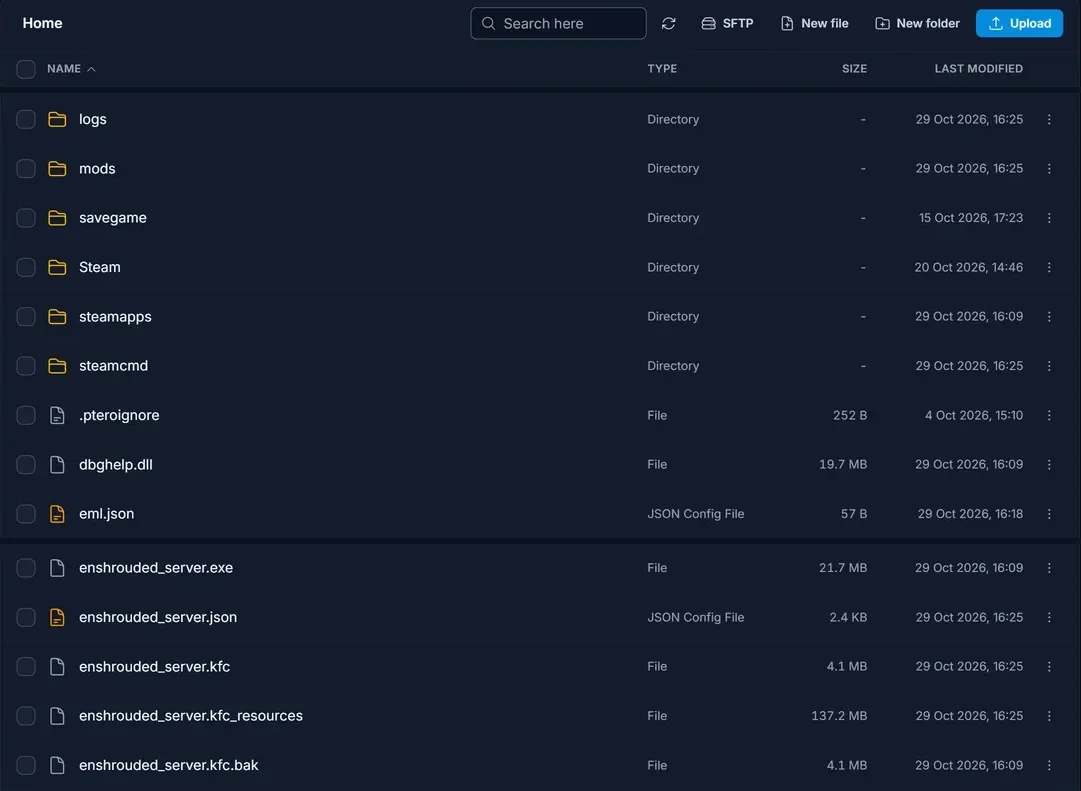
Start the server from the panel, then open Files again. When EML has loaded, you'll see new files in the main folder: eml.json and enshrouded_server.kfc.bak (EML's copy of the original game data).
EML writes its own log, not to the Console. Open the logs folder and click the file that ends in .eml.log (it is named after the date). After a start where you added or changed mods, each mod has a Running mod line, followed by Applied ... patches:
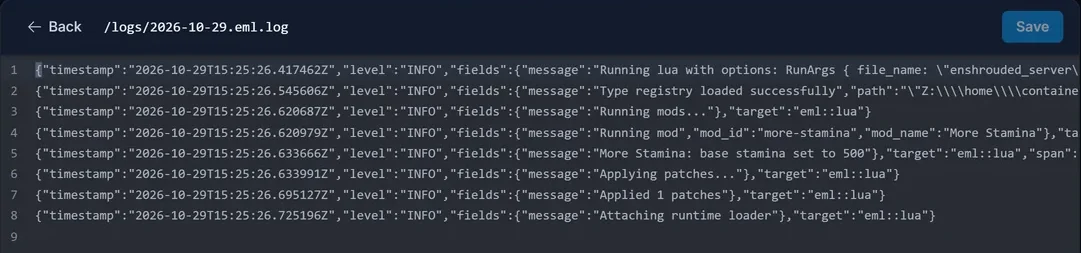
On later starts without changes, the log says No changes detected, skipping patching instead. That is normal: the patched game data stays in place.
Your mods are now active for everyone who joins. Some mods also have to be installed on each player's PC: the mod's own page says so.
Adding, changing or removing mods
- Add or change a mod: stop the server, change the files in
mods, start it again. EML notices the change and patches the game data again. - Remove all mods: stop the server and delete
dbghelp.dlland themodsfolder. Then deleteenshrouded_server.kfcand renameenshrouded_server.kfc.baktoenshrouded_server.kfc, which puts the original game data back. To be fully clean, turn on Validate in the Startup tab for one start (Steam then checks and repairs every game file), and turn it off again afterwards. You can leave the two lines inuser.reg: withoutdbghelp.dllthey do nothing. - Stack size mods: before you remove one, split any stack that is larger than the normal limit, or the extra items in that stack can be lost.
Your world stays in savegame the whole time. EML changes the game's data files, not your save.
Common issues
No .eml.log file and no eml.json after a restart. EML did not load. Check the two lines in user.reg for typos (two backslashes between each part, straight quotes), and that you uploaded it while the server was stopped. Also check that dbghelp.dll sits next to enshrouded_server.exe, not inside mods.
The log says Running mods but no Running mod line, even after you added a mod. EML found no mods. Make sure every mod's mod.json is directly inside mods/<mod name>/.
The server stops starting after a game update. A big Enshrouded update can break EML or a mod until it is updated. Stop the server, delete dbghelp.dll and start it again to get back online right away. Add the newest EML release back when it supports the update, then your mods one at a time.
A mod loads but changes nothing. It is probably made for an older game version, or it only changes something on the player's side. Check the mod's page for the version it supports.
Mods stopped working after restoring a backup. If the server rebuilds the Proton folder after a restore, your user.reg change is gone. Repeat Step 3.
Changes you can make without mods
Plenty of what people install mods for is already a world setting: difficulty, loot amounts, enemy strength, day length and more. Those never break on an update. See How to Change Enshrouded Server Settings and Difficulty. To play on a world you already built, see How to Upload Your World to Your Enshrouded Server.
Don't have a server yet? Take a look at Enshrouded server hosting.
