
Enshrouded keeps every server setting in one file, enshrouded_server.json. On a DoomHosting server you change the gameplay settings in the Config tab of the control panel. Name, player slots and passwords are set on the Startup tab. One rule decides whether anything you change works: the gameplay values are only used when the difficulty preset is Custom.
Where Enshrouded server settings live
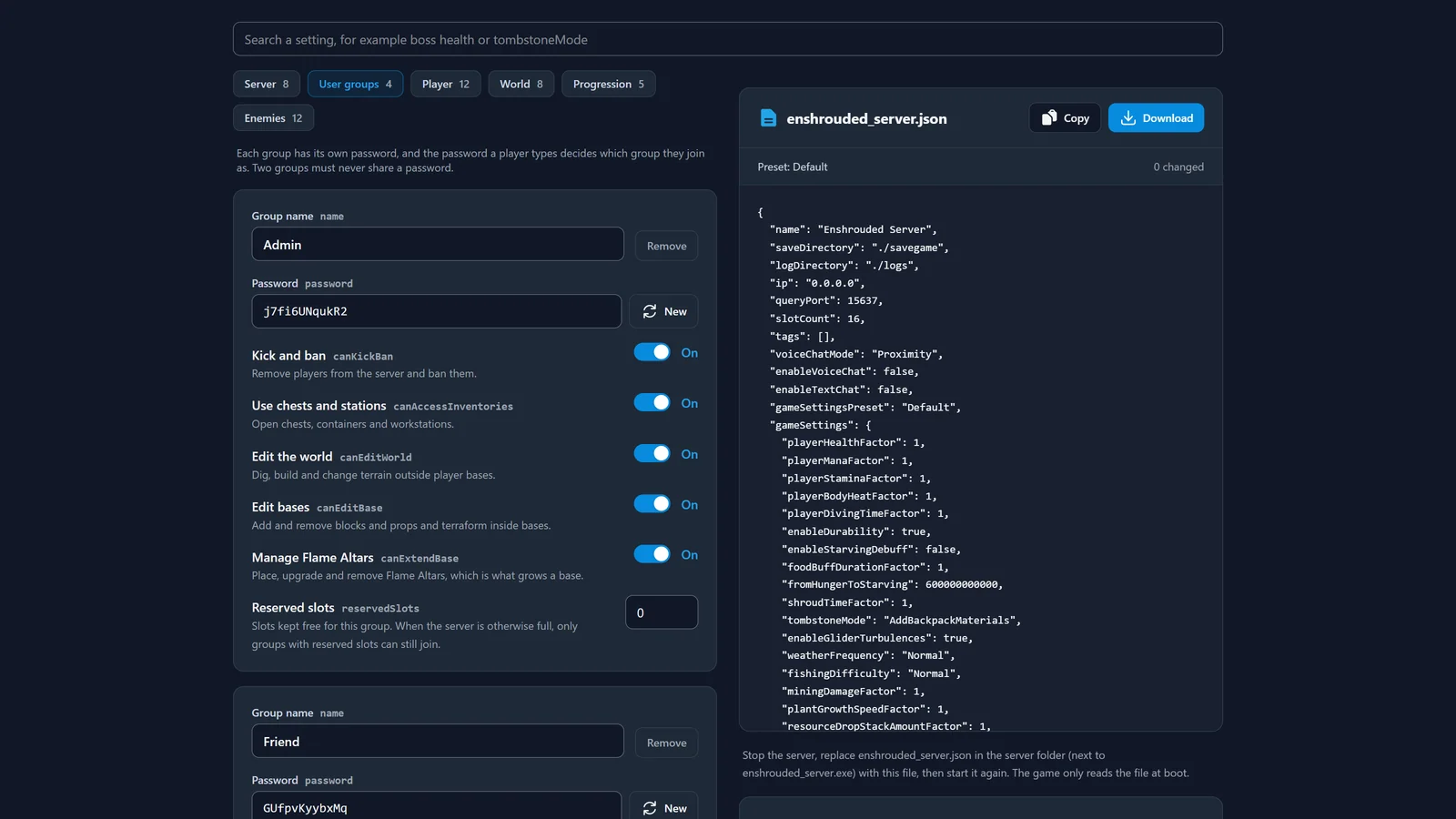
The dedicated server writes enshrouded_server.json next to enshrouded_server.exe the first time it starts. It has three parts:
- The top of the file: server name, player slots (1 to 16), query port, voice and text chat, and
gameSettingsPreset. gameSettings: every difficulty and gameplay value, from enemy health to day length.userGroups: the passwords and what each group of players is allowed to do.
The server reads the file only when it starts. A change made while it runs does nothing until the next restart.
The Custom preset trap
gameSettingsPreset can be Default, Relaxed, Hard, Survival or Custom. The first four load a built-in set of values and ignore the whole gameSettings block, however carefully you edited it. Only Custom reads your values.
This is the most common reason people think their settings "do nothing". If you change enemy damage or resource drops, set the preset to Custom as well.
Change settings in the Config tab
- Open your server in the control panel and go to Config.
- Set Difficulty preset to Custom.
- Change the values you want under Player, World, Progression and Enemies. Each field only accepts values the game can read.
- Restart the server.
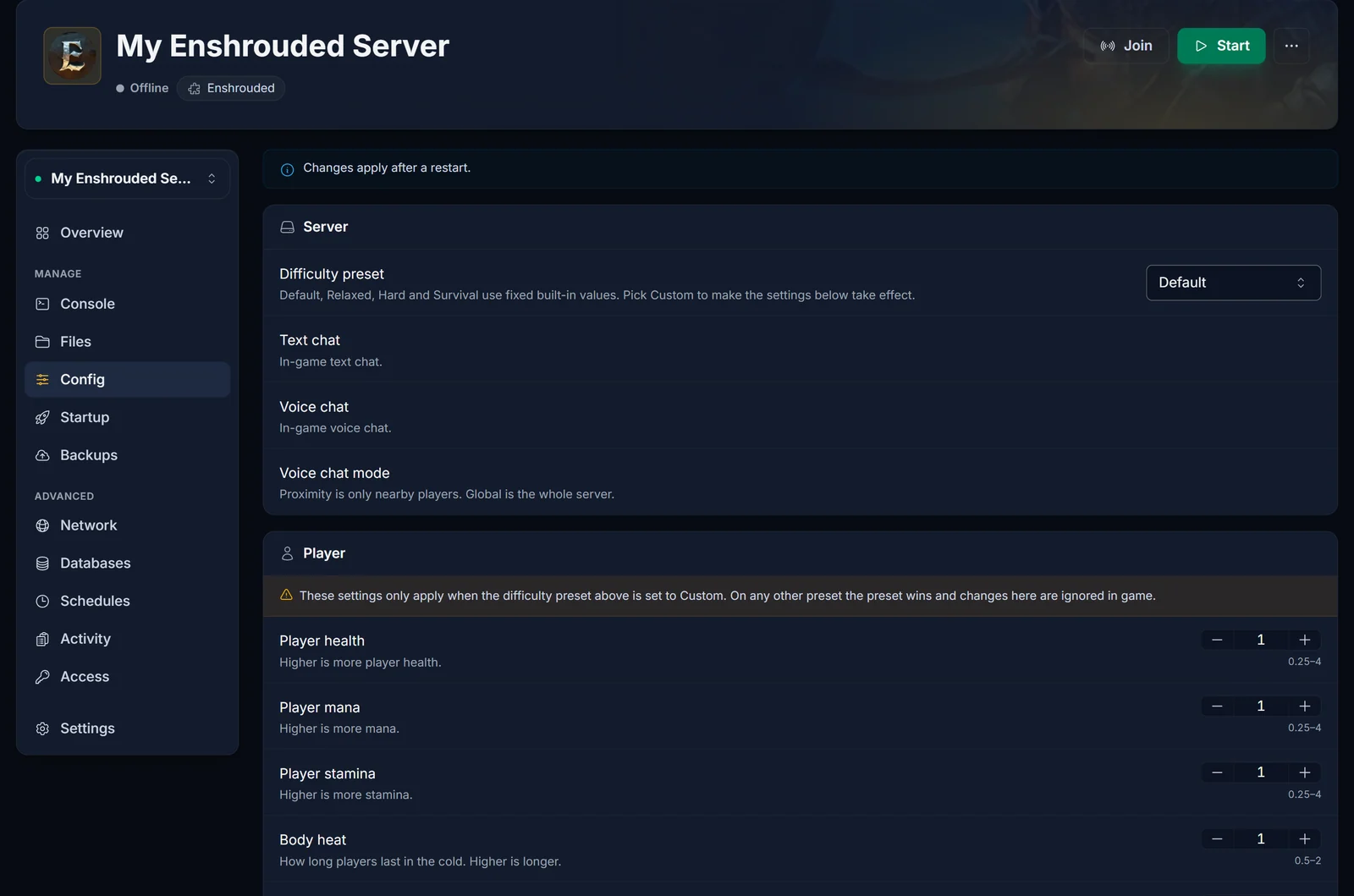
The amber note on each gameplay section is there as a reminder: while the preset is anything other than Custom, those values are ignored in game.
Server name, slots and passwords
On DoomHosting the panel writes the server name, player slots, port and the four group passwords into enshrouded_server.json every time the server starts. Change them on the Startup tab, and the passwords on the Overview page. If you edit them in the file instead, the next start puts the panel's values back.
Group permissions and every gameplay value stay exactly as you set them.
Build a complete file with the settings generator
If you run your own server, or want to prepare a config before launch night, our free Enshrouded server settings generator builds the whole enshrouded_server.json in your browser. It switches the preset to Custom as soon as you change a gameplay value, creates a unique password for each group, and can load your current file to check it for values the game would reject.
The settings people change most
All of these live under gameSettings and only apply on the Custom preset.
| Setting | Range | Default | What it does |
|---|---|---|---|
enemyDamageFactor |
0.25 to 5 | 1 | Damage from normal enemies |
enemyHealthFactor |
0.25 to 4 | 1 | Health of normal enemies |
bossDamageFactor |
0.2 to 5 | 1 | Damage from bosses |
bossHealthFactor |
0.2 to 5 | 1 | Health of bosses |
randomSpawnerAmount |
Few, Normal, Many, Extreme | Normal | How many enemies spawn |
pacifyAllEnemies |
true, false | false | Enemies only fight back once attacked |
resourceDropStackAmountFactor |
0.25 to 2 | 1 | Materials per loot stack |
miningDamageFactor |
0.5 to 2 | 1 | Terraforming speed and yield per hit |
plantGrowthSpeedFactor |
0.25 to 2 | 1 | Farming speed |
experienceCombatFactor |
0.25 to 2 | 1 | XP from combat |
enableDurability |
true, false | true | Weapons wear out and break |
enableStarvingDebuff |
true, false | false | Hunger and starvation |
tombstoneMode |
AddBackpackMaterials, Everything, NoTombstone | AddBackpackMaterials | What players drop when they die |
dayTimeDuration |
2 to 60 minutes | 30 minutes | Length of the day |
nightTimeDuration |
2 to 60 minutes | 12 minutes | Length of the night |
Factors are multipliers: 1 is the normal game, 2 is double, 0.5 is half. The day and night lengths are stored in nanoseconds in the file (30 minutes is 1800000000000), which is why the Config tab and the generator show them in minutes.
User groups and passwords
Players do not choose a group. The password they type when they join decides it. The default file has four groups: Admin, Friend, Guest and Visitor. Each group sets whether its members can kick and ban, use chests and workstations, change the world, build in bases and place Flame Altars, plus how many slots are kept free for them.
Every group needs its own password. If two groups share one, Enshrouded will not start. The panel refuses duplicate passwords for this reason. For how players enter the password, see how to join an Enshrouded server.
Common issues
My settings do nothing. The preset is not Custom, or the file was edited while the server ran. Set the preset to Custom and restart.
The server will not start after I edited the file. One invalid value, such as a misspelt option or a number in quotes, stops Enshrouded from starting without a clear error. Paste the file into the settings generator to find the bad value, or use the Config tab, which only writes valid values.
My server name or password changed back. Those come from the Startup tab and the Overview page on every start. Change them there.
Players join with the wrong permissions. They used another group's password. Give each group a different password and share the right one.
