

How to Enable Debug Mode on Your Project Zomboid Server
Open your server in the control panel, go to the Startup tab, and switch Debug mode on. The setting saves as soon as you click it and takes effect the next time the server restarts.
What debug mode does on the server
Debug mode starts the Project Zomboid server process with the game's -debug flag. On a server, that mostly means one thing: developer logging. Every time Project Zomboid boots it prints a Logs configuration: table listing its log categories and the level each one is set to. On a normal boot almost all of them sit at Warning, so the server only writes something down when it has a problem.
With debug mode on, all 51 of those categories drop to General, which is the verbose level. The server starts recording ordinary activity as well as warnings and errors, so you get a far more detailed picture of what it was doing in the run-up to a problem. That is the effect you can see and use, and it is the reason to reach for the switch when you are chasing something you cannot otherwise get at.
Some mods also ask for debug mode, which is the other common reason people turn it on. Check the mod's own instructions before you do, because "debug mode" can mean the server or it can mean your own copy of the game, and those are two different settings. There is a section below on telling them apart.
Nothing else about the server changes. It boots normally, players connect the way they always did, and your world, config and installed mods are untouched.
Turning debug mode on
- Open your server in the panel and pick Startup from the section list on the left.
- Debug mode is the first card on the tab.
- Click the switch. It saves immediately, and the line under it reads "Takes effect on the next restart".
- Restart the server from the Console tab.
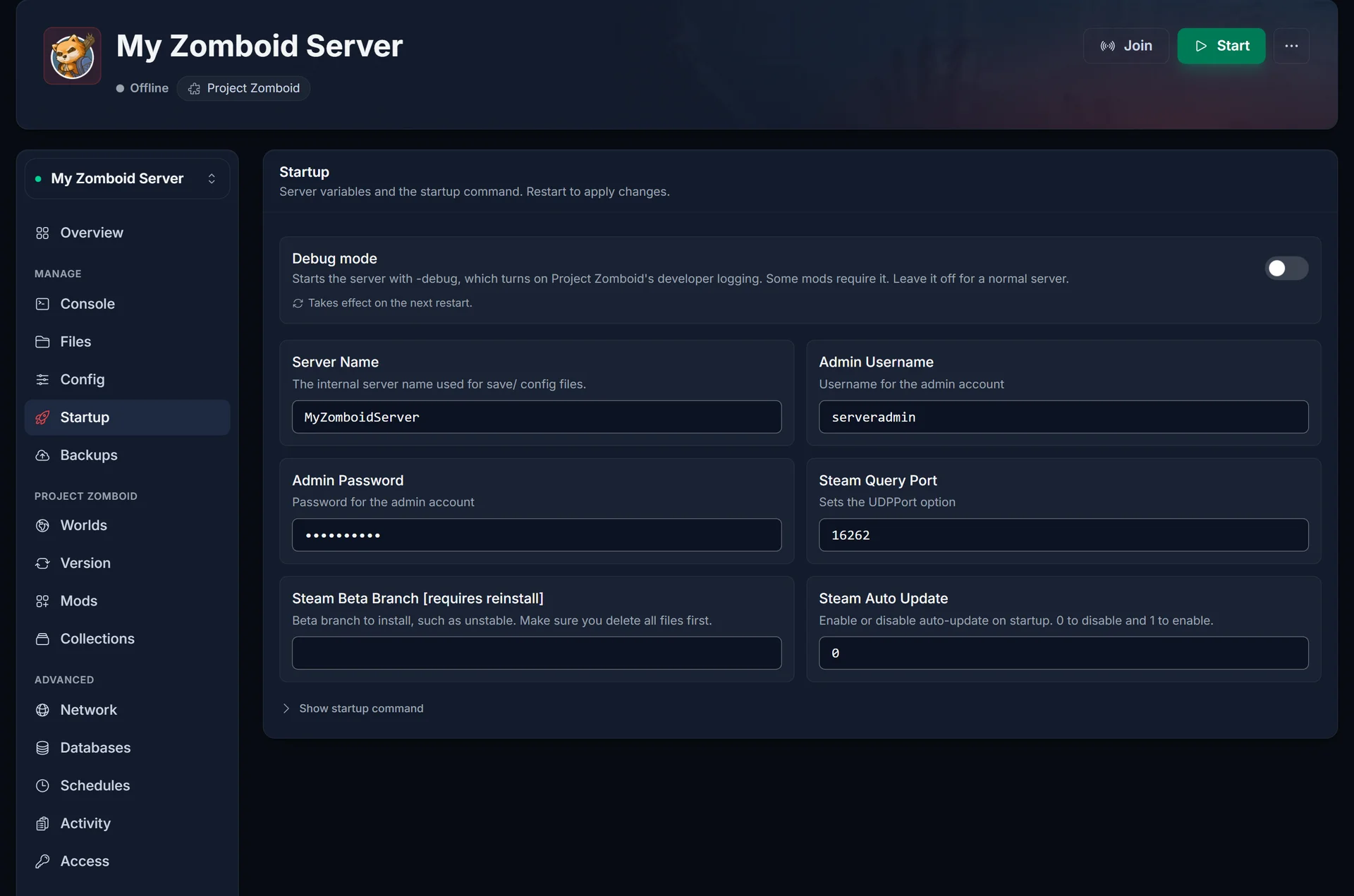
Once it is on, the switch turns blue and stays that way until you turn it off again.

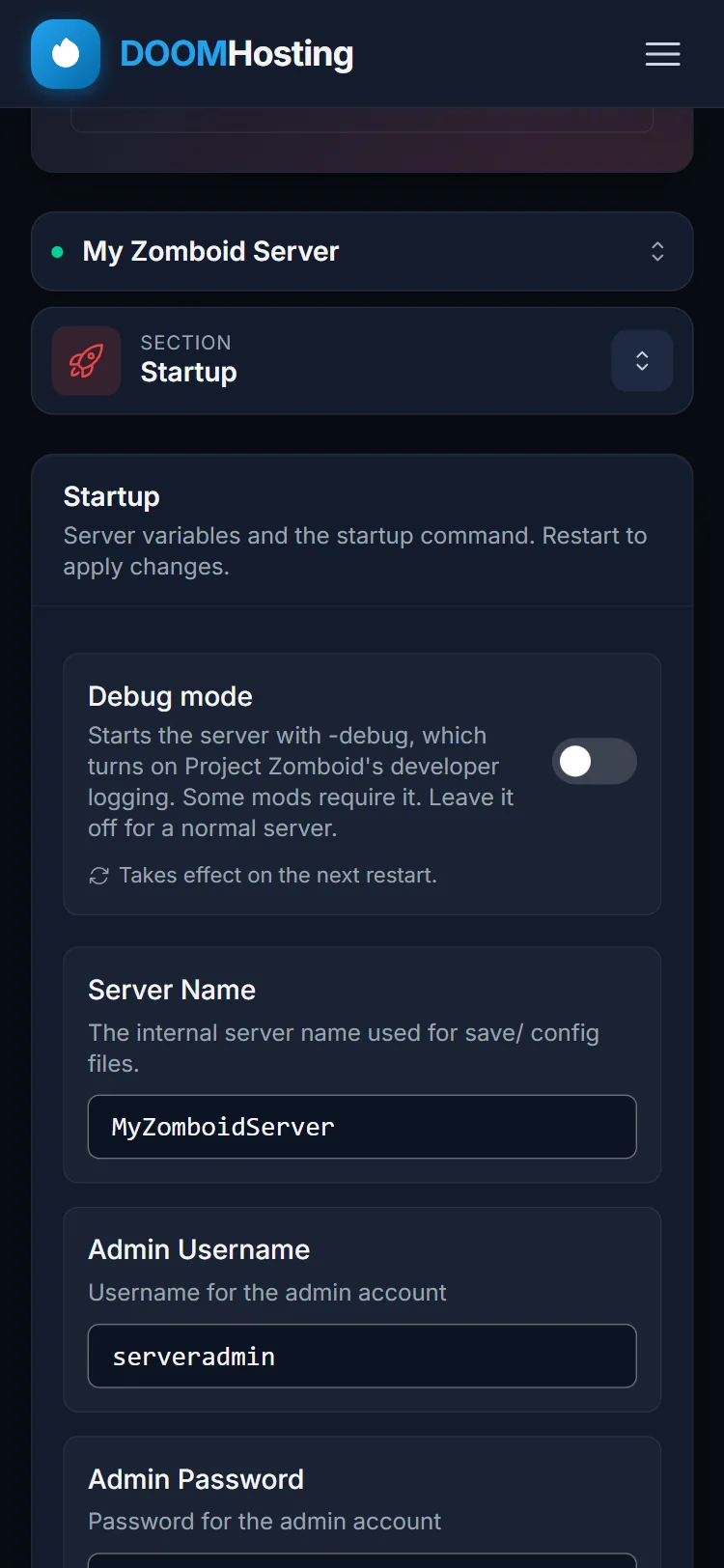
On a phone, or in a narrow browser window, the section list collapses into a Section picker above the content. Tap it and choose Startup to reach the same card.
There is no startup command to edit by hand here, and that is deliberate. Project Zomboid's launcher only accepts the flag when it is passed after a -- separator: give it a bare -debug and it refuses to boot with unknown option "-debug". The switch builds the command correctly, so leave the command alone and use the switch.
Checking that it worked
Restart the server and watch the Console tab while it boots. Scroll to the Logs configuration: block near the start of the log. With debug mode off, those lines end in Warning. With debug mode on, they end in General. That block is the clearest confirmation you will get, because it is the server itself reporting the log level it started with.
If the block still says Warning, the server has not been restarted since you flipped the switch. Saving the setting only rewrites the launch command, and the launch command is read at startup.
The in-game debug menu is a client-side setting
This is the part that causes the most confusion, so it is worth being exact. Project Zomboid has two separate things called debug, and turning one on does not turn the other on.
The in-game debug panel, the bug icon that opens the developer menu for spawning items, teleporting and other cheats, is client-side only. Each player switches it on for their own copy of the game: right-click Project Zomboid in your Steam library, choose Properties, and add -debug to the launch options. It applies to that player's game on that player's machine, and nobody else is affected by it.
There is a catch worth knowing before you pass that tip around. On a dedicated server, a player who connects with -debug in their launch options is disconnected again unless they are an admin, and the game reports it as Debug connection is not allowed for non-admin. Treat the client-side launch option as something for you and your admins, not something to tell the whole server to switch on.
The switch in your control panel does not do that. It puts the server process into debug mode, which is why the effect you can see shows up in the server's log output rather than in anyone's game. Enabling it will not put a bug icon on your players' screens, and a player enabling -debug in Steam does not put your server into debug mode. The two settings are independent, and you can run either one without the other.
So if what you actually want is to spawn items or teleport on your own server, debug mode on the server is not the setting you are looking for. You want an admin account, and the client-side launch option if you want the developer menu on top of it.
When to leave debug mode off
Debug mode is a tool for a specific job, not a setting to leave on permanently. The developers advise against running debug during multiplayer because of the performance cost, and the log volume is the visible side of the same thing: every category drops from Warning to General, so the server writes a great deal more to disk than it normally would, and keeps doing it for as long as it is up. On a busy server with several players connected, those files grow steadily and eat into the disk space your world and your backups need.
There is a practical cost as well. A verbose log is harder to read than a quiet one, and the error you are actually hunting for ends up buried under thousands of routine lines that only exist because debug mode is on.
So switch it on when you need it, do the thing that needed it, then switch it back off and restart. If you have been running with it on for a while, open the Files tab, browse the .cache folder, and clear out the old log files you no longer need.
Common issues
I turned it on but nothing changed. The switch only rewrites the launch command. Restart the server from the Console tab, then check the Logs configuration: block as described above.
A mod says it needs debug mode and it still is not working. Check which side the mod means. If it needs the server in debug mode, this switch is what you want. If it needs your game in debug mode, the launch option goes on your own copy of Project Zomboid in Steam. Reading the mod's Workshop description carefully usually settles it. It is also worth confirming the mod is installed and loading at all: see How to Install Mods on a Project Zomboid Server (Build 42).
I want to spawn items or teleport, and debug mode did not give me that. Those are admin powers, not debug mode. Log in with your admin account in game and use the admin panel: see How to Become Admin on a Project Zomboid Server.
A player gets disconnected the moment they connect. Check whether they have -debug in their own Steam launch options. A dedicated server refuses a debug connection from anyone who is not an admin, so removing that launch option on their side is the fix. This has nothing to do with the server switch, which is why it keeps happening on servers that never had debug mode on.
My disk usage climbed after enabling it. That is the expected side effect of verbose logging. Turn debug mode off, restart, and delete the log files you no longer need from the Files tab.
Can I just leave it on? The server runs with it on, so it will not break anything outright. It is still worth turning off when you are finished: the developers advise against debug during multiplayer, and the logs keep growing the whole time it is enabled.
Debug mode is available on every Project Zomboid server we host, from the same control panel you manage everything else in. If the switch is missing, or the server will not start after a restart, open a ticket and we will go through the boot log with you.
