

To make yourself admin on your The Isle Evrima server, put your 17-digit SteamID64 in the Admin SteamID64 field on the Startup tab and restart the server. In game, open chat and type /adminpanel to open the admin panel.
This guide covers admins only: finding the right id, the two places an admin can be added, removing one again, and the mistakes that leave you without rights. For the rest of the first-day setup, see how to set up your The Isle Evrima server.
Find your SteamID64
The Isle identifies admins by their SteamID64: a 17-digit number that starts with 7656. Your profile name, your custom profile URL and the shorter Steam3 id ([U:1:...]) do not work.
Two ways to find it:
- Open your profile on the Steam website. If you never set a custom URL, the address looks like
steamcommunity.com/profiles/76561198000000001, and that number is your SteamID64. - If you did set a custom URL, open Account details in Steam. The Steam ID shown at the top of that page is the 17-digit number.
Every player you want to make admin has to send you their own SteamID64 the same way.
Add admins on the Startup tab
This is the easiest way, and the one we recommend:
- Open the Startup tab of your server in the control panel.
- Put the id in the Admin SteamID64 field. Separate several admins with commas:
76561198000000001,76561198000000002
- Restart the server.
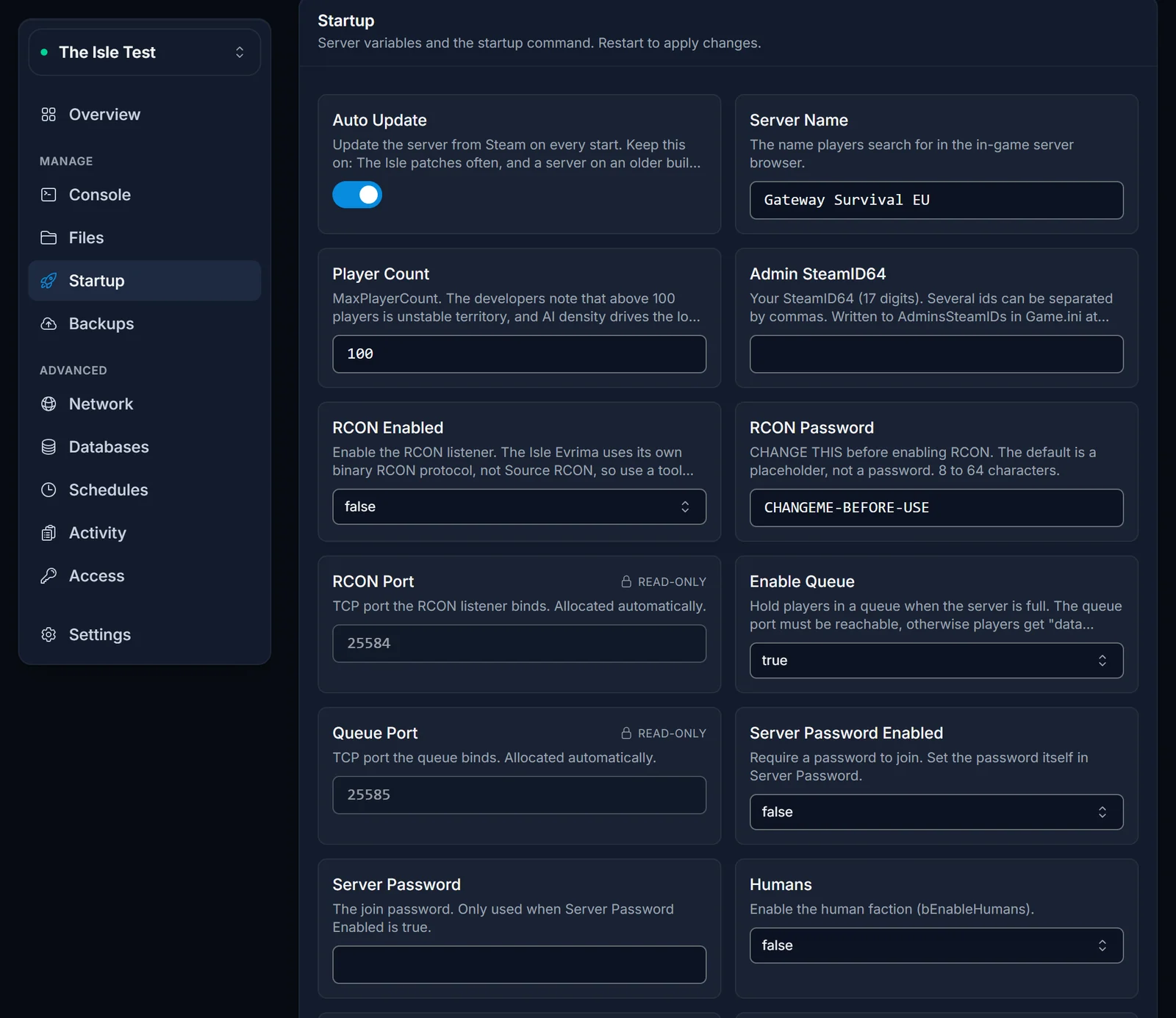
On every start, the server writes these ids into TheIsle/Saved/Config/LinuxServer/Game.ini as one AdminsSteamIDs= line per id, under the [/Script/TheIsle.TIGameStateBase] section.
Or add them in Game.ini
If you prefer the file, you can add admins there instead. Stop the server first: the game can rewrite Game.ini while it runs, and your edit would be lost.
- Stop the server.
- Open the Files tab and go to
TheIsle/Saved/Config/LinuxServer/. - Open
Game.iniand add one line per admin under[/Script/TheIsle.TIGameStateBase]. That is the same section that holds theAllowedClasses=lines for your dinosaur roster. If the section is not there yet, add the header yourself:
[/Script/TheIsle.TIGameStateBase]
AdminsSteamIDs=76561198000000001
AdminsSteamIDs=76561198000000002
- Save the file and start the server.
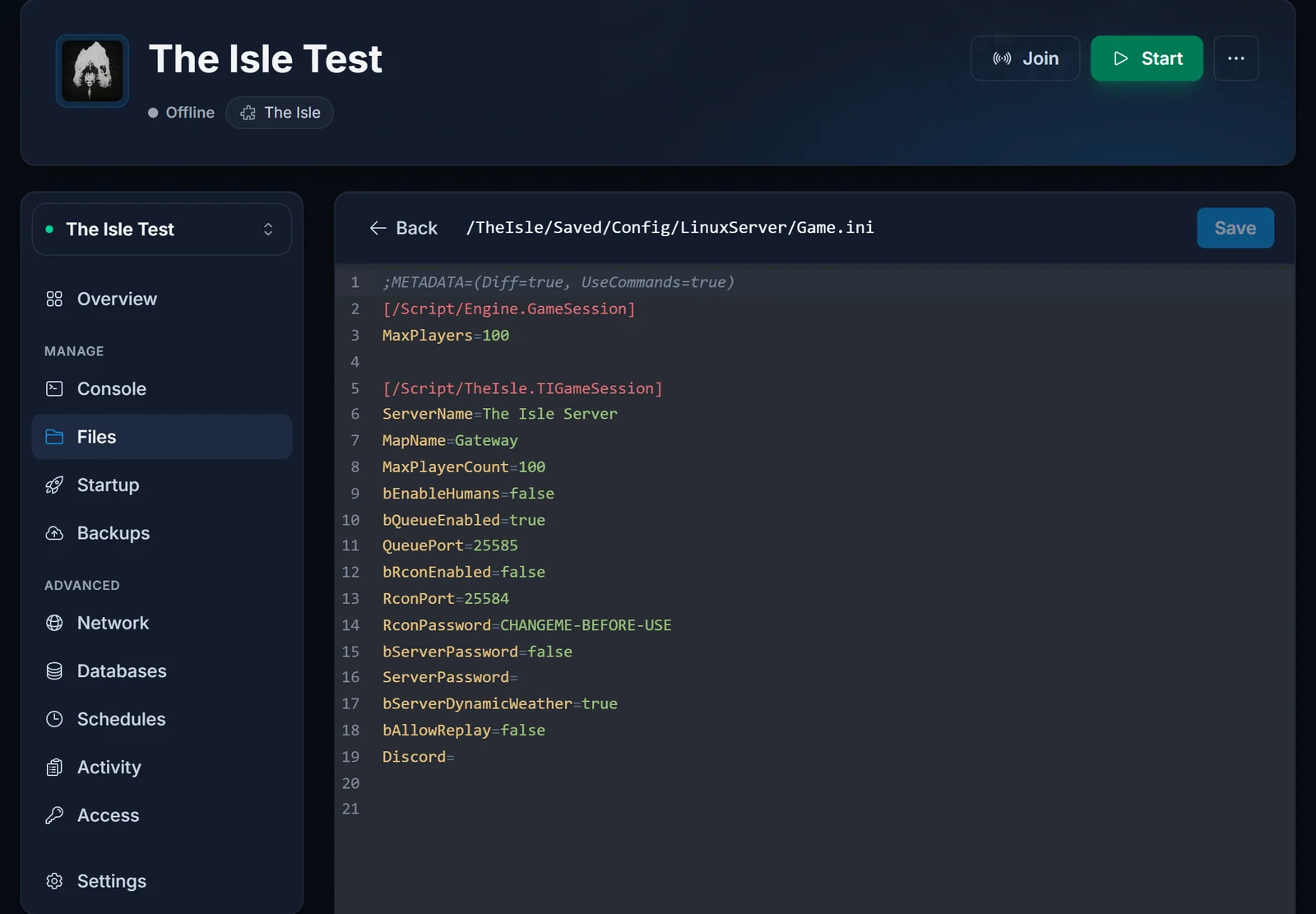
You can mix both methods. On every start the server takes the ids from the Startup field plus every AdminsSteamIDs= line already in the file, removes duplicates and writes them all under [/Script/TheIsle.TIGameStateBase]. A line you put in the wrong section is moved to the right one at the next start.
Open the admin panel in game
Join your server, open chat and type:
/adminpanel
The admin panel is where day-to-day moderation happens. Some guides also mention the Insert key for opening it. If neither works, your id is not on the list yet: check the Common issues section below.
Remove an admin
Because the server merges both sources on every start, an id has to go from both places:
- Stop the server.
- Delete the id from the Admin SteamID64 field on the Startup tab.
- Delete its
AdminsSteamIDs=line fromGame.ini. - Start the server.
If you only clear the Startup field, the line in Game.ini keeps that player as admin.
RCON is something else
RCON is a remote console that external admin tools connect to. You do not need it to be admin in game. The Startup tab has RCON Enabled, RCON Password and RCON Port fields. RCON ships disabled, with a placeholder password, so set your own password before you switch it on.
Common issues
I added my id but have no admin. Check that it is the 17-digit SteamID64 and not your profile name or Steam3 id, and that you restarted the server after saving. Check Game.ini as well: the AdminsSteamIDs= lines must sit under [/Script/TheIsle.TIGameStateBase], not under [/Script/TheIsle.TIGameSession]. A restart moves them there for you.
My edit to Game.ini disappeared. You edited the file while the server was running, and the game wrote its own version back. Stop the server, edit, then start it.
I removed someone and they are still admin. Their id is still in the other place. Remove it from both the Startup field and Game.ini, with the server stopped.
I added a player under VIPs. VIPs= lines only let a player skip the queue when the server is full. They do not give admin rights.
Players still need the Evrima branch to find your server at all. The steps are in how to join a The Isle server. Need a server to try this on? See The Isle server hosting.
