If your Palworld dedicated server keeps crashing, the cause is almost always one of five things, and "I need a better internet connection" is not on the list. After running thousands of Palworld instances through our Pterodactyl panel, the same culprits come up over and over: the well-known engine memory leak that kills servers every 30 minutes to 4 hours, a startup binding error that won't let the process come up at all, Level.sav corruption from a hard kill, a pal entity-count explosion in a high-tier base, and version drift between the server binary and the client after a patch lands. This guide walks each fix in the order you should try them, with the exact log lines that tell you which one bit you and the configs to change.

First, identify which crash you're dealing with
The phrase "my server crashed" hides at least three completely different failure modes. Open your server console (in Pterodactyl, the Console tab) and grep the last 200 lines for one of these patterns:
LogMemory: Out of memory                       # memory leak / OOM kill
bind: Address already in use                   # startup port conflict
LogPalSav: Failed to load Level.sav            # save corruption
LogPalNetworkConnection: ProtocolMismatch      # version drift after a patch
Fatal error: [File:...UE5...World.cpp]         # pal entity overflow
The line tells you which section below to jump to. If you don't see any of these, scroll past the last "Server started" line and read upward. The crash is almost always logged on the line immediately before the process exit.
Fix 1: The memory leak (the 30-minute and 4-hour killer)
This is the single most common reason a Palworld server crashes, and it is the one most "tweak your settings" guides get wrong. The Palworld dedicated server binary leaks memory at a roughly linear rate based on player count and total pal count. A 4-player server with 80 pals in the world typically grows from a fresh-start 3 GB to over 8 GB within 4 hours. A 16-player community server can hit 12 GB inside 30 minutes. When the host kills the process for exceeding its memory limit, your players see "server connection lost" and the world goes offline.
The symptom in the log is unambiguous:
LogMemory: Out of memory - process killed
There is no clean configuration fix for the leak itself. It's an engine-side bug Pocketpair has been chipping at since release but has not eliminated. What you can do:
- Allocate enough RAM up front. Our minimum recommendation for a serious Palworld server is 8 GB for 4-8 players, 12 GB for 8-16 players, and 16 GB for 16-32. Anything less and the leak hits the ceiling before your first night.
- Schedule a daily restart. A restart at 4-6 hour intervals (or once overnight in your players' off-peak window) clears the leaked memory back to baseline. On DoomHosting you set this in the Schedules tab. Pick "Restart server" and a cron like
0 */6 * * *for every 6 hours. - Cap your pal count. In
PalWorldSettings.ini, lowerBaseCampWorkerMaxNum=15to 10 if your group keeps every base maxed out. Each captured pal in a base ticks AI every frame even when no one is logged in. - Avoid the "more workers" reflex.
WorkerThreadsForUE4=0and a higherNumberOfWorkerThreadsServerdo not reduce the leak. They accelerate it by letting the server simulate more entities per tick. Leave both at default.
If the leak is your problem, a scheduled restart at half the interval where the server currently dies is the lowest-effort fix that actually works.
Fix 2: Server crashes on startup (the bind error)
If the server dies in the first 10 seconds and never reaches the "World loaded" line, it's almost never a save issue. It's a port conflict or a config parse error. The log shows one of:
bind: Address already in use
Couldn't bind to UDP port 8211
LogConfig: Failed to parse PalWorldSettings.ini at line 47
Palworld defaults to UDP 8211 and the REST API to TCP 8212. On a self-hosted box, anything else already using those ports (an old Palworld process that didn't exit cleanly, another game server, or a system service) will block the new process from binding. Stop the competing service or change the Palworld port in your startup args (-port=8214 -publiclobby) and the bind succeeds.
For the config parse error, the fault is in PalWorldSettings.ini and the offending line is named in the log. The most common gotcha: the file uses an OptionSettings=(...) single-line format, and a missing comma between two options silently breaks the entire file from the next line onward. Open it, look at the line number from the log, and add the missing comma or close the parenthesis.
On DoomHosting we assign ports automatically and validate the config before each start, so the bind error and the config parse error are both pre-empted. If you're self-hosting at home and keep hitting "Address already in use," run ss -tulnp | grep 8211 to find the process holding the port.
Fix 3: Level.sav corruption (the no-load crash)
If the server loaded fine yesterday and refuses to load today, or if it loads, runs for a few minutes, then crashes back to the same state every restart, your save is probably corrupted. This is most common after a hard kill, including a host pulling the plug mid-save, an OOM during the autosave write, or a power loss on a self-hosted box.
LogPalSav: Failed to load Level.sav - end of file at position xxxx
Fatal error: [File:...SaveGame.cpp:...] World save unrecoverable
Palworld doesn't make automatic backups by default. Recovery options, in order:
- Check for a
.bakfile in your save folder. If you (or your host) ran the unofficial backup mod or used a panel-side snapshot, restore the most recent.bakby renaming it toLevel.sav. - Check the
Players/folder. Player save files (Players/<steamid>.sav) are separate from the world save and usually survive when Level.sav doesn't. If you have to re-roll the world, your players keep their inventories and levels. - Look for
Level.sav.tmp. Palworld writes a.tmpon each save and renames it. If the rename was interrupted, the.tmpmay still hold a valid earlier save. Rename it toLevel.savand try to load.
On DoomHosting we run a daily snapshot of the save folder. If you've gotten this far, open a ticket and we'll roll back to last night's snapshot in under five minutes.
The non-recovery fix: turn on a real backup schedule going forward. In the Schedules tab, pick "Create backup" on a 6-hour cron and you have a safety net for the next time this happens.
Fix 4: Pal entity overflow (the late-game base crash)
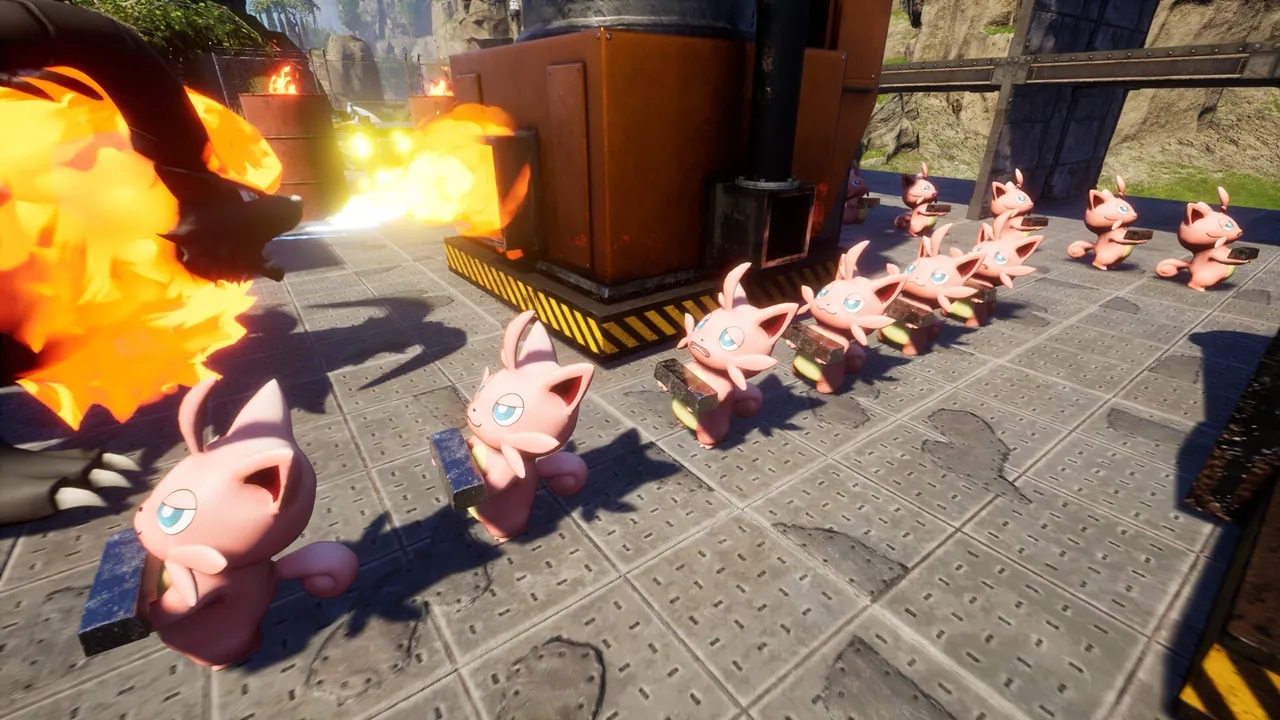
A specific late-game crash hits players with very large bases. Picture 15+ pals working a refinery row, sphere lights everywhere, lots of crafted decorations. The server stays up fine for new players but crashes the moment someone teleports into the high-density base. The log:
Fatal error: [File:...UE5/Engine/Source/.../PrimitiveSceneProxy.cpp]
LogPal: Entity count exceeds streaming limit
This is the Unreal scene proxy giving up on the render-distance buffer for that chunk. Fixes:
- Drop
BaseCampWorkerMaxNum=15to10inPalWorldSettings.ini. This caps the working pal count per base, which is the single biggest entity-count driver. - Confirm
bIsMultiplay=Trueis set. Some custom templates leave it false, which uses single-player streaming limits and crashes earlier. - Move the worst-offending base. If your refinery base sits next to your breeding base, the scene proxy is loading both simultaneously when a player approaches. 200+ meters of separation fixes it.
Fix 5: Version drift after a patch (especially around 1.0)
Palworld pushes server updates through SteamCMD, and a freshly patched client can refuse to connect to a server still running the old binary. The server stays up and accepts connections, then disconnects each client mid-handshake.
LogPalNetworkConnection: Disconnect reason=ProtocolMismatch
LogPal: Server version 0.7.x, client version 1.0.x
Fix: re-run SteamCMD to update the dedicated server. On a managed host like ours this is a one-button "Reinstall" in the panel and it preserves your world. If you're self-hosting:
steamcmd +login anonymous +force_install_dir ./palworld_server +app_update 2394010 validate +quit
With Palworld 1.0 launching on July 10, 2026, this fix is going to bite a lot of servers during the first week. Update the server within an hour of the client patch dropping and you skip the entire problem.
Still crashing? Run these diagnostics
If none of the five fixes above match what you're seeing, capture this before opening a support ticket. Every host needs all of it to triage quickly:
# server-side
tail -300 /home/container/Pal/Saved/Logs/PalServer.log
free -m
ps aux | grep PalServer
ss -tulnp | grep 8211

# from a player who keeps disconnecting
ping -c 50 your-server-ip
The log tail shows the exit reason. free -m shows whether the host actually has memory left for the server. ps aux confirms the process is alive after the reported crash (sometimes the "crash" is just a client-side disconnect, which is a different fix). ss confirms the server is bound on UDP 8211. Player-side ping tells you whether the network path itself is healthy.
Host Your Palworld Server with DoomHosting
Most of the fixes above turn into one-click changes on a managed host. RAM scales without losing your world. The Schedules tab handles the every-6-hours restart so the memory leak never reaches the ceiling. Daily snapshots survive a Level.sav corruption. SteamCMD updates run on a single click on patch day. If you're tired of debugging crashes the night before your group's raid, host your Palworld server on DoomHosting: instant setup on Ryzen 9 hardware, UDP 8211 pre-opened, full FTP, DDoS protection, and 24/7 support.
A dedicated server should disappear into the background. When yours dies on the same 30-minute cadence every night, the host or the config is doing the work it should be doing for you.