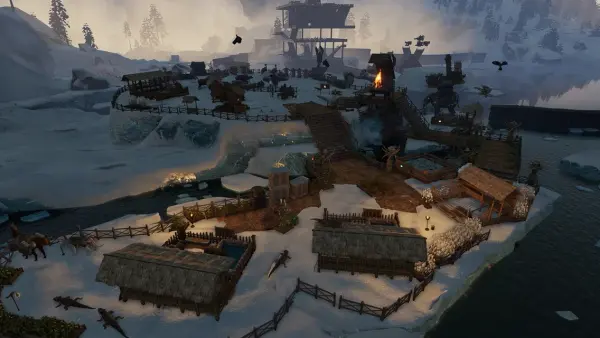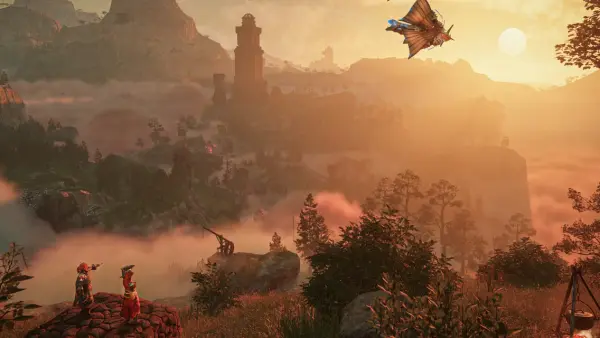
Yes, you can update your Palworld server to 1.0 and keep your save. Nothing about the 1.0 patch wipes your world, and the whole job takes a few minutes if you do it in the right order. Here is the safe way, step by step.
Back up your world first
Before you touch anything, make a backup. This is the one step that turns a scary update into a boring one.
Your save data lives in the Pal/Saved/SaveGames folder on the server. Copy that whole folder somewhere safe. Also grab a copy of your PalWorldSettings.ini so your difficulty, rates, and PvP settings survive if anything odd happens during the update.
On a DoomHosting server, backups are one click: open your control panel, hit the backup button, and wait for it to finish before you go any further. If you self-host, close the server first, then zip the SaveGames folder and the config by hand. With a fresh backup in hand, an update can cost you a few minutes at most, never your progress.
Does the 1.0 update wipe your save?
No. The 1.0 update does not delete your world, your Pals, your bases, or your guild. You can load straight back into your existing map after updating.
There is one nuance. Pocketpair recommends starting a fresh world to get the full 1.0 experience, because a lot of the new content is baked into world generation: the Sky Islands that float above the Palpagos Islands, the reworked Wildlife Sanctuaries and No-Hunting Zones, and the terrain around the World Tree endgame. An old save keeps its original layout, so those zones will not appear the way they do on a new map.
How to decide: if you have a base you love and a roster of Pals you have poured hours into, keep your save and explore the new areas you can reach. If you were about ready for a reset anyway, 1.0 is the perfect excuse to start clean. For a full breakdown of what changed, read what is new in Palworld 1.0.
Update a DoomHosting server (the easy way)
On our panel there is nothing to type. A restart runs SteamCMD automatically and pulls the latest build, so updating to 1.0 is just a restart.
- Back up your world (see above).
- Open your control panel and stop the server.
- Start it again. On boot it checks Steam for the newest files and downloads 1.0.
- Wait for the console to show the server is fully up, then join and confirm the version.
That is the whole process. No commands, no SteamCMD, no SSH. If you would rather have this handled for you from day one, that is exactly what Palworld hosting is for.
Update a self-hosted server with SteamCMD
Running the server on your own box? The Palworld dedicated server is a separate Steam app, app id 2394010, installed with an anonymous login. Stop the server first so no files are locked, then run:
steamcmd +login anonymous +app_update 2394010 validate +quit
The validate flag makes SteamCMD verify and repair every file. It adds a little time, but on a jump as big as 1.0 it is worth it to avoid a half-patched install. When it finishes, start the server back up and check the version before you invite players.
If you are new to running the dedicated server at all, our dedicated server setup guide walks through it from scratch.
Update your mods for 1.0
Mods are the most common reason a server fails to boot after a big patch. A mod built for an older version can crash the server or block players from joining once the game code changes underneath it.
Do this: disable every mod before you update. Bring the server up on clean 1.0 first and confirm it runs. Then re-enable your mods one at a time, and only the ones whose authors have confirmed 1.0 compatibility. A mod with no recent update is far more likely to break things than to work. Give the modding community a few days after launch to catch up.
Players cannot connect after updating?
The most common post-update error is a version mismatch. Palworld requires the client and the server to run the same build, so if your server is on 1.0 and a player is still on the old version, they cannot join.
Fixes, in order:
- Have each player update Palworld in their Steam library so the client is also on 1.0. Crossplay in 1.0 spans Steam, Xbox, PS5, and Mac, and every platform needs the current build.
- Restart the server once more and confirm it reports the 1.0 version in the console.
- Re-check that no old mod slipped back in, since a mismatched mod causes the same symptom.
Once both sides are on the same build, connections go back to normal.
Prefer a clean start on 1.0?
If you decided a fresh world is the way to experience Sky Islands and the World Tree properly, spin up a new server that boots straight onto 1.0 instead of wrestling an old install into shape.
DoomHosting Palworld servers start at $6.00/mo for 6 GB of RAM on Ryzen 9 class hardware, with instant setup, one-click restarts, backups, and 24/7 support. New servers get 50% off the first month with code SUMMER26. Rent a Palworld 1.0 server and be exploring the Sky Islands in minutes. If you want to dial it in first, our best server settings guide covers the config that matters most.