Joining a Minecraft Java Edition server opens up endless multiplayer possibilities. Whether you want to play with friends on a private server or explore massive public communities, this guide will walk you through every method to connect successfully.
Method 1: Direct Connect via IP Address
The fastest way to join a specific server is using the direct connect feature:
Step 1: Launch Minecraft Java Edition
- Open your Minecraft Launcher
- Select your preferred version (most servers run on 1.20+)
- Click "Play" to start the game
Step 2: Access Multiplayer Menu
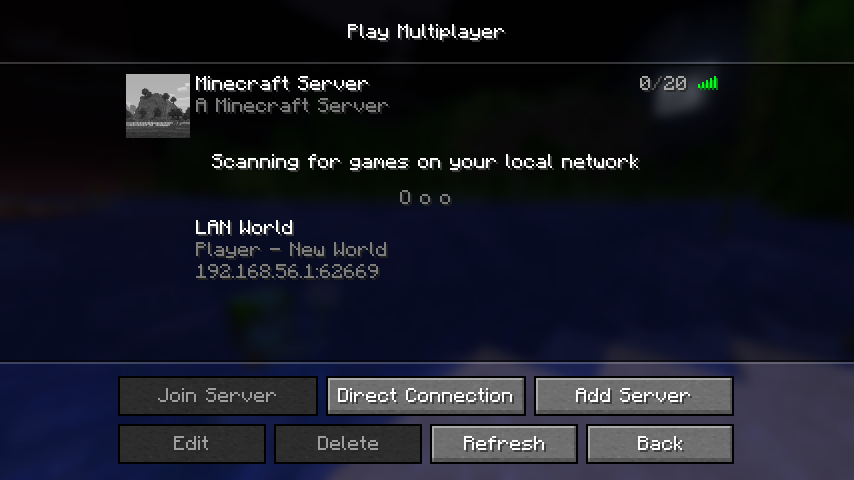
- From the main menu, click "Multiplayer"
- Click "Direct Connect" button
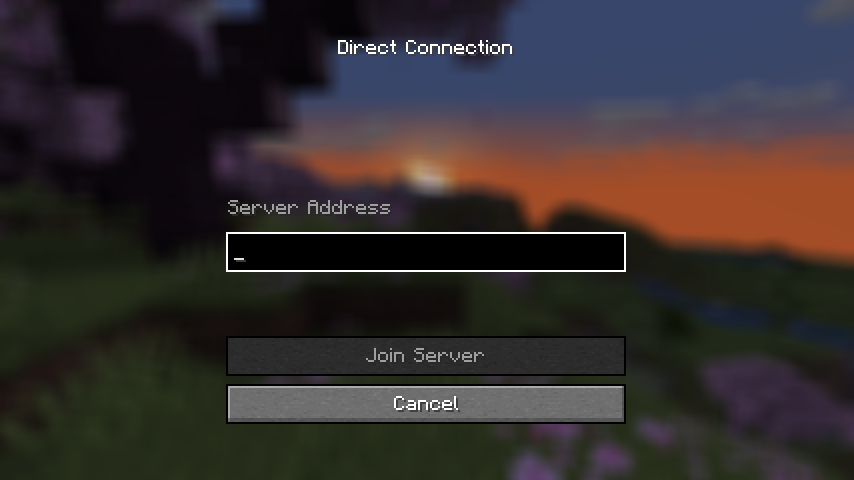
Step 3: Enter Server Details
- In the "Server Address" field, enter the server IP address
- Format:
play.example.comor192.168.1.100:25565 - Click "Join Server"
Pro tip: Always include the port number if it is not the default 25565.
Method 2: Using the Server Browser
For a more organized approach, add servers to your server list:
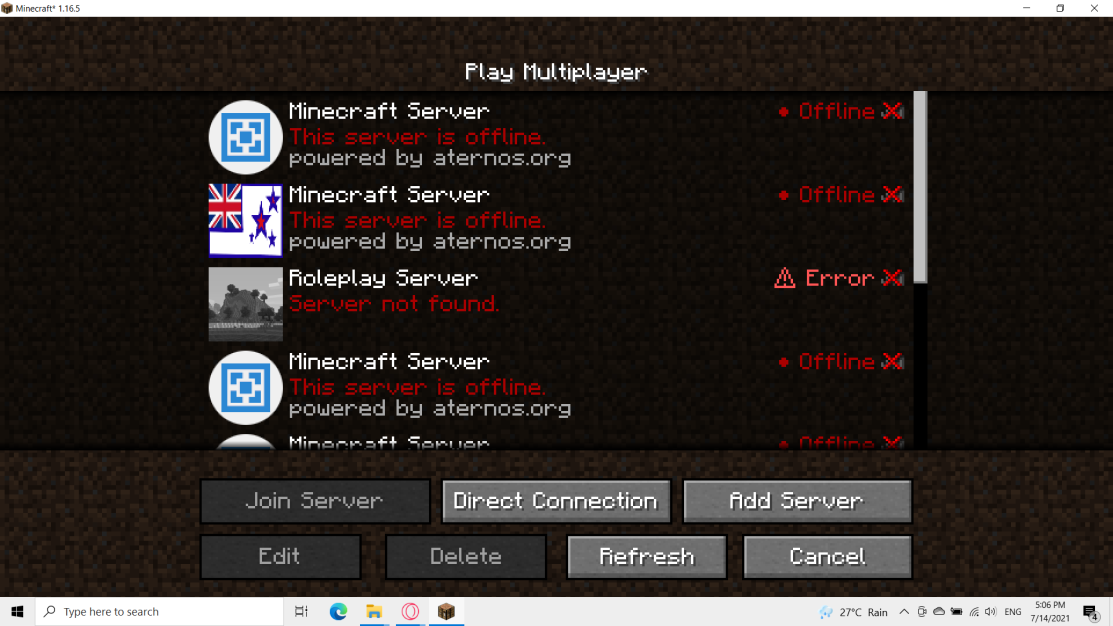
Step 1: Add New Server
- In the Multiplayer menu, click "Add Server"
- Enter a memorable "Server Name" (this is just for you)
- Input the "Server Address" (IP or domain)
- Click "Done"
Step 2: Connect to Added Server
- Your server now appears in the server list
- Double-click the server or select it and click "Join Server"
- The game will remember this server for future sessions
Method 3: Adding Servers to Favorites
Keep your favorite servers easily accessible:
Organizing Your Server List
- Right-click any server in your list
- Select "Edit" to modify details
- Use clear, descriptive names for easy identification
- Organize by game type, friend groups, or server themes
Server Status Indicators
- Green bars: Good connection, low ping
- Yellow bars: Moderate connection
- Red bars: High ping or connection issues
- Gray bars: Server offline or unreachable
Troubleshooting Connection Issues
Even experienced players encounter connection problems. Here are the most common issues and solutions:
"Connection Refused" Error
Possible causes:
- Server is offline or restarting
- Wrong IP address or port
- Your internet connection is unstable
Solutions:
- Double-check the server address for typos
- Try connecting later if the server is temporarily down
- Test your internet connection with other websites
"Connection Timed Out" Error
Possible causes:
- Firewall blocking Minecraft
- Router configuration issues
- Server overloaded with players
Solutions:
- Add Minecraft to your firewall exceptions
- Try restarting your router
- Contact your internet provider if problems persist
Version Mismatch Issues
Possible causes:
- Your Minecraft version does not match the server requirements
- Outdated client or server software
Solutions:
- Check the server description for required version
- Download the correct Minecraft version from the launcher
- Some servers support multiple versions, look for compatibility notes
Authentication Problems
Possible causes:
- Invalid Minecraft account credentials
- Mojang authentication servers experiencing issues
Solutions:
- Verify your account is properly logged in
- Try logging out and back into the launcher
- Check Mojang status page for service outages
Advanced Connection Tips
Optimizing Your Connection
- Close bandwidth-heavy applications before playing
- Use a wired internet connection when possible
- Choose servers geographically close to your location
Understanding Server Types
- Vanilla servers: Pure Minecraft experience
- Modded servers: Require specific mod installations
- Plugin servers: Enhanced gameplay with server-side modifications
- Minigame servers: Specialized game modes and activities
Security Considerations
- Only join servers from trusted sources
- Be cautious of servers requesting personal information
- Report inappropriate behavior to server administrators
- Keep your Minecraft account secure with strong passwords
Conclusion
Joining Minecraft Java Edition servers is straightforward once you understand the different connection methods. Whether you prefer direct connections for quick access or organized server lists for regular gameplay, these techniques will help you connect reliably to any server.
Remember that connection quality depends on both your internet setup and the server's performance. If you are looking for reliable, high-performance Minecraft hosting for your own server, consider professional game server hosting solutions that ensure optimal connectivity for all your players.
Ready to start your own Minecraft server? Check out our Minecraft server hosting solutions for lag-free multiplayer experiences.




