
Want to keep playing a world you started in singleplayer, or move one from another server? You can upload any Romestead world onto your DoomHosting server. Each world is a folder, and your server loads the one that World Name points to.
Find your world on your PC
On your computer, Romestead stores worlds here:
%appdata%\Romestead\EA\profiles\1\saved_worlds
Press Windows+R, paste that path, and press Enter (or browse to C:\Users\<you>\AppData\Roaming\Romestead\EA\profiles\1\saved_worlds). Each world is its own folder. Note the exact name of the folder you want to move.
Upload it to your server
- Stop your server first. Save files copied while the server is running can be incomplete.
- In the panel, open the File Manager (or connect with FTP) and go to the
saved_worldsfolder at the root of your server. - Upload your entire world folder into
saved_worlds.
Point your server at the world
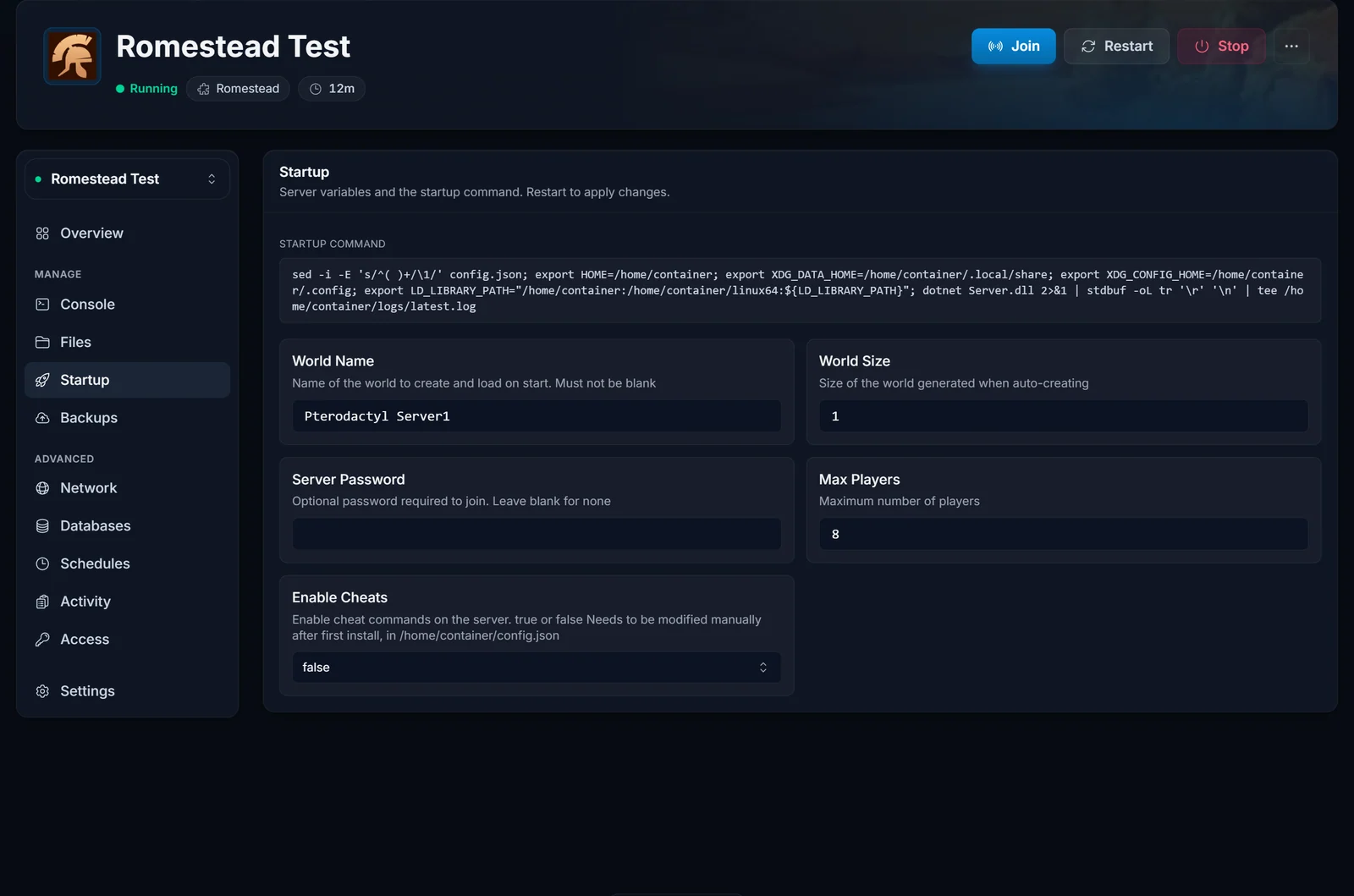
Open the Startup tab and set World Name to the exact name of the folder you uploaded. It is case-sensitive, so it has to match the folder name character for character. Save.
Start the server
Start it, and your server loads your uploaded world instead of generating a new one. Share your connection address and your group can join. Your settlement now lives on the server, online 24/7.
Give it enough RAM
Romestead needs at least 5GB of RAM to load and run a world, and generating or loading a large world wants more (around 8GB). If a world fails to load or the server crashes on start, add RAM from the panel. Our Romestead RAM calculator helps you size it to your world and group.
Common issues
- A new world generated instead of yours. World Name does not match the uploaded folder name exactly (it is case-sensitive). Set it to match and restart.
- The world is missing or won't load. Upload the whole world folder (the folder itself, not just the files inside it) directly into
saved_worlds, and make sure the server was stopped during the upload. - The server crashes loading a big world. Large worlds need more memory. Give the server 8GB or more and try again.
Need a server to host your world on? See our Romestead server hosting page.
