

A server password locks your Palworld dedicated server so only people who know the password can join. On a DoomHosting server you set it straight from the panel, with no config files and no FTP: it sits right on the Overview tab next to your connection address. This guide shows you how to set it, change it, or remove it for an open server.
Set your server password
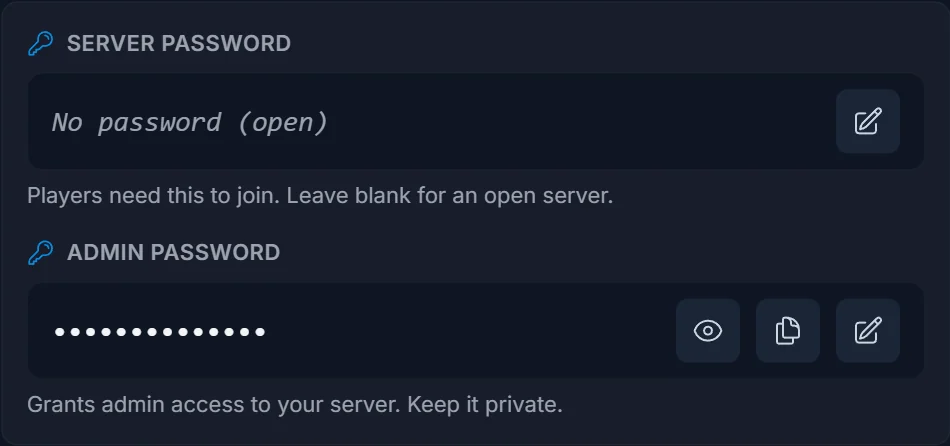
- Open your server in the panel. You land on the Overview tab.
- Under Connection address, find the Server password row.
- Click the pencil (Change), type the password you want, and click the check to save.
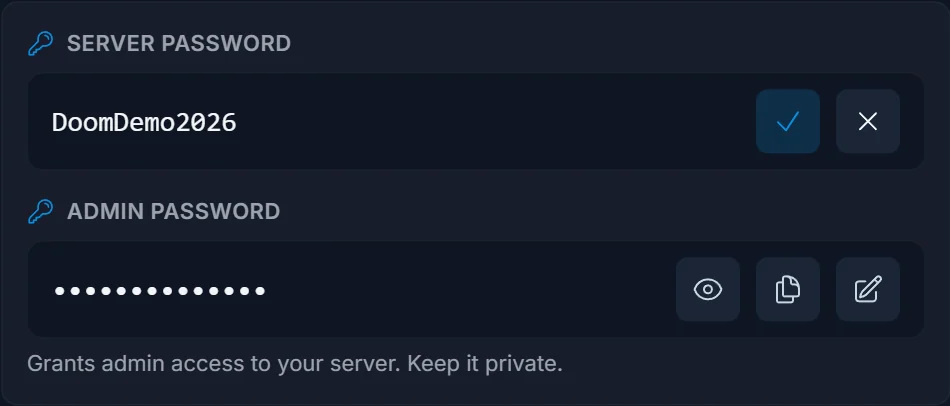
- Click Restart now when the panel prompts you. Palworld only reads the password at startup, so the change takes effect after a restart.
That's it. Share the password with your players and they'll be asked for it when they join.
Leave it blank for an open server
Want anyone to be able to join? Leave the Server password empty. The panel shows "No password (open)" and the server accepts everyone. You can add a password later the same way.
Change or remove the password
Same row, same pencil: type a new value (or clear it to go open), click the check, and restart. Players already connected stay on until the server restarts.
Tips
- Pick something memorable but not guessable. The whole point is to keep strangers out.
- The server password is the join password. It's separate from the admin password, which grants admin commands and lives in the same card.
- Always restart after a change, or the old password stays active.
Frequently asked questions
Where is the Palworld server password? On the Overview tab of your panel, in the Server + Admin passwords card under your connection address.
Do players need the password every time? They enter it when they join. Once connected they stay on until they leave or the server restarts.
Can I run Palworld without a password? Yes. Leave the Server password blank for an open server that anyone can join.
I set a password but it isn't working, why? Make sure you clicked Restart after changing it. Palworld only applies the password on startup, so the running server keeps the old value until then.
Need a server first? Rent a Palworld server and manage passwords, saves, and settings from one panel. New to the panel? See what it does on the game server control panel page.
