
To join a Return to Moria dedicated server, open Join World in the game, go to Advanced Join Options and use Direct Join with the server's IP address and port. This guide shows where to find that address in the DoomHosting panel, how the password prompt works, and what to check when the connection fails.
Get the address from the panel
The server owner opens the server in the DoomHosting panel. The Overview page shows the connection address on the connection card, with a copy button next to it.
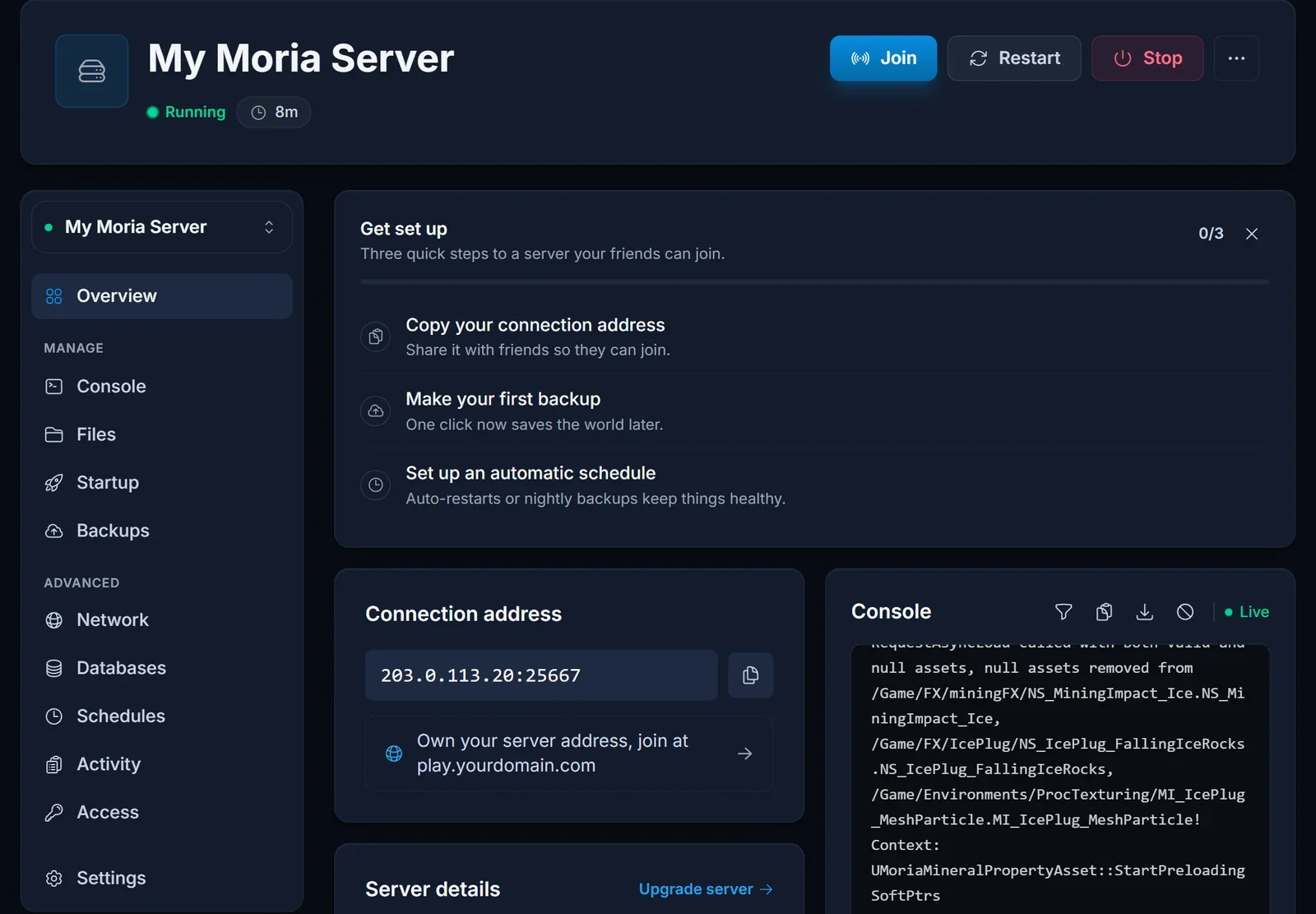
The address is an IP and a port separated by a colon, for example 203.0.113.20:25667. You need both parts. The server has to show as Running before anyone can connect.
Join with Direct Join
- Launch Return to Moria and choose Join World.
- Open Advanced Join Options.
- Under Direct Join, enter the IP address and the port from the connection card.
- Confirm, and enter the password if the server asks for one.
These steps come from the official Return to Moria dedicated server guide.
Servers with a password
A password is optional. If the owner filled in Server Password on the Startup tab, the game asks every player for it before they get into the world. Ask the owner for the current value, because it changes whenever they change that field and restart.
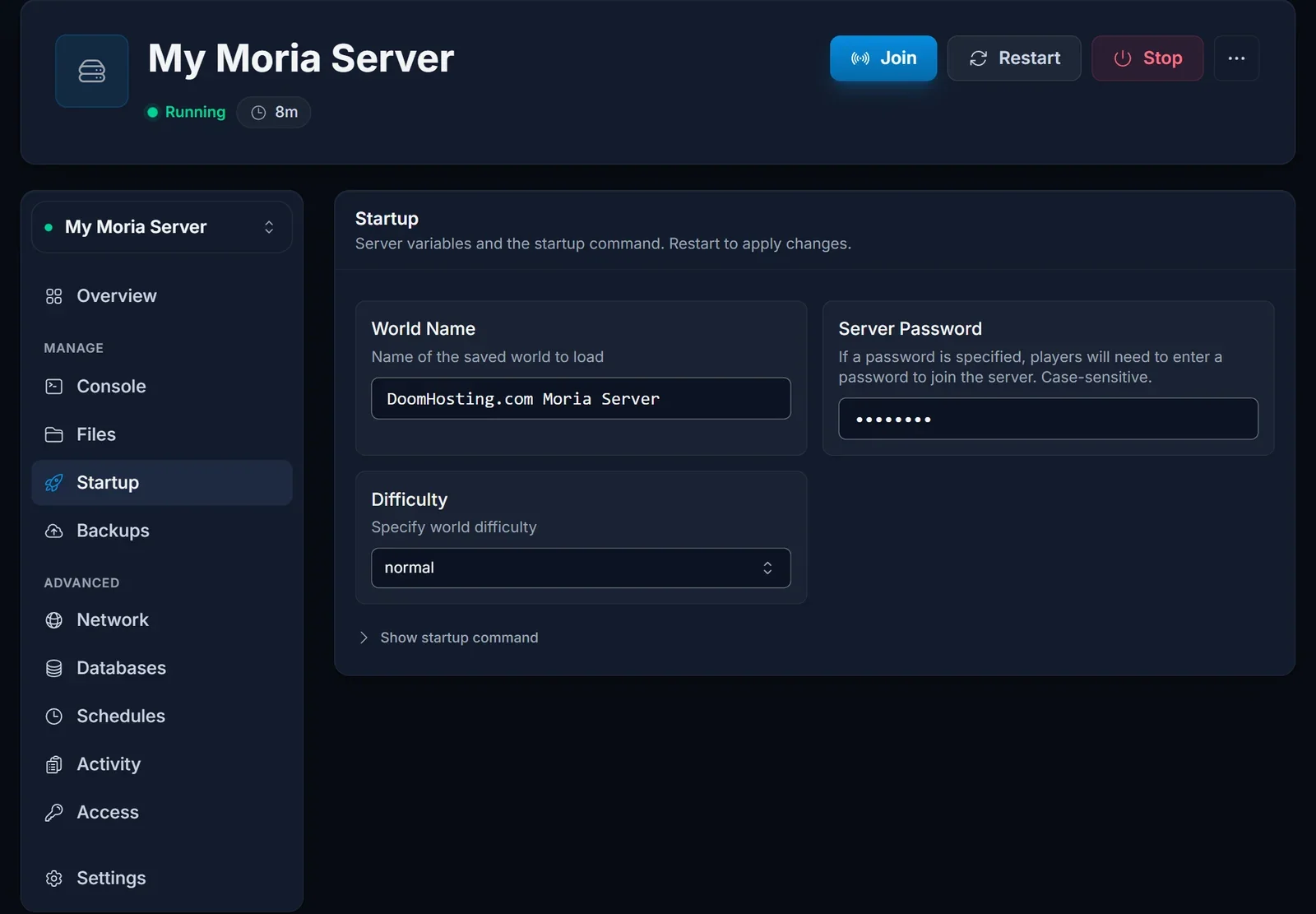
Owners: set and change the password on the Startup tab, not in MoriaServerConfig.ini. The panel writes the Startup value into that file on every boot. Our Return to Moria server setup guide covers the other settings.
Up to 8 players at once
A Return to Moria server holds at most 8 connected players at the same time. There is no limit on how many different players can join the world over time, so a group larger than 8 can share one world as long as no more than 8 are online at once.
Common issues
Connection failed or timed out. Check that you entered the port as well as the IP, exactly as the connection card shows it. Then check the server is Running on the Overview page. The game port uses UDP, so a firewall or network that blocks outgoing UDP traffic can also stop the connection.
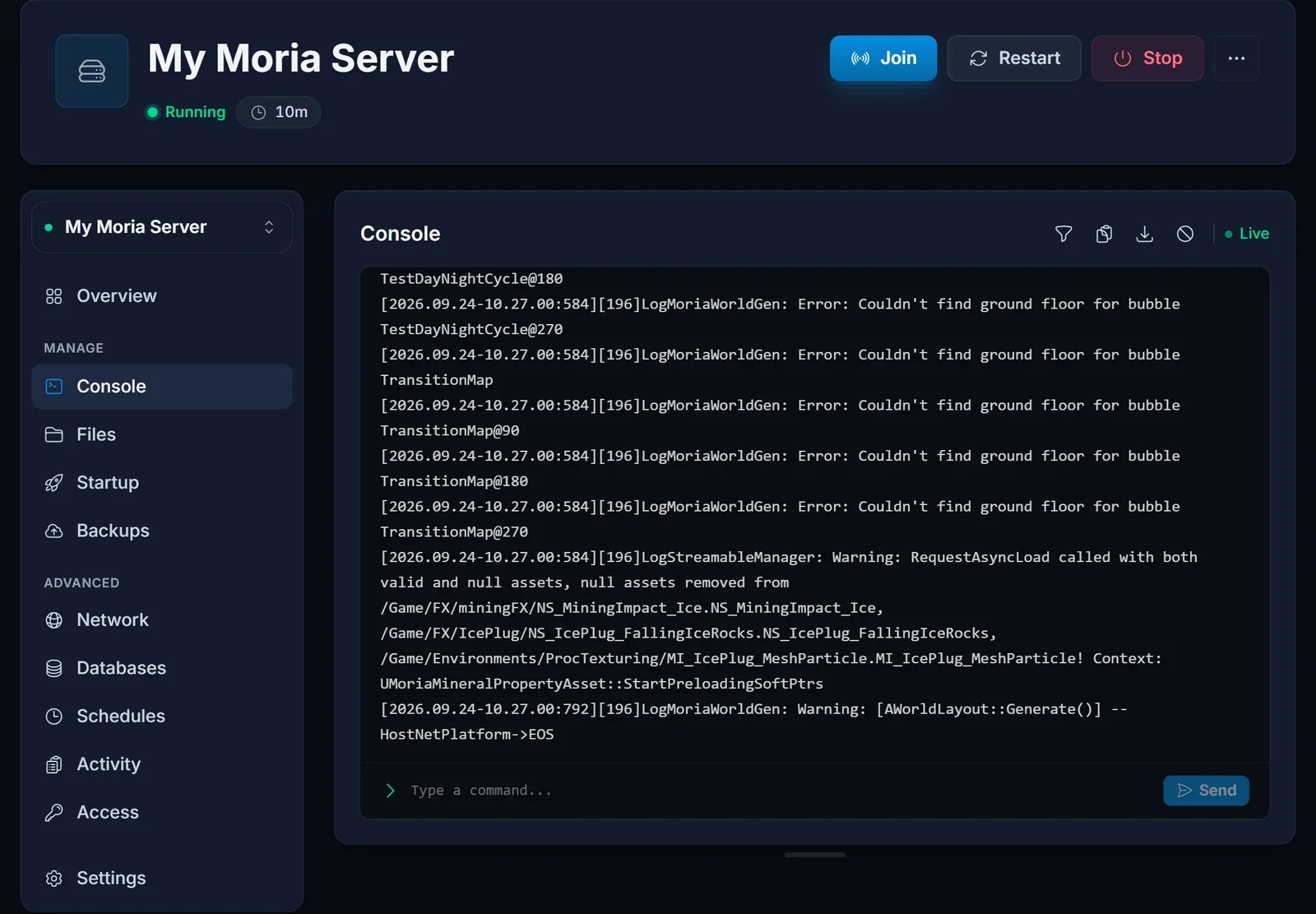
The console shows lots of errors. Lines like LogMoriaWorldGen: Error: Couldn't find ground floor for bubble ... appear on every boot and are harmless world-generation messages. They do not stop players from joining.
Version mismatch. You need the same game version as the server. The server updates itself through SteamCMD every time it boots, so the owner restarts it, and players update the game in Steam or the Epic Games Store.
The password is refused. The owner may have changed it. It only takes effect after a restart, so ask for the value that is on the Startup tab now.
You cannot get in at all, but your friends can. The owner may have set Blocked for your account in MoriaServerPermissions.txt. Only the owner can change that, with the server stopped.
The server is full. Eight players are already connected. Wait for someone to leave.
Next steps
Setting up your own server? Start with Return to Moria Dedicated Server Setup. Plans and hardware are on our Return to Moria server hosting page, and the DoomHosting game panel page shows what you can manage from the panel.
