


Your Garry's Mod server hands out one address, and there are two reliable ways to use it: the in-game server browser, or the developer console. This guide covers both, and the errors that stop a join.
Find the address in your panel
Open the server in your DoomHosting panel. The Overview page shows the connection address on the connection card, with a copy button next to it.
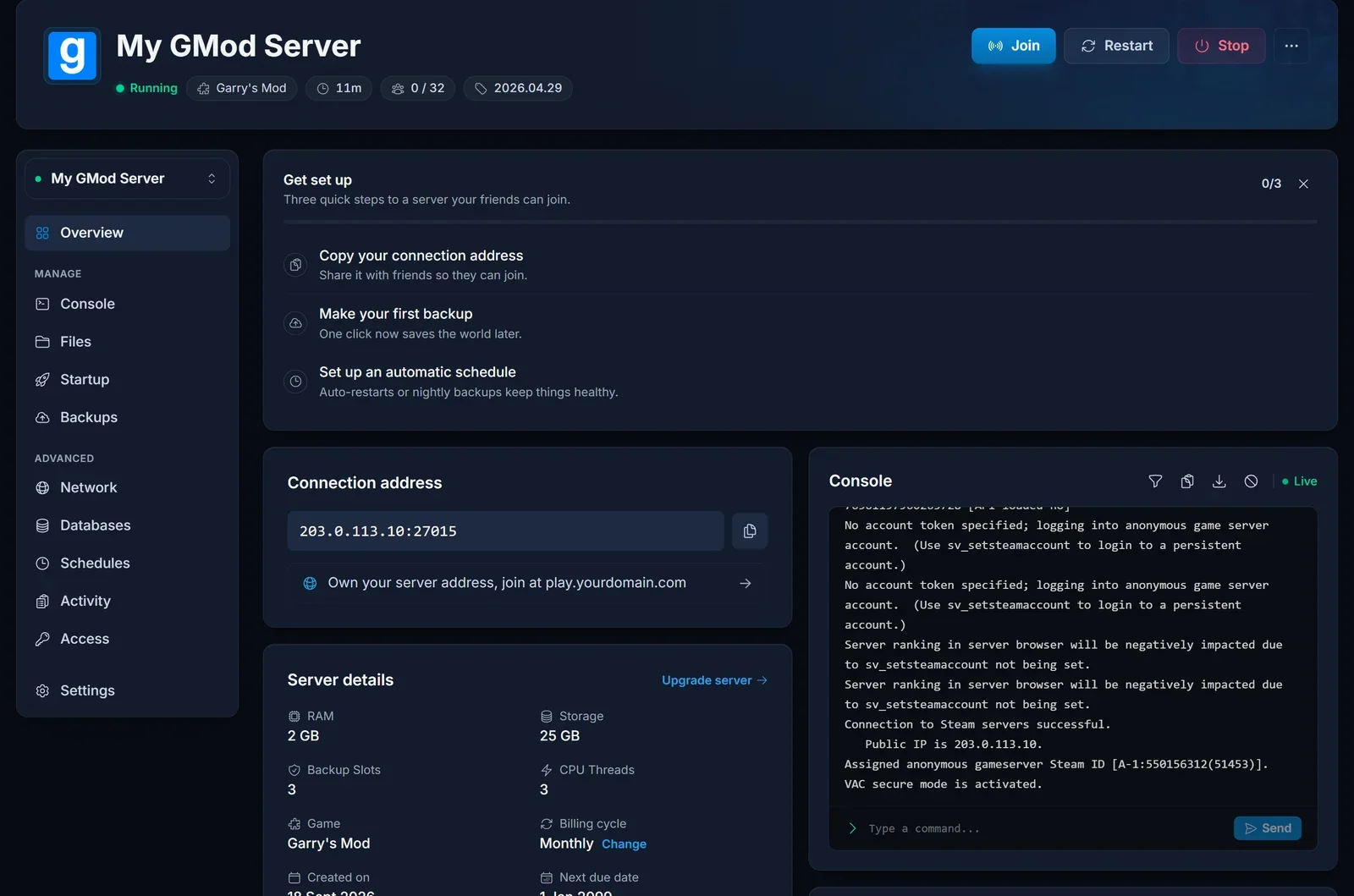
That single address is everything a player needs. GMod servers answer the game and the server browser on the same port, so there is no separate query address to pass around. If the server is stopped, start it first, because a stopped server is not in the browser and will refuse a direct connection.
Join from the in-game server browser
Launch Garry's Mod and click Find Multiplayer Game on the main menu. The list down the left side holds Internet, Local Network, History, Favorites, Refresh Listings and Legacy Browser.
Internet groups everything by gamemode first. Pick the gamemode your server runs and you get the server list for it, with columns for ranking, name, map, players and ping. The search box in the top right searches server and map names, which is the quickest route to your own server if it has a distinctive name. Select it, then click Join Server.
Two of the other entries are worth knowing. History lists servers you have played on before, so a server you joined last week is a click away. Favorites holds the servers you have added to your favourites list. Legacy Browser opens the older server browser if you would rather skip the gamemode grouping.
Join by address from the console
The browser is not always the fastest way in. Listings lag behind a restart and a busy gamemode category is a long list to scroll, and neither problem affects a direct connection.
Open the developer console with Shift+Escape, or with the tilde key ` if you have it bound. Then type connect followed by the address from your panel:
connect 203.0.113.10:27015
Include the port. The address on the connection card already carries it, so copy the whole thing rather than typing the IP from memory.
Joining a server that has a password
If the owner set sv_password, set the same value in your console before you connect:
password letmein
connect 203.0.113.10:27015
The server compares what your client sent against its own sv_password and lets you in when the two match. Server owners: that value lives in garrysmod/cfg/server.cfg, which our Garry's Mod setup guide walks through.
The first join takes longer
On your first connection the server tells your game which Workshop addons to fetch, and your client downloads them before you spawn. A large DarkRP or TTT collection can mean a few minutes on that loading screen. Later joins are quick, because the files are already on your disk.
Common issues
The server is not in the list. Check the panel first: the Console tab tells you whether it actually finished booting.
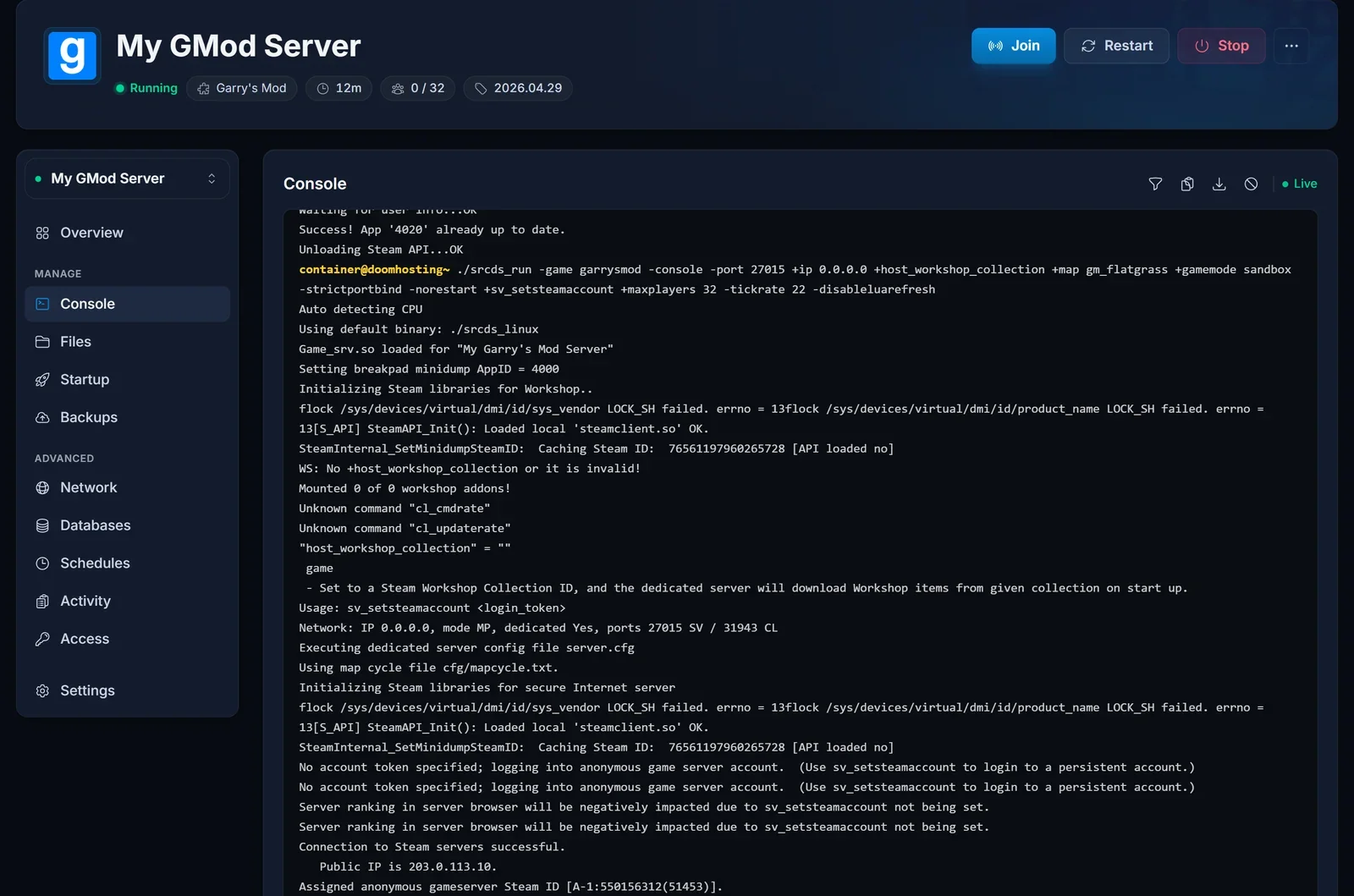
Public listings also take a moment to catch up after a restart, so wait a minute before deciding something is wrong. Connecting by address works during that window, and it is the fastest way to prove the server itself is fine.
You are looking in the wrong gamemode. The Internet list is grouped by gamemode, so a DarkRP server is not under Sandbox. Search for the server name instead of browsing a category.
Everything is purple and black checks or ERROR signs. You are in, but you do not have the server's content. That one is fixed on the server side, by listing the addons with resource.AddWorkshop or serving them from a sv_downloadurl host. Send the owner our setup guide.
The password is refused. Run the password command before connect, not after. If it still refuses, ask the owner to confirm the current value, because server.cfg is only re-read when the server restarts.
Connection timed out, or the server is not responding. Check that the address carries the port. If it does, the server is probably stopped or restarting, which the owner can see on the panel Overview page.
Your game updated today. A client on a new Garry's Mod build can be refused by a server still running the previous one. The owner restarts the server, and if that is not enough, runs Reinstall from the panel to pull the current game files. An edited server.cfg survives that.
Next steps
Owners setting a server up for the first time should start with How to Set Up Your Garry's Mod Server. Slot counts and hardware are on our Garry's Mod server hosting page, and our GMod RAM calculator sizes the memory for your player count and addon load.
