

A Garry's Mod server from DoomHosting boots straight into Sandbox on gm_flatgrass, so the first things most owners change are the gamemode, the server name and the Workshop addons. This guide covers all of that, in the order you will actually need it.
Start the server and copy its address
Open the server in your DoomHosting panel and press Start. The Overview page shows the server state at the top and the connection address on the connection card, with a copy button next to it.
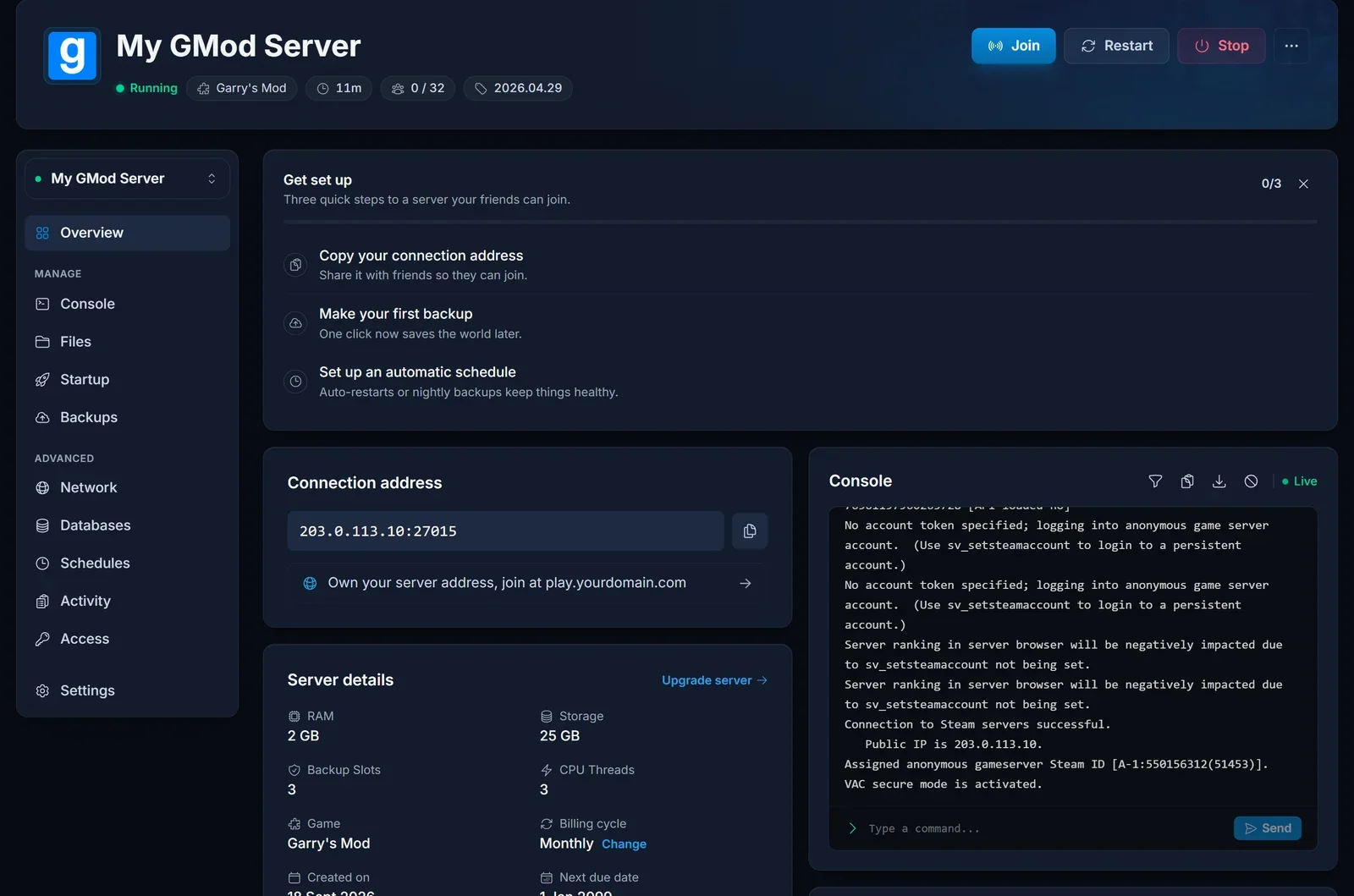
Garry's Mod answers the game and the server browser on the same port, so that one address is the whole story. There is no separate query address to hand out. Give it to your players, or send them our guide on how to join a Garry's Mod server.
Set the gamemode, map and player slots
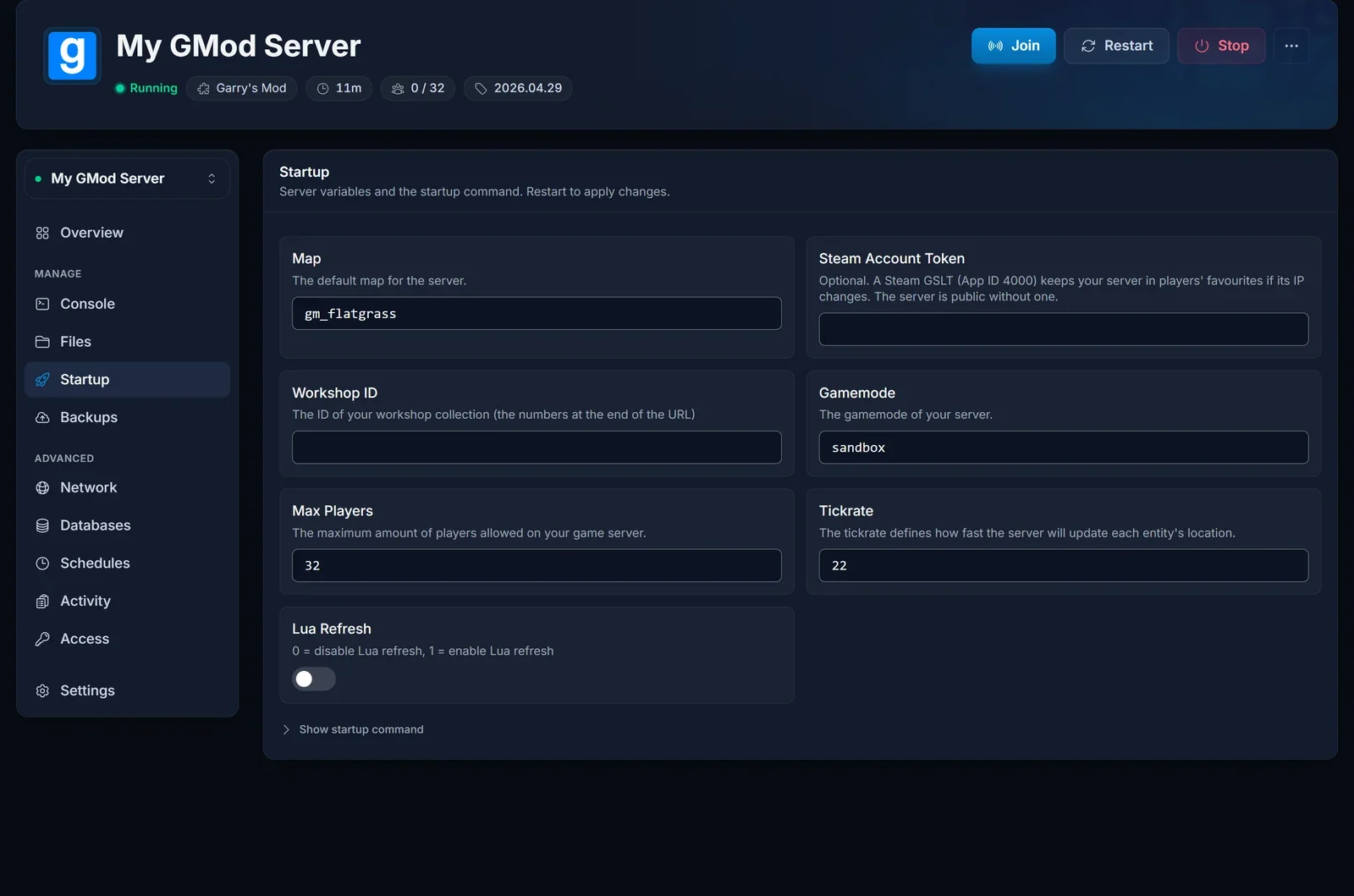
Everything the server is launched with lives on the Startup tab. Change a value there, restart, and the new value is in the command line the server boots with.
| Setting | What it controls |
|---|---|
| Gamemode | the gamemode the server runs, sandbox by default |
| Map | the map it loads on boot, gm_flatgrass by default |
| Workshop ID | the Steam Workshop collection the server installs its addons from |
| Max Players | player slots, 32 by default and 128 at most |
| Tickrate | how many times per second the server simulates the world |
| Steam Account Token | an optional Steam Game Server Login Token, covered below |
| Lua Refresh | reloads Lua files while the server runs, useful while writing an addon |
Two of these need care. Gamemode takes the gamemode's folder name rather than its display name, and the Map you pair with it has to be one that gamemode supports, because a gamemode built around its own maps will not behave on gm_flatgrass. Sandbox and Trouble in Terrorist Town ship with the game, so both run with nothing installed. DarkRP, Prop Hunt, Murder and the rest are community gamemodes, which means they arrive through your Workshop collection or as a folder in garrysmod/gamemodes.
Tickrate is the value people raise without thinking. Facepunch recommends somewhere between 30 and 128, and every step up costs CPU, so raise it for a fast gamemode and leave it alone on a building server. Our Garry's Mod RAM calculator will give you a sensible memory figure for your slot count and addon load.
Name your server and set a password
The server name and the join password are not Startup variables. They live in garrysmod/cfg/server.cfg, which you edit from the Files tab or over SFTP with a client like FileZilla.
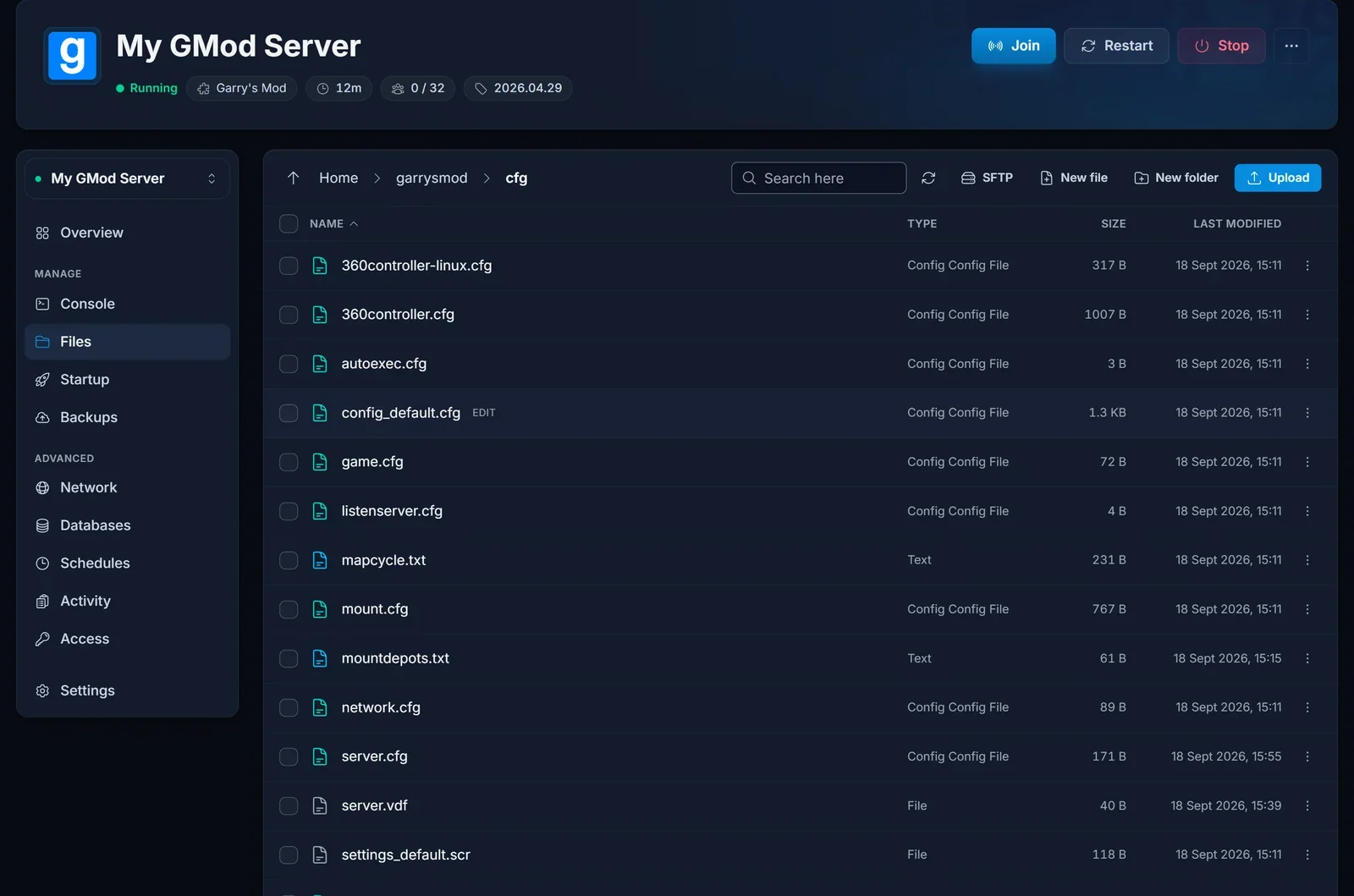
Open the Files tab, go into garrysmod, then cfg, and click server.cfg to edit it. The two lines most owners want are:
hostname "My GMod Server"
sv_password "letmein"
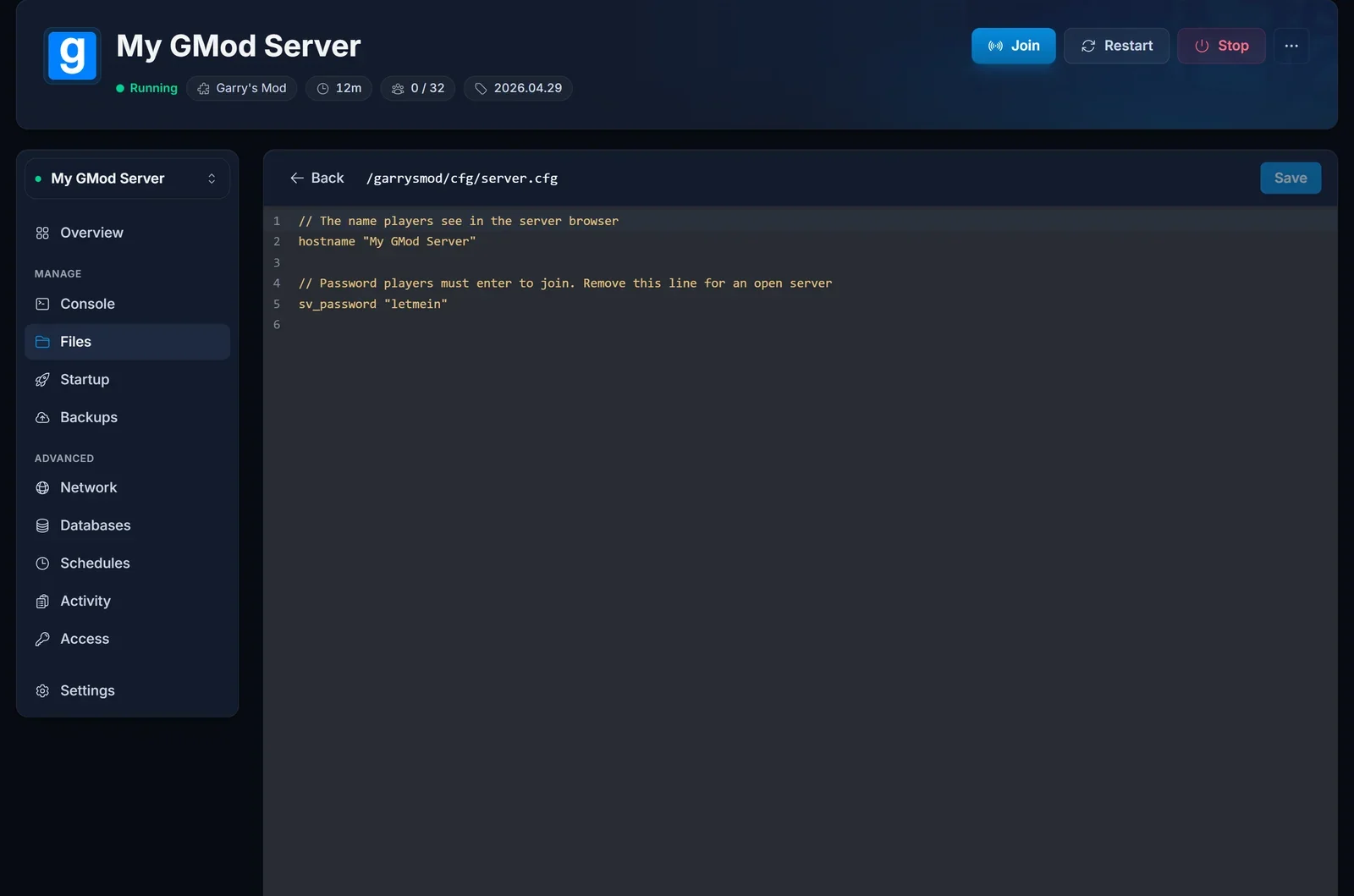
hostname is the name players see in the server browser, and it is what they will search for, so keep it short and distinctive. sv_password locks the server, and players have to supply that value when they connect. Leave the line out entirely for an open server. Save the file, then restart: server.cfg is read at boot, so nothing changes until the server comes back up.
Install addons from a Workshop collection
Garry's Mod servers do not install Workshop items one by one. They take a single collection id, download every addon in that collection at boot, and check them for updates on every later boot.
Build a collection in the Steam Workshop and set its visibility to Public or Unlisted, because a private collection cannot be read by the server. Then take the digits at the end of its URL:
https://steamcommunity.com/sharedfiles/filedetails/?id=1234567890
Paste those digits into Workshop ID on the Startup tab and restart. Watch the Console tab while it boots and you will see the addons come down.
Make players download your addons
Installing a collection on the server is only half the job. Your server having a model does not give the player one, and a client that lacks content sees missing textures and ERROR signs where the props should be.
Your server ships with a file for exactly this at garrysmod/lua/autorun/server/workshop.lua. Open it from the Files tab and add one line per addon:
resource.AddWorkshop( "1234567890" )
resource.AddWorkshop( "9876543210" )
Those are addon ids, not your collection id. Each one is the number at the end of that addon's own Workshop page URL. The current map and a Workshop gamemode that came from your collection are added for you, so the lines you write are for models, weapons, props and sounds. Restart after editing.
If you serve a lot of content that is not on the Workshop, the alternative is a FastDL host set with sv_downloadurl. The Facepunch wiki covers that at https://wiki.facepunch.com/gmod/Serving_Content.
Addons and gamemodes that are not on the Workshop
Anything you downloaded as a folder goes in garrysmod/addons, one folder per addon, and a gamemode folder goes in garrysmod/gamemodes. Upload them through the Files tab or over SFTP, then restart.
An admin mod is usually the first thing to go in there. ULX is the common pick and needs ULib installed beside it. Garry's Mod itself reads user groups from garrysmod/settings/users.txt, but every admin mod keeps its own permission list on top of that, so grant yourself the first superadmin rank the way your chosen mod documents it.
Do you need a Steam Account Token?
Not to run the server. Ours start, list and accept players with the field empty. Facepunch still recommends one: a server without a token takes a heavy ranking penalty in the server list, and the token also keeps your server recognisable in players' favourites if its IP ever changes.
Create one at https://steamcommunity.com/dev/managegameservers, set the App ID field to 4000, and paste the token into Steam Account Token on the Startup tab. Every server needs its own token, so never reuse one across two servers.
Common issues
The server starts and then stops. Read the Console tab: it names the thing it could not load. A Gamemode or Map value that does not exist on the server is the usual cause.
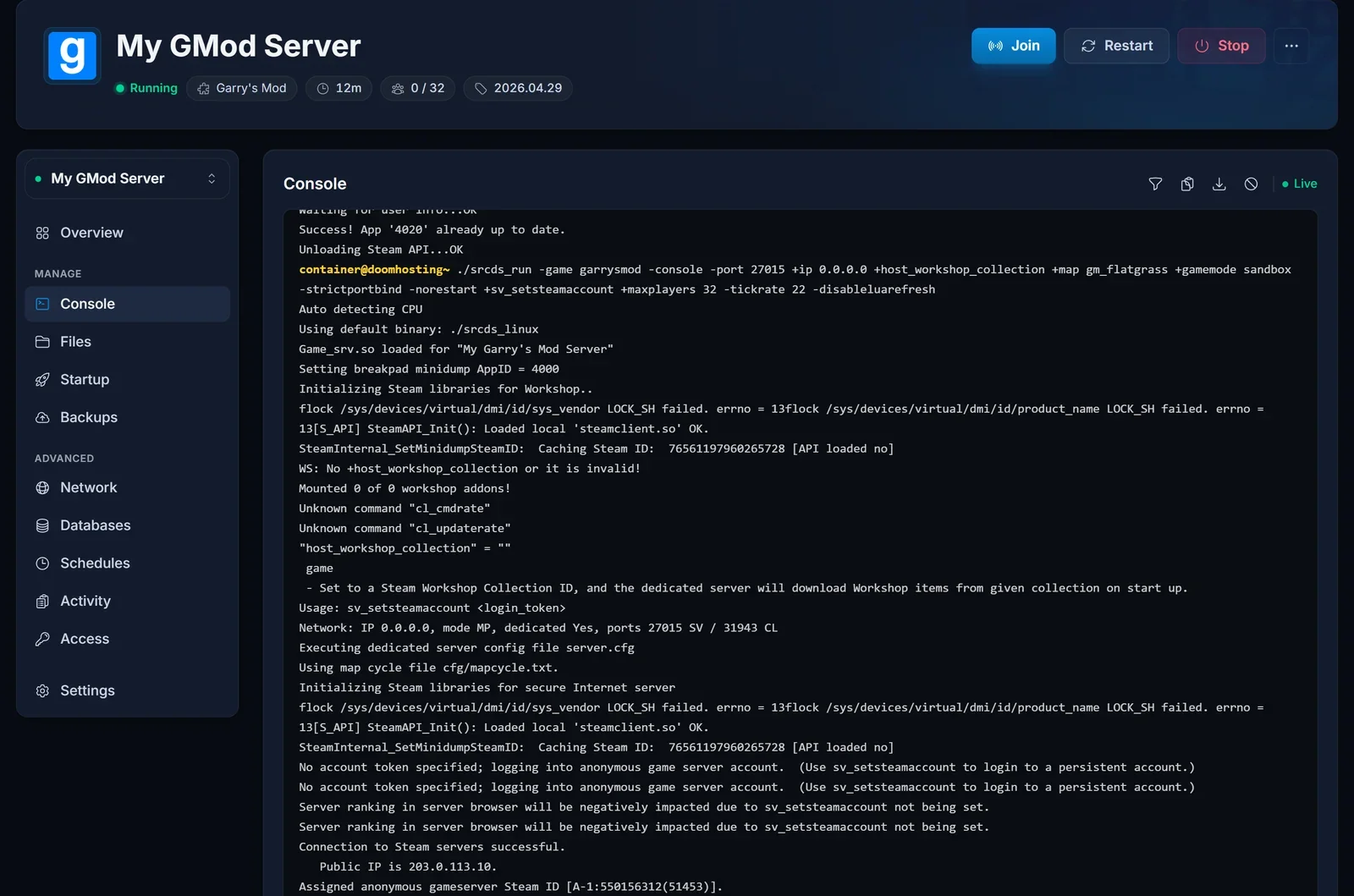
Your edit did nothing. The Files tab writes the file straight away, but the server only reads its config at boot. Restart it.
The collection is ignored. Either it is private, or the id belongs to a single addon rather than a collection. Workshop ID wants the number at the end of the collection URL.
Players see purple and black checks or ERROR signs. They do not have your content. Add those addons to workshop.lua with resource.AddWorkshop, or serve the files from a sv_downloadurl host.
The browser still shows the old name. hostname is applied at boot, so restart the server.
A game update broke connections. Players on the new build cannot join a server still running the previous one. Restart, and if that is not enough, run Reinstall from the panel to pull the current game files. An edited server.cfg survives it.
Next steps
Once the server is set up, send your players How to Join a Garry's Mod Server. Plans, slots and hardware are on our Garry's Mod server hosting page.
