


To join a BeamMP server, open the BeamMP launcher and use Direct Connect with the server's IP address and port, or pick the server from the list if it is public. This guide shows where to find the address in the DoomHosting panel, both ways of joining, and what to check when you cannot get in.
What you need
BeamMP is a free multiplayer mod for BeamNG.drive. Every player needs BeamNG.drive on Steam and the BeamMP launcher from beammp.com. Launch the game through the BeamMP launcher, not straight from Steam.
Get the address from the panel
The server owner opens the server in the DoomHosting panel. The Overview page shows the connection address on the connection card, with a copy button next to it.
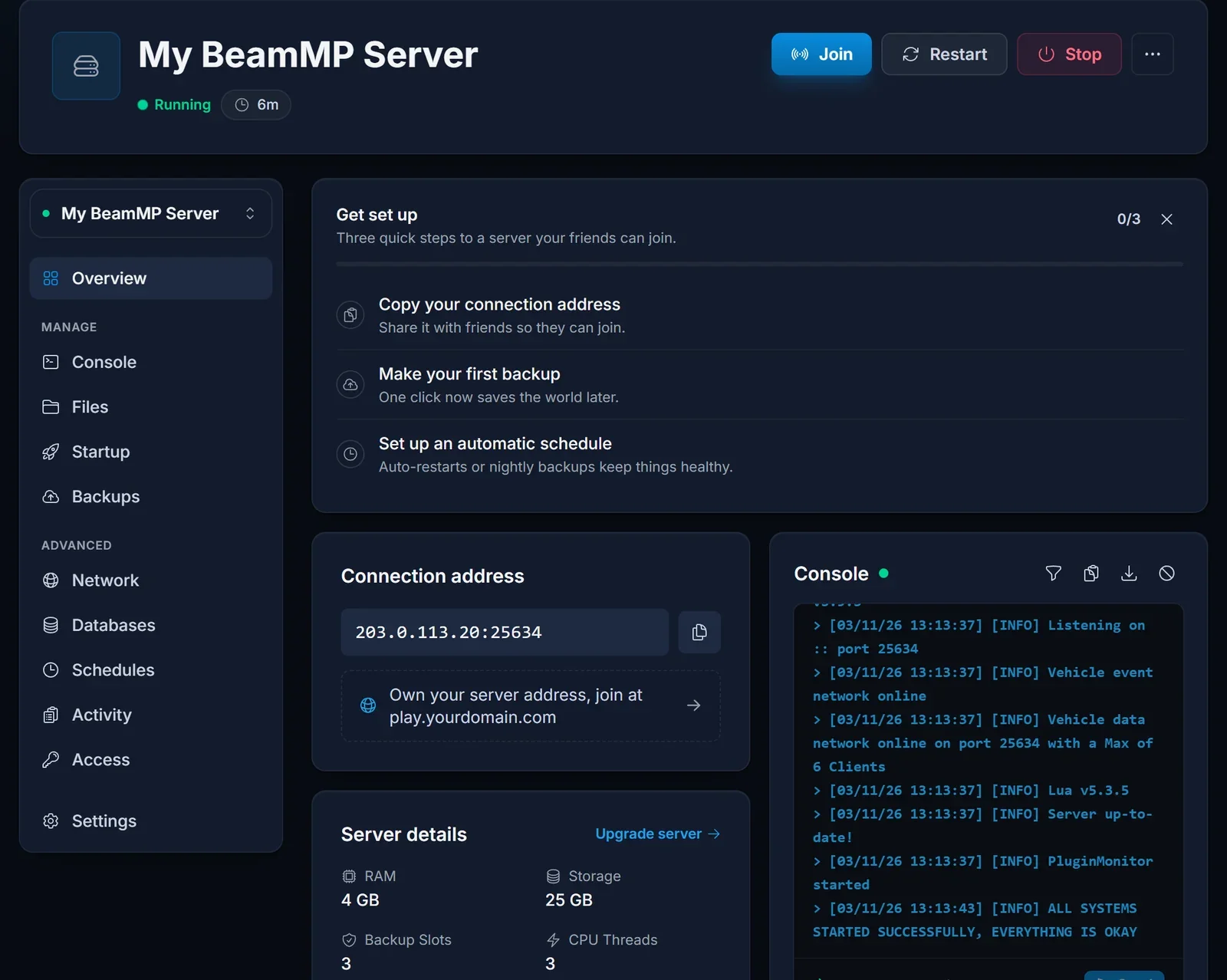
The address is an IP and a port separated by a colon, for example 203.0.113.20:25634. You need both parts.
Join with Direct Connect
Direct Connect works for every server, private or public.
- Start BeamNG.drive through the BeamMP launcher.
- Open Multiplayer from the main menu and choose Direct Connect.
- Enter the IP address and the port from the connection card in their own fields.
- Connect. Any mods the server uses download automatically before you spawn.
Join from the server list
A server is only in the BeamMP server list when the owner has set an Authentication Key and turned Private off. Open Multiplayer, search for the server name and join it from the list.
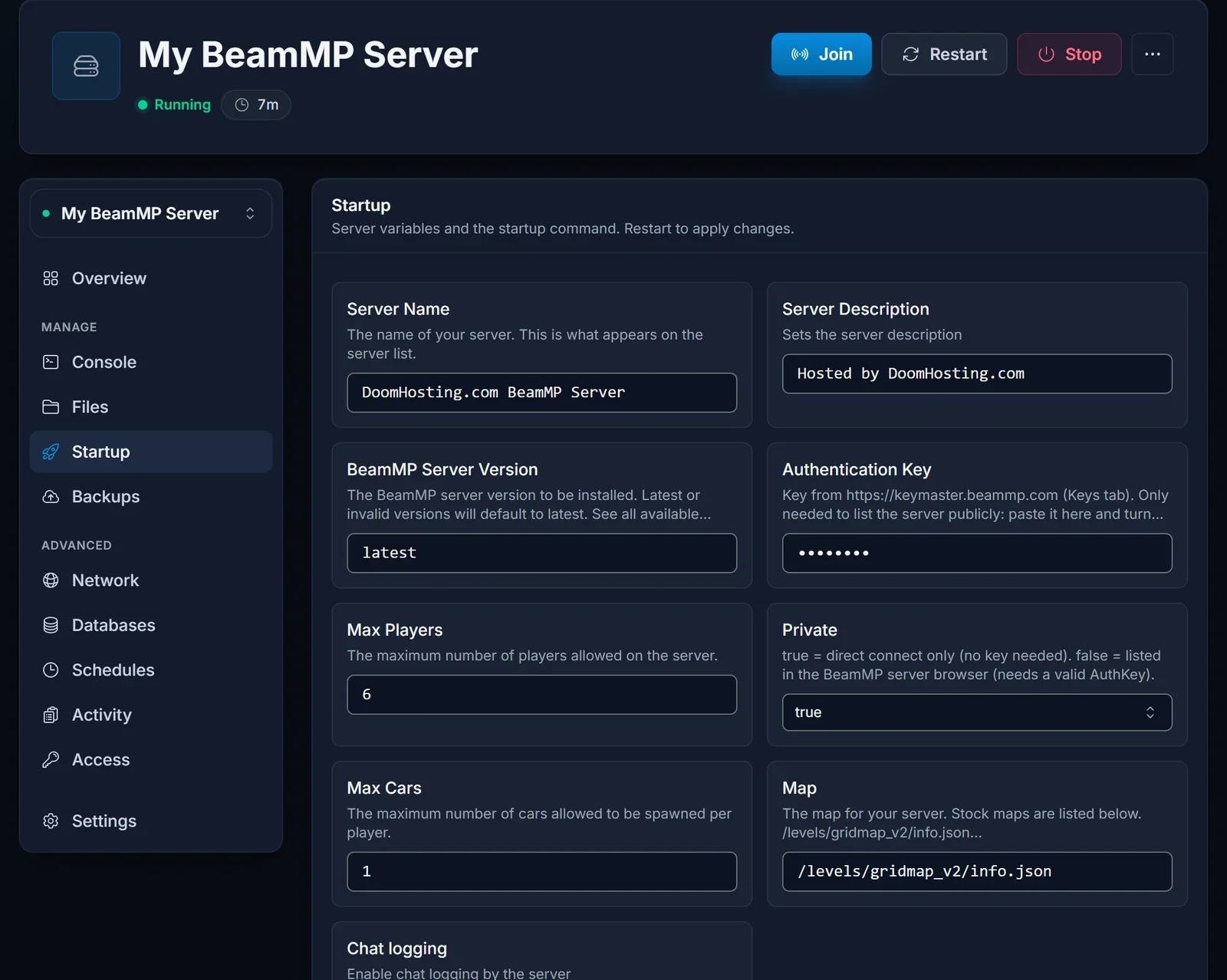
Owners: Private, the Authentication Key and every other setting are covered in our BeamMP server setup guide.
Common issues
The server is not in the list. It is probably private, which is how every new server starts. Use Direct Connect, or ask the owner to list it.
Connection failed. Check you entered the port as well as the IP, exactly as the connection card shows it, and that the server is Running on the Overview page.
The server is full. Max Players caps how many people can be on at once. The owner can raise it on the Startup tab and restart.
Version mismatch. Update the BeamMP launcher and BeamNG.drive. The owner reinstalls the server from the panel to get the newest BeamMP server version.
Next steps
Setting up your own server? Start with BeamMP Server Setup. Plans and hardware are on our BeamMP server hosting page.
