


A BeamMP server from DoomHosting runs the official BeamMP server, so you and your friends can drive BeamNG.drive together without anyone hosting from their own PC. It starts as a private server that friends join by IP. This guide covers the settings on the Startup tab, listing the server publicly with an AuthKey, and adding mods and Lua plugins.
Start the server and copy its address
Open the server in your DoomHosting panel and press Start. A BeamMP server starts in seconds. It is ready when the console shows ALL SYSTEMS STARTED SUCCESSFULLY.
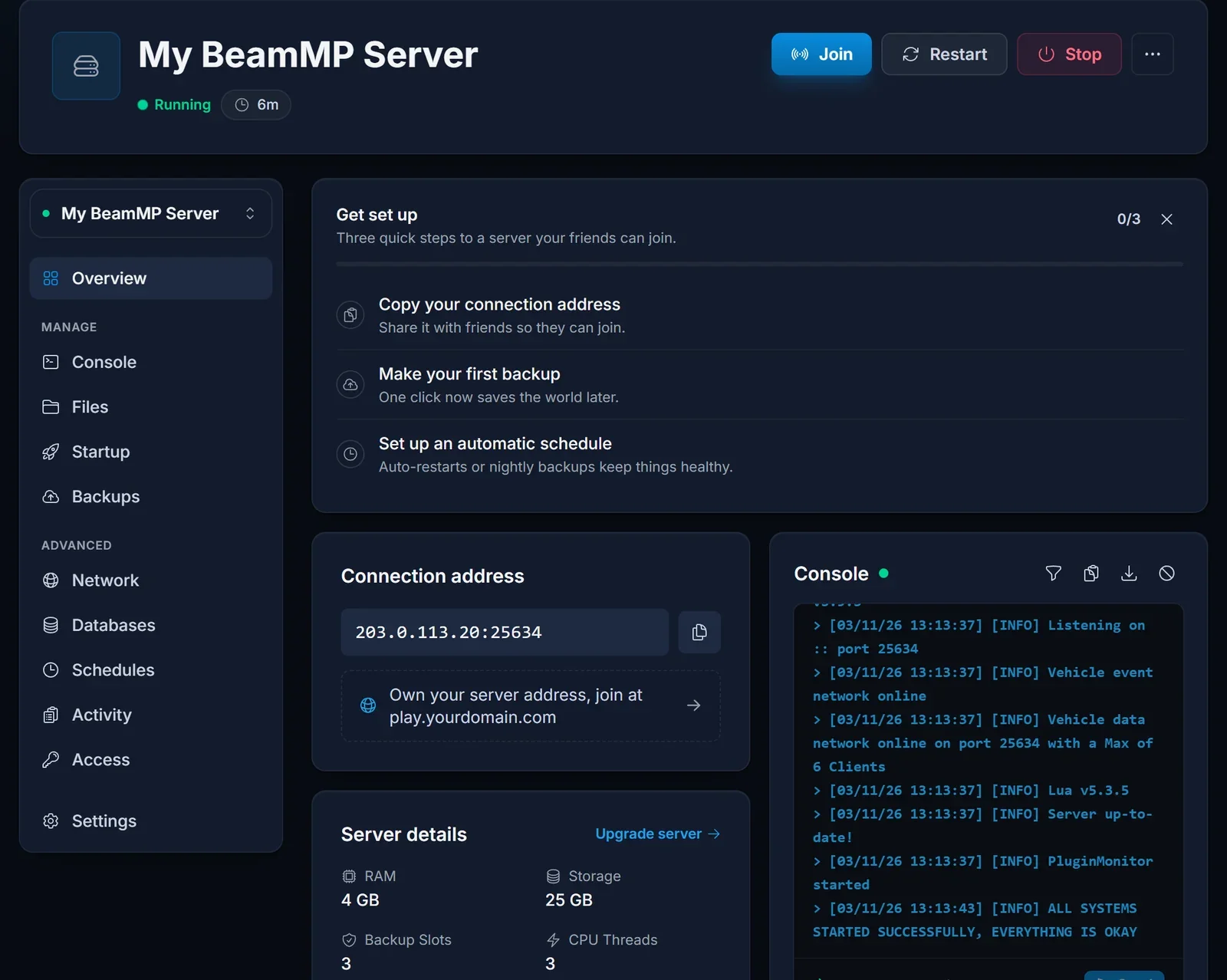
The connection address on the Overview page is the IP and port your friends type into BeamMP. Our guide on how to join a BeamMP server walks them through it.
Map, players and cars
Open the Startup tab. These settings are written into the server's ServerConfig.toml on every start.
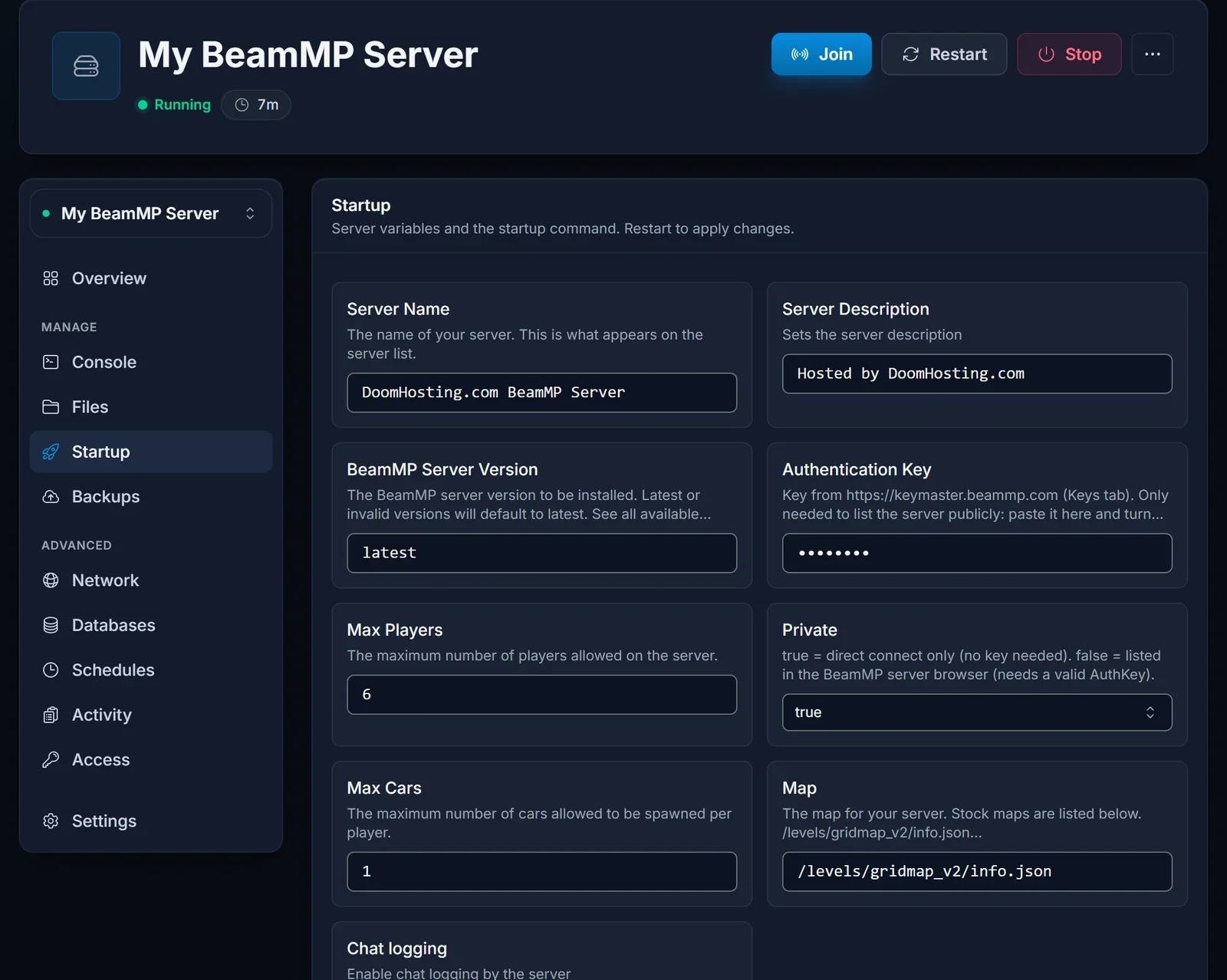
| Setting | What it does |
|---|---|
| Server Name and Server Description | what players see in the BeamMP server list |
| Map | the level the server loads, for example /levels/west_coast_usa/info.json |
| Max Players | how many players can be on the server at once |
| Max Cars | how many vehicles each player may spawn |
| Private | true for direct connect only, false to be listed publicly |
The map value is the level's folder name inside /levels/.../info.json. The stock maps include gridmap_v2, west_coast_usa, east_coast_usa, italy, utah, jungle_rock_island, industrial and small_island. Restart the server after any change.
Change these on the Startup tab rather than in ServerConfig.toml, because the panel writes the Startup values back into the file on the next start.
List the server publicly with an AuthKey
A new server is private: it works right away for anyone who has the address, but it does not appear in the BeamMP server list. To list it:
- Sign in at keymaster.beammp.com with your Discord account and create a key under Keys.
- Paste the key into Authentication Key on the Startup tab.
- Set Private to
falseand restart.
The server then shows up in the BeamMP launcher's server list under its name. Keep the Authentication Key field filled in either way: the server refuses to start when it is empty, so leave the placeholder in place on a private server.
Add mods and Lua plugins
- Client mods (vehicles, maps, parts) are zip files. Upload them to
Resources/Clientin the Files tab. Every player downloads them automatically when they join. - Server plugins are Lua scripts. Each plugin goes in its own folder under
Resources/Server.
For a modded map, upload its zip to Resources/Client and set Map to that map's /levels/<name>/info.json path. Restart the server after adding or removing mods.
Common issues
The server stops right after it starts. The Authentication Key field is empty. Put any value back in it (or your real key) and start again.
The console says the backend refused the AuthKey. The key is wrong, or the server is set to public without a valid key. Create a new key on keymaster.beammp.com, or set Private back to true.
Next steps
Plans and hardware are on our BeamMP server hosting page, and the DoomHosting game panel page shows what else you can manage from the panel.
