
Cancelling your DoomHosting game server takes about a minute and happens entirely from the control panel. Your server keeps running until the end of the billing period you already paid for, no further invoices are created, and you can undo the cancellation at any time before that date.
Before you cancel: save your world
When the billing period ends, the server and all its files are deleted automatically. This cannot be reversed, so download anything you want to keep first:
- Use the Files tab in the panel to download your world folder or config files.
- For bigger worlds, connect with an SFTP client instead. Our guide on how to connect via SFTP walks through FileZilla and WinSCP step by step.
- If you have backups in the Backups tab, download the ones you want to keep as well. Backups are deleted together with the server.
Step 1: open your server's Settings
Log in to the control panel, go to Game Servers, open the server you want to cancel, and click Settings in the left menu. Scroll to the Danger zone and click Cancel server.
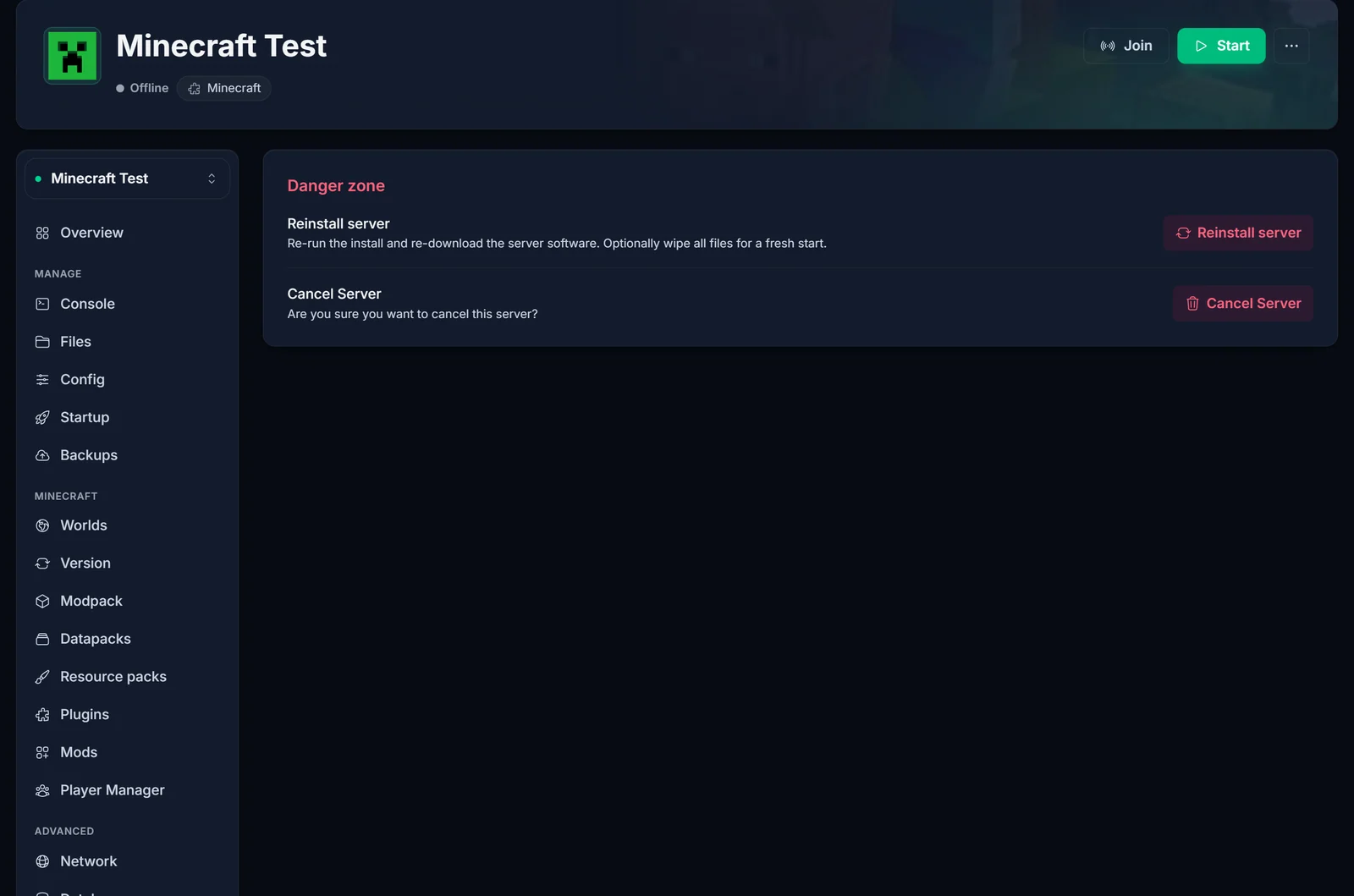
Only the account that owns the server can cancel it. If the server was shared with you as a team member, the button will not appear.
Step 2: tell us why you are leaving
Pick the reason that fits best. This is not a trick step: the feedback genuinely shapes what we improve, and depending on the reason we may show you an offer first, for example a price match or a loyalty discount on your current server. You can accept the offer or continue with the cancellation.
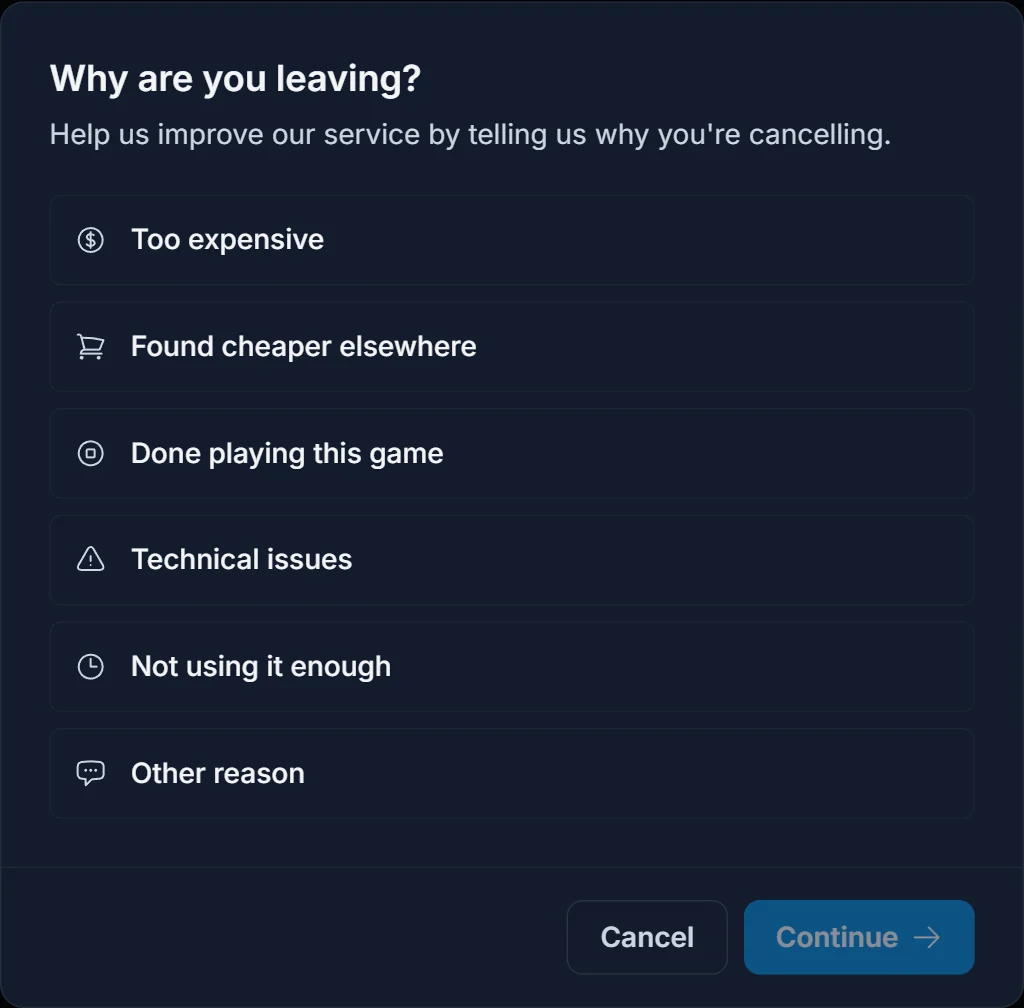
Step 3: confirm the cancellation
The final screen shows the exact date your server will be deleted: the last day of your current billing period. Write a short comment (required) and click Cancel server.
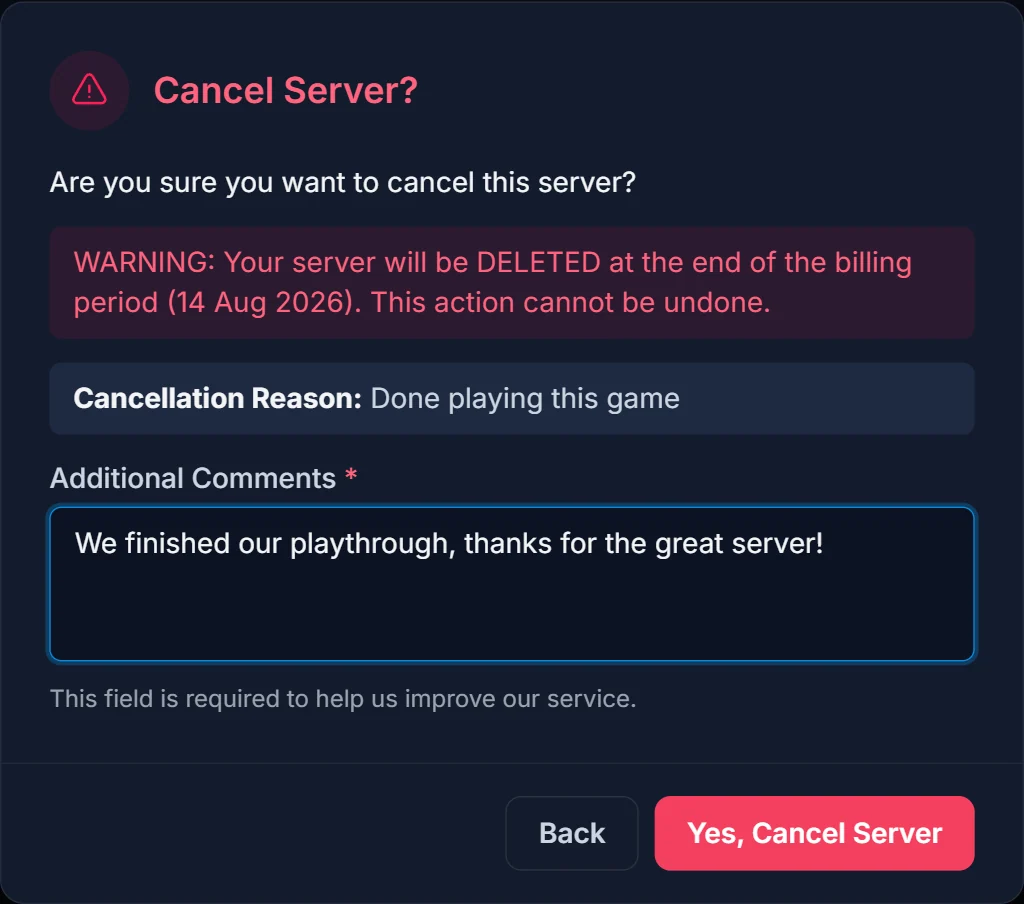
That is it. There is no approval process and nothing to wait for. The cancellation is scheduled immediately.
What happens after you cancel
- Your server stays online and fully playable until the end of the billing period.
- No new invoices are created for the service.
- On the scheduled date, the server and its files are deleted automatically.
A banner at the top of the server page confirms the scheduled cancellation:

Changed your mind? One click undoes it
Until the billing period ends, the Keep server button in that banner withdraws the cancellation instantly. Your server continues as if nothing happened, and normal renewal invoices resume.
Common questions
Can I keep playing after I cancel? Yes. You paid for the full billing period, so the server runs normally until the deletion date shown in the confirmation dialog.
Will I be charged again after cancelling? No. Scheduling the cancellation stops all future renewal invoices for that server.
Can I get my files back after the server is deleted? No. Deletion at the end of the billing period is permanent, which is why we recommend downloading your world and backups first.
I only want to switch games, not leave. Do I need to cancel? Often not. Many changes (more RAM, a different game on a new server) are easier to handle without a full cancellation. Reach out on live chat first and we will find the smoothest option.
How do I cancel a VPS or a domain? The same way. VPS services are cancelled from their own page under VPS in the panel, and domains from the Domains page. Both follow the same end-of-billing-period rule.
Need help with anything along the way? Open the live chat in the corner of the panel and a human will pick it up.