


Your SCP: Secret Laboratory server is installed and running the moment your order completes, and players can join it straight away with Direct Connect. This guide covers the first hour: where the config files live, how to name the server and set the player limit, how to make yourself owner, and what to do next if you want a place in the public server list.
What happens on the first boot
The server runs through LocalAdmin, Northwood's own launcher for dedicated servers. It updates the game from Steam, starts it, and writes a fresh set of config files. The SCP: Secret Laboratory EULA (https://link.scpslgame.com/eula) is accepted for you on start, so nothing waits for input in the console.
The server is ready when the console prints:
Waiting for players..
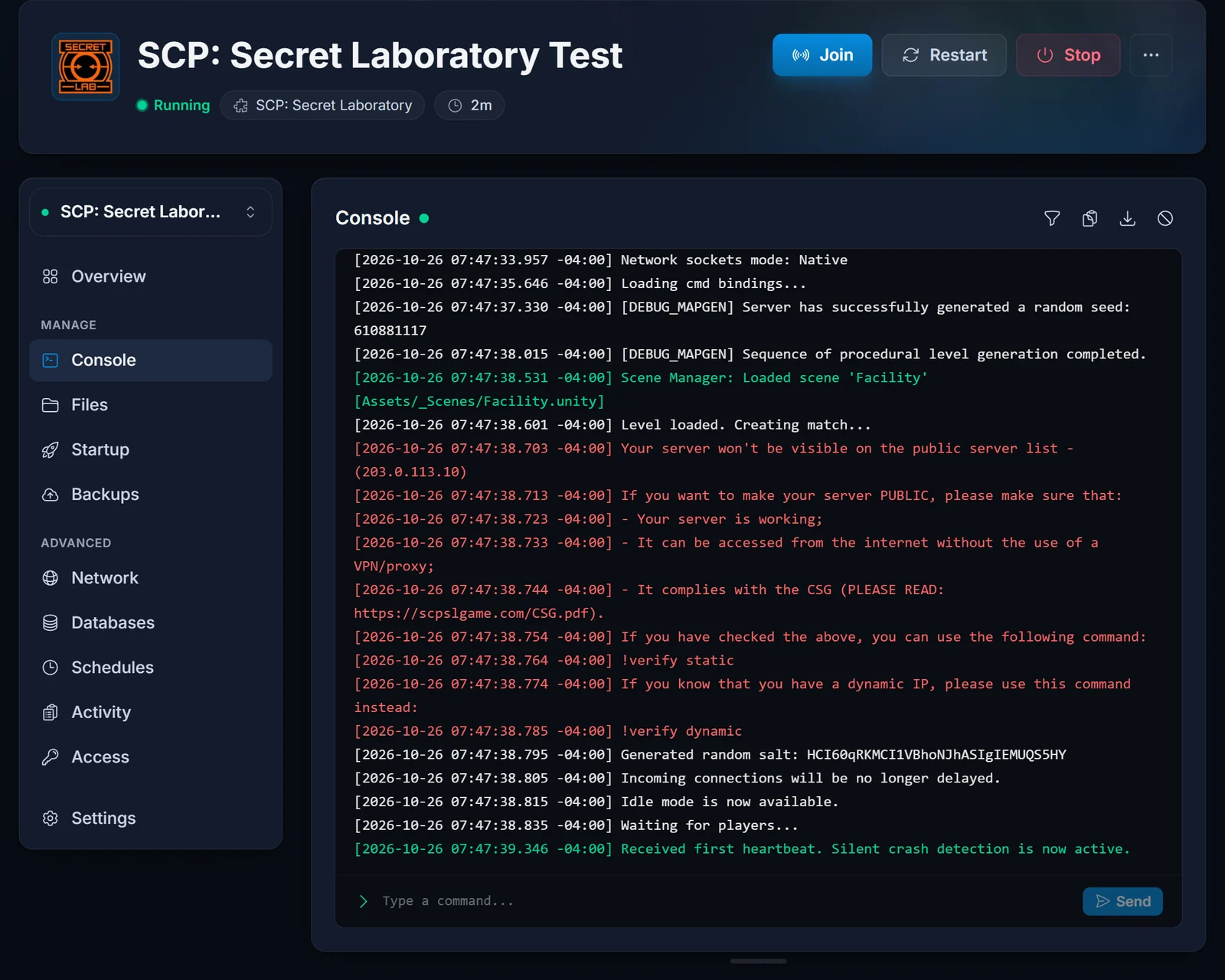
From that point anyone can join with your IP and port. The how to join guide shows the exact steps for your players.
Find your config folder
Every setting lives in one folder, named after your server's port:
.config/SCP Secret Laboratory/config/<port>/
Your port is the number after the colon in the address on the Overview of your control panel. If your address ends in :25600, your folder is config/25600. Open it on the Files tab, or connect over SFTP with the details shown on that same tab.
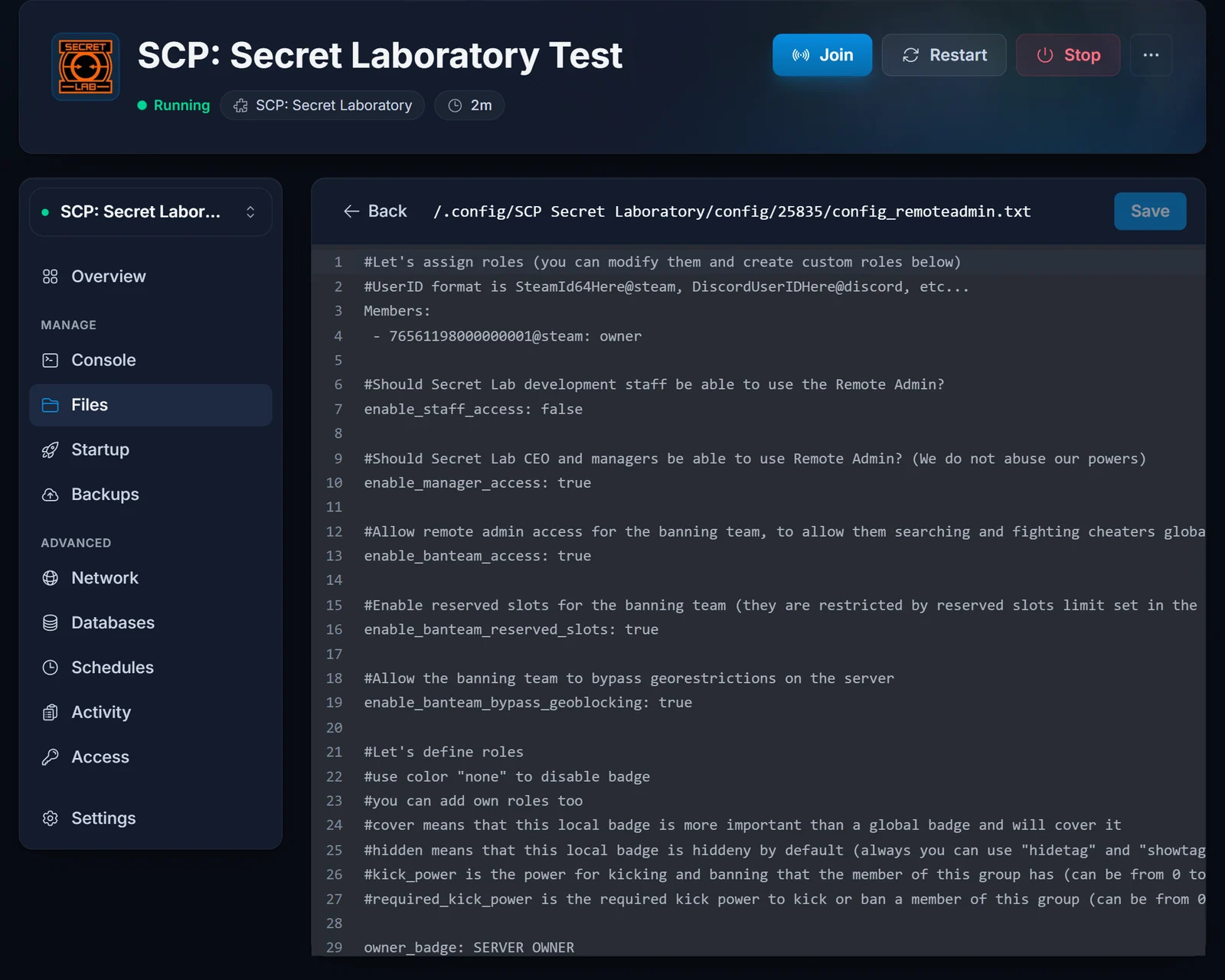
The files you will use most:
config_gameplay.txt: server name, player limit, round and gameplay settings.config_remoteadmin.txt: staff roles and who holds them.UserIDWhitelist.txt: the whitelist, if you turn it on.
Always edit the files inside your port folder. Editing a template or a folder for a different port is the most common reason a change "does nothing".
Name your server and set the player limit
Open config_gameplay.txt and change these two lines:
server_name: Site-19 Night Shift
max_players: 30
Every line is key: value with a space after the colon. server_name:Site-19 without the space is ignored and the name falls back to the default.
The name supports Unity rich text, so you can colour it with tags like <color=#ff8800>Site-19</color>. Keep it to your community's name: Northwood's Community Server Guidelines do not allow advertising products or services in the server name.
max_players defaults to 20. If you plan to apply for the public server list, stay at 60 or below, because Northwood removes verified servers that run more than 60 slots.
Save the file and restart the server from the control panel. Settings are read when the server starts.
Make yourself the owner
Open config_remoteadmin.txt. Near the top is a Members section that assigns roles to players. Add yourself with your SteamID64:
Members:
 - 76561198000000000@steam: owner
Note the space before and after the dash. Then delete the placeholder IDs that ship in that section. If they stay, role assignments do not apply and you will not get owner rights.
Not sure of your SteamID64? Open your Steam profile, copy the address and paste it into a SteamID lookup site: it is the 17-digit number starting with 7656.
Restart the server, join, and open Remote Admin in game. From there you can kick, ban, change roles and control rounds.
Keep the server private with a whitelist
For a server only your group should join, set this in config_gameplay.txt:
enable_whitelist: true
Then add one player per line to UserIDWhitelist.txt in the same folder:
76561198000000000@steam
Restart the server. Anyone not on the list is turned away.
Updates and test branches
The server checks Steam for a new version every time it starts, so a restart after a game update is all it takes to stay current.
Northwood sometimes runs a public test branch. To try one, enter the branch name in the Branch field on the Startup tab, then reinstall the server. Clear the field and reinstall again to return to the normal release. Your config folder is kept.
About plugins
The dedicated server ships with LabAPI, Northwood's own plugin loader, so plugin files you upload over FTP into the LabAPI plugins folder under .config/SCP Secret Laboratory/ load on the next start. Plugins are community software: we do not install or support them, and a game update can break one until its author updates it. If your server is verified, the Community Server Guidelines require you to mark it as modded once you run any plugin.
Going public
A new server is not in the in-game server list. Only servers verified by Northwood Studios appear there, and verification is something you apply for yourself. It needs a contact email, a Pastebin page with your rules and a console command. The full process is in how to verify your SCP: Secret Laboratory server.
Common issues
The server name did not change. Check that you edited config_gameplay.txt inside the folder named after your own port, that there is a space after server_name:, and that you restarted afterwards.
I added myself as owner but have no rights. The placeholder IDs are still in the Members section, or the line is missing the space before or after the dash. Fix it and restart.
The console stops at a question. It should not, because the EULA and LocalAdmin's settings are handled on start. If it does, contact support with a screenshot of the console.
Players get "The specified host is not available". They typed your IP without the port, or the server is not running. Direct Connect assumes port 7777 when no port is given, and your server uses a different one.
Not enough memory for your player count? The SCP: Secret Laboratory RAM calculator shows what each player limit needs, and you can upgrade from the control panel at any time. More about our plans is on the SCP: Secret Laboratory server hosting page.
