


A Killing Floor 2 dedicated server from DoomHosting runs the official Linux server, holds a full six-player team, and keeps its settings on the Startup tab of the panel. This guide covers the first start, difficulty and game length, passwords and the built-in web admin.
Start the server and copy its address
Open the server in your DoomHosting panel and press Start. The first start downloads about 32 GB of server files from Steam, so give it several minutes. The server is ready when the console shows Playfab server registered with lobby ID.
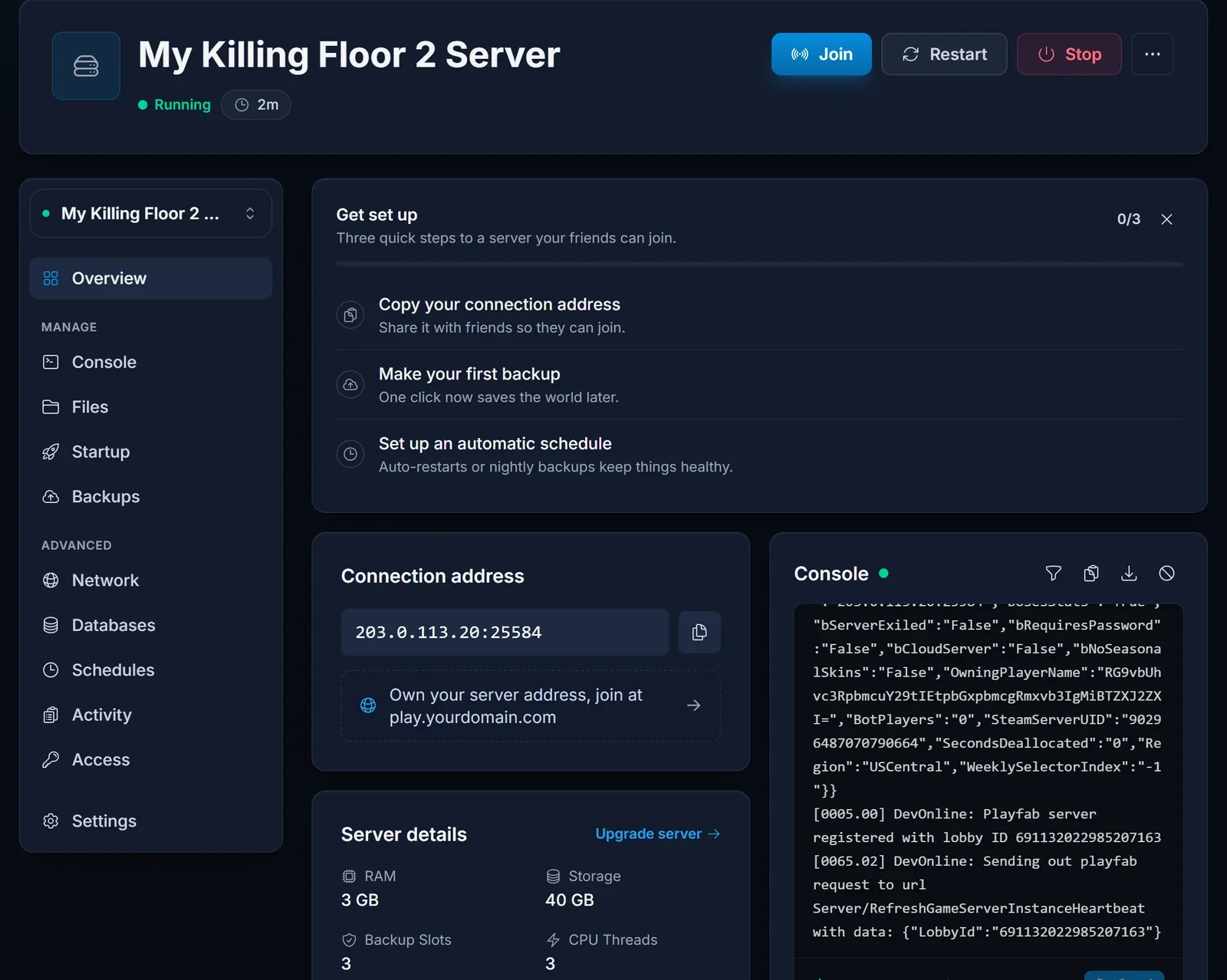
Killing Floor 2 writes its config files during that first start, so restart the server once afterwards. From the second start on, the server name, join password and web admin settings from the Startup tab are applied. Send your players our guide on how to join a Killing Floor 2 server.
Difficulty, game length and map
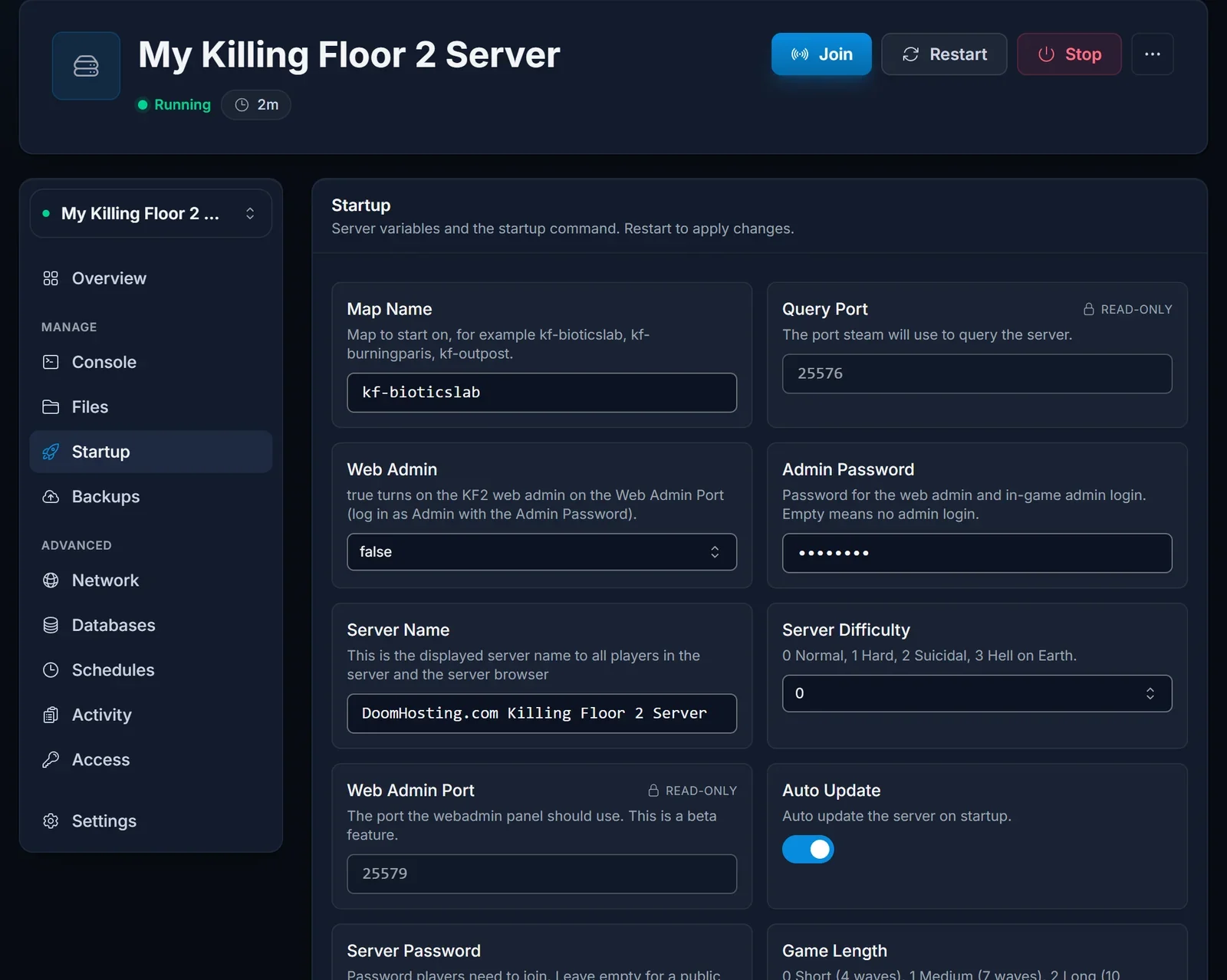
Open the Startup tab. These settings decide what kind of match the server runs.
| Setting | Values |
|---|---|
| Server Difficulty | 0 Normal, 1 Hard, 2 Suicidal, 3 Hell on Earth |
| Game Length | 0 Short (4 waves), 1 Medium (7 waves), 2 Long (10 waves) |
| Map Name | the map the server starts on, for example kf-bioticslab or kf-burningparis |
| Server Name | the name players see in the server browser |
Restart the server after changing any of them. The server holds six players at once: Killing Floor 2 survival is built for a team of six, and the slot count cannot be raised.
Passwords and admin access
Server Password locks the server so only players who know it can join. Leave it empty for a public server.
Admin Password is the password for logging in as admin, both in the game and in the web admin. It is empty on a new server, which means nobody can log in as admin until you set one.
Turn on the web admin
Killing Floor 2 has a web admin page where you can change the map, kick players and edit game settings from a browser.
- Set an Admin Password on the Startup tab.
- Set Web Admin to
true. - Restart the server.
The web admin then runs on its own port, which you find as Web Admin Port on the Startup tab. Open http://<server IP>:<Web Admin Port> in a browser and log in with the user name Admin and your Admin Password.
Common issues
The server stays on Starting for a long time. The first start downloads 32 GB. Watch the Console tab until it shows the Playfab registration line.
The server name or password did not change. Restart once more. The config files only exist after the first start, so settings apply from the second start on.
Next steps
Plans and hardware are on our Killing Floor 2 server hosting page, and the DoomHosting game panel page shows what else you can manage from the panel.
