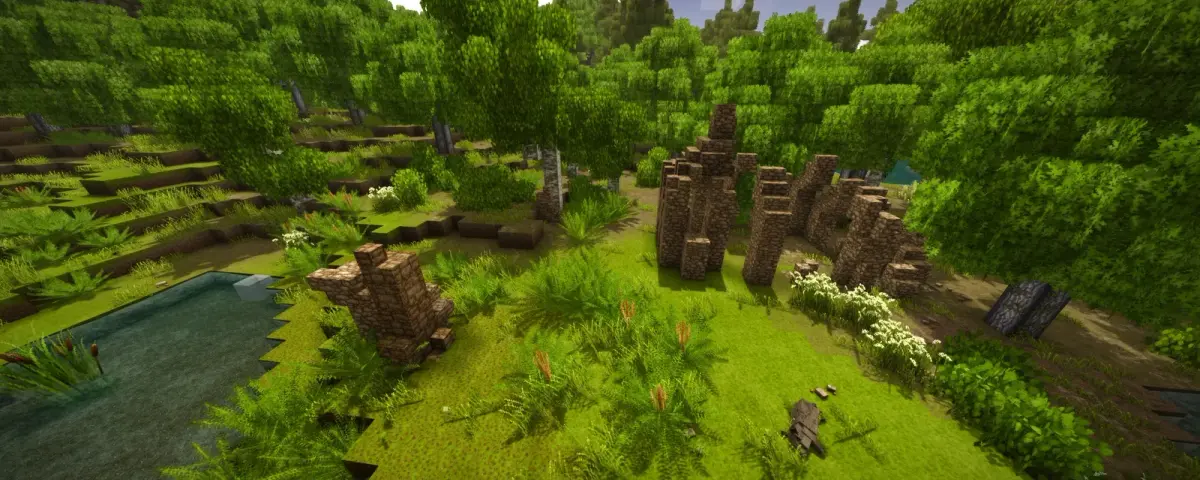
Vintage Story is a small game with a serious community. People play it with friends on a private box for months at a time, building medieval towns and hauling each other through rust civilizations, steel forges, and temporal storms. The most-autocompleted searches around the game are not about the official client. They are "vintage story server", "vintage story dedicated server", "vintage story multiplayer hosting", and "how to play vintage story with friends". You want a shared world that stays online when you log off.
This guide is the host-side perspective on getting that running. It assumes you are renting a dedicated Vintage Story server (or evaluating whether you should) and want the actual file paths, RAM numbers, and command list rather than a sales pitch.
What you need before starting
Vintage Story is bought direct from vintagestory.at, not Steam. Each player needs their own copy and license. The dedicated server software is a separate download from your account page on the official site, distributed as a tar.gz archive that runs under .NET on Linux or Windows. There is no Steam Workshop integration: mods come from mods.vintagestory.at and install directly into a folder on the server.
Two things tend to bite first-time hosts:
- The server runs on .NET 7+. Modern hosting panels handle this automatically, but a vanilla VPS needs the runtime installed before the server boots.
- The server version must match the client version exactly. A 1.22.2 server will refuse 1.22.1 clients, and vice versa. Auto-update is not on by default.
Vintage Story dedicated server hardware basics
The autocomplete query "vintage story server overloaded a tick took" exists for a reason. Vintage Story does most of its world simulation on a single thread, which means CPU clock speed matters far more than core count. A high-clock Ryzen 9 at 4.7 GHz will out-tick a 32-core EPYC every day of the week for this workload.
From what we see on hosted instances:
- 2 GB RAM is enough for a fresh world with 2 to 4 players if you skip heavy mods.
- 4 GB is the safe sweet spot for 4 to 8 players, default mod load, normal exploration radius.
- 6 to 8 GB starts to make sense once you cross 8 players, have years of base growth, or run mods that add many entity types (Primitive Survival, More Animals, expanded fauna packs).
- Storage: SSD only. Vintage Story saves the world to a single .vcdbs file (SQLite under the hood). Chunk save bursts on a spinning disk will spike your tick time and surface that "a tick took 800ms" warning in chat.
Pre-generating chunks ahead of time with the /wgen and /world commands removes the biggest single source of mid-session lag.
Step-by-step setup on a self-hosted box
If you are running on a VPS or a spare home machine, the flow looks like this:
- Download
vs_server_x.x.x.tar.gzfrom the Downloads section of your account on vintagestory.at. - Extract it:
tar -xzf vs_server_*.tar.gz. - Start it once:
./server.sh. The first boot generates the data directory at~/.config/VintagestoryData/. - Stop the server (Ctrl+C in the console) and open
~/.config/VintagestoryData/serverconfig.json. - Set
ServerName,MaxPlayers,Port(default 42420), andPasswordif you want a private game. SetServerUrlto the public IP you intend to share. - Edit
worldconfig.json(auto-created on first world boot) to tune world size, climate, temporal stability, and gamemode. - Open UDP 42420 on your firewall and forward it on your router if you are at home.
That is it for a vanilla server. Whitelist, op, and password are handled in-game from chat once you connect as an admin.
Starting on a hosted Pterodactyl panel
The flow is shorter because the panel egg handles the install, the runtime, the port, and the start command. From your DoomHosting control panel:
- Provision the Vintage Story tier with your chosen RAM.
- Wait for the egg to download the server bundle (about 30 seconds on a fresh deploy).
- Open the Console tab and watch for
Server started. - Edit
serverconfig.jsonin the File Manager if you want a password or a different player cap, then restart.
Saves live at /home/container/Saves/<worldname>.vcdbs and config at /home/container/serverconfig.json. Both are downloadable over the panel's built-in FTP for backups.
Installing mods on a dedicated server
This is where most "how do I do X" guides for Vintage Story fall over, because the self-hosting documentation assumes you can drop mods into %APPDATA%\VintagestoryData\Mods\ on Windows and be done. On a Linux dedicated server, the path is /home/container/Mods/ on Pterodactyl, or ~/.config/VintagestoryData/Mods/ for a manual install.
Each mod ships as a .zip or .cs file with a modinfo.json inside that declares its side:
Side: "Universal"means both client and server need it. Most content mods are this. Players who do not install it will be kicked at login.Side: "Server"is server-only. Whitelist managers and admin tools fall here.Side: "Client"is client-only. Shaders, minimap mods, UI tweaks. Do not put these on the server, even by accident: they will refuse to load and clutter the boot log.
A few well-tested mods that are worth installing on day one:
- Carry On (Universal): pick up and carry chests, tables, and decor without breaking them. Quality of life that everyone notices.
- Primitive Survival (Universal): adds traps, tools, and survival mechanics that fit the base game's tone.
- Better Ruins (Universal): bigger, more varied surface ruins. Friendlier for multiplayer exploration.
- Vintage Engineering (Universal): late-game progression with belts, motors, and machinery. Heavier on ticks, so watch the server tick time after install.
After dropping a mod into Mods/, restart the server and check the boot log. A mod that refuses to load will print the reason there before the world starts.
Server commands you will actually use
These all need an opped player (/op <playername> from the console first):
/op <playername>and/deop <playername>for admin permissions./whitelist on,/whitelist add <playername>,/whitelist remove <playername>to control who can join./time set 12000(in-game ticks) to skip night when the group bails out of dinner mid-raid./tp <playername>to teleport to a player, useful for rescuing someone who fell down a hole./announce <message>for broadcast messages./world reloadif you editedworldconfig.jsonand want it to apply without a full restart./serverinfoto dump the current server stats to chat.
The full command reference is in the wiki, but the list above covers about 90% of what an admin actually types in a normal week.
What kills a Vintage Story server
Once a world has been running for a few months, you will run into one of these:
- Chunk generation lag when players explore outward into ungenerated terrain. Pregenerate a 4 to 8 km square around spawn with
/wgen autogen 1after the first session and the rest of the world stays smooth. - Per-tick mod scans. Some entity-heavy mods iterate the player list every tick. If your tick time climbs into the 500 ms range after installing a mod, that mod is the suspect. Disable it, restart, observe the diff.
- Mob caps in popular spots. The default mob spawn cap is generous. A large base with mob farms can push it. Lower it in
serverconfig.jsonunderEntityCapif needed. - Save-disk pressure. The world saves to .vcdbs on a schedule. On a spinning disk this stalls the main thread. SSD is non-negotiable for any group above 2 players.
The fastest single check when something feels wrong is the server tick time. On a healthy 4-player world it sits well under 50 ms. Anything over 200 ms means a player will see lag.
Whitelist and security defaults to set on day one
Before sharing the IP with friends, set these in serverconfig.json:
WhitelistMode: trueand add each friend by exact playername.Password: "<something>"as a second layer, especially if the IP gets shared in a public Discord.LogChatToFile: trueso you can diff out who did the griefing if something happens.
Vintage Story has no account-linked anti-cheat. Whitelisting by name is the practical defense.
Verdict: is hosting Vintage Story worth it for your group?
If your group plays in evening sessions a few nights a week, a dedicated server pays for itself the first time you skip the "okay who is hosting tonight" routine. The world stays running, temporal storms resolve while you are at work, and crops grow in real time. The game was clearly designed with persistent multiplayer in mind, and it shows the moment you stop tearing the world down between sessions.
If you only play occasionally and never with the same group twice, the self-hosting flow above is fine. The minute you cross three regulars, rented hosting is the cheaper option once you factor in the time you would otherwise spend nursing the box.
Host your Vintage Story server with DoomHosting
The DIY path works. It also takes a weekend to harden, a couple of evenings of wrestling .NET on Ubuntu, and an open port on a static IP you may or may not have.
A DoomHosting Vintage Story server skips all of it. You get the panel running on day one, your group connects within five minutes, and the file paths above (Mods/, Saves/, serverconfig.json) are right there in the File Manager. Backups, restarts, mod installs, and version updates all live behind one panel.
Pick the RAM that matches your group size from the table above, deploy, and join. The rest is just building.




