
Rust's mod scene in 2026 is a plugin scene, not a mod scene. The client is locked down by EAC, nothing runs on the player's side, and every piece of functionality you see on a community server is a server-side .cs file loaded by Oxide / uMod (or its newer fork Carbon). That means the playbook for renting and configuring a Rust dedicated server is completely different from a Valheim or Palworld server: the bar to entry is lower (players install nothing) but the choice of plugins is what makes or breaks the wipe.
This list is the 12 plugins that actually justify themselves on a paid server in 2026. Every entry has a one-line note on what it does, the install location for a dedicated server (/oxide/plugins/ for both Oxide and Carbon, with a /oxide/config/ JSON file on first load), and the Carbon compatibility flag since a growing share of community servers have switched to Carbon in 2025-2026 for the lower memory footprint.

Oxide vs Carbon (read this first)
Both frameworks load the same .cs plugin files. The differences that matter for a server owner in 2026:
- Memory. Carbon idles at roughly 30-40% lower RAM than Oxide on an identical plugin load. On a 4 GB tier with 80+ plugins, that is the difference between a wipe day that sits at 3.1 GB and one that pushes into swap.
- Patch cadence. Carbon usually ships its update on the same Thursday as Facepunch's monthly forced wipe, an hour or two before Oxide. Oxide is slower but, historically, more stable on day-one.
- Plugin compatibility. Every plugin in this list works on both. The handful of plugins that don't are usually older ones that haven't been touched since 2023 (
Backpackslegacy versions, someSkinboxforks). uMod's umod.org is still the canonical plugin index; nearly every plugin there loads on Carbon untouched.
Pick Carbon if your tier is RAM-constrained or you run 100+ plugins. Stay on Oxide if you already have a working setup and your monthly downtime matters more than 100-200 MB of RAM. Switching later is non-destructive: stop the server, swap the framework files, restart.
1. AdminMenu (also known as `AdminHammer`, `AdminCommands`)
What it does: A right-click menu that wraps the most common admin commands behind buttons. Teleport to player, kick, mute, ban, give item, gather rate temporary boost. The point is not the commands themselves (they exist in vanilla); it's that an admin can do them without typing or tabbing out to a discord.
Install path: /oxide/plugins/AdminMenu.cs. Config in /oxide/config/AdminMenu.json on first load: this is where you customise which buttons appear and which group can see them.
Server-side, no client install. Both Oxide and Carbon compatible.
2. Vanish
What it does: Lets an admin or moderator go fully invisible to players and turrets, walk through doors, and observe without disturbing the wipe. Standard for moderating PvP servers where you need to verify a cheat report without tipping off the suspect.
Install path: /oxide/plugins/Vanish.cs. The config controls auto-unvanish on damage and whether you appear in the admin tab of playerlist.
Server-side. Carbon compatible. Permission system note: Vanish only works for groups granted vanish.allow via Oxide's permission system: run oxide.grant group admin vanish.allow after install or no admin can use it. This is the most common "I installed the plugin and nothing happens" complaint on uMod's forums.
3. Kits
What it does: Defines named loadouts that players or admins can redeem on a cooldown. Daily kit, VIP kit, starter kit on first spawn, autokit for a fresh wipe. This is the single most-requested feature on PvE and noob-friendly Rust servers.
Install path: /oxide/plugins/Kits.cs. Kit definitions live in /oxide/data/Kits/ as JSON files: one per kit, with item list, cooldown, max usages, and per-group access flags.
Server-side. Carbon compatible. Perf note: Each Kits cooldown check is O(1) but the inventory write when a player redeems a 30-item kit on a 200-player server during wipe-hour can briefly spike server tick. Stagger your auto-kit cooldowns instead of running everyone off a single 30-minute timer.
4. CopyPaste
What it does: Lets an admin save a structure to a file and paste it back somewhere else, optionally on a different map. The plumbing behind almost every prefab plugin: raidable bases, arenas, event bases, recycler towns, custom airdrops. If you're hosting anything PvE or roleplay, you'll end up with CopyPaste installed even if you don't author paste files yourself.
Install path: /oxide/plugins/CopyPaste.cs. Saved structures land in /oxide/data/copypaste/<name>.json. Each file holds the full block-by-block layout; some of the popular community bases are 5-15 MB JSON files.
Server-side. Carbon compatible. Gotcha: entity ownership doesn't transfer through copy/paste. A pasted TC is unauthed; you'll want a follow-up auth command if the pasted base should be claimable.
5. Whitelist (or `SimpleWhitelist`)
What it does: Locks the server to a list of Steam IDs. Useful for private group servers, paid-tier whitelists, and "applied via discord" community servers. With the Steam Account Limited changes Facepunch shipped in late 2024, whitelist plugins have surged in install count because admins want a layer of identity verification on top of EAC bans.
Install path: /oxide/plugins/Whitelist.cs. Whitelist file at /oxide/data/Whitelist.json is a flat array of SteamID64 strings.
Server-side. Carbon compatible. The most common config mistake: if RequireWhitelistOnConnect is true and your config is malformed, nobody (including you) can connect. Test the config with a single admin SteamID in the file before going live.
6. NoEscape (or `RaidBlock`)
What it does: Prevents teleports, recycling, and trade while a player is "raid-blocked" (recently took damage from a raid tool) or "combat-blocked" (recently damaged a player). This is the plugin that turns a server with Teleportation and Trade into something that actually feels like Rust instead of a roleplay sandbox.
Install path: /oxide/plugins/NoEscape.cs. Configure block durations, what counts as raid damage (explosives, satchels, eokas, melee), and whether home teleports cancel mid-cast in /oxide/config/NoEscape.json.
Server-side. Carbon compatible. Perf note: NoEscape hooks OnEntityTakeDamage for every entity, every damage event. On a 200-player wipe-hour server with thousands of stones being mined per minute, that's measurable. Set BlockOnNonExplosiveDamage: false if you're seeing 1-2 ms of overhead in your tick profile.
7. Furnace Splitter
What it does: When you put a stack of ore into a furnace and click "split", the stack auto-divides evenly across all matching slots. Tiny QoL on paper, but on a server where players grind out hundreds of furnaces per week, it shaves real time and stops the "I cooked 600 sulfur in 2 slots and the other 14 stayed empty" complaint that drives PvE players to other servers.
Install path: /oxide/plugins/FurnaceSplitter.cs. Config controls per-furnace-type splitting and admin commands to override defaults.
Server-side. Carbon compatible. Players install nothing.
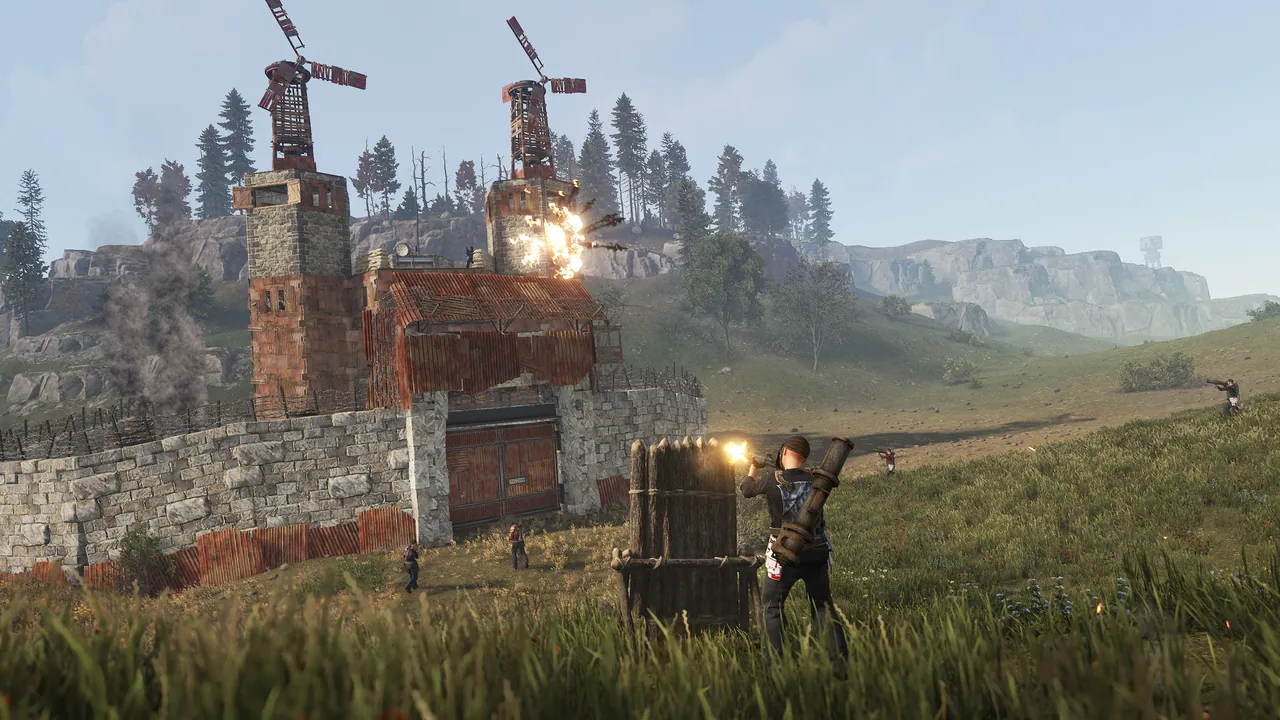
8. Backpacks
What it does: Adds a portable inventory slot accessible by hotkey. Common configs: 6 slots for default players, 12 for VIPs, 18 for max-tier donors. The plugin is a near-universal "monetisation hook" for community servers because the upgraded slot tiers are an easy thing to gate behind a donor rank without breaking game balance for everyone else.
Install path: /oxide/plugins/Backpacks.cs. Per-group capacity in /oxide/config/Backpacks.json; drop-on-death behaviour and erase-on-wipe flags live in the same file.
Server-side. Carbon compatible. Wipe-day note: the default EraseOnNewWipe: true is what you want; otherwise players keep their backpack inventory across forced wipes and your fresh economy is wrecked from minute one.
9. Raidable Bases
What it does: Generates AI-defended bases somewhere on the map at configurable intervals. Players raid them, kill the NPCs, loot the boxes, despawn timer fires, base unbuilds itself. This is the single biggest PvE retention mechanic on Rust servers in 2026: without raidable bases, PvE Rust is just farming.
Install path: /oxide/plugins/RaidableBases.cs and a partner Raidable Bases Difficulty Profiles data folder under /oxide/data/RaidableBases/Profiles/. Bases themselves are paste files (see CopyPaste above) - you'll download community-made paste packs or buy a curated bundle.
Server-side. Carbon compatible. Perf note: RaidableBases spawns 10-40 NPCs per base. On Hard/Nightmare difficulty with 8 concurrent bases, that's 200-300 NPCs running pathfinding ticks. If your tickrate is dropping below 20 during peak hours, halve MaxConcurrentBases before touching player count. License: the active version requires a uMod paid licence per server - factor 7-15 USD/month into your budget.
10. Building Grades
What it does: Auto-upgrades placed walls to a target grade (Stone, Sheet Metal, Armoured) given enough materials in the player's inventory or the TC. Eliminates the "hammer-spam-and-pray" upgrade loop that comes free with vanilla. On servers with x5-x10 gather rates this is the single QoL plugin that prevents the "I have 50k stone but my base is still twigs" moment.
Install path: /oxide/plugins/BuildingGrades.cs. Per-group upgrade tier limits live in /oxide/config/BuildingGrades.json.
Server-side. Carbon compatible. Most variants of this plugin exist (BGrade, BUpgrade, InstantUpgrade); they all do the same thing with different config schemas. Pick one and stick with it; running two simultaneously will cause double-charging of materials.
11. BetterChat
What it does: Formats chat output with tag prefixes (group rank, donor status, country flag) and colours. The vanilla chat is one beige line per message; BetterChat is what lets you ship [Admin] Andre: gg in red, or [VIP] Magnus: in gold. Trivial visually, essential socially: it's how a PvE community signals who's an admin, who's a long-time donor, and who is the moderator on call.
Install path: /oxide/plugins/BetterChat.cs. Groups and their format strings live in /oxide/config/BetterChat.json. Hooks into the Oxide permission system, so the groups you defined for Kits/Vanish/Backpacks are reused.
Server-side. Carbon compatible. Gotcha: BetterChat overrides the vanilla chat hook. If you load it alongside another chat plugin (UnityChat, ChatRelay for Discord bridging), the second-loaded plugin wins and silently drops formatting from the first. Load order matters.
12. Remover Tool
What it does: Lets a player target a deployed entity and remove it, recovering the materials. Necessary for any server with a build-in-progress economy: vanilla Rust forces you to demolish-with-hammer in a 10-minute window post-place. Remover Tool extends that window for the placing player and lets admins remove anything at any time.
Install path: /oxide/plugins/RemoverTool.cs. Per-group refund percentages and post-place windows in /oxide/config/RemoverTool.json.
Server-side. Carbon compatible. PvP note: never give the public group full-refund-anytime; players will abuse it during raids to remove walls from inside their own base. Cap it at the vanilla 10-minute window for default, lifetime-removal for admin, and a 30-minute middle tier for VIP if you want a soft monetisation hook.
How to install plugins on a Rust dedicated server
The full workflow once you have a server running on Pterodactyl or any other panel:
- Stop the server.
- SFTP into the container. Plugins go in
/oxide/plugins/(Oxide) or/carbon/plugins/(Carbon). Drop the.csfiles there. - Start the server. First load writes a config JSON for each plugin into
/oxide/config/(or/carbon/config/). - Open each config in a text editor, edit values, save.
- Reload the plugin in the live console:
oxide.reload PluginName. Do NOT restart the server for a config change; reload is instant, the restart loses your wipe-day uptime. - Set up permissions:
oxide.grant group default Backpacks.use,oxide.grant group vip Backpacks.vip, etc. Permissions are the silent killer; 80% of "plugin doesn't work" support tickets are missing grants.
If you're managing 30+ plugins, the Pterodactyl file-manager UI gets painful. SFTP via FileZilla or WinSCP scales better, and you can keep a local-copy folder of configs in git for backup.

The plugins we deliberately left out
A few plugins that you'll see on other "best Rust mods 2026" lists, and the reason they're not on this one:
- Economics + ServerRewards. Cash-shop adjacent. Useful if you run a points/store system, but not "essential" the way Kits or NoEscape are. Add when you build a store, not before.
- PlayerRanks / ZLevels Remastered. A "level up your skills" plugin. Loved by RPG servers, hated by PvP purists. Picks a side; don't install on a generic server expecting it to be loved.
- Skinbox. Lets players reskin items. Visually nice, but in 2026 Facepunch has been actively tightening down on community-side skinning and several Skinbox forks have been blacklisted for distributing copyrighted workshop skins. Sleeper compliance risk; skip unless you've checked the fork's status this month.
- Quick Smelt. Great for x5+ servers, makes vanilla servers feel broken. Same trap as Furnace Splitter except more aggressive.
- GodMode. Almost universally an attack vector for compromised admin accounts. Use the vanilla
god 1console flag for actual admin work and don't ship the plugin to live.
Verdict
The Oxide / uMod ecosystem in 2026 is unusual among the survival genre because the client side is locked: a "Best Rust Mods" list is a "Best Rust Plugins" list, and the plugins above are what 80% of public servers actually run. Get the 12 above set up correctly with permission groups (default, vip, donor, admin) and you have the spine of any community Rust server. Add monetisation plugins (Economics, ServerRewards) and themed plugins (Raidable Bases for PvE, Arena for PvP) on top of that foundation, not in place of it.
The single biggest mistake new admins make is loading 80+ plugins on day one. Start with these 12, ship a clean wipe, then add one plugin per week and write down what changed. When something breaks (and at 80 plugins something always breaks) you'll know exactly which plugin to suspect.
Host your Rust server with DoomHosting
DoomHosting runs Rust servers on Ryzen 9 hardware in North America and Europe with one-click Oxide / uMod installs from the game-server panel. Carbon is supported on the same egg with a single environment-variable flip, so you can switch frameworks without reinstalling. Full FTP access for plugin uploads, DDoS protection on the network, and 24/7 support if a plugin breaks at 3am on wipe day.
Rent a Rust dedicated server with DoomHosting and your first weekly force-wipe is the day you find out which 12 plugins your server actually needs.




