Conan Exiles has one of the richest dedicated-server modding scenes on Steam. Pippi has crossed 655,000 subscribers, Less Building Placement Restrictions sits at 667,000, and a single mod overhaul like Emberlight or Hosav's Custom UI can transform how your players experience your server. We host the Conan Exiles Enhanced re-release on dedicated Ryzen 9 hardware, and after running modlists for hundreds of customer servers we have a clear sense of which mods are worth the disk space and which ones cost performance you cannot easily get back. Here are the ten mods we install on our own internal test servers in 2026.
A quick note before the list: Conan Exiles mods are loaded by ID order on the server and clients must run the exact same mods in the exact same order. Get that wrong and players see "ModList Mismatch" on connect. We cover the install path and load-order fix at the bottom of this article.
How mods work on a Conan Exiles dedicated server
Conan Exiles uses Steam Workshop for mod distribution. On a dedicated server, that means three things have to line up:
- The
.pakfile lives in/home/container/ConanSandbox/Mods/on the server. - The mod ID is listed in
modlist.txtin the same folder, in the order clients should load them. - Every connecting client must subscribe to those exact mods in Steam Workshop and let them update before joining.
The modlist is not auto-generated. You upload the .pak and edit modlist.txt by hand, or use a manager mod (Pippi handles this). Server-side mods like content packs (Emberlight, Kerozards) require both server and client install. Pure UI mods (Hosav's) are client-only and never touch the server folder. Knowing which category a mod belongs to is half the battle.

The 10 Conan Exiles mods worth installing in 2026
Each entry below has the Workshop ID (you will need it for modlist.txt), the server/client compatibility tag, and the rough disk footprint on your container.
1. Pippi - User & Server Management
Workshop ID: 880454836. Type: server + client required. Size: 25 MB. Subscribers: 655,000+.
If you only install one mod, install Pippi. It adds an in-game admin panel for spawning items, teleporting players, setting custom permissions per role, running scripted commands, and managing the world without console access. The chat command system alone (/help, /home, /kit) replaces three or four smaller plugins on most other survival games. The Legacy version (v3.9.14) still works on Conan Exiles Enhanced as of May 2026, but watch the Workshop comments for the inevitable Enhanced re-upload.
2. Less Building Placement Restrictions (LBPR)
Workshop ID: 1369743238. Type: server + client required. Size: 2 MB. Subscribers: 667,000+.
The single most installed Conan Exiles mod, period. LBPR loosens the engine's snap and collision rules so players can build through terrain bumps, into cliff faces, and across awkward elevation. The performance cost is negligible (it does not add geometry, it just changes placement validation), and the upside is enormous: builds stop looking like Lego accidents. We default this on every customer server we set up.
3. Emberlight
Workshop ID: 1369802940. Type: server + client required. Size: 506 MB. Subscribers: 472,000+.
Emberlight is the biggest content mod most servers run: hundreds of new decorative pieces, useful crafting stations, light sources, and a few new weapons and tools. The catch is the size. At over half a gigabyte, it is by far the largest mod on this list and clients with slow connections will spend a real download window before they can join. If your server theme is roleplay or housing-heavy, install it. If your server is PvP raid-focused, you can probably skip it.
4. Hosav's Custom UI Mod
Workshop ID: 1797359985. Type: client only. Size: 25 MB. Subscribers: 419,000+.
A complete UI overhaul: inventory, crafting, map, and HUD all redesigned with denser information and better readability. Because it is client-side, you do not install it server-side and your server's modlist does not need to include it. Recommend it to your players in your Discord; do not add it to modlist.txt or you will lock out anyone who has not subscribed.
5. Kerozards Paragon Leveling Reloaded
Workshop ID: 1629644846. Type: server + client required. Size: 1 MB. Subscribers: 348,000+.
Adds a Diablo-style paragon system that lets characters keep gaining attribute and feat points past max level. This is what keeps long-running servers alive past the three-month mark, when most players have already hit cap and start drifting away. Kerozards is small, well-tuned, and configurable on the server side via admin commands.
6. Improved Quality of Life
Workshop ID: 2275543723. Type: server + client required. Size: 4 MB. Subscribers: 341,000+.
A bundle of small fixes: faster harvesting, larger stack sizes, longer corpse despawn timers, better thrall pathing tweaks. It overlaps slightly with Stacksize Plus below, so install one or the other, not both. Improved QoL is a cleaner all-in-one choice; Stacksize Plus is the lighter option if you only care about inventory.
7. Fashionist v5.0.3 (Enhanced)
Workshop ID: 3720921242. Type: server + client required. Size: 7 MB. Subscribers: 63,000+.
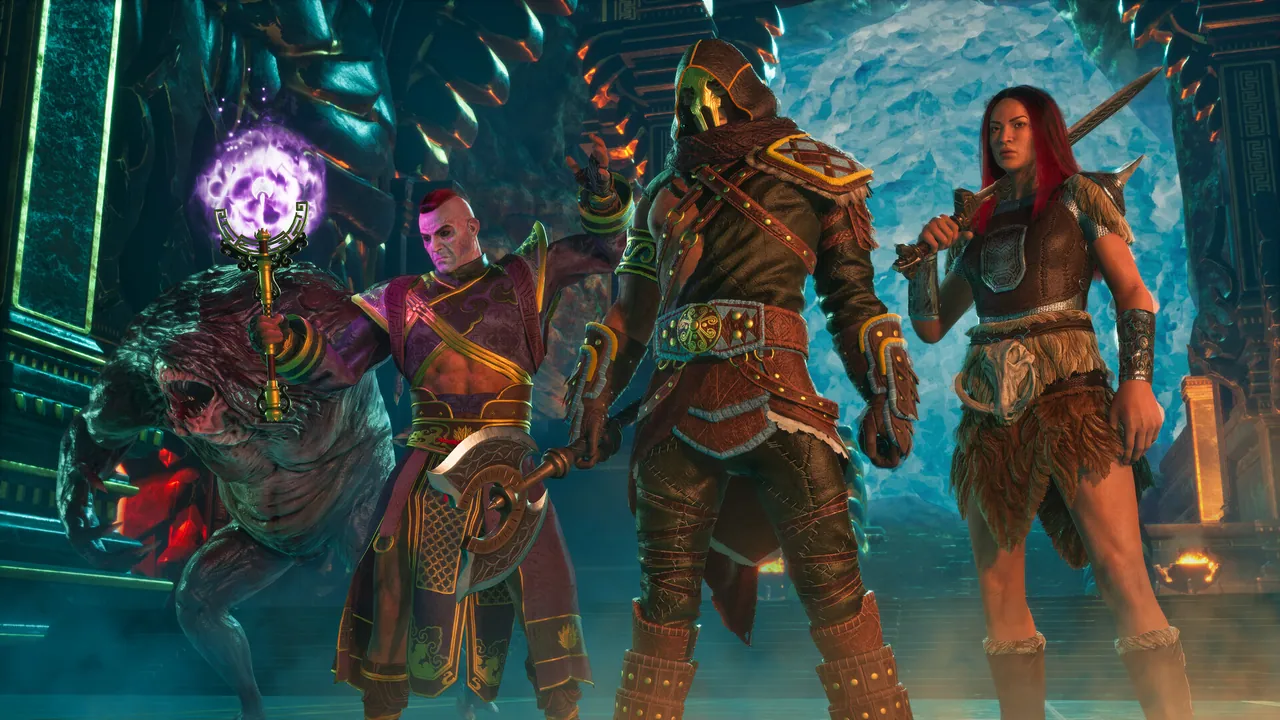
Lets players customize armor appearance independently from stats: wear heavy armor but look like a tribal warrior, or run light gear that visually reads as plate. The Enhanced re-upload is the one to install on Conan Exiles Enhanced servers (the legacy v4.5.8 still appears in search results but is unmaintained). Fashionist is the cosmetic mod players will actually use.
8. Better Thralls v3.0.2 (Enhanced)
Workshop ID: 3720904511. Type: server + client required. Size: 1 MB. Subscribers: 64,000+.
Fixes Conan Exiles' notoriously dumb thrall AI: smarter follow distances, less getting stuck on geometry, better target switching in combat. It is shocking how much more useful thralls become with this installed. Better Thralls is tiny (1 MB) and has near-zero performance cost, so there is no reason not to run it on any server that allows thralls.
9. Stacksize Plus (Enhanced)
Workshop ID: 3720915336. Type: server + client required. Size: 0.3 MB. Subscribers: 42,000+.
If you skip Improved Quality of Life, run Stacksize Plus instead. It increases inventory stack sizes for materials, food, and ammo to sensible values (10,000 for stone, 1,000 for iron, etc.). The mod is configurable per-item via a config file in /home/container/ConanSandbox/Saved/Config/WindowsServer/, so you can tune it without rebuilding the modlist.
10. Simple Minimap (by Xevyr)
Workshop ID: 3719513784. Type: server + client required. Size: 4 MB. Subscribers: 69,000+.
Adds a small corner minimap with player position, party markers, and discoverable points of interest. Conan Exiles ships without a minimap by design, and after years of pressing M to check direction every fight, players will appreciate this more than they expect. Xevyr's mods (Simple Minimap, AWS, Twin-Bar) are some of the cleanest UI mods in the catalog.
How to install Workshop mods on a Conan Exiles dedicated server
Three-step process. All paths assume our Pterodactyl panel layout, which is the standard Conan Exiles dedicated server layout.
Step 1: Get the .pak files. Subscribe to each mod in Steam Workshop on your own machine. Steam downloads them to C:\Program Files (x86)\Steam\steamapps\workshop\content\440900\<WorkshopID>\. Each subfolder has a single .pak file (occasionally two, plus a .json metadata).
Step 2: Upload to your server. Over FTP or the panel's file manager, upload every .pak to /home/container/ConanSandbox/Mods/. Do not nest them in subfolders. The server only looks at this flat directory.
Step 3: Edit modlist.txt. In the same /Mods/ folder, create or edit modlist.txt. List one path per line, in the exact order you want them to load, like this:
*880454836.pak
*1369743238.pak
*1369802940.pak
*1629644846.pak
*2275543723.pak
*3720921242.pak
*3720904511.pak
*3720915336.pak
*3719513784.pak
The leading * tells the server the file is local (relative to the Mods folder). Save the file, restart the server, and watch the startup log for LogModController lines confirming each mod loaded.
Mod load order and the "ModList Mismatch" headache
The number-one support ticket we get on Conan Exiles servers is "I can't connect, ModList Mismatch." There are three causes, in order of frequency:
- Order mismatch. The client's local mod order does not match
modlist.txt. The client has a Mods tab in the main menu where they can reorder; have them match yours exactly. - Version mismatch. Steam updated a mod and the player has not pulled the new version yet. Tell them to launch Steam, let Workshop update, then retry.
- Missing mod. The player has not subscribed to one of the server's mods. The server log will name the missing ID.
Publish your modlist in your Discord with a one-click Steam collection link (you can build a Workshop collection at https://steamcommunity.com/sharedfiles/edit_collection), and connection issues drop by about 80%.
Host your Conan Exiles server with DoomHosting
We run Conan Exiles Enhanced on dedicated Ryzen 9 hardware with NVMe storage, 24/7 expert support, full FTP access, and one-click Steam Workshop installs via the Pterodactyl panel. Mod uploads do not need a restart for the file copy; only the server restart pulls them into the running game. If you are tired of fighting "ModList Mismatch" errors on a generic host, check out DoomHosting's Conan Exiles servers. Starting from a small instance, you can scale RAM up as your modlist grows (Emberlight alone adds about 1 GB of memory pressure).
Mod selection is half the work of running a great Conan Exiles server. The other half is the host, the hardware, and the patience to keep modlist.txt in shape when a mod updates. We do the first two for you. The third is on you.