


How to Join a RedM Server
There are four ways into a RedM server: find it in the server list, use Direct Connect, type connect ip:port in the F8 console, or open the server's own cfx.re join link. Direct Connect is the one that always works, even on a brand new server that has not appeared in the list yet, so start there if someone has just sent you an address.
Before you can join anything
- Red Dead Redemption 2 on PC. Steam, Epic or the Rockstar Games Launcher, it does not matter which, but the game has to be installed and it has to have been launched at least once.
- The RedM client. Download
RedM.exefrom redm.net and run it. It installs itself, patches into your copy of Red Dead Redemption 2 and launches the RedM interface.
You do not need a separate account. RedM signs you in with the Cfx.re account you create the first time you open the client.
Option 1: find the server in the list
- Open RedM and go to the server list.
- Type the server's name into the search box. Names are matched loosely, so a distinctive word from the name is usually enough.
- Click the server and then Connect.
This is the route most players will use, and it is the only one that works if you do not know the address. If you own the server and it is not showing up, jump to Common issues below.
Option 2: Direct Connect
The server list has a Direct Connect tab that takes an address and a port.
- Open Direct Connect in the RedM client.
- Enter the server address and port, for example
203.0.113.10:30120. - Click Connect.
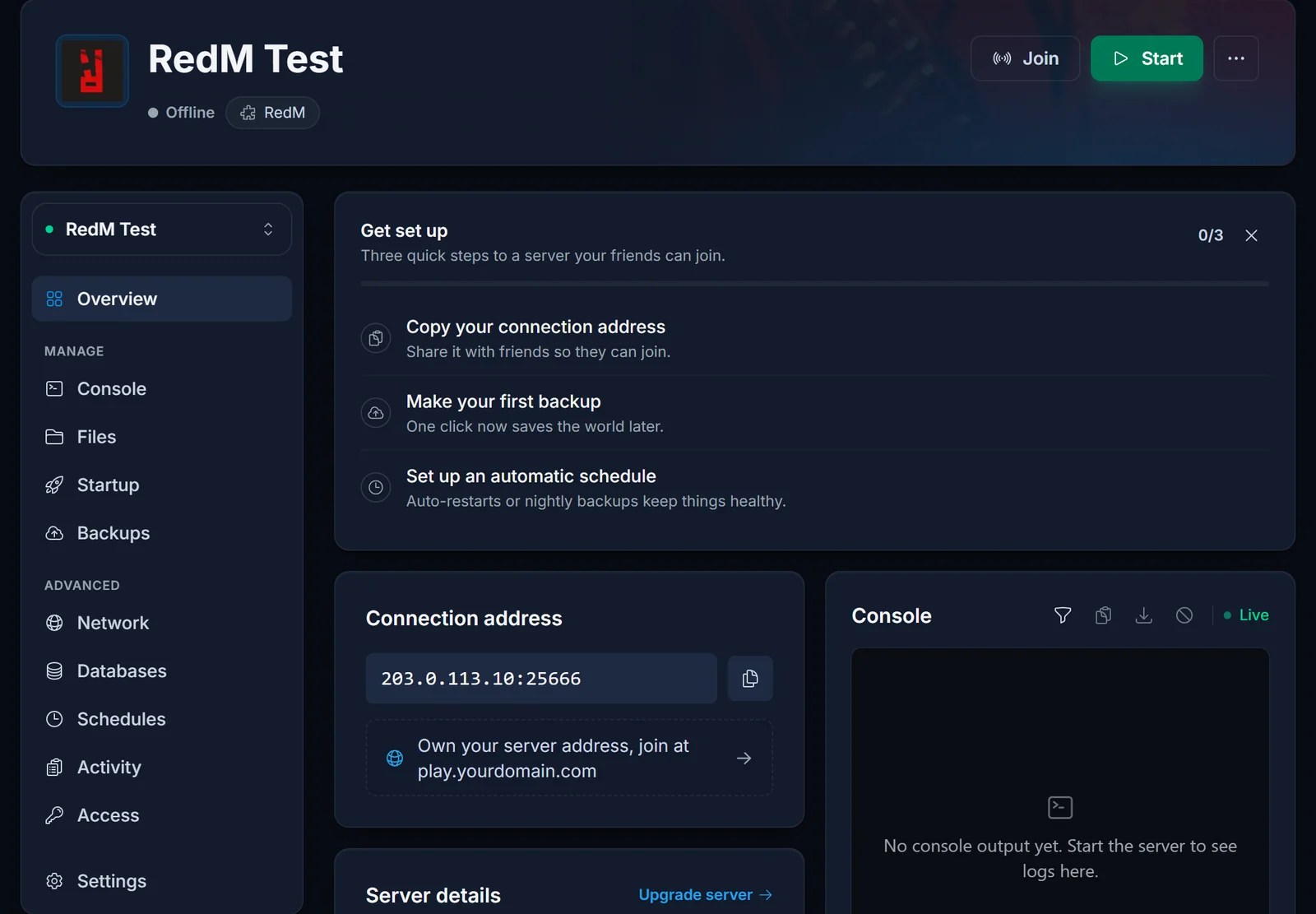
If you rent your server from us, the exact address is on the Overview tab of your control panel with a copy button next to it. Paste that to your players and they can join immediately, with no waiting for the list to catch up.
Option 3: the F8 console
RedM has an in-game console on F8. It takes the same address:
connect 203.0.113.10:30120
Press F8, type the command, press Enter. This is handy when you are already in another server and want to hop straight across without going back to the browser.
Option 4: your cfx.re join link
Every RedM server that authenticates successfully gets its own address at Cfx.re. The server prints it once, on boot:
[citizen-server-impl] Authenticated with cfx.re Nucleus: https://your-slug.users.cfx.re/
That link opens the server directly in the RedM client, which makes it the nicest thing to put in a Discord announcement. It is printed once per boot, so the owner has to copy it out of the Console tab while it is on screen. If you miss it, restart the server and watch for it again.
Common issues
The server does not appear in the server list. Work through this in order:
- Can anyone connect with Direct Connect? If yes, the server itself is fine and this is purely a listing problem.
- Does the server have a valid cfx.re license key? Without one it will not be listed at all.
- Has something in
server.cfgmade the server private? The commented-outsv_master1line is the usual culprit: uncommenting it hides the server and greys out the connect button. - Has it only just started? A new server can take several minutes to appear the first time.
- Is the server's UDP port reachable from outside? Listing depends on it even when TCP is fine.
"Server specified an invalid game enforcement". The server's sv_enforceGameBuild is set to a build your copy of Red Dead Redemption 2 does not have, or is missing entirely. Update Red Dead Redemption 2 and RedM, then ask the owner which build their framework expects. This one is fixed on the server, not on your machine.
The connection hangs on the loading screen. Usually a resource failing to start on the server side rather than anything you can fix. The owner should check the console for a resource that errors during startup. A very large server also genuinely takes a while on a first join, because your client is downloading every custom asset.
Direct connect works but the join link does not. That is the Cfx.re side, not your server. Confirm the server is authenticated (the Nucleus line above) and give it a few minutes.
The RedM client will not start. Launch Red Dead Redemption 2 normally once, let it reach the main menu, close it, then run RedM again. A game that has never been launched has nothing for RedM to patch into.
"You are not authorized" or a licensing error on connect. This is a server-side license problem. The owner should create a fresh key at portal.cfx.re and put it into the server.
Running your own server
If you want your own Wild West instead of somebody else's, a RedM server from DoomHosting deploys straight after checkout, and how to set up a RedM server walks through the license key, server.cfg and installing VORP Core or RSG Core. You can see everything the game control panel offers before you buy.
