


How to Set Up a RedM Server
A RedM server needs three things before anyone can ride into it: a free cfx.re license key, a server.cfg that tells FXServer it is running Red Dead and not GTA, and the resources that make up your actual server. This guide walks through all three on a RedM server from DoomHosting, in the order you will actually do them.
What you need first
- Red Dead Redemption 2 on PC, for you and for every player who wants to join.
- A free cfx.re account at portal.cfx.re. The license key is free and takes about a minute.
- Your RedM server. Ours deploys straight after checkout, so the panel is waiting for you.
You do not need anything installed on your own machine to run the server. FTP is useful later when you start adding resources, but the first boot needs nothing but the panel.
Step 1: get your cfx.re license key
FXServer refuses to start without a valid license key, and a server without one never appears in the RedM server list.
- Sign in at portal.cfx.re with your Cfx.re account.
- Open the server keys section and create a new key.
- Give it a label you will recognise later and copy the key. It looks like
cfxk_followed by a string of characters.
The first time you press Start in the panel, a dialog asks for that key and saves it to your server for you. There is no file to edit and no restart to plan around. The dialog is titled Add your FiveM license key, because RedM and FiveM run the same FXServer binary and use the same free cfx.re licence, so the panel reuses the same dialog. Paste your key and press Save and start.
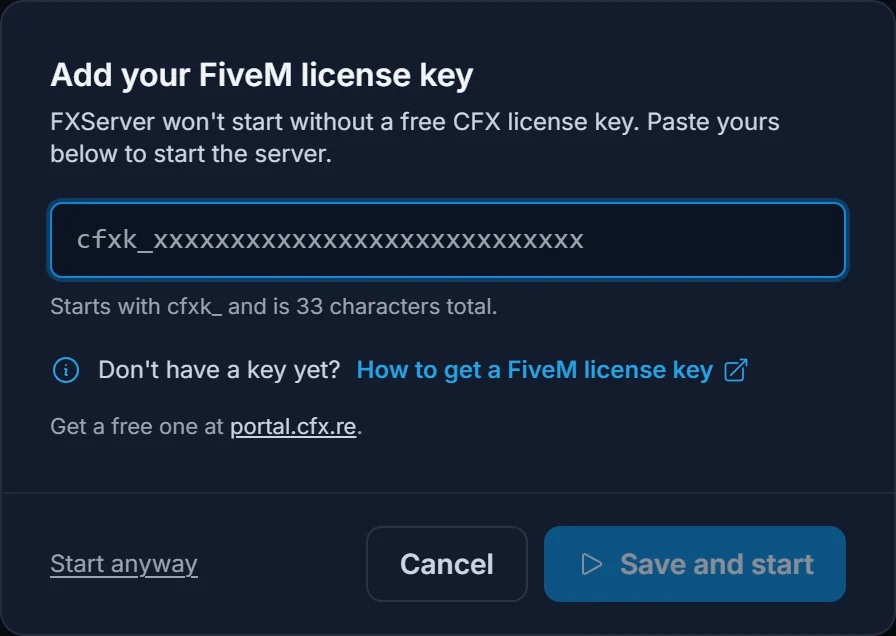
One key belongs to one server. If you later run a second RedM server, create a second key.
Step 2: start the server and read the console
Press Start and open the Console tab. A healthy first boot ends with a line like this:
[citizen-server-impl] Authenticated with cfx.re Nucleus: https://your-slug.users.cfx.re/
That line means Cfx.re accepted your key and your server is now reachable through the server list and through its own join link. The line scrolls past once, so copy that link while it is on screen if you want it: it is a nice thing to paste into a Discord announcement. Your server's plain address is always on the Overview tab with a copy button, and that one works from the first boot.
Step 3: check that server.cfg says Red Dead
RedM and FiveM run the same server binary. One line decides which game it serves:
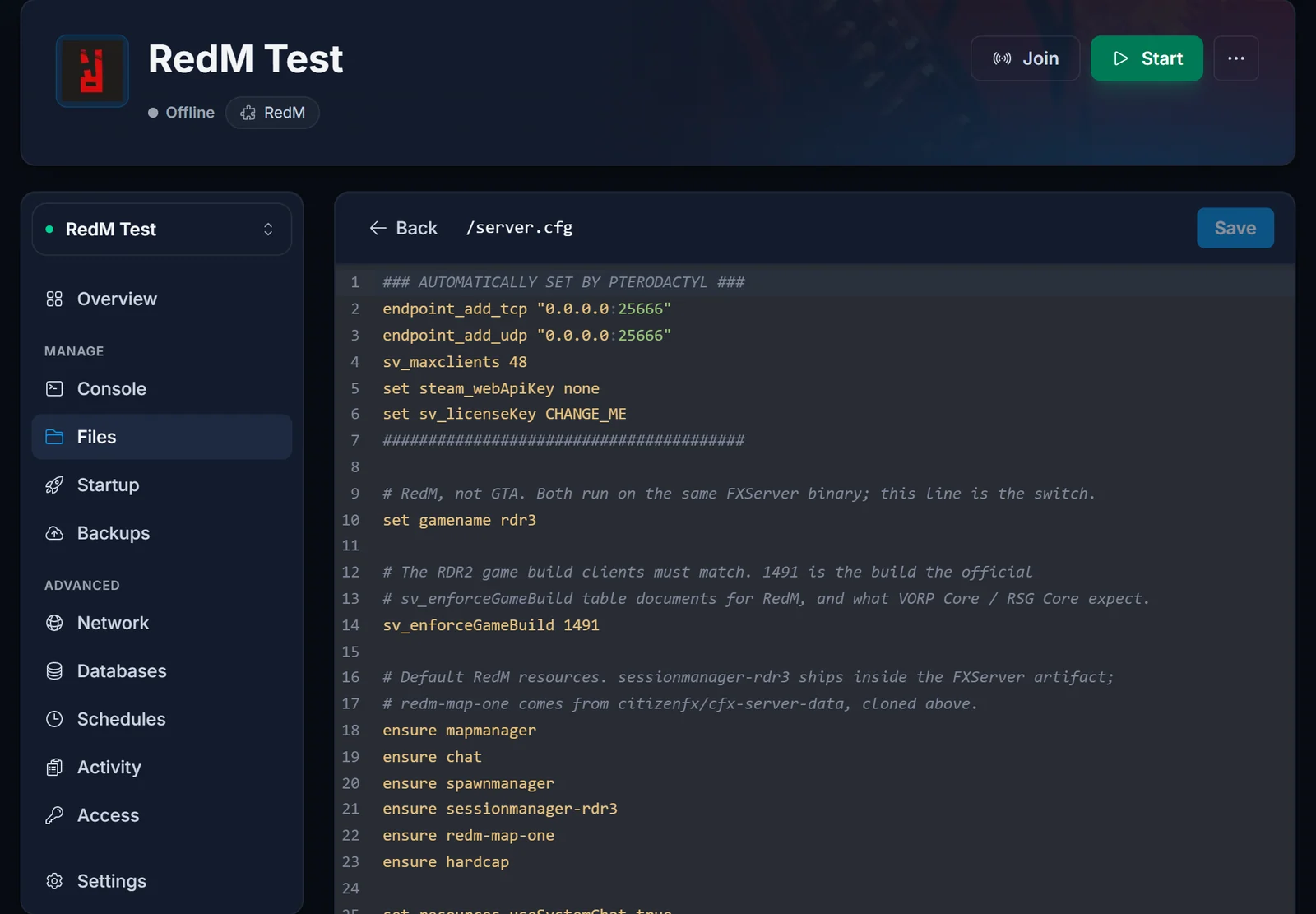
set gamename rdr3
That one line is what turns FXServer into a Red Dead server. Without it, the RedM client refuses the connection. Your server.cfg ships with it already set.
The other line to know about is sv_enforceGameBuild, which pins the Red Dead Redemption 2 build your server expects. It is already in your server.cfg with a working value. Change it only when your framework documentation asks for a different build, and take the number from that documentation rather than from a guide, because the builds move. If it is set to a build a player's copy of the game does not have, that player is thrown out at the loading screen with a message about an invalid game enforcement.
Open server.cfg from the Files tab in the panel, or edit the common settings from the Config tab.
Step 4: name the server and set the slot count
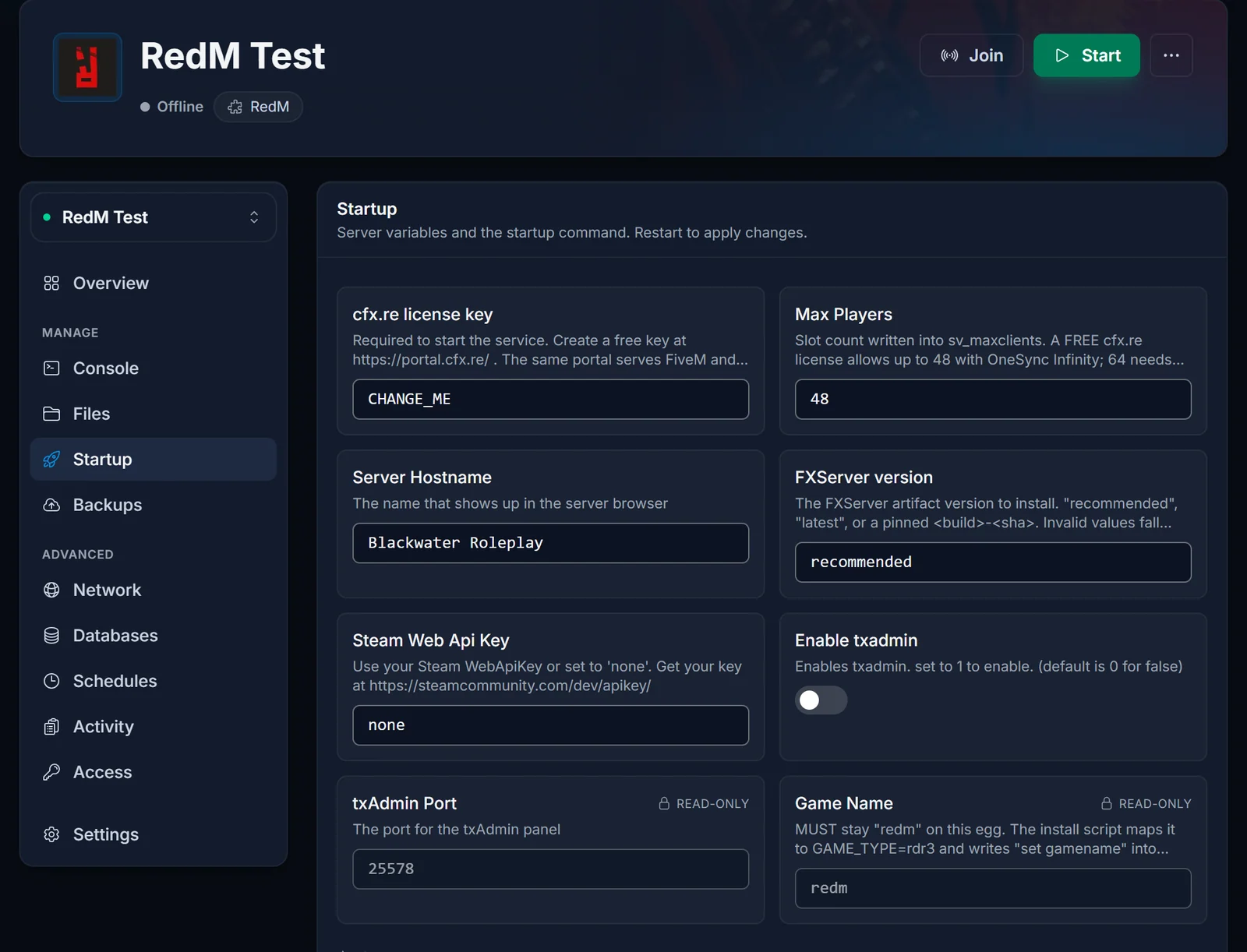
Your server name and your slot count live on the Startup tab, not in server.cfg. The server rewrites sv_hostname and sv_maxclients from those fields on every boot, so editing them in the file would be undone the next time the server starts.
A free cfx.re license supports up to 48 players with OneSync Infinity. Higher slot counts are unlocked by a Cfx.re Element Club subscription, not by your hosting plan: Argentum raises it to 64 and Aurum to 128.
Step 5: add your resources
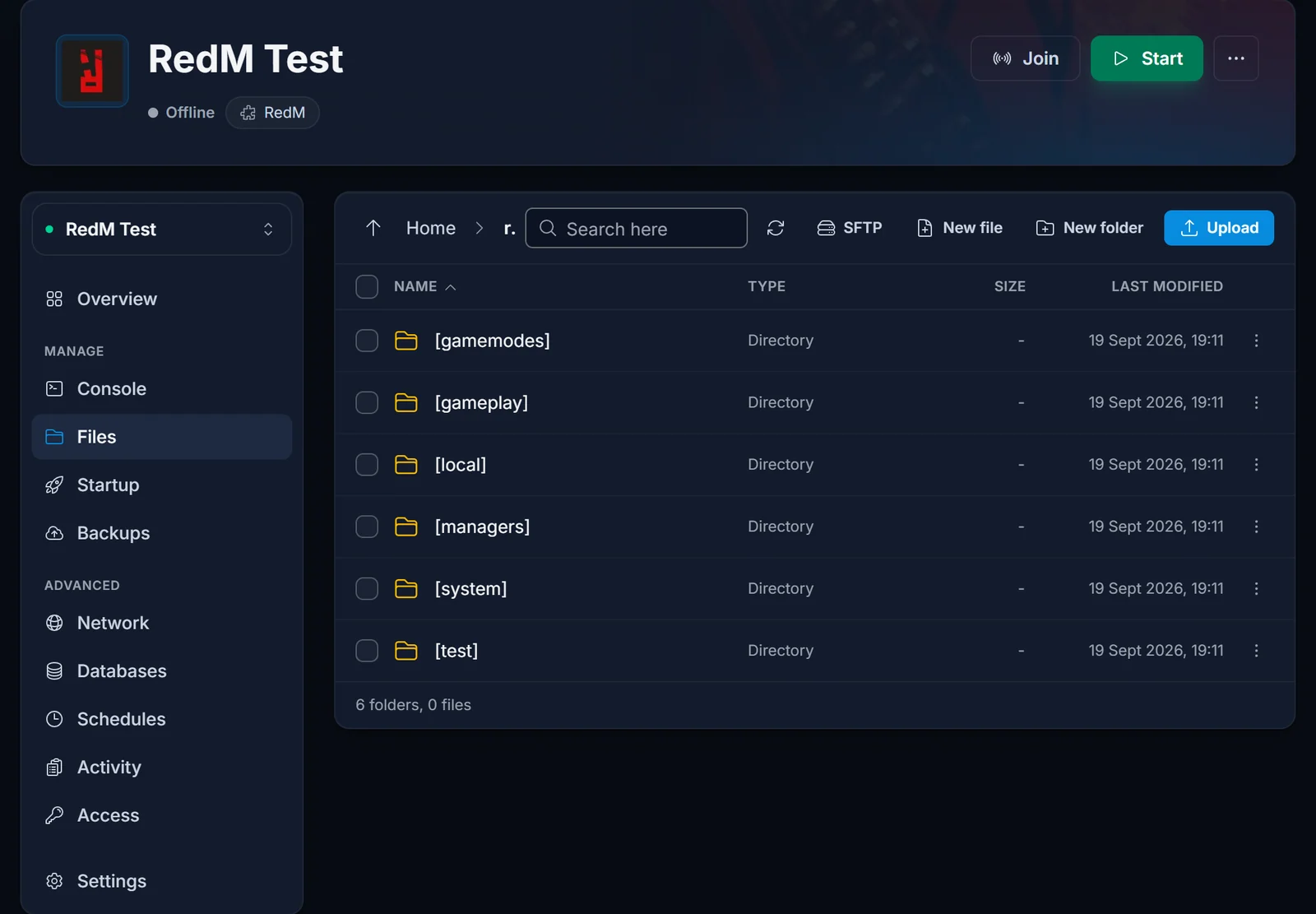
Everything your server actually does is a resource: a folder under resources/ with an fxmanifest.lua inside it, switched on by an ensure line in server.cfg.
- Connect over FTP or use the panel's Files tab.
- Upload the resource folder into
resources/. - Add one line per resource to
server.cfg. - Restart the server.
Load order matters. Database and dependency resources go above the framework that needs them:
ensure oxmysql
ensure vorp_core
VORP Core and RSG Core are the two frameworks most RedM communities run today. Both install this way, and both ship an SQL file you have to import before they will work.
Step 6: create a database
VORP Core and RSG Core store characters, inventories, jobs and money in MySQL through oxmysql, so a database is not optional on a roleplay server.
Create one from the Databases tab in your panel. The tab gives you the host, the port, the database name, the username and the password. Build the connection string from those five values and put it in server.cfg:
set mysql_connection_string "user=USER;password=PASSWORD;host=HOST;port=3306;database=DATABASE;charset=utf8mb4"
Then import your framework's SQL file using the same credentials, and restart.
Step 7: turn on txAdmin, if you want it
txAdmin is a web admin panel that runs alongside your server: live player list, bans, scheduled restarts, and a recipe deployer that can build a base server for you.
Enable it from the Startup tab and restart. One thing to know before you do: with txAdmin on, it takes over your configuration, so your settings move into txAdmin's own interface instead of server.cfg. Our Config tab will tell you that is what happened rather than saving into a file nothing reads.
Common issues
The server runs but never shows in the RedM list. Check the license key first, then check that nothing has made the server private in server.cfg. A brand new server can also take several minutes to appear the first time. Direct connect works immediately, so use that to confirm the server itself is fine.
"Server specified an invalid game enforcement". sv_enforceGameBuild is missing or set to a build the player does not have. Set it to the build your framework asks for, restart fully, and have the player update Red Dead Redemption 2 and RedM.
The RedM client refuses to connect at all. set gamename rdr3 is missing from server.cfg.
The framework loads but errors about the database. oxmysql is not started before the framework, the connection string is wrong, or the framework's SQL file was never imported.
The server will not start and the console mentions the license. The key is wrong, expired, or already in use by another server. Create a fresh key at portal.cfx.re and paste it into the panel.
Next steps
Once the server is up, send your players how to join a RedM server, and take a look at what else the game control panel can do for you.
