

To join a Medal of Honor: Allied Assault server, open the game's console and type connect followed by the server address, port included. It takes a one-time setting to unlock the console, and after that joining is a single line. This guide shows where to find the address, how to turn the console on and what to type when the server has a password.
Find your server address
Open your server in the DoomHosting panel. The Connection address card on the Overview tab shows the address players need, IP and port together, with a copy button next to it.
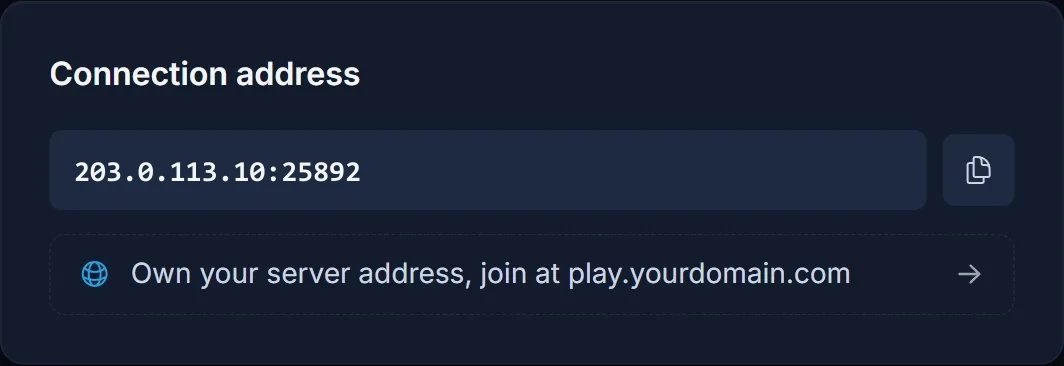
Always send the full address with the port, such as 203.0.113.10:25892. Without the port the game tries its default port, which isn't the one your server uses.
The Overview also shows a live player count, so you can see who is on before you join. When the server has a join password or an RCON password, both appear under the connection card as Server password and RCON password, each with its own copy button. Share the server password with your players and keep the RCON password for admins.
Step 1: Turn on the in-game console
Allied Assault hides its console until you enable it. Add this to the shortcut you start the game with:
+set ui_console 1
Right-click the game's shortcut, open Properties and add it to the end of the Target field, after the closing quote and a space. If your launcher has a launch options or arguments field for the game, paste it there instead.
Start the game. The console now opens with the key left of 1, the tilde key (~) on most keyboards.
Step 2: Connect with the console
Open the console and type connect plus your server address:
connect 203.0.113.10:25892
Press Enter and the game loads the map and drops you in. Use your own address from the panel in place of the example.
Join a password-protected server
If the owner set a Server password on the panel's Startup tab, players need it to get in. Leave the field empty and the server is public.
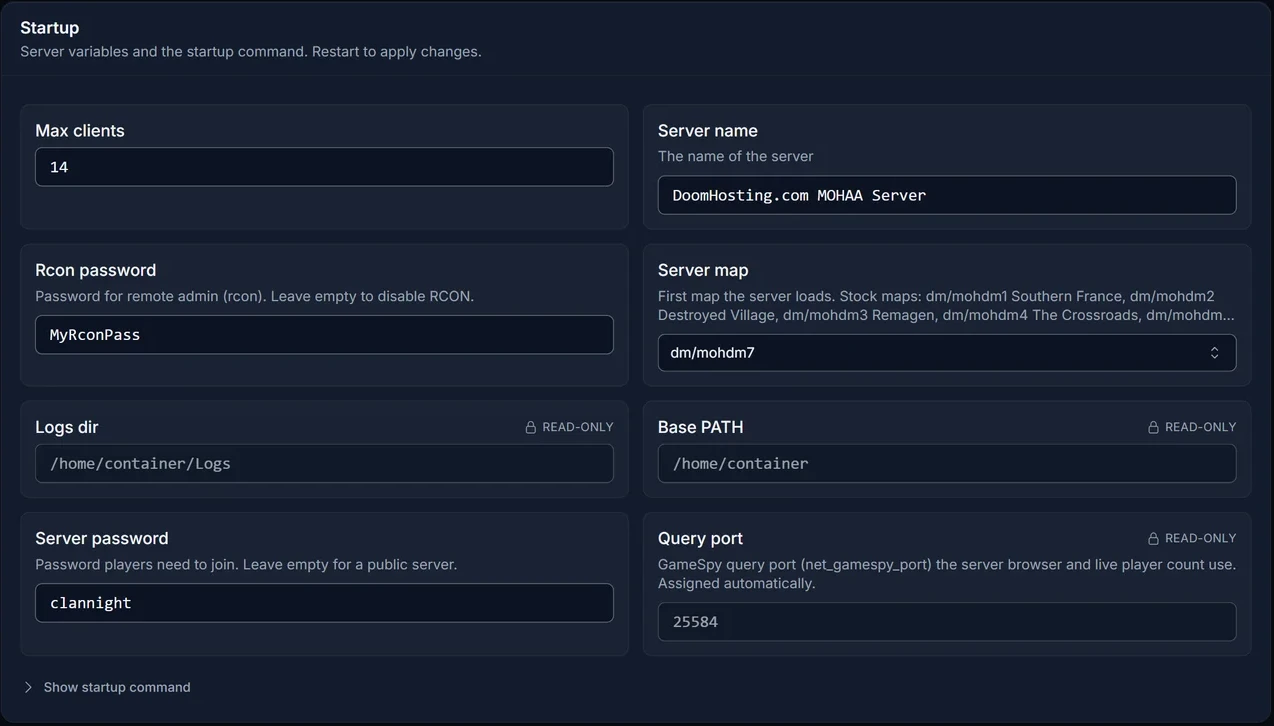
Type the password in the console before you connect:
password clannight
connect 203.0.113.10:25892
The password is sent along with the connect, so do it in that order. Leave out the password line on a public server.
Common problems
The console doesn't open. The launch option didn't apply. Check that +set ui_console 1 is at the end of the shortcut's Target field (or in your launcher's launch options), then restart the game completely.
Nothing happens after connect. Make sure you typed the port. Copy the address straight from the connection card so it matches exactly.
Asked for a password, or kicked straight back. The server has a join password. Type password plus the password in the console, then connect again.
Can't load the map. The server runs a custom map you don't have. Ask the owner for the map's .pk3 file and put it in the main folder of your game install. The server does not send maps to players.
Version mismatch. Players need patch 1.11 or newer of the game. The GOG version is fine.
FAQ
Do my friends need panel access to join?
No. They only need the address with the port, plus the server password if you set one.
How many players can join?
Up to the Max clients value on the Startup tab, at most 64.
Set up your server next
New to running the server? The Medal of Honor: Allied Assault server setup guide covers the server name, map rotation, game types, custom maps and RCON. Not hosting with us yet? See Medal of Honor: Allied Assault server hosting, or take a tour of the control panel.
