If your Valheim server keeps disconnecting, the cause is almost never your internet. After running thousands of Valheim instances through our Pterodactyl panel, we see the same six culprits over and over: UDP ports not actually open, a password Valheim silently refuses to accept, a zone-owner with a bad PC dragging the whole party down, a BepInEx version drift between client and server, a corrupted Dedicated.db, and a stale Steam session refusing to authenticate. This guide walks each fix in the order you should try them, with the exact configs and log lines that confirm you found it.

First, check it actually is a disconnect
Valheim shows the same red "connection lost" icon for three very different problems: a dropped TCP handshake (network), a failed Steam authentication ticket (Steam side), and the server falling behind on world simulation so badly the client gives up (zone-owner lag). The fix path branches here. Open your server console (in Pterodactyl, the Console tab) and look for one of these patterns:
Closing socket 60xx                        # network drop
Got status response 0 ms                   # zone-owner lag, server is fine but client times out
Failed to authenticate user                # Steam ticket / wrong password
Failed to load world: Dedicated.db         # save corruption
No BepInEx loaded plugins                  # client has mods, server does not (or vice versa)
The message tells you which section to jump to. Skip the rest.
Fix 1: UDP ports 2456-2458 (the one most people miss)
Valheim uses three sequential UDP ports starting at the value of -port in your startup args. Default is 2456, so the server actually needs 2456, 2457, AND 2458 reachable on UDP. TCP is never used for the game itself. About 60% of "my friend can't connect" tickets we see are someone who forwarded only 2456 or who forwarded TCP instead of UDP.
On DoomHosting we assign your ports automatically and open them upstream, so this only matters if you're self-hosting at home. To verify from a second machine on a different network:
nmap -sU -p 2456-2458 your-server-ip
All three should report open or open|filtered. If any are closed, the firewall or NAT is dropping them. On Windows, the right rule is Inbound > New Rule > Port > UDP > 2456-2458 > Allow. Most consumer routers also need an explicit forward, with protocol set to UDP, not "Both".
Quick sanity check: have a friend try to connect by Join IP using your LAN IP first. If that works and the public IP doesn't, the router is the problem, not the server.
Fix 2: Password silently rejected
Valheim's password rules are stricter than the launcher tells you. The server will start fine but refuse every connection if your password breaks any of these:
- Less than 5 characters
- Contains the world name as a substring
- Contains
'"@or! - Matches your Steam display name
The symptom is identical to a wrong password: client gets booted to the server browser with no error toast. Confirm in the server log:
Failed to authenticate user xxx, password mismatch
If you see this AND you typed the password correctly, the password itself is the problem. Set a fresh 8-character alphanumeric password, restart the server, and reconnect. On DoomHosting this is the SERVER_PASSWORD environment variable in the Startup tab; change it there and the panel restarts with the new value.
Fix 3: Zone-owner lag (the Ashlands killer)
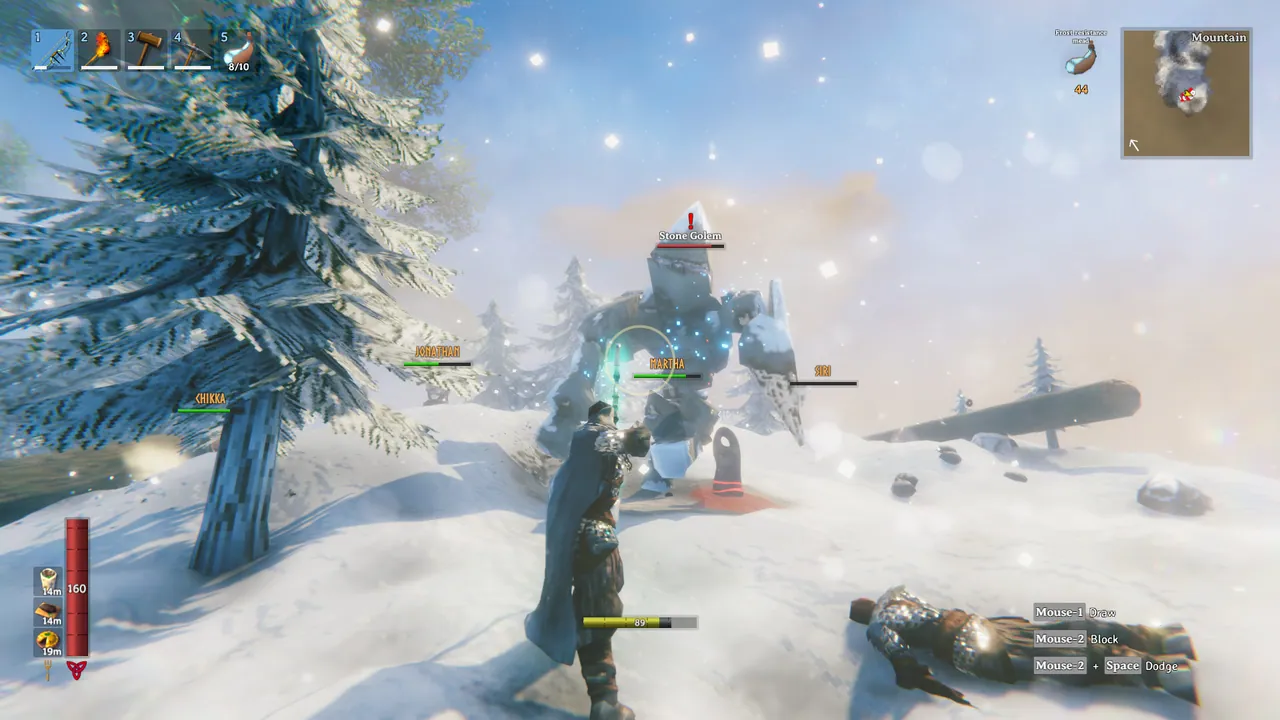
Valheim's networking model hands ownership of each map chunk to whichever player entered it first. That player's machine simulates every entity in the zone: mobs, weather, base ticking, the works. If their PC is struggling, everyone else in that zone lags or drops, even though the dedicated server is fine.
Ashlands made this dramatically worse because the biome spawns more entities per chunk than anywhere else in the game. We see 4-player groups that ran fine in Black Forest collapse the moment they reach the Ashes.
Diagnostic: open the F2 debug panel client-side. The "zone owner" line shows whose machine is simulating your current chunk. If that name is one specific friend every single time someone drops, their network or hardware is the bottleneck.
Fixes that actually help:
- Have the underpowered player leave the zone first before any combat starts, so ownership transfers to a stronger machine
- Reduce population in the dedicated server config:
world_modifier raids less,world_modifier portals casual - For groups of 5+, increase the server's allocated RAM to at least 4 GB so it can buffer zone handoffs without stalling
On our panel you can raise the RAM allocation from the resource slider without restarting your character data. The server picks it up on the next process start.
Fix 4: BepInEx version drift kicks modded clients
If the server is running BepInEx and a client connects with a different version, mod set, or hash, the connection drops with no clear message, sometimes mid-load, sometimes after 30 seconds in the world. Symptom in the server log:
Client sent invalid mod data
Kicked: ZNet:Disconnect, reason=IncompatibleVersion
Fix:
- Stop the server
- Compare the BepInEx version on the server (in
BepInEx/core/) with what every client has installed - Match the exact build. Thunderstore's r2modman makes this trivial; the manual installs are where drift happens
- Match the plugin set too: a client running a single extra
BetterUI.dllwill be kicked by a strict server
On DoomHosting, the FTP root for BepInEx is /BepInEx/plugins/. Drop the same DLL set there as your players have locally and the kicks stop.
Fix 5: Corrupted Dedicated.db
If your world stops loading entirely or crashes mid-session and then refuses to load on the next start, the save is probably corrupted. Server log usually shows:
Failed to load world data: end of file at position xxx
Exception: World file is corrupt
Valheim writes a .db.backup next to the active .db every time it autosaves. Recovery is mechanical:
- Stop the server
- In the world folder, rename
Dedicated.dbtoDedicated.db.broken - Rename
Dedicated.db.backuptoDedicated.db - Start the server
On our panel the world folder is /worlds_local/. You'll lose at most the last autosave window (default 20 minutes). If both the db and backup are broken, you're going further back to the daily snapshot we keep; open a ticket and we'll restore it.
Fix 6: Stale Steam authentication
Less common but very confusing when it happens: the server runs fine, accepts old clients, but refuses every new connection. Log:
SteamGameServer_Init failed
Failed to issue auth ticket
This is the server holding a Steam session token Steam itself has invalidated, usually after a Valheim patch dropped while your server was up. Restart the server process itself (not the container, the actual valheim_server.x86_64 binary). On DoomHosting click "Restart" on the panel; the Steam handshake re-runs and connections come back.
Still disconnecting? Run these diagnostics
If you've worked through all six and players are still dropping, capture this before you open a support ticket, since your host needs all of it to help quickly:
# server-side
tail -200 /home/container/logs/latest.log
ss -tulnp | grep -E '2456|2457|2458'
free -m
uptime

# client-side, from a player who is dropping
ping -c 50 your-server-ip
traceroute your-server-ip
The tail shows the disconnect reason. ss confirms the server is actually listening on the right UDP ports. free and uptime rule out the server itself being out of memory or stuck. From the client, ping with 50 packets shows packet loss, and traceroute shows where in the network path the drop happens.
Host Your Valheim Server with DoomHosting
Most of the fixes above turn into one-click changes on a managed host. UDP ports are pre-opened. Passwords go in the Startup tab and the panel restarts cleanly. RAM scales without losing your world. The Dedicated.db.backup rename is one button. If you're tired of debugging disconnects, host your Valheim server on DoomHosting: instant setup on Ryzen 9 hardware, BepInEx supported, full FTP, DDoS protection, 24/7 support.
A dedicated server should disappear into the background. When yours is dropping players every hour, the network or config is doing the work it should be doing for you.