

You can install Eco mods straight from the Mods tab in your DoomHosting panel: search mod.io, click Install, and restart the server. No FTP, no unzipping, and your players don't have to download anything themselves.
Where the Mods tab is
Open the panel, pick your Eco server, and click Mods in the server menu. The Browse view searches mod.io, the official home of Eco mods, and shows each mod with its author, download count and when it was last updated.
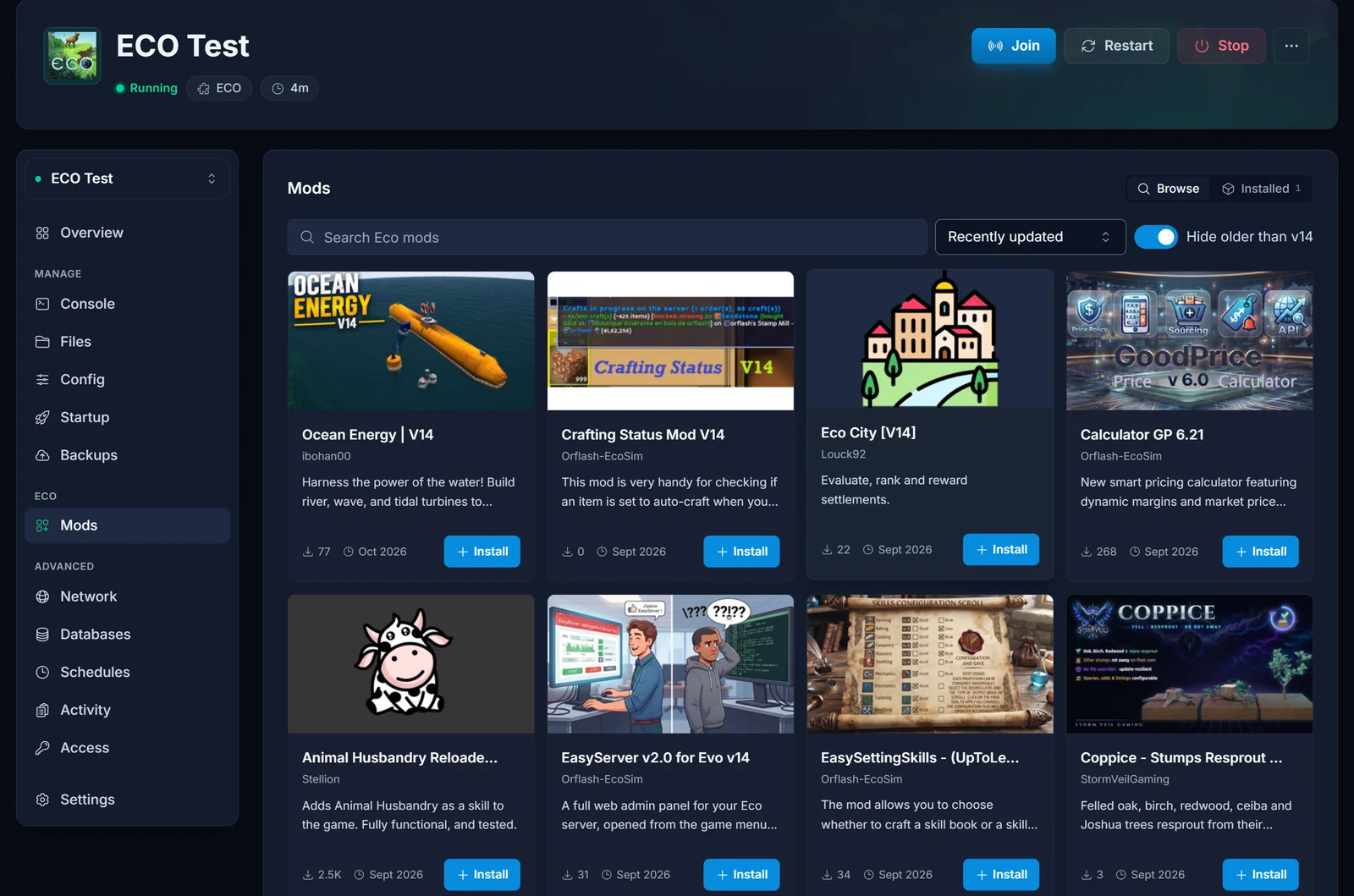
Two controls sit next to the search box:
- Recently updated is the default sort. You can also sort by downloads or by name.
- Hide older than v14 is on by default (the number follows the current Eco version). It hides mods that have not been updated for the current version of the game.
Leave that toggle on unless you know what you are doing. Eco compiles every mod from source when the server boots, and a mod written for an older version of the game usually fails to compile. A broken mod stops the whole server, not just itself.
Install a mod
- Find the mod with the search box, or scroll the list.
- Click Install on the mod's card.
- Check the dialog and confirm.
The dialog shows the mod's version and size. If the mod changes a file that another mod you installed from this tab also changes, the dialog lists those files and warns you that the one installed last wins. That is normal for Eco mods that tweak the same item or recipe, but it is worth a look before you confirm.
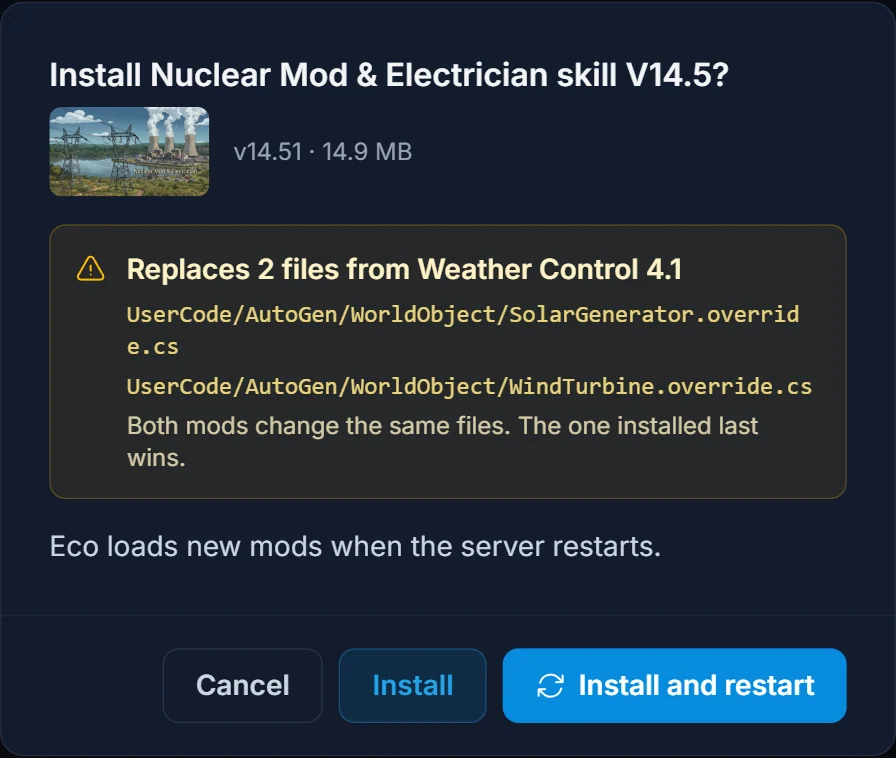
You get two buttons when the server is running:
- Install puts the files in place. The mod loads on the next restart, and the Installed view shows a Restart now banner so you can restart when it suits your players.
- Install and restart does both in one click.
If the server is stopped, Install is all you need. The mod loads the next time you start it.
Players do not need to install anything
Eco handles this for you. When a player joins, the game client downloads whatever the server's mods need. Nobody has to visit mod.io or copy files on their own PC.
Manage installed mods
Switch to the Installed view to see every mod you added from the tab, with its version, file count and size.
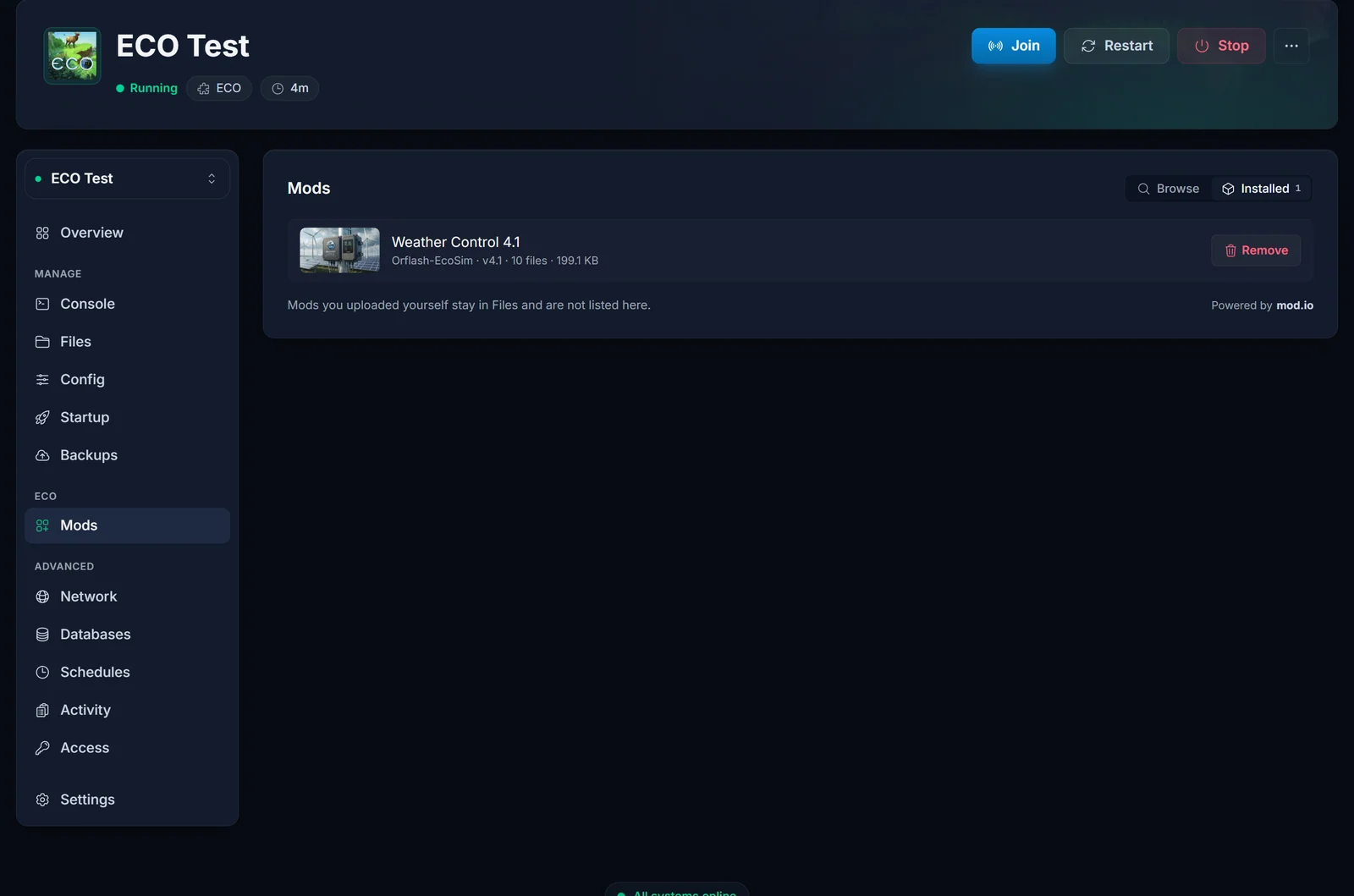
- Update: when the author publishes a new file on mod.io, an update button shows up on the mod. Updates also load on the next restart.
- Remove: deletes exactly the files that mod installed, nothing else. If the mod had replaced files from another mod you installed here, the other mod's original files are put back. Like installs, a removal takes effect on the next restart.
The list only shows mods installed through the tab. Mods you uploaded yourself through Files or SFTP stay in the /Mods folder untouched, and the tab never lists or removes them.
Install a mod by hand (FTP or Files)
Prefer to upload a mod yourself, or found one outside mod.io? That works too:
- Stop the server.
- Unzip the mod on your PC.
- Upload C# source mods (
.csfiles) to/Mods/UserCode/. Upload DLL mods to their own folder,/Mods/<ModName>/. Use the Files tab or any SFTP client. - Start the server and watch the console.
Eco recompiles the mods during boot. Mods recompiled with warnings. is normal and the server carries on. Mods recompiled with errors. means a mod is broken and has to be removed or fixed.
Bonus: change difficulty from the Config tab
Many players install mods just to change how the game plays. Check the Config tab first: it covers the meteor, how many days until it hits, animal behavior, skill cost, crafting cost and time, stack size, item weight and more, without touching a file.
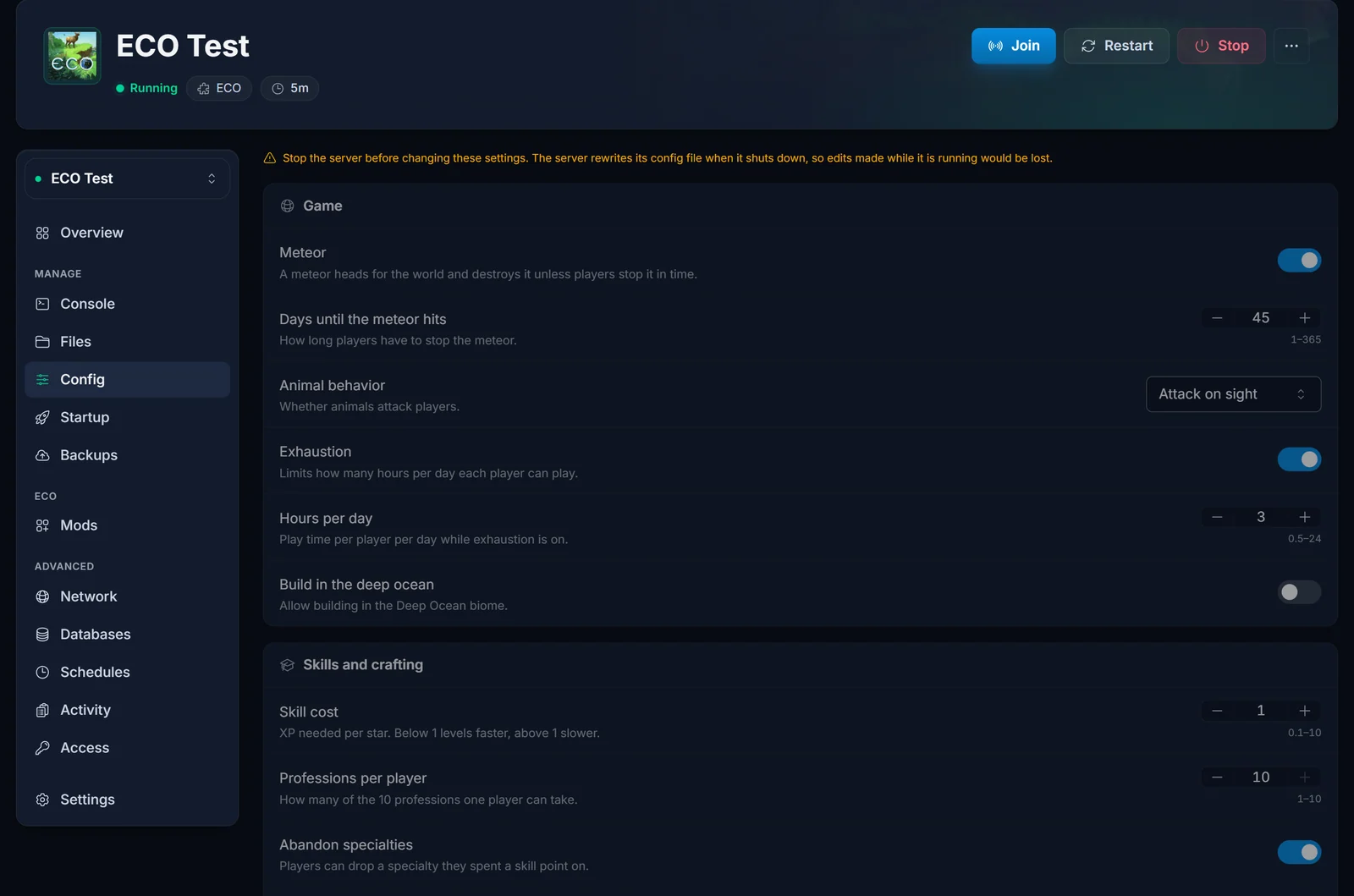
Stop the server before you change anything here. Eco rewrites its config files when it shuts down, so a change made while it runs would simply be overwritten. Save, then start the server and the new values apply.
Troubleshooting
"A mod failed to compile"
The server stopped during boot because a mod would not compile, usually one written for an older Eco version. The panel shows A mod failed to compile and names the mod. If it came from the Mods tab, one click on Remove [mod] and start deletes that mod's files and starts the server again. If it is a mod you uploaded yourself, the panel points you to its folder in /Mods/UserCode/ so you can remove or fix it.
The mod is installed but nothing changed
Eco only loads mods at boot. Restart the server, or use the Restart now banner in the Mods tab. A mod still waiting for that restart shows a Loads on next restart label in the Installed view.
Two mods change the same item
Both mods edit the same file, and only one version of a file can win: the mod installed last. The install dialog tells you which files overlap. To switch which mod wins, remove the other mod and install it again. Better yet, pick mods that do not overlap.
"Could not load mods from mod.io"
mod.io is not answering at the moment. Your server and installed mods are not affected. Wait a minute and try the search again.
Get an Eco server
Don't have a server yet? Rent an Eco server and the Mods and Config tabs are ready the moment it is set up.
