Mojang quietly shipped one of the biggest multiplayer overhauls Java Edition has seen in years across two snapshots this May. Minecraft 26.2 Snapshot 7 (May 12, 2026) added a native Friends List and the long-awaited peer-to-peer multiplayer that lets you open a singleplayer world to friends online. Snapshot 8 (May 19) followed up with the /publish and /unpublish commands, an OpenGL default reset, and security fixes for the new system. If you run a dedicated Minecraft server, or you are thinking about whether you still need one, this rollout matters.
Release Dates
- Snapshot 7: May 12, 2026
- Snapshot 8: May 19, 2026
Both are in the 26.2 Chaos Cubed development line targeting the next stable release. They can be downloaded from the official launcher's snapshot channel and run against any 26.2-format world.
Friends List: Java's First Native Friend System
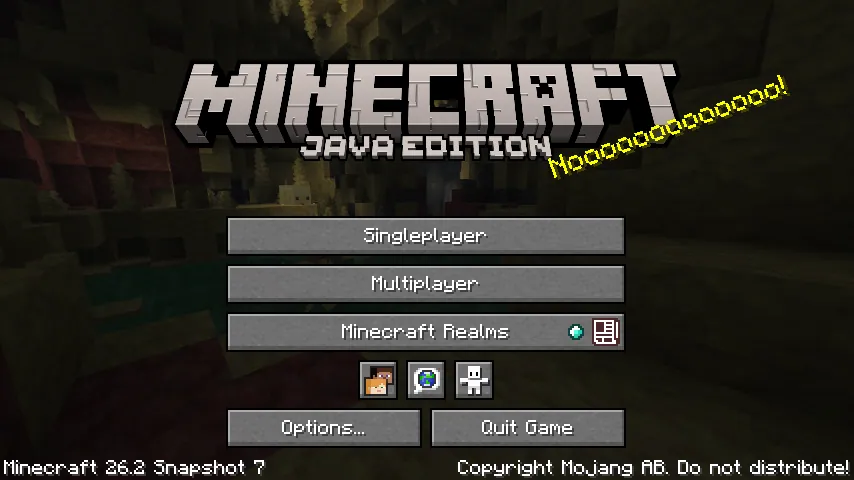
For the first time in Java Edition's history, you have a real Friends List in the vanilla client. The button sits on the title screen, the pause menu, and on a new O keybind by default.
Two tabs: Friends (manage existing connections, send new requests by Profile Name) and Requests (handle incoming and outgoing requests). Each friend shows a presence status under their name:
- Offline
- Online
- In a world
- In a joinable world
Chat gets a Friends Only setting that filters messages to friends only, a small but real moderation improvement. The list refreshes once per minute when open and every five minutes in the background.
Multiplayer Options: P2P Replaces "Open to LAN"
The old Open to LAN screen is gone. In its place is a Multiplayer Options screen with a Multiplayer scope toggle:
- Off (default)
- Local (the classic LAN behaviour)
- Online (the new one: opens your singleplayer world to friends over the internet)
When you flip the scope to Online, friends in your Friends List can either be invited to your world, or they can request to join. Mojang has added an opt-in telemetry event that tracks connection success/failure, network path, and timing, which is useful both for them and for diagnosing the obligatory NAT issues.
This is genuinely big. P2P opening a singleplayer world to internet play is something the community has hacked around for over a decade with Hamachi, ngrok, Radmin VPN, and a thousand other tools. Now it is first-party.
/publish and /unpublish: New Commands for Integrated Servers
Snapshot 8 added two commands for finer control over integrated servers (the in-game server that runs when you publish):
/publish <online: boolean>     # explicitly choose online or local
/unpublish                     # close the integrated server
/publish now takes a boolean as its first argument, choosing whether the published session should be reachable online via the new P2P path or limited to local multiplayer like the old behaviour. /unpublish does the obvious: shuts the integrated server down without leaving the world or quitting.
For server-side scripting setups, this gives you programmatic control over publishing state, which the old Open to LAN menu never offered.
Snapshot 8 Polish: Security Fix and OpenGL Default
Beyond the new commands, Snapshot 8 (May 19) is mostly a polish pass on the Snapshot 7 rollout:
- MC-308102 fixed: non-friends could join a Friends Only world if they were on the same local network. Privacy regression patched within a week.
- MC-308061 fixed: published worlds were incorrectly displayed as Offline in the multiplayer browser.
- OpenGL is now the default rendering backend again. Vulkan, which was made default earlier in the 26.2 cycle, is now flagged as Experimental and your settings will be reset. If you have been seeing odd shader bugs or driver crashes since updating, this should help.
What This Means for Dedicated Server Owners
The honest answer: P2P does not replace a dedicated server, but it changes the bottom of the market.
| Feature | P2P (Friends List) | Dedicated Server |
|---|---|---|
| Always online | No (host must be running the game) | Yes, 24/7 |
| Max players | Friends only, around 5 to 10 stable | 20 to 500+ (your spec) |
| Plugins / mods | Vanilla only | Paper, Spigot, Forge, Fabric, Velocity |
| World always loaded | Only while host plays | Yes, chunks tick continuously |
| Performance | Limited by host's PC and upload | Datacenter CPU plus symmetric gigabit |
| Whitelist / bans | Friends list only | Full Bukkit permissions |
| Backups | Manual | Automatic, scheduled |
| Public discovery | No | Yes (server list, MOTDs, IP shares) |
If you and three friends play casually a few evenings a week, the new Friends List and P2P is genuinely enough. That is a good thing. Mojang has closed a real onboarding gap. The market it eats into is I want to play with my one friend and we do not want to set anything up, which was always a poor fit for paid hosting anyway.
What dedicated servers still own: 24/7 uptime, persistent worlds with active chunks, mod ecosystems (Paper, Spigot, Forge, Fabric, Velocity), 20+ player communities, and scheduled backups your friend's gaming laptop cannot provide. None of that is on the roadmap for the P2P system, and architecturally most of it cannot be.
There is also a hosting wrinkle for community servers: the Friends List makes whitelisting easier. Players can find each other by Profile Name without needing to dig up UUIDs, and the Online / In a joinable world presence means friends know when your server is live without having to ping it manually. That is a small UX win for any community running a private server.
Worth Updating For?
Yes, but as a player. Snapshot builds are not production-ready for dedicated servers; do not flip your live 1.21 server to a 26.2 snapshot just to try the Friends List. Wait for the stable release. In the meantime, install Snapshot 8 on a test copy of the launcher, send a few friend requests, and try opening a world.
If you are running a casual private server for three to five friends and rarely play when you are not all online together, this rollout is the first plausible argument in years for not bothering. If you have any of: a persistent base you want loaded 24/7, more than eight regular players, a mod stack, or community members in different timezones, keep the dedicated server.
Host Your Minecraft Server with DoomHosting
For everyone in that second category (and that is most serious Minecraft groups), a real dedicated server still wins. DoomHosting's Minecraft servers run on Ryzen 9 hardware with one-click Paper, Spigot, Forge, and Fabric installs, full FTP, DDoS protection, instant setup, and 24/7 support. You can pick any RAM tier from 3 GB upward and scale up the moment your friend group balloons past what a P2P session can handle.
The Friends List is great. Friends will still want a real server to come home to.