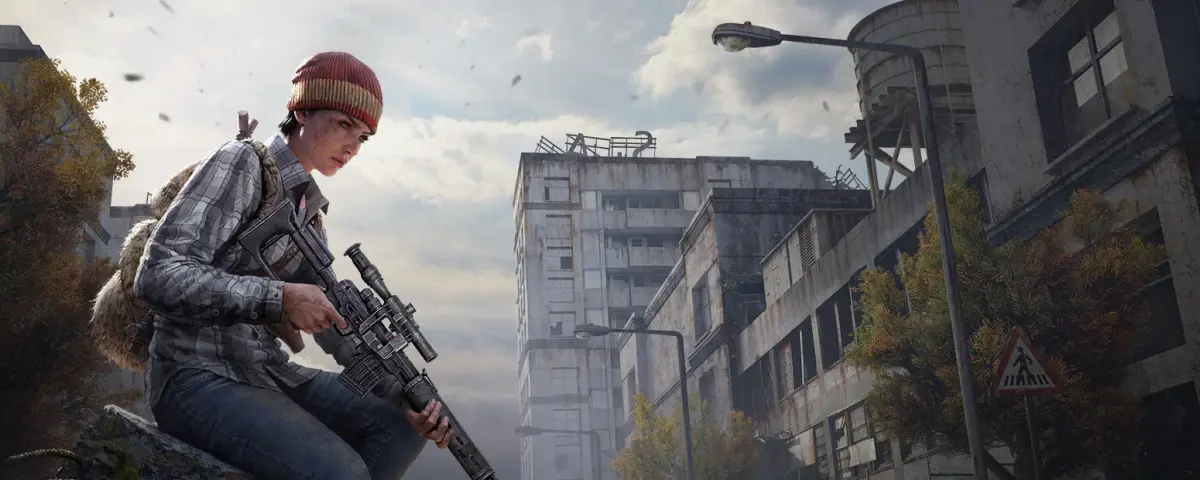
DayZ Server Hosting Guide: How to Run Your Own DayZ Server
DayZ is the hardcore survival game that started it all. Originally a mod for Arma 2, it became a standalone title that defined the survival genre. You spawn in the fictional post-Soviet country of Chernarus with nothing, and every decision matters - find food, water, weapons, and survive against both the environment and other players. With millions of copies sold and a dedicated playerbase, DayZ remains one of the most intense multiplayer survival experiences available.
Official servers are crowded, have strict rules, and give you no control over the experience. If you want to create your own survival world with custom settings, your own community, and full administrative control - you need to host your own DayZ server.
This guide covers everything you need to know about running a private DayZ server.
Why Host Your Own DayZ Server?
Running your own DayZ server opens up possibilities you will not find on official or community servers:
- Full admin control - kick troublemakers, manage spawns, control events
- Custom spawn settings - configure loot rarity, spawn locations, and starting gear
- Private community - invite only your friends or build a tight-knit survivor group
- Mod support - install weapon mods, vehicle mods, UI improvements, and more
- No forced wipes - control when your server resets
- Custom rules - PvE zones, peaceful areas, roleplay rules, or hardcore modes
For clans, content creators, and survival communities, hosting your own server is essential for the experience you want to create.
DayZ Server Requirements
DayZ runs on the Enfusion engine and requires dedicated server hardware. Here is what you need:
| Component | Minimum | Recommended |
|---|---|---|
| RAM | 8 GB | 12-16 GB |
| CPU | 4 cores | 6-8 cores |
| Disk | 20 GB | 40+ GB SSD |
| Network | 10 Mbps | 50+ Mbps |
| OS | Windows / Linux | Linux (Ubuntu/Debian) |
DayZ servers are relatively lightweight compared to some games, but memory usage scales with the number of players and any running mods. A vanilla server with 32 players fits comfortably in 8 GB, while a heavily modded server with 64 players may need 12-16 GB.
Key Server Configuration
When setting up your DayZ dedicated server (App ID 1042420), these are the main parameters:
serverName- Your server name displayed in the server browserserverPassword- Optional password for private serversmaxPlayers- Player slot limit (recommended: 32-64)world- Map name (chernarus is default)mission- Mission file (dayzOffline for offline mode)
Maps
- Chernarus - The classic 225 square kilometer map, well-explored but still immersive
- Livonia - Smaller 130 square kilometer map with different terrain
- Namalsk - A popular community map with survival-focused gameplay
Important Startup Parameters
-config=serverDZ.cfg- Your configuration file-port=2302- Game port (default 2302)-profiles- Directory for player profiles and logs
Mods and Modding
DayZ has an active modding community. Mods can add:
- Weapons and gear - New firearms, clothing, backpacks
- Vehicles - Cars, trucks, helicopters
- UI improvements - Better inventory screens, map mods
- Gameplay tweaks - Increased loot, faster crafting, survival helpers
Most mods are installed through the Steam Workshop. Browse the DayZ Workshop to find popular mods.
Installing Mods
- Subscribe to mods on Steam Workshop
- Use a mod installer or configure your startup parameters
- Add mod IDs to your startup command
- Ensure all players have the same mods loaded
Example: @mod1;@mod2 in your startup parameters
Why Use a Hosting Provider?
While you can run a DayZ server from home, managed hosting offers significant advantages:
- No bandwidth concerns - Your home connection stays free for gaming
- 24/7 uptime - Your server runs even when your PC is off
- DDoS protection - Game servers are common targets
- Easy setup - Control panels handle configuration
- Technical support - Help when issues arise
- Scalable resources - Upgrade as your community grows
What to Look for in a DayZ Hosting Provider
- RAM allocation - At least 8 GB for vanilla, 12+ for modded
- SSD storage - Faster loading for players
- Server location - Choose closest to your playerbase
- Mod support - Easy Workshop mod installation
- Control panel - Easy configuration without command line
- Backup options - Save your server state
- Support quality - DayZ-specific technical help
Setting Up Your Server
- Choose a hosting provider with DayZ support
- Select your plan (minimum 8 GB RAM recommended)
- Choose your map (Chernarus is default)
- Configure player slots and settings
- Install desired mods via Workshop
- Set admin players via the admin list
- Test with a few friends
- Share the server with your community
Building Your Survivor Community
A DayZ server comes alive with an active community:
- Discord server - Essential for coordination and announcements
- Clear rules - Post your server rules prominently
- Events - Organized PvP tournaments, scavenger hunts
- Active admins - Moderate and keep the peace
- Regular updates - Keep mods and server fresh
Ready to Start?
Hosting your own DayZ server gives you complete control over the survival experience. Your world, your rules, your community. A quality hosting provider handles the technical side so you can focus on building your perfect survival server.




