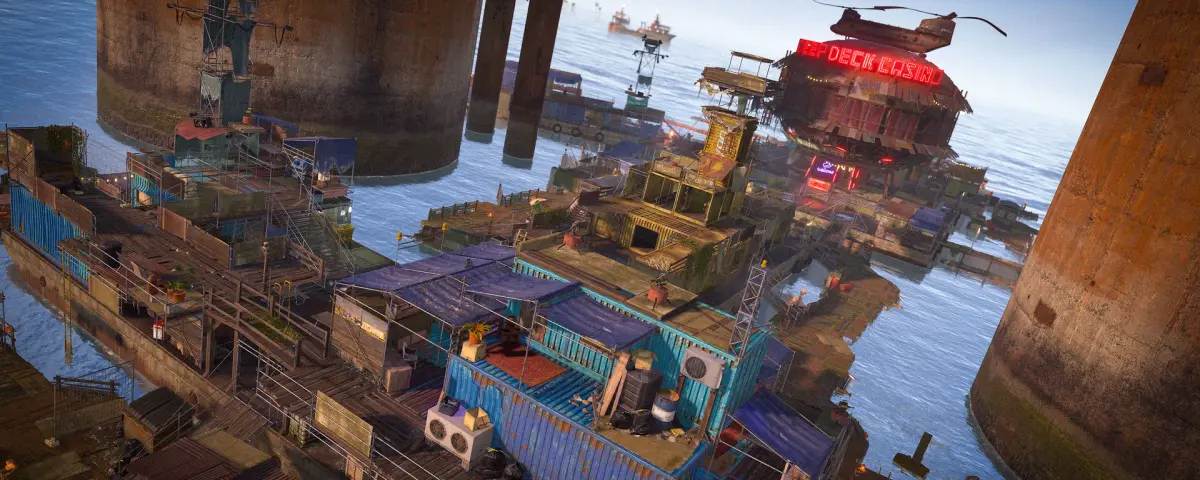
Rust is one of the most demanding survival games to host. A 100-player Rust server with the full map can eat through 16 GB of RAM and needs serious single-thread CPU performance to keep tick rates stable. Pick the wrong hosting provider and your server will stutter during raids, crash on wipe day, or get knocked offline by DDoS attacks.
We have tested and compared seven of the most popular Rust server hosting providers in 2026. This is not a list of affiliate links - it is a breakdown of what actually matters when you are paying for a Rust server every month.
What to Look for in Rust Server Hosting
Before we get into specific providers, here is what separates good Rust hosting from bad:
CPU Performance
Rust is single-threaded for its main game loop. That means clock speed matters more than core count. You want at least a 4.5 GHz processor - ideally an Intel i9-13900K, AMD Ryzen 7 7800X3D, or newer. Providers running old Xeon E5 hardware will not cut it for 100+ player servers.
RAM
A vanilla Rust server with the default 4250 map size needs around 8-10 GB of RAM at minimum. Once you add Oxide plugins, custom maps, and 100+ players, expect 12-16 GB usage. Any provider offering "Rust hosting" with 4 GB plans is not being honest about what you need.
DDoS Protection
Rust servers are constant DDoS targets. Competitive clans, angry raiders, and bored script kiddies all hit Rust servers regularly. You need a provider with proper Layer 4 DDoS mitigation, not just a basic firewall. Look for providers advertising protection in the 1-10 Tbps range.
Wipe Day Performance
The real test of a Rust host is wipe day. When 200 players connect at once, the map regenerates, and everyone is building and farming simultaneously - that is where cheap hosting falls apart. Ask about burst capacity and whether your server shares CPU cores with other customers.
Mod Support (Oxide/uMod)
Most Rust community servers run Oxide (now uMod) for plugin support. Your host should offer one-click Oxide installation and easy plugin management. If you have to SSH in and manually install Oxide, that is a red flag for a managed host.
The 7 Best Rust Server Hosting Providers in 2026
1. DoomHosting - Best Overall Performance
DoomHosting runs all Rust servers on dedicated high-clock-speed CPUs (Intel i9 and AMD Ryzen 9 series) with NVMe SSDs and DDR5 RAM. Every server gets DDoS protection included at no extra cost, and their control panel makes Oxide installation a one-click process.
What sets DoomHosting apart is the hardware. They do not oversell - your server gets guaranteed CPU allocation rather than sharing cores with 20 other game servers. For a 100-slot Rust server, pricing starts around $25/month with 10 GB RAM included.
Pros:
- High-frequency CPUs (5.0 GHz+)
- DDoS protection included
- One-click Oxide/uMod install
- NVMe storage standard
- Servers in EU and US
Cons:
- Newer provider, smaller community compared to legacy hosts
Best for: Server owners who want raw performance and do not want to worry about lag during peak hours.
2. Gameserver Kings - Best for Large Communities
Gameserver Kings has been around for years and offers solid Rust hosting with good hardware. Their plans start at around $15/month for smaller servers. They support custom maps, Oxide, and have decent DDoS protection.
Pros:
- Established reputation
- Good map and plugin support
- Multiple server locations
Cons:
- Hardware can vary between locations
- Support response times are inconsistent
3. Survival Servers - Best Budget Option
Survival Servers offers competitive pricing for Rust, starting around $10/month for small servers. They provide a custom control panel and support Oxide out of the box. Performance is acceptable for servers under 50 players but can struggle during large raids.
Pros:
- Low entry price
- Custom control panel
- Oxide pre-installed option
Cons:
- Performance dips with 75+ players
- Limited DDoS protection on cheaper plans
4. GTXGaming - Best Control Panel
GTXGaming uses a polished custom panel that makes server management straightforward. Configuration file editing, scheduled wipes, automated restarts, and Oxide plugin management are all built in. Hardware is mid-range but sufficient for most community servers.
Pros:
- Excellent control panel
- Scheduled wipe support
- Good documentation
Cons:
- Mid-tier hardware
- Premium pricing for what you get
5. Nodecraft - Best for Simplicity
Nodecraft takes a different approach with their NodePanel. You get one subscription and can swap between games freely. Their Rust performance is decent and setup takes minutes. Good choice if you run multiple game servers and want to consolidate.
Pros:
- Game switching included
- Clean interface
- Quick setup
Cons:
- Not specialized for Rust
- Performance ceiling is lower than dedicated Rust hosts
6. Host Havoc - Best Support
Host Havoc is known for responsive customer support, often replying within minutes. Their Rust hosting uses reasonable hardware and includes DDoS protection. Pricing is middle of the road.
Pros:
- Fast support responses
- DDoS protection included
- Reliable uptime
Cons:
- Not the fastest hardware
- Limited server locations
7. Shockbyte - Most Affordable
Shockbyte offers some of the cheapest Rust server hosting available, with plans starting under $10/month. You get basic Oxide support and a functional control panel. The tradeoff is performance - their shared infrastructure means you will notice slowdowns during busy periods.
Pros:
- Very affordable
- Basic Oxide support
- Easy to get started
Cons:
- Shared resources cause performance issues
- DDoS protection is basic
- Support can be slow
Rust Server Hosting: Hardware Requirements at a Glance
| Server Size | RAM Needed | CPU Recommendation | Storage |
|---|---|---|---|
| 1-50 players (vanilla) | 8 GB | 4.0 GHz+ single thread | 30 GB SSD |
| 50-100 players (modded) | 12-16 GB | 4.5 GHz+ single thread | 50 GB NVMe |
| 100-200 players (modded) | 16-24 GB | 5.0 GHz+ single thread | 75 GB NVMe |
| 200+ players (heavily modded) | 24-32 GB | 5.0 GHz+ dedicated core | 100 GB+ NVMe |
These numbers are based on real-world usage, not marketing estimates. A "4 GB Rust server" from a budget provider will crash the moment you load a custom map with 30 plugins.
Monthly Wipes vs Biweekly: Does It Affect Hosting?
Yes. Biweekly wipe servers are harder on hosting because the map and player data cycle faster. You need reliable automated wipe scheduling (most good panels support this) and enough storage for backups. If your host charges per GB of storage, biweekly wipes with full backups will cost more.
The bigger concern is wipe-day performance. A server that runs fine mid-wipe with 40 players might choke when 150 connect on fresh wipe Thursday. Talk to your host about burst capacity before you commit.
How We Ranked These Providers
We evaluated each provider on five criteria:
- Hardware quality - CPU clock speed, RAM type, storage speed
- DDoS protection - Layer 4 mitigation, uptime during attacks
- Mod support - Oxide installation, plugin compatibility, custom map support
- Value for money - What you actually get per dollar
- Support quality - Response time, technical knowledge, availability
We weighted hardware and DDoS protection heaviest because those are the two things that will make or break your Rust server experience. A great control panel means nothing if your server crashes every raid.
Final Verdict
For most Rust server owners in 2026, DoomHosting offers the best combination of performance, protection, and price. Their hardware is purpose-built for demanding games like Rust, and you will not find yourself upgrading plans three months in because your server cannot handle wipe day traffic.
If budget is your top priority, Survival Servers or Shockbyte will get you running for under $10/month, but expect to hit performance walls if your community grows past 50 active players.
For established communities running 100+ player servers, invest in quality hosting from the start. The difference between a $15/month and $25/month Rust server is the difference between players leaving due to lag and players staying because your server just works.
Ready to host your own Rust server? Check out DoomHosting's Rust server hosting plans and get your server running in minutes.




