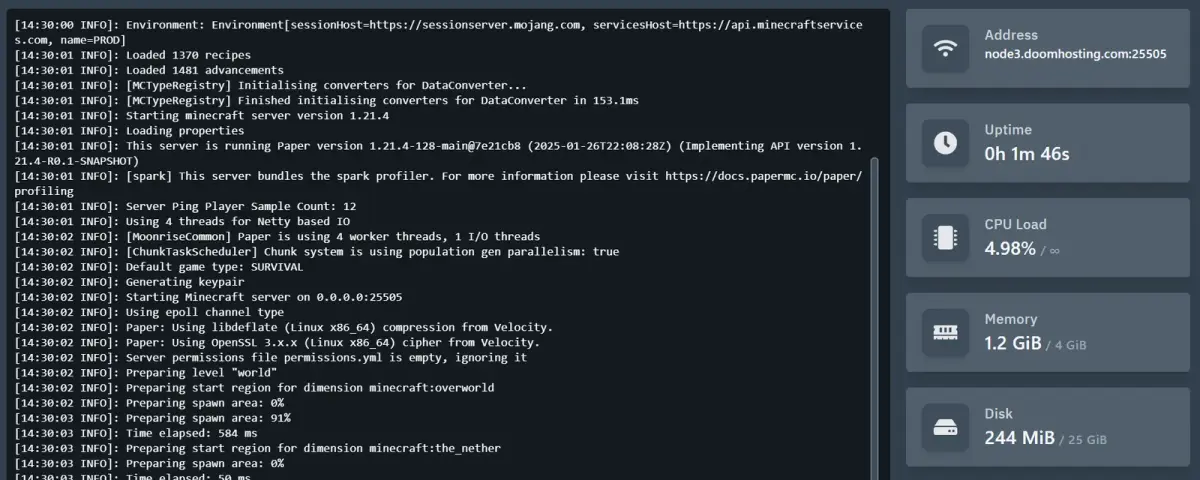
If you have ever managed a game server, you have probably heard of Pterodactyl Panel. It is the most popular open-source game server management panel out there, used by thousands of hosting companies, communities, and individual server owners worldwide. Built with PHP, React, and Go, it has been the go-to solution since 2015 for anyone who wants a professional-grade control panel without paying monthly licensing fees.
In this guide, we break down everything you need to know about Pterodactyl Panel - what it does, how it works, and why it matters for game server hosting.
What Is Pterodactyl Panel?
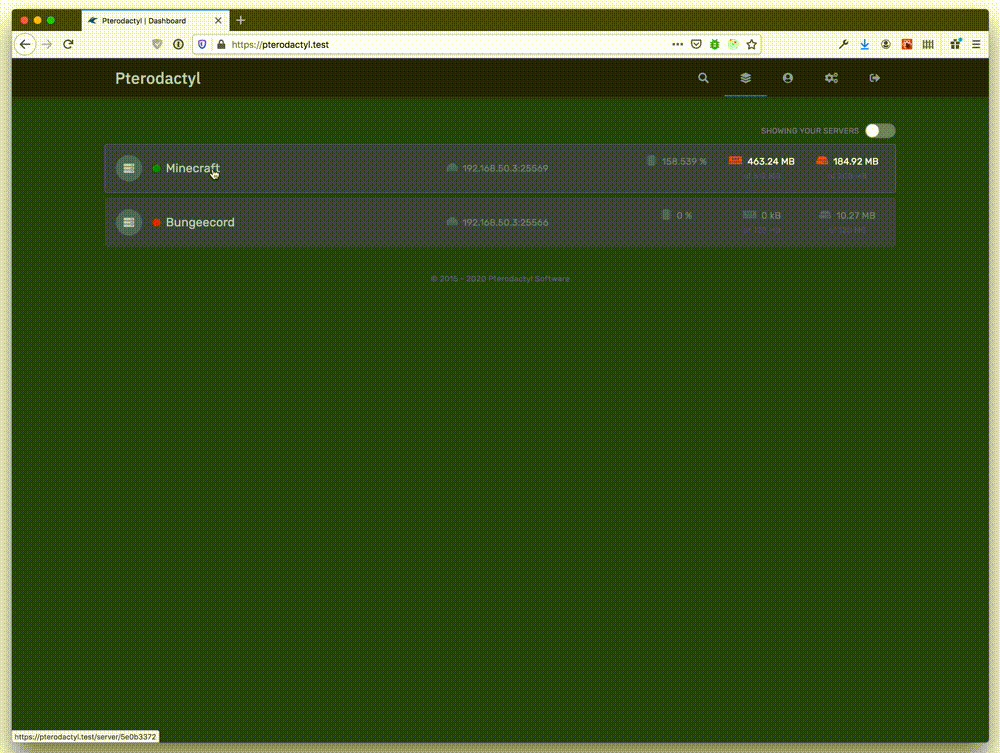

Pterodactyl is a free, open-source game server management panel licensed under MIT. It gives you a clean web interface to create, manage, and monitor game servers. The panel handles user management, resource allocation, file management, server console access, scheduling, and more.
The project consists of two main components:
- Panel - The web frontend built with PHP (Laravel) and React. This is where admins and users interact with their servers.
- Wings - The server-side daemon written in Go that actually runs and manages the game server processes inside Docker containers.
This separation means you can run the panel on one machine and have multiple Wings nodes across different locations, making it easy to scale.
Key Features
Docker-Based Isolation
Every game server runs inside its own Docker container. This is not just a nice feature - it is the foundation of how Pterodactyl works. Each container gets strict CPU, memory, and disk limits. If one server crashes or gets compromised, the others are completely unaffected. This level of isolation is what makes Pterodactyl suitable for commercial hosting where multiple customers share the same hardware.
Security First
Pterodactyl takes security seriously. Passwords are hashed with bcrypt, sensitive data is encrypted with AES-256-CBC, and HTTPS is supported out of the box. The API uses token-based authentication, and the Docker isolation adds another layer of protection. The security defaults are solid - reasonable choices out of the box, no extra hardening needed to get started.
User-Friendly Interface
The React-based frontend is clean and responsive. Server owners can access the console, manage files through a built-in file manager, view resource usage in real time, and set up scheduled tasks - all from the browser. No SSH access required for day-to-day management.
Multi-Game Support
Pterodactyl supports a huge range of games through what it calls "eggs" - preconfigured templates that define how a specific game server should run. Out of the box, you get eggs for:
- Minecraft (Java and Bedrock)
- Rust
- ARK: Survival Evolved
- CS2 / Counter-Strike
- Valheim
- Terraria
- Garry's Mod
- Team Fortress 2
- And dozens more through community-contributed eggs
The egg system is flexible enough that you can create custom eggs for virtually any application that runs in a Docker container.
API Access
Pterodactyl exposes a comprehensive REST API that lets you automate everything. Create servers, manage users, check resource usage, send console commands - all programmatically. This is what hosting companies use to integrate Pterodactyl with their billing systems like WHMCS or Blesta.
How Hosting Providers Use Pterodactyl
Most game server hosting companies you encounter online are running some version of Pterodactyl under the hood. The workflow typically looks like this:
- A customer orders a game server through the hosting website
- The billing system (WHMCS, Blesta, or a custom solution) calls the Pterodactyl API
- Pterodactyl automatically provisions a new server on the appropriate Wings node
- The customer gets login credentials and can manage their server through the panel
At DoomHosting, we use a customized panel setup that gives you the power of Pterodactyl with additional optimizations for performance and ease of use. When you rent a Minecraft server or a Rust server, the management interface you interact with is built on this same proven technology.
Pterodactyl vs. Other Panels
There are alternatives out there - TCAdmin, Multicraft, and AMP being the most notable. Here is how Pterodactyl stacks up:
| Feature | Pterodactyl | TCAdmin | Multicraft | AMP |
|---|---|---|---|---|
| Price | Free (MIT) | Paid license | Paid license | Paid license |
| Docker isolation | Yes | No | No | Optional |
| Open source | Yes | No | No | No |
| Modern UI | React-based | Legacy | Legacy | Modern |
| API | Full REST API | Limited | Limited | Yes |
| Community | Large, active | Smaller | Smaller | Growing |
The biggest advantage of Pterodactyl is the combination of zero licensing cost and Docker-based security. For hosting companies, the savings on licensing alone can be substantial.
Setting Up Pterodactyl - What You Need
If you want to self-host Pterodactyl, here are the requirements:
Panel requirements (Pterodactyl v1.x):
- PHP 8.1 or higher
- MySQL 5.7.22+ or MariaDB 10.2+
- Redis
- A web server (Nginx recommended)
- Composer
- A domain with SSL (Let's Encrypt works fine)
Wings requirements:
- Docker
- A Linux server (Ubuntu 20.04+ or Debian 11+ recommended)
- Dedicated IP or properly configured NAT
The official documentation at pterodactyl.io covers the installation process step by step. Expect to spend 30 to 60 minutes on a fresh setup if you are comfortable with Linux server administration.
Tips for Getting the Most Out of Pterodactyl
Use allocations wisely. Each game server needs at least one port allocation. Plan your port ranges ahead of time, especially if you are running many servers on one node.
Set resource limits carefully. Over-allocating CPU and memory leads to poor performance for everyone. A good rule of thumb is to keep total allocated resources at 80% of the node's actual capacity.
Keep Wings updated. Security patches and performance improvements come regularly. Running outdated Wings nodes is a risk you do not want to take.
Use the schedule system. Pterodactyl lets you set up automated tasks like server restarts, backup creation, and console commands on a schedule. Use this to keep your servers healthy without manual intervention.
Leverage the API for automation. If you run more than a handful of servers, automating provisioning and monitoring through the API will save you hours of work every week.
The Future: Pelican and Beyond
Pterodactyl continues to receive security patches - critical vulnerabilities were addressed as recently as early 2026, so it is not abandoned. That said, major feature development has largely shifted to a community fork called Pelican Panel (pelican.dev). Pelican modernizes the codebase with an updated interface, one-click installations, automatic updates, and 2FA support out of the box. Development pace on Pelican is noticeably more active.
The core architecture is identical: Docker-based isolation, the same Panel plus Wings split, the same egg system for game templates. Everything in this guide applies equally to Pelican. If you are setting up a new panel environment today, Pelican is worth comparing against the original Pterodactyl before you commit to one.
Why It Matters for Your Game Server
Whether you are running a small Minecraft server for friends or managing a network of competitive CS2 servers, the panel you use directly impacts your experience. Pterodactyl gives you enterprise-grade tools without the enterprise price tag.
If you prefer to skip the setup hassle entirely, hosting providers like DoomHosting handle all the infrastructure for you. You get a polished management interface, automatic backups, DDoS protection, and instant deployment - all backed by the same Docker-based technology that makes Pterodactyl reliable.
Ready to get your game server running? Check out our game server hosting options, or explore servers for Valheim, ARK, and more.