Modding Your Minecraft Server
Mods are what make Minecraft truly limitless. From small quality-of-life tweaks to massive content overhauls, mods transform the game. Here's how to install them on your server.
Understanding Mod Loaders
Before installing mods, you need to understand the three main mod ecosystems:
Forge
- The original and most popular mod loader
- Huge library of mods (tech, magic, adventure, etc.)
- Best for: Kitchen-sink modpacks, large mod collections
- Popular mods: Create, Applied Energistics, Mekanism
Fabric
- Lightweight and fast
- Growing mod library with a focus on performance
- Best for: Performance mods, vanilla+ experiences
- Popular mods: Sodium, Lithium, Iris Shaders
Paper/Spigot (Plugins)
- Server-side only: players don't need to install anything
- Best for: Server management, minigames, economy plugins
- Popular plugins: EssentialsX, WorldEdit, LuckPerms
Installing Forge Mods
Step 1: Set Up a Forge Server
If you're using DoomHosting:
- Go to your server control panel
- Select "Change Server Type"
- Choose Forge and your desired Minecraft version
- The server will automatically install Forge
Step 2: Upload Mods
- Navigate to the File Manager in your control panel
- Open the
/modsfolder - Upload your
.jarmod files - Restart the server
Step 3: Verify Installation
- Start the server and check the console for mod loading messages
- Look for any error messages indicating mod conflicts
- Join the server: you'll need the same mods installed on your client
Important Notes
- All players must have the same Forge mods installed
- Check mod compatibility with your Minecraft version
- Some mods require specific dependencies (check the mod page)
Installing Fabric Mods
Step 1: Set Up Fabric Server
- In your control panel, change server type to Fabric
- Select your Minecraft version
- The Fabric loader and API will be installed automatically
Step 2: Add Mods
- Upload
.jarfiles to the/modsfolder - Most Fabric mods require the Fabric API: make sure it's installed
- Restart the server
Recommended Fabric Performance Stack
Required:
- Fabric API
- Lithium (server optimization)
- Starlight (lighting engine optimization)

Optional:
- Krypton (network optimization)
- FerriteCore (memory optimization)
- C2ME (chunk loading optimization)
Installing Paper/Spigot Plugins
Step 1: Set Up Paper Server
- Change server type to Paper (recommended) or Spigot
- Select your Minecraft version
- Server installs automatically
Step 2: Add Plugins
- Upload
.jarfiles to the/pluginsfolder - Restart the server
- Configure plugins via their config files in
/plugins/[PluginName]/
Essential Plugin Starter Pack
- EssentialsX: Basic commands (home, warp, spawn, etc.)
- LuckPerms: Permission management
- WorldEdit: Building tools
- WorldGuard: Region protection
- Vault: Economy API
Installing Modpacks
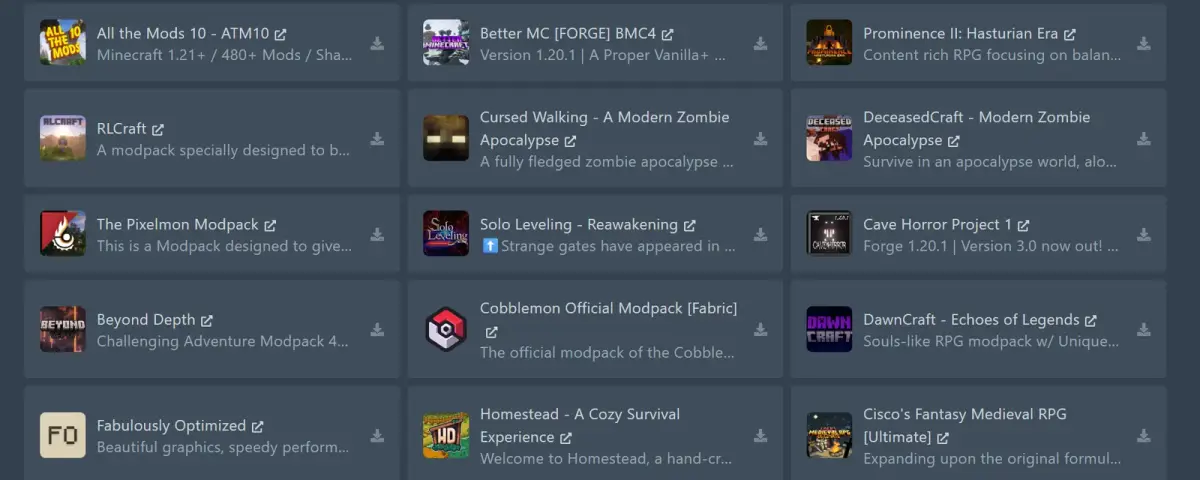
Modpacks bundle dozens (or hundreds) of mods together in a tested configuration.
Popular Modpacks in 2026
- All The Mods 10: Kitchen-sink modpack with everything
- Better Minecraft: Vanilla+ experience with quality mods
- RLCraft: Hardcore survival overhaul
- Create: Above and Beyond: Focused on the Create mod
Installing on DoomHosting
- Go to your control panel
- Select "Modpacks" or "One-Click Install"
- Search for your modpack
- Click install: the server handles everything automatically
- Share the modpack link with your players so they install the client version
Troubleshooting Mod Issues
Server Won't Start After Adding Mods
- Check the server log for error messages
- Remove the last mod you added and try again
- Verify mod version matches your server version
Mod Conflicts
- Check if mods are compatible with each other
- Look for "duplicate mod" errors in logs
- Some mods override the same game mechanics and can't coexist
Client Can't Connect
- Ensure client has the exact same mods and versions
- Forge/Fabric version must match between client and server
- Some server-side mods don't need client installation (check mod description)
Get Modding Today
DoomHosting makes mod installation effortless with one-click modpack support, easy file management, and automatic Forge/Fabric/Paper installation.
Start your modded Minecraft server and bring your imagination to life.